manifest / integrations / wpforms-bigmailer-integration
WPForms BigMailer Integration WP Registry grade A. No security issues foundWP RegistryNo security issues foundOpen the reportA
Enables you to easily send WPForms subscribers to your BigMailer account.
★ 0stars
36release downloads
≈20active sites
v1.1.0latest · 3 years ago
Install
Upload it under Plugins → Add New Plugin → Upload Plugin, then activate.
Install straight from GitHub with WP-CLI:
wp plugin install https://github.com/eric-mathison/wpforms-bigmailer-integration/releases/download/v1.1.0/wpforms-bigmailer-integration.zipNo built-in updater. New versions won't appear under Dashboard → Updates. Install new releases yourself, or let Git Updater track the repository.
Enables you to easily send WPForms subscribers to your BigMailer account.
Description
WPForms and BigMailer Together
Easily connect any WPForms Optin form to your BigMailer account.
Send subscribers from your WPForms directly into your Bigmailer lists by using the Bigmailer API.
Features
- Subscribe to one or many lists.
- Resubscribes the user if they have previously unsubscribed from your list.
- If you use Message Types, they will be resubscribed to the Message Type if previously unsubscribed.
Installation
- Upload the entire
wpforms-bigmailer-integrationfolder to the/wp-content/plugins/directory - Activate the plugin through the \'Plugins\' menu in WordPress
- Create a form using WPForms
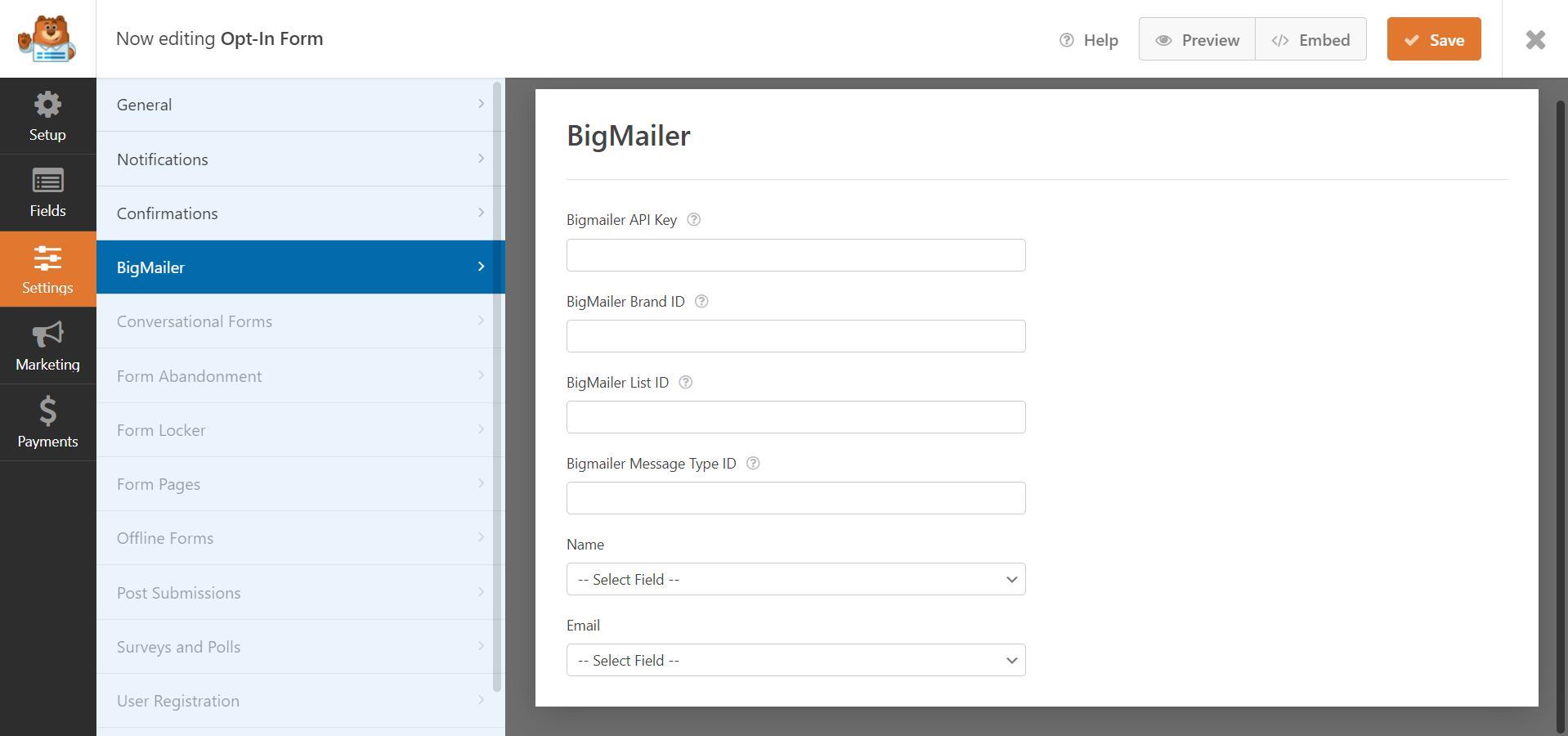
- Configure your BigMailer Settings under
Settings -> BigMailer
Releases
2 releases. Each count is every asset in that release; expand a row for the breakdown.
Tag
Published
Assets
Downloads
Active-site estimate ≈20 comes from the median of recent superseded releases. Method.