Install
Upload it under Plugins → Add New Plugin → Upload Plugin, then activate.
Install straight from GitHub with WP-CLI:
wp plugin install https://github.com/zohebnsr/simple-traffic-stats/releases/download/v1.6.2/simple-traffic-stats-v1.6.2.zipSimple Traffic Stats is a lightweight WordPress analytics plugin from TechGrapple.Com that tracks essential website traffic directly inside the WordPress dashboard.
Screenshots
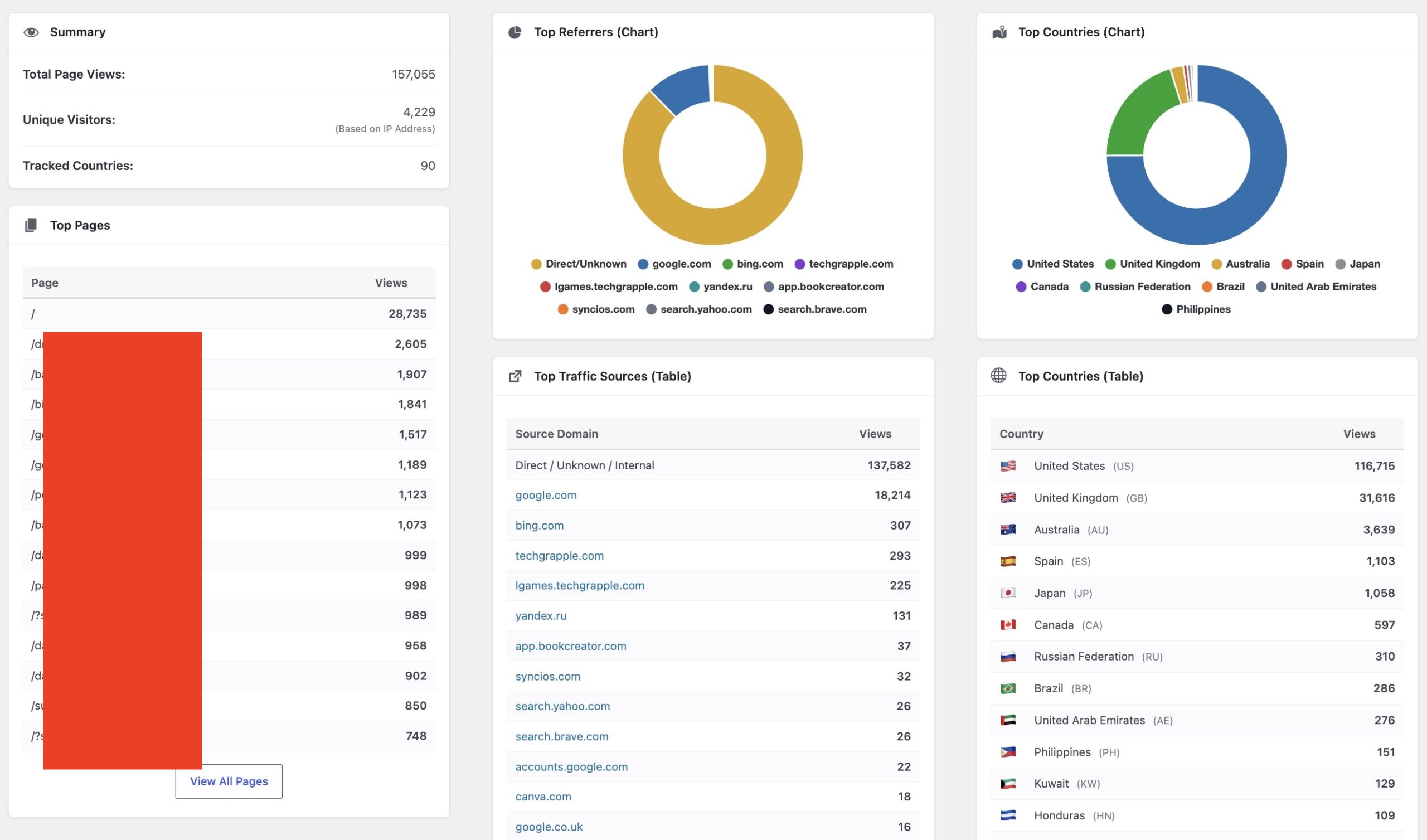
Traffic Dashboard
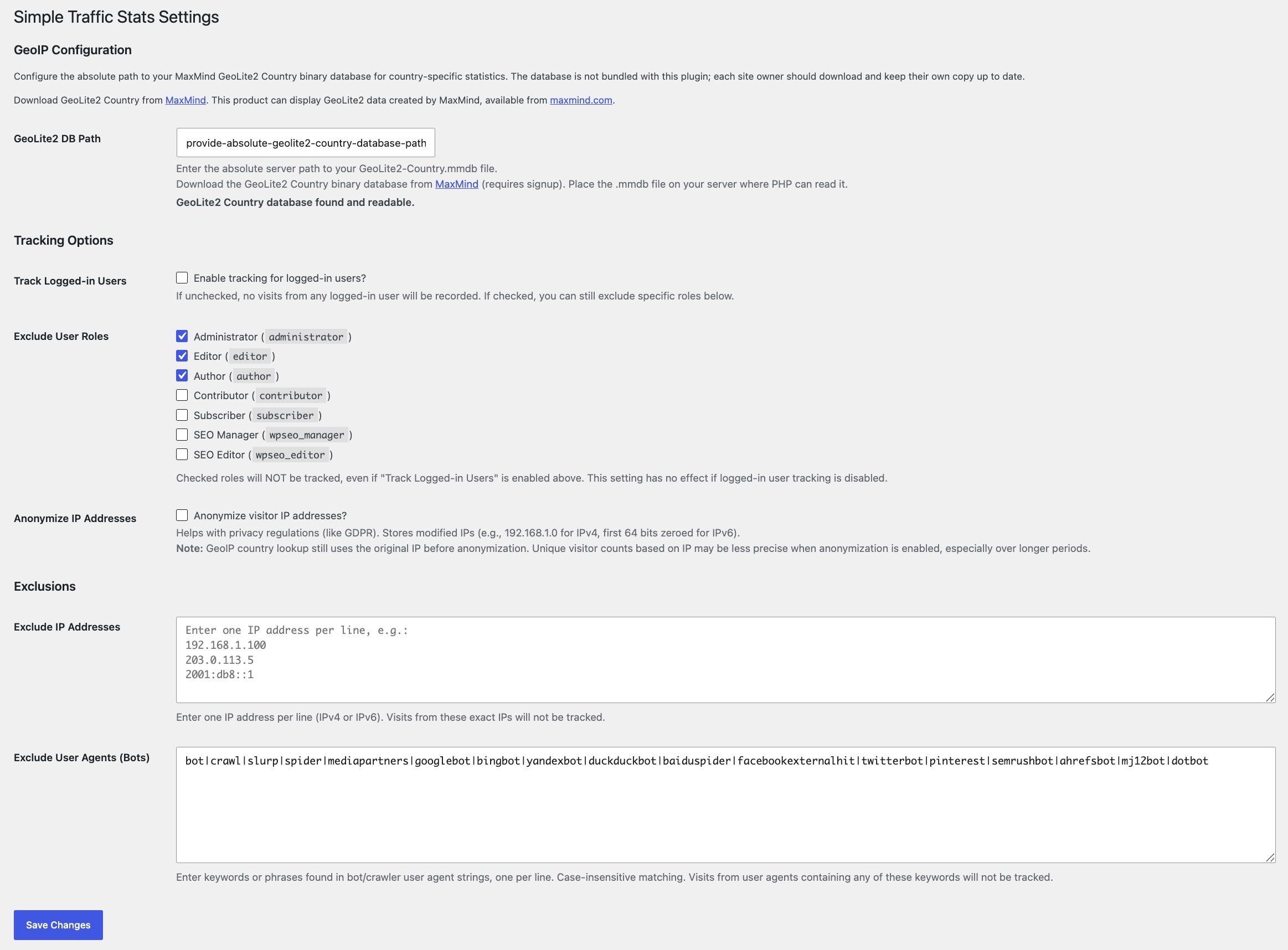
Settings
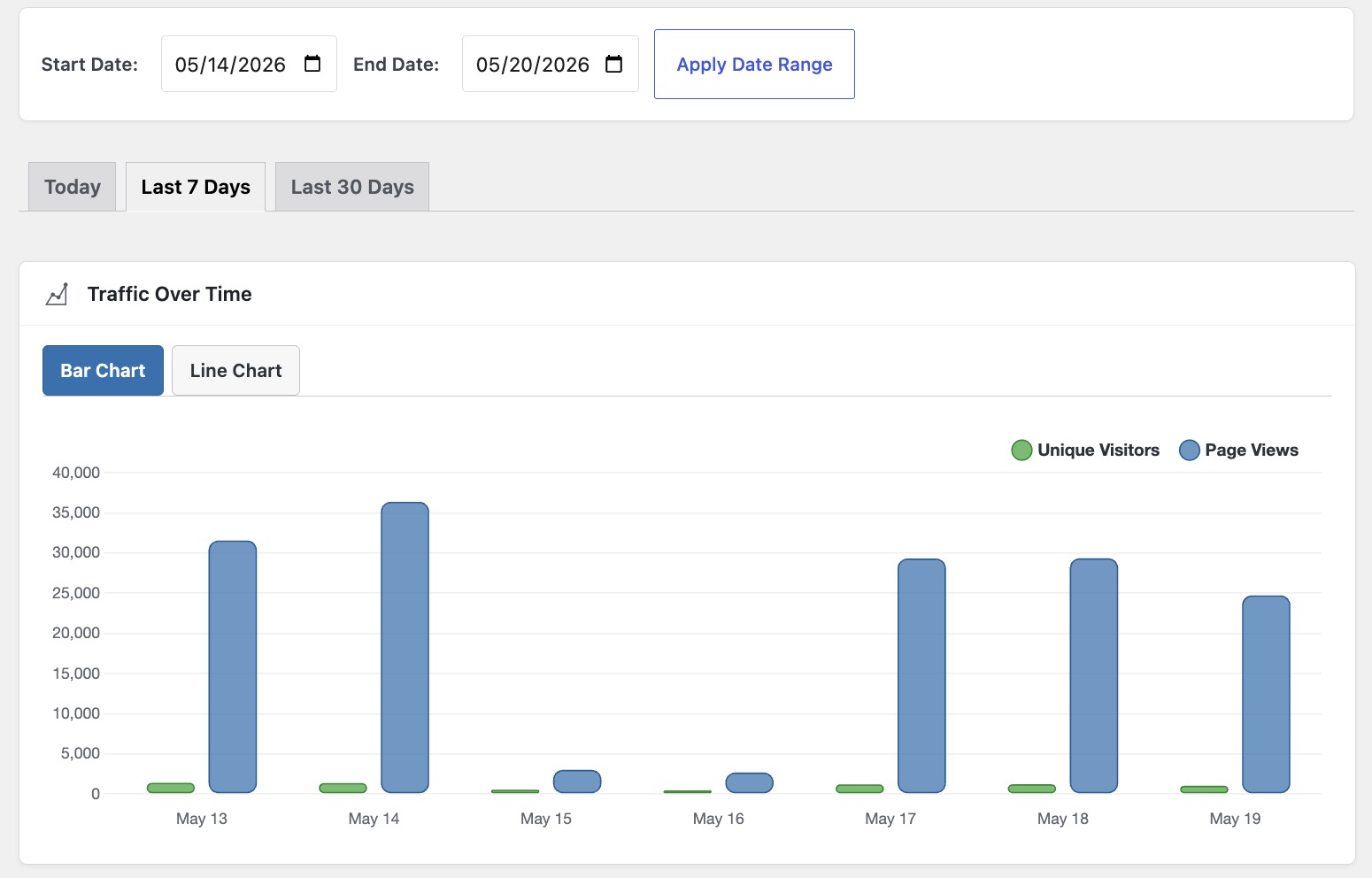
Dashboard Widget
Features
- Page view and unique visitor tracking.
- Referrer and top traffic source reports.
- Optional country statistics with a site-owner-provided MaxMind GeoLite2 Country database.
- Charts for traffic trends, countries, and referrers.
- Today, last 7 days, last 30 days, and custom date filters.
- Dashboard widget with a quick 7-day overview.
- IP, role, logged-in user, and bot user-agent exclusions.
- Optional IP anonymization.
- Local data storage in WordPress, without sending analytics data to third-party analytics services.
Download
Download the installable plugin zip from the GitHub Releases page:
simple-traffic-stats-v1.6.2.zip
The release zip contains the correct WordPress plugin folder:
simple-traffic-stats/Installation
- Download the latest release zip.
- In WordPress, go to
Plugins>Add New>Upload Plugin. - Choose the zip file and select
Install Now. - Activate
Simple Traffic Stats. - Open
Traffic Statsin the WordPress admin menu.
Optional GeoIP Setup
Country tracking requires your own MaxMind GeoLite2 Country database. The database is not bundled with this plugin.
- Download the GeoLite2 Country database in GeoIP2 binary
.mmdbformat from MaxMind. - Upload
GeoLite2-Country.mmdbto a server location readable by PHP. - In WordPress, go to
Traffic Stats>Settings. - Enter the absolute path to the
.mmdbfile. - Save settings and confirm the status message shows the database is readable.
Repository
- Plugin page: https://www.techgrapple.com/simple-traffic-stats-a-lightweight-wordpress-analytics-plugin/
- Developer: TechGrapple.Com
- Repository: https://github.com/zohebnsr/simple-traffic-stats
Release Packaging
This repository includes a GitHub Actions workflow at .github/workflows/release.yml.
To create a GitHub release with an installable WordPress zip:
git tag v1.6.2
git push origin v1.6.2
The workflow builds simple-traffic-stats-v1.6.2.zip and attaches it to the GitHub release.
License
Simple Traffic Stats is licensed under GPLv2 or later.
Releases
1 release. Each count is every asset in that release; expand a row for the breakdown.