VTX Media – Media Library Manager & Optimizer
Modern WordPress media management plugin with folders, metadata tools and a React-powered interface.
Install
No release zip yet. The repository archive installs, but the folder name will carry the branch suffix and updates will not flow:
wp plugin install https://github.com/zlodeiat/vtx-media/archive/refs/heads/main.zipWordPress media library management and media-health auditing. VTX Media Core 1.5.0 provides virtual folder organization, personal favorites, metadata inspection, and deterministic media-health analysis without relocating or deleting WordPress attachments.
Features
- Nested virtual folders, search, filtering, sorting, and bulk organization.
- Per-user favorites and attachment metadata editing.
- Incremental media-health auditing with resumable scans and issue inspection.
- Capability checks, REST API endpoints, and extension registries for optional modules.
- React-powered WordPress admin interface.
Scope: This repository contains the Core plugin, not the separately distributed Pro extension. Despite the historical plugin display name, Core 1.5.0 does not implement image compression or AI image generation. See readme.txt for precise feature scope.
Screenshots
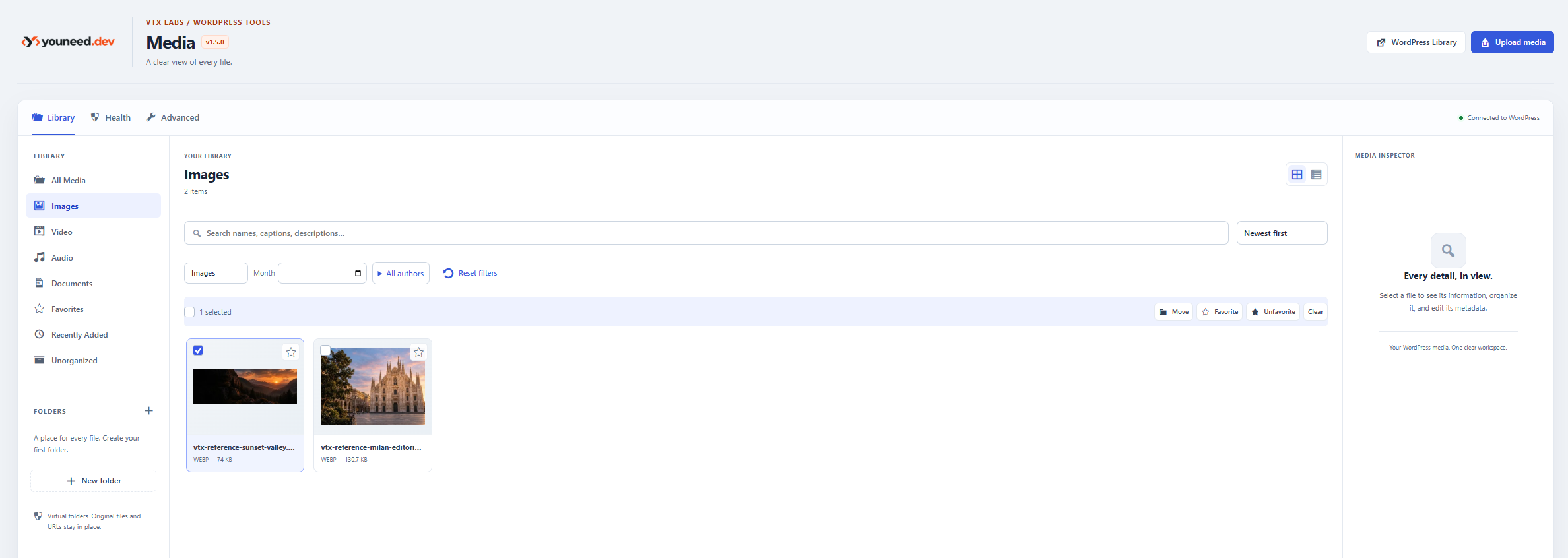
Media Library
A React-powered workspace for organizing WordPress attachments with virtual folders, favorites, search, filtering, and bulk actions.
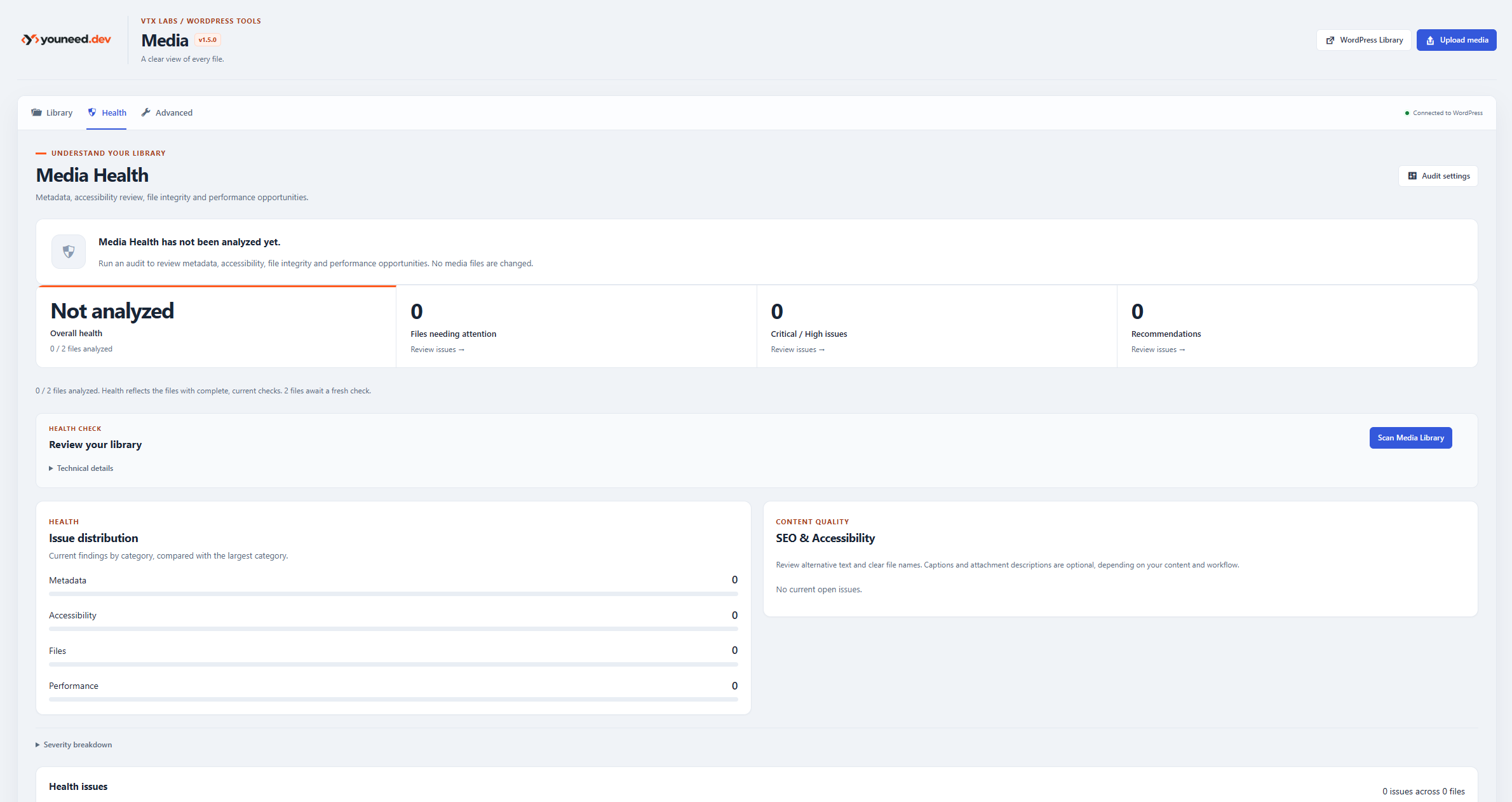
Media Health
Incremental media auditing for metadata quality, accessibility, file integrity, and performance-related issues.
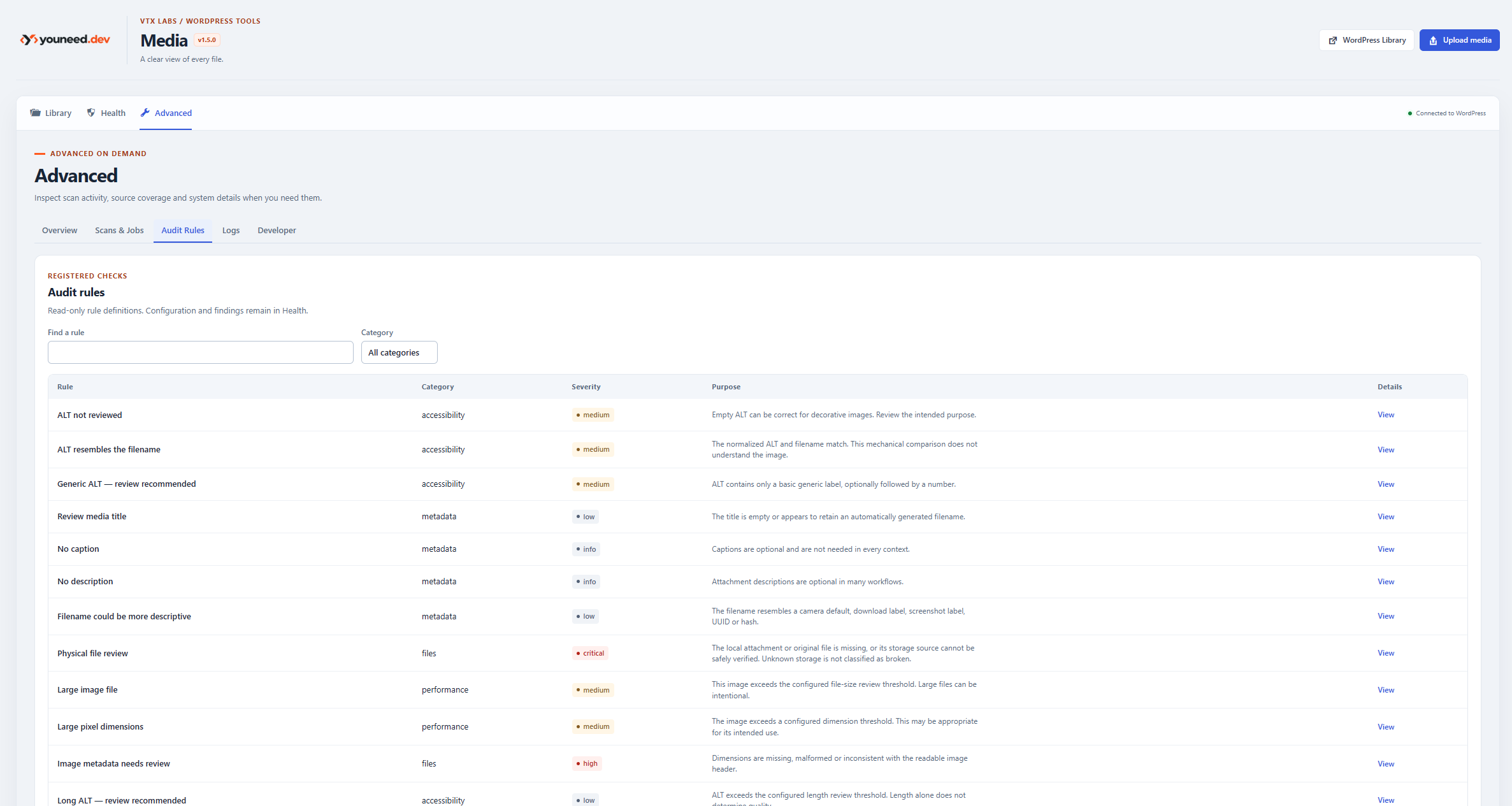
Advanced Audit Rules
Inspect registered audit rules, categories, severity levels, and the purpose of each check.
Requirements
- WordPress 6.5+
- PHP 7.4+
- Node.js and npm for development only
Install
For a WordPress installation, copy this repository folder to wp-content/plugins/vtx-media, then activate VTX Media in Plugins. Compiled assets are included under assets/dist, so npm is not required on the site. On multisite, activate on each site separately.
Development
npm ci
npm run build
npm run lint
Automated integration and browser tests require a configured WordPress environment. Review package.json and docs/TESTING.md before running them; certain scripts rely on WP-CLI or Playwright.
Architecture and documentation
docs/ARCHITECTURE.md— components, persistence, REST, auditing, and job processing.docs/SECURITY.md— permissions, safety model, and data removal.docs/EXTENSIONS.md— extension hooks and contracts.docs/TESTING.md— test procedures.
VTX-owned folder and audit data is separate from canonical WordPress attachment data. Uninstall retains plugin data by default; see readme.txt before opting into permanent removal.
License
GPL-2.0-or-later — see LICENSE.