Smart Booking System
A complete, lightweight, and professional WordPress plugin that allows any business (restaurants, salons, clinics, etc.) to accept appointment bookings directly on their website.
by Your Name · github.com/zeeshan-sshaikh/smart-booking-system · website
★ 0stars
0forks
Install
No release zip yet. The repository archive installs, but the folder name will carry the branch suffix and updates will not flow:
wp plugin install https://github.com/zeeshan-sshaikh/smart-booking-system/archive/refs/heads/001-smart-booking-system.zipA complete, lightweight, and professional WordPress plugin that allows any business (restaurants, salons, clinics, etc.) to accept appointment bookings directly on their website.
✨ Features
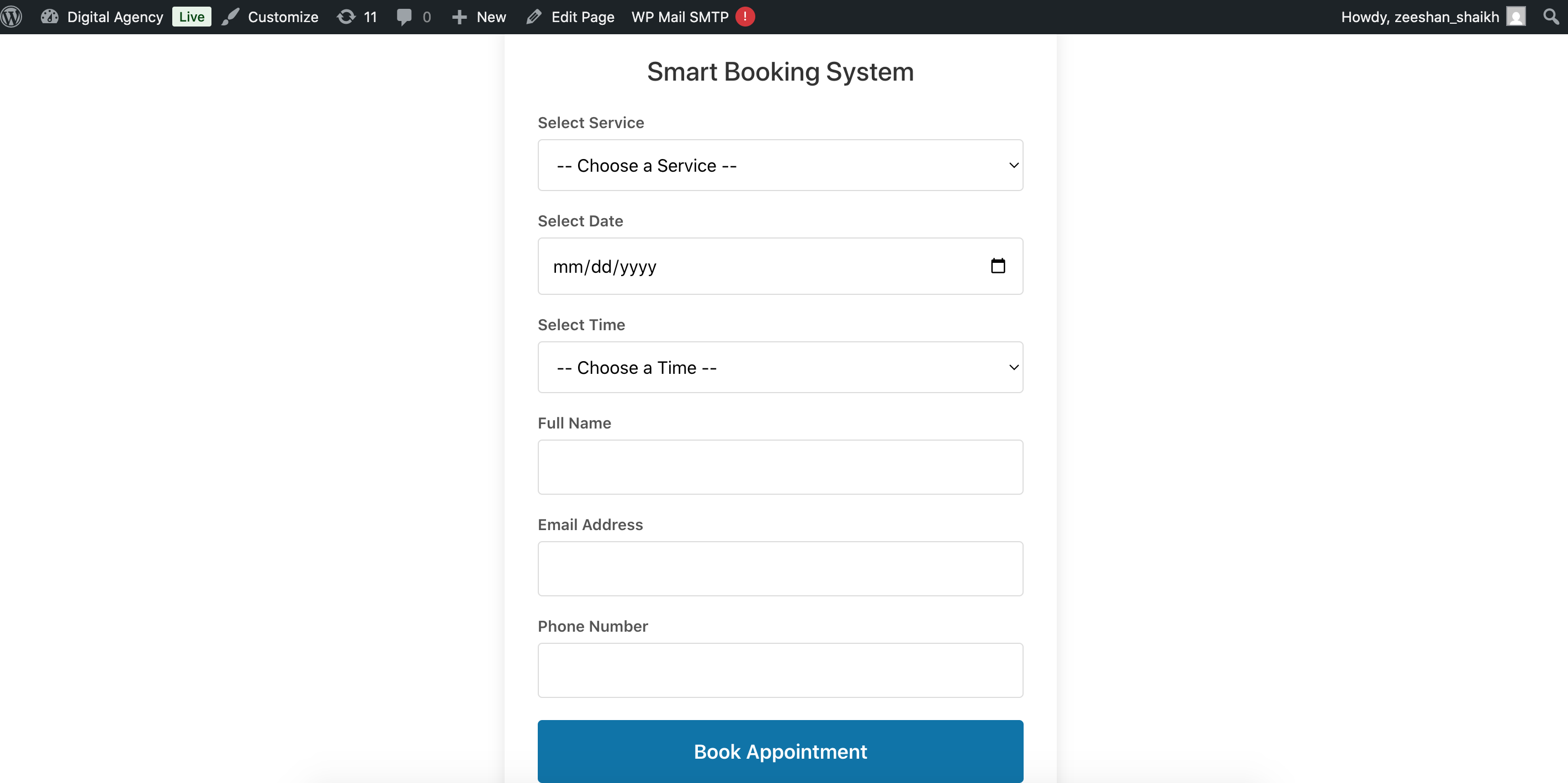
- Frontend Booking Form: A clean, modern form that can be placed anywhere using the
[smart_booking_form]shortcode. - Dynamic Slot Selection: Real-time hourly time slots (9 AM - 6 PM default) and customizable services.
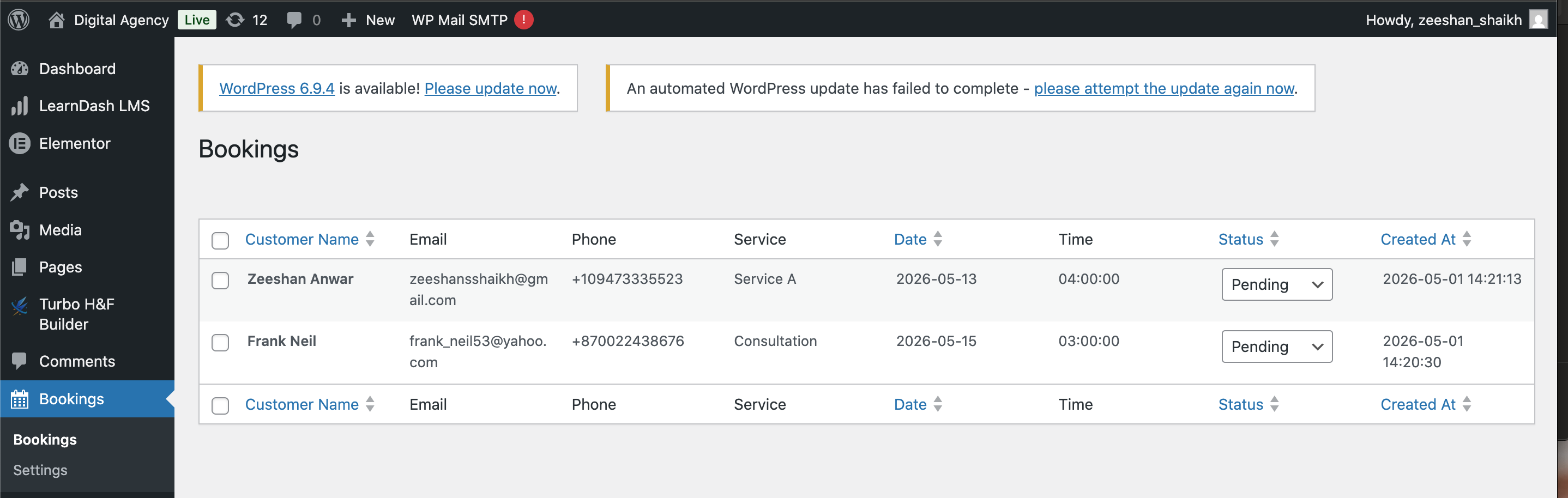
- Admin Dashboard: A native-feeling WordPress table to view, manage, and filter all bookings.
- Status Management: Instantly Approve, Reject, or Cancel bookings via AJAX (no page reloads).
- Email Notifications: Automated HTML email alerts to the admin for every new booking.
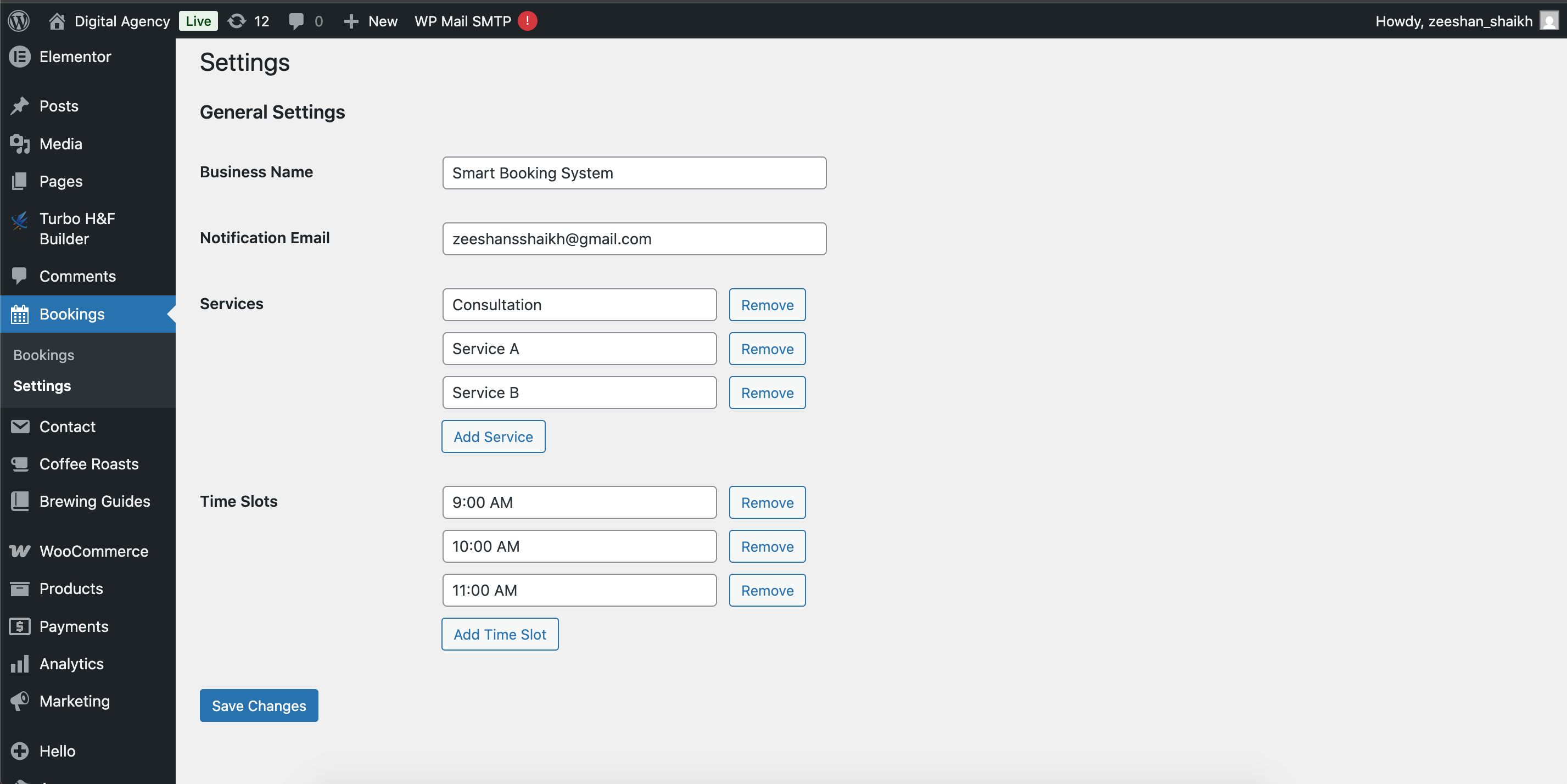
- Customizable Settings: Configure your business name, notification email, available services, and time slots.
- Mobile Responsive: Fully usable on desktops, tablets, and smartphones.
- Security First: Built with WordPress best practices, including nonces, sanitization, and escaping.
📸 Screenshots
Frontend Booking Form
Admin Bookings Table
Admin Settings Page
📋 Requirements
- WordPress: 6.0 or higher
- PHP: 7.4 or higher
- Database: MySQL 5.7+ or MariaDB 10.3+
🚀 Quick Start
1. Installation
- Download the
smart-booking-systemfolder. - Upload the folder to your WordPress installation's
/wp-content/plugins/directory. - Log in to your WordPress Admin Dashboard.
- Navigate to Plugins > Installed Plugins.
- Find Smart Booking System and click Activate.
2. Initial Setup
- Go to the new Bookings > Settings menu in your sidebar.
- Business Name: Enter your business name (displayed on the form).
- Notification Email: Enter the email where you want to receive booking alerts.
- Services: Add the services you offer (e.g., "Consultation", "Haircut").
- Time Slots: Define your available hours (e.g., "09:00", "10:00").
- Click Save Changes.
3. Displaying the Form
- Create a new Page or Edit an existing one.
- Paste the following shortcode where you want the form to appear:
[smart_booking_form] - Publish/Update the page and view it on your site.
🛠️ Admin Functionality
- Viewing Bookings: Go to Bookings to see a complete list of all customer submissions.
- Updating Status: Use the dropdown in the "Status" column to change a booking to Confirmed or Cancelled. The system saves this instantly.
- Deleting: Hover over a customer name to see the "Delete" option for removing old or test records.
- Sorting: Click on column headers (Name, Date, Status, Created At) to sort your list.
🔒 Security & Performance
- Custom Tables: Uses a dedicated database table (
wp_sbs_bookings) for high-speed queries and minimal bloat. - AJAX Driven: Submissions and status updates happen in the background for a smooth user experience.
- Sanitization: All user inputs are strictly sanitized before being saved.
- Escaping: All output is escaped to prevent XSS (Cross-Site Scripting) attacks.
📄 License
Distributed under the GPL-2.0+ License. See LICENSE for more information.