Install
This is the repository archive. It installs, but the folder name will carry the branch suffix and updates will not flow.
Install straight from GitHub with WP-CLI:
wp plugin install https://github.com/zbcdo/wp-gutenberg-blocks/archive/refs/heads/develop.zipA WordPress plugin providing some native Gutenberg blocks:
- Weather Widget (
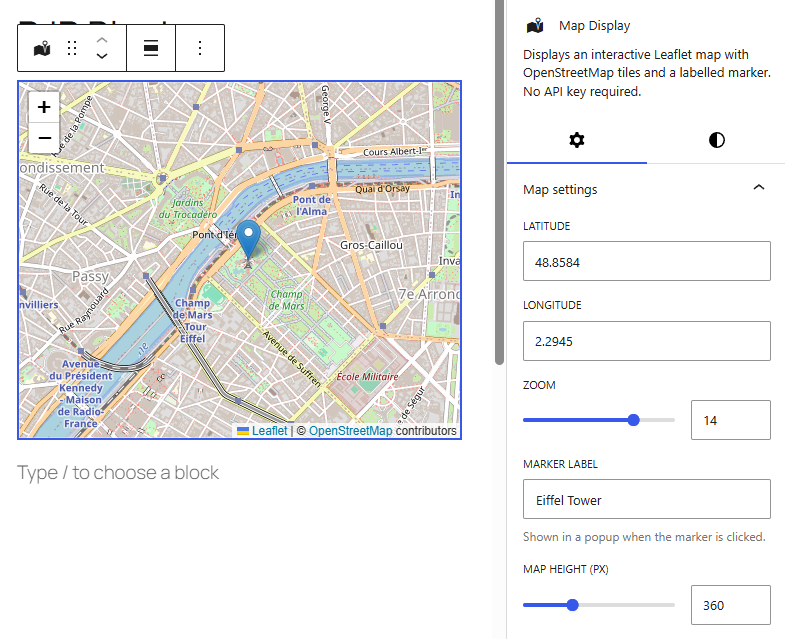
rjp/weather) — a server-rendered current-weather and optional 3-day-forecast block that works with zero configuration. - Map Display (
rjp/map) — an interactive Leaflet map with OpenStreetMap tiles and a labelled marker. No API key required.
Built with the official @wordpress/create-block tooling and the wp-scripts
build system. Native blocks only — no ACF, no page-builder dependencies.
- Requires: WordPress 6.8+, PHP 8.2+
- License: GPL-2.0-or-later
- Author: René J. Peter
Screenshots
Replace the placeholder paths below with your own captures.
| Weather Widget | Map Display | Settings |
|---|---|---|
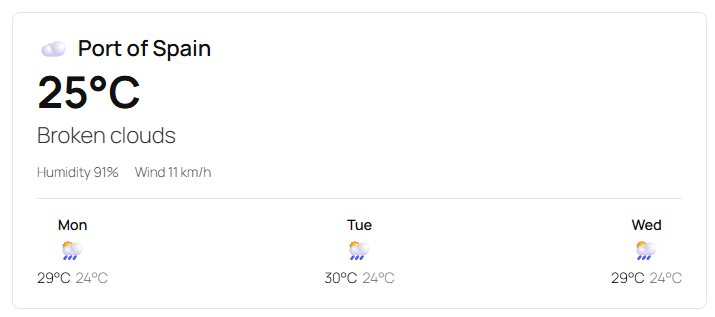 |
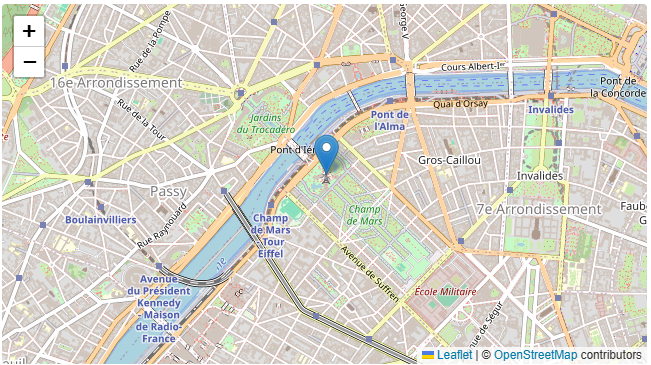 |
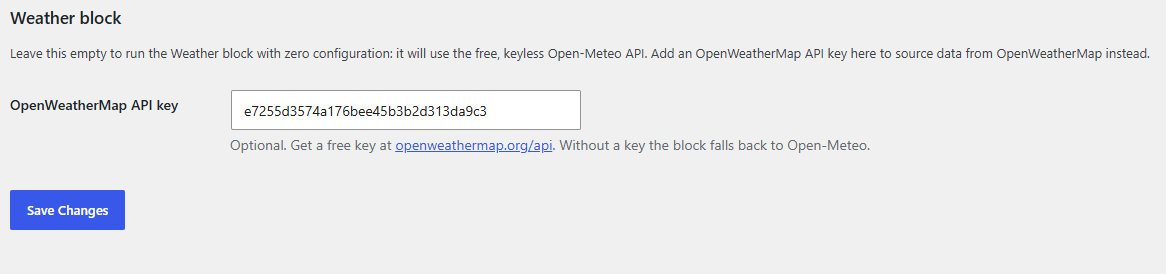 |
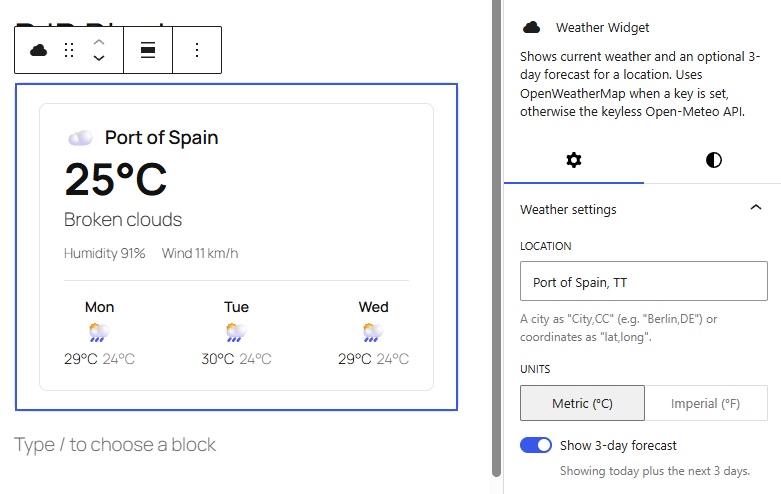
Editor previews:
Quickstart
# 1. Install dependencies
npm install

# 2. Build the blocks (compiles src/ → build/)
npm run build

# 3. Spin up a local WordPress with the plugin already active
npx wp-env start        # or: npm run env:start
Then open http://localhost:8888/wp-admin (user admin, password
password), create a post, and insert the Weather Widget or Map Display
block.
During development use npm start for an incremental watch build.
npm scripts
| Script | Purpose |
|---|---|
npm start |
Watch mode — rebuilds build/ on change. |
npm run build |
One-off production build. |
npm run env:start |
Start the wp-env test site (WordPress + plugin active). |
npm run env:stop |
Stop the wp-env test site. |
npm run lint:js / lint:css |
Lint against WordPress coding standards. |
npm run format |
Auto-format the source. |
The
build/directory is not committed — runnpm run buildafter cloning (and before activating the plugin outside ofwp-env).
Blocks
Weather Widget (rjp/weather)
- Dynamic block — output is generated in PHP (
render.php); there is no saved markup, so the data is always fresh at the caching boundary. - Inspector controls:
- Location —
City,CountryCode(e.g.Berlin,DE) orlat,long. - Units — metric (°C) / imperial (°F).
- Show 3-day forecast — today only vs. today + next 3 days.
- Location —
- Editor preview via
<ServerSideRender>, so the editor matches the front end exactly. - Graceful degradation — an invalid location or an API hiccup renders a quiet "Weather data is currently unavailable." note, never a broken block or a PHP notice.
Map Display (rjp/map)
- Leaflet + OpenStreetMap tiles, bundled from the
leafletnpm package (not a CDN). - Inspector controls: latitude, longitude, zoom (range), marker label, map height (px).
- Live in both contexts — the map renders inside the editor canvas and on the front end. The editor instance is mutated in place on attribute changes and torn down on unmount, so repeated edits never leak Leaflet instances.
- Includes the OpenStreetMap attribution required by the tile usage policy.
Settings
Settings → RJP Blocks exposes a single field: an optional OpenWeatherMap API key, stored via the Settings API with sanitization. Inline help explains the Open-Meteo fallback. No key is ever committed to the repository.
Architecture notes
Manifest-based block registration (WordPress 6.8)
Both blocks are registered in a single call:
wp_register_block_types_from_metadata_collection(
    RJP_BLOCKS_PATH . 'build',
    RJP_BLOCKS_PATH . 'build/blocks-manifest.php'
);
wp-scripts build --blocks-manifest compiles every block.json into one
build/blocks-manifest.php. WordPress then reads that single file instead of
scanning the filesystem for each block's metadata — one file read for the whole
plugin. This is the 6.8-recommended
pattern for multi-block plugins.
Server-side fetching + transient caching (Weather)
Weather data is fetched in PHP, on the server, never from the browser. This keeps any future API key server-side and lets us cache aggressively:
- Responses are stored in a transient with a 20-minute TTL, keyed by
provider + location + units + forecast. The API is never called on every page load — at most once per 20 minutes per unique configuration. - Only successful responses are cached, so a transient network error is retried on the next view rather than being frozen for 20 minutes.
- All outbound calls use
wp_remote_get()with an 8-second timeout and an explicit HTTP-status check; all output is escaped.
Keyless fallback design (Weather)
The block is designed to work with zero configuration:
- If an OpenWeatherMap API key is set in Settings → RJP Blocks, it uses OpenWeatherMap's current-weather endpoint (plus the 5-day/3-hour forecast endpoint, collapsed into daily min/max, when the forecast is enabled).
- If not, it transparently falls back to the free, keyless Open-Meteo API, geocoding the location through Open-Meteo's free geocoding endpoint first.
Both providers are normalized to a single internal shape, so render.php
doesn't care which one produced the data. WMO/OWM condition codes are mapped to
emoji so the block needs no icon assets.