WP Manifestindependent plugin directory
manifest / users / sensei-bulk-boot-learners

Sensei Bulk Boot Learners WP Registry grade C-. High-severity findings · 1 findingWP RegistryHigh-severity findings · 1 findingOpen the reportC-

Sensei Bulk Boot Learners

★ 2stars
17release downloads
≈10active sites
v0.1.1latest · 9 years ago

Install

Download sensei-bulk-boot-learners.0.1.1.zip From the v0.1.1 release on GitHub, Jan 13, 2017

Upload it under Plugins → Add New Plugin → Upload Plugin, then activate.

Install straight from GitHub with WP-CLI:

wp plugin install https://github.com/zao-web/sensei-bulk-boot-learners/releases/download/v0.1.1/sensei-bulk-boot-learners.0.1.1.zip
No built-in updater. New versions won't appear under Dashboard → Updates. Install new releases yourself, or let Git Updater track the repository.

Provides tools/buttons for bulk booting users from courses

Description

If you offer seasonal training, it may make sense to reset the course enrollment at the beginning of each season. This plugin allows doing so by providing a bulk way to boot users from a course.

Installation

Manual Installation

  1. Download the latest release package.
  2. Upload the entire /sensei-bulk-boot-learners directory to the /wp-content/plugins/ directory.
  3. Activate Sensei Bulk Boot Learners through the 'Plugins' menu in WordPress.

Using Git

  1. Clone this repository into your plugins directory: cd <CONTENT_DIRECTORY>/plugins/ && git clone git@github.com:zao-web/sensei-bulk-boot-learners.git

Use as a Git submodule.

  1. If you have your WordPress wp-content directory in version control, and wish to add this plugin as a submodule: cd <CONTENT_DIRECTORY>/ && git submodule add https://github.com/zao-web/sensei-bulk-boot-learners.git plugins/sensei-bulk-boot-learners

Screenshots

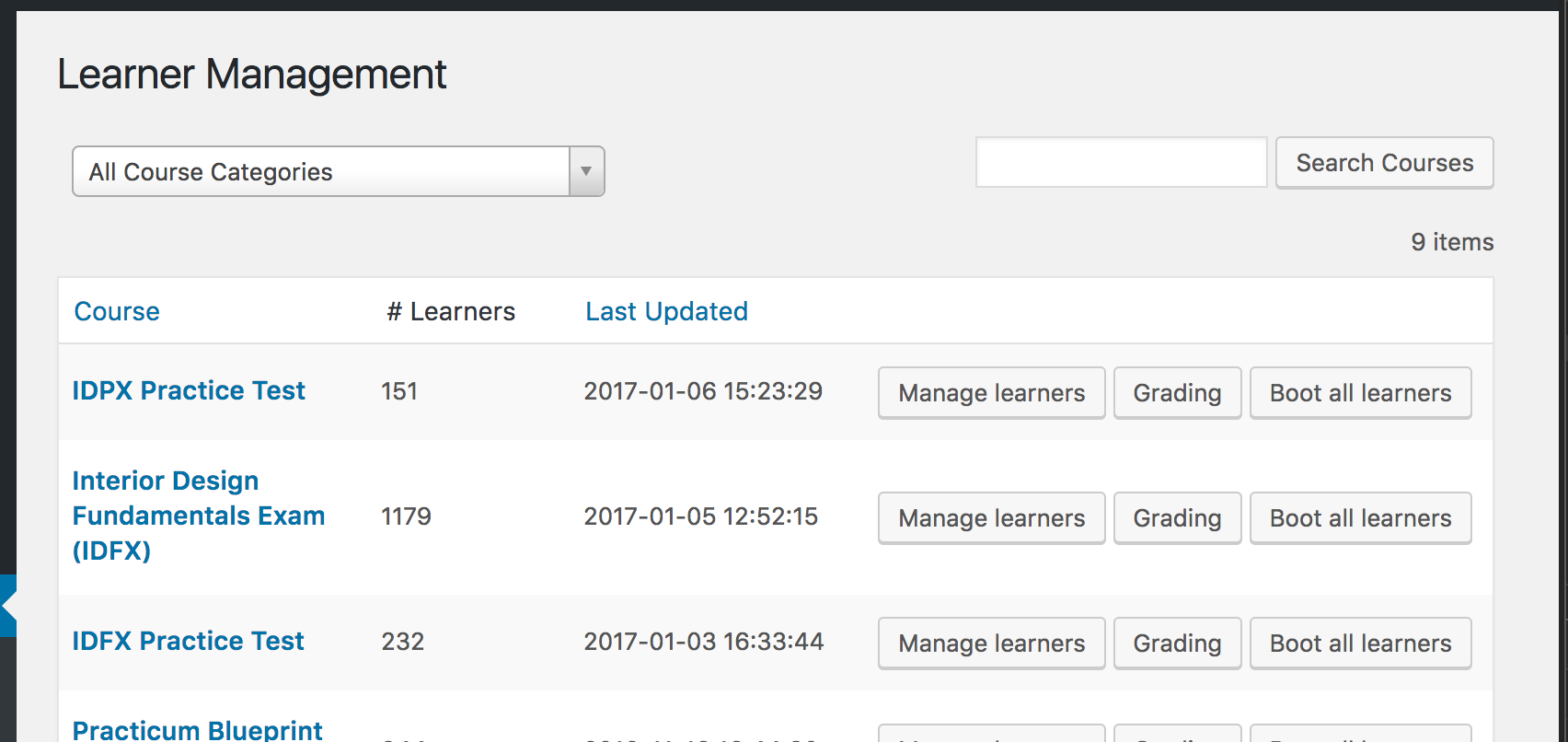
"Boot Learners" button: "Boot Learners" button
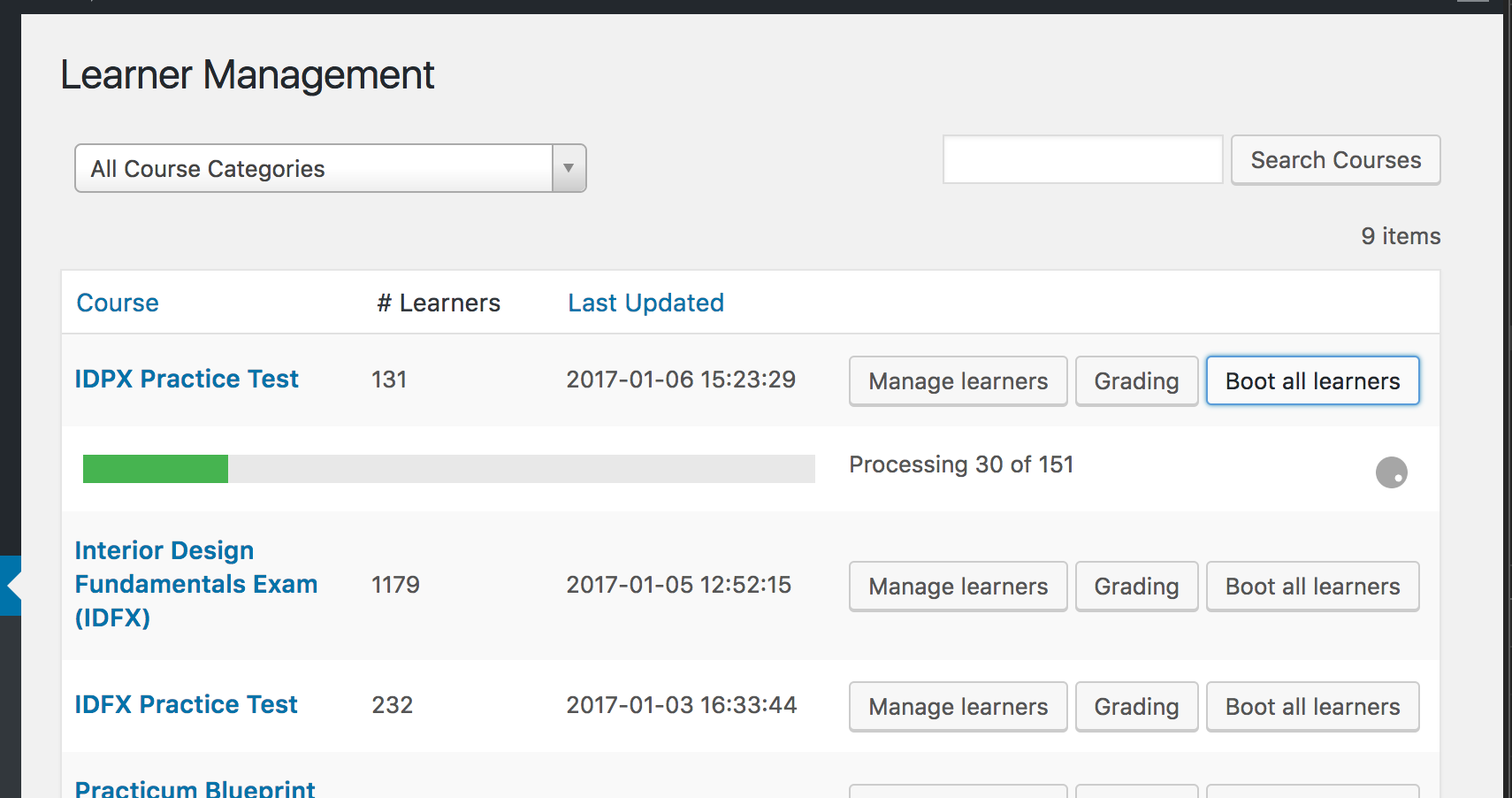
"Boot Learners" in progress: "Boot Learners" in progress

Changelog

0.1.1

  • Query/Performance Improvements.

0.1.0

  • First release

Releases

2 releases. Each count is every asset in that release; expand a row for the breakdown.

Tag
Published
Assets
Downloads
v0.1.1 latest
Jan 13, 2017 9 years ago
sensei-bulk-boot-learners.0.1.1.zip
11
Jan 8, 2017 9 years ago
sensei-bulk-boot-learners.0.1.0.zip
6

Active-site estimate ≈10 comes from the median of recent superseded releases. Method.

C- grade

Security

Sensei Bulk Boot Learners 0.1.1 · audited by WP Registry

High-severity findings.

1 high
Audited release
0.1.1
Findings
1
Worst severity
high
Content hash
ecb9b4daeebc359a39c2c227…

Findings

  • high Teacher can mass-unenroll any Sensei course via nonce-only AJAX

    missing_capability

    wp_ajax_boot_from_course is registered for every logged-in user. ajax_boot_from_course() only checks that $_REQUEST['nonce'] verifies against SENSEIBOOT_URL (the plugin URL). There is no current_user_can('manage_sensei'), no manage_sensei_grades, and no course-author / can_user_manage_students check. Sensei LMS itself refuses remove-user unless the caller has manage_sensei or is the course post_author, and it author-scopes the Learner Management list for Teachers. This plugin still localizes SenseiBoot.nonce on that screen for anyone with manage_sensei_grades (the Teacher role). A Teacher therefore POSTs action=boot_from_course&boot-from=<any course ID> and Boot::learners_from_course() walks every sensei_course_status user and calls Sensei_Utils::sensei_remove_user_from_course, wiping enrollment and lesson activity for courses they do not own. Subscriber cannot obtain the nonce (WP capability-gates admin.php?page=sensei_learners before add_boot_button runs). Not unauthenticated. The GET fallback maybe_boot_from_course is similarly ungated but is hooked to sensei_page_sensei_learners, which current Sensei/WP do not fire.

    includes/classes/admin.php:113-132

    Recommendation

    After the nonce check, require current_user_can('manage_sensei') or the same ownership test Sensei uses (manage_sensei or get_current_user_id() === (int) get_post($course_id)->post_author). Reject unknown course IDs. Use a dedicated nonce action (not the plugin URL) and check_ajax_referer(). Do not expose a GET boot-from fallback without check_admin_referer().

WP Registry hashes the installable build and reports on that exact bytes-for-bytes copy. Embargoed findings are withheld until they are disclosed, so a clean verdict means nothing public is outstanding. WP Manifest does not audit code itself.