Install
This is the repository archive. It installs, but the folder name will carry the branch suffix and updates will not flow.
Install straight from GitHub with WP-CLI:
wp plugin install https://github.com/zahra-norouzi/wordpress-article-toc/archive/refs/heads/main.zipNo built-in updater. New versions won't appear under Dashboard → Updates. Install new releases yourself, or let Git Updater track the repository.
پلاگین وردپرس برای نمایش فهرست محتوا براساس عناوین h2 مقالات
توضیحات
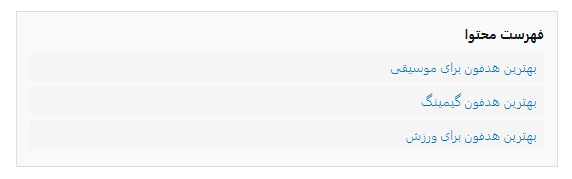
این پلاگین به شما امکان میدهد با استفاده از شورتکد [article_toc]، فهرست محتوا (Table of Contents) را به صورت خودکار و براساس عناوین h2 هر مقاله نمایش دهید. هر عنوان به بخش مربوط لینک میشود و ظاهر فهرست قابل سفارشیسازی است.
ویژگیها
- استخراج خودکار عناوین h2 هر مقاله
- نمایش فهرست محتوا با استایل دلخواه
- لینکدهی به هر بخش مقاله
- قابل استفاده با شورتکد
نحوه استفاده
- پلاگین را در مسیر
wp-content/pluginsآپلود و فعال کنید. - شورتکد زیر را در محتوای مقاله قرار دهید:
[article_toc]
سفارشیسازی استایل
فایل CSS پلاگین در مسیر assets/css/article-toc.css قرار دارد و قابل ویرایش است.
Article TOC (English)
WordPress plugin for displaying a table of contents based on h2 headings in articles.
Features
- Automatically extracts h2 headings from posts
- Displays a customizable table of contents
- Each item links to its section in the article
- Easy to use via shortcode
Usage
- Upload and activate the plugin in
wp-content/plugins. - Add the shortcode to your post content:
[article_toc]
Custom CSS
Edit the plugin’s CSS file at assets/css/article-toc.css for styling.
Author: Zahra Norouzi Version: 1.0