VitalLens
Core Web Vitals monitoring for WordPress. Tracks field and lab data per page through the PageSpeed Insights API, keeps the history, and alerts when a metric crosses your threshold.
Install
This is the repository archive. It installs, but the folder name will carry the branch suffix and updates will not flow.
Install straight from GitHub with WP-CLI:
wp plugin install https://github.com/zactonz/vitallens-wordpress/archive/refs/heads/main.zipVitalLens — Core Web Vitals Monitoring for WordPress
Monitor Core Web Vitals for every page on your WordPress site, see which element is causing each problem, and get an email before a page starts failing.
VitalLens is a WordPress plugin that tracks Largest Contentful Paint (LCP), Interaction to Next Paint (INP) and Cumulative Layout Shift (CLS) for the pages you choose, using the Google PageSpeed Insights API. It stores every check, charts the history, names the element behind each failure, and emails you while a page is still passing but running out of margin.
Full documentation and guides → vitallens.zactonz.com
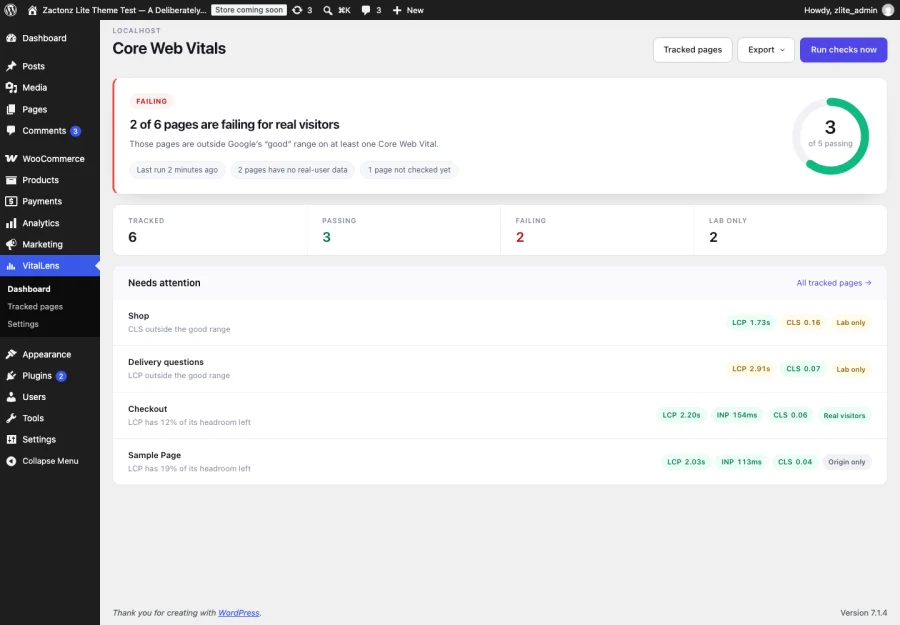
Why Core Web Vitals monitoring matters
Core Web Vitals are part of how Google ranks pages. They measure what a visitor actually experiences:
| Metric | What it measures | Google's "good" threshold |
|---|---|---|
| LCP — Largest Contentful Paint | How long until the main content appears | under 2.5 s |
| INP — Interaction to Next Paint | How quickly the page responds to a tap or click | under 200 ms |
| CLS — Cumulative Layout Shift | How much the layout jumps while loading | under 0.1 |
Search Console reports these, but it reports them weeks late, grouped into URL buckets, and only for pages with enough traffic. By the time a page appears in a failing group, it has been failing for a month. VitalLens checks the pages that matter to you on your own schedule and keeps the full history, so you see a metric drifting long before Google reports it.
The problem with most Core Web Vitals plugins
They show you a lab score and let you believe your visitors measured it.
Google publishes real-user data — the Chrome User Experience Report, or CrUX — only for URLs with enough traffic. Most individual pages on most sites never qualify. Many tools quietly fall back to a single simulated page load and present the number identically.
VitalLens labels every number as one of three things:
- Real visitors — CrUX field data for that exact URL
- Origin only — CrUX data for your domain, not that page
- Lab only — one simulated load, because Google has no field data for it
A green page nobody has ever measured is worse than no answer at all, because you stop looking.
Alerts judged on headroom, not percentages
Judging Core Web Vitals by percentage change does not work. CrUX reports CLS on a 0.01 grid, so the smallest move a healthy page can make is already a double-digit percentage — which is why percentage-based alerting either floods you or gets switched off.
VitalLens measures how much of the remaining margin a change consumed. A metric that spends a third of its headroom emails you while it is still passing. One that ticks by a single grid step does not.
Features
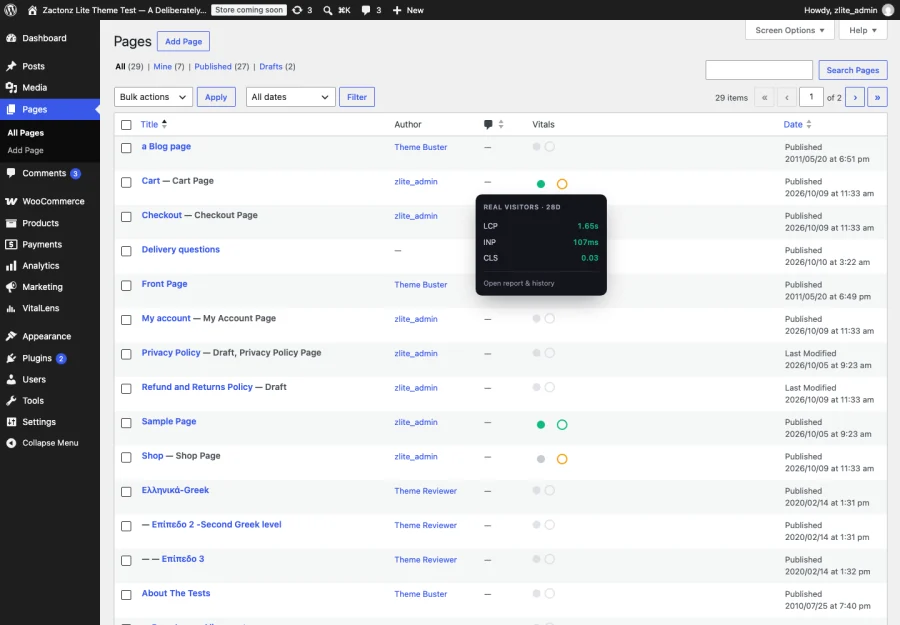
See Core Web Vitals status on your Posts and Pages lists
A two-dot column shows a filled disc for real-visitor data and a ring for the lab test. Hover either for the latest LCP, INP and CLS. No separate screen to remember.
Find out which element is causing the problem
Knowing "CLS 0.16" tells you nothing actionable. VitalLens reads seventeen Lighthouse diagnostic audits and reports which element moved, what moved it, and how much of the score it accounts for — for example, a 0.162 shift on the block below your hero image, caused by an image with no explicit dimensions and two web fonts.
That is the difference between knowing you have a problem and knowing what to change.
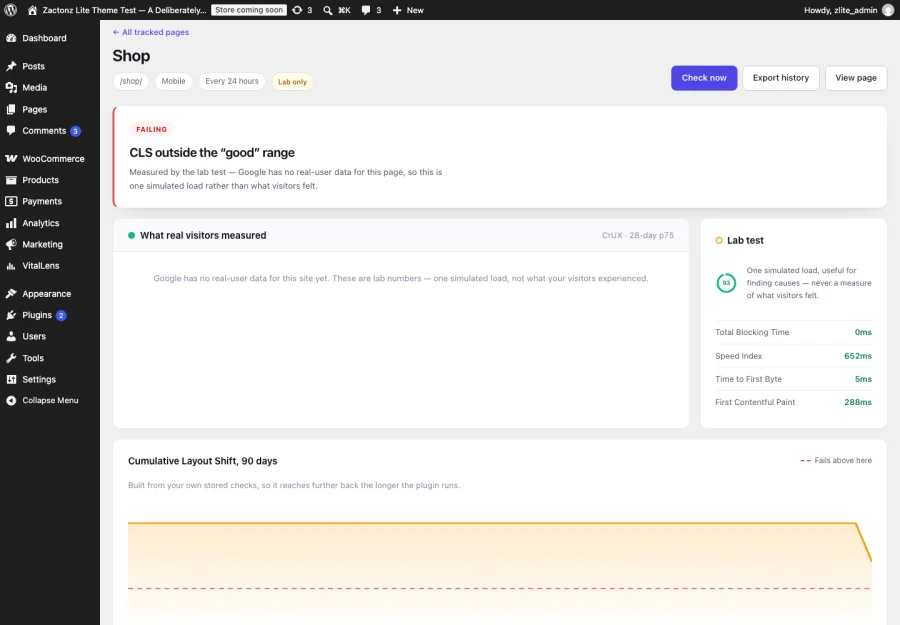
Track Core Web Vitals history over time
Every tracked page keeps a chart built from your own stored checks, with the failing threshold drawn on it. Hover or use arrow keys to read any point. You can see whether last week's change helped, which Search Console cannot tell you.
Email alerts before a page fails
Four alerts, each switched on separately:
- A page starts failing for real visitors
- A page is running out of headroom
- A page starts passing again (off by default — good news should be opt-in)
- Checks have stopped running at all
That last one matters more than it sounds. WP-Cron only fires when somebody visits your site, so on a quiet site monitoring silently stops. VitalLens tells you.
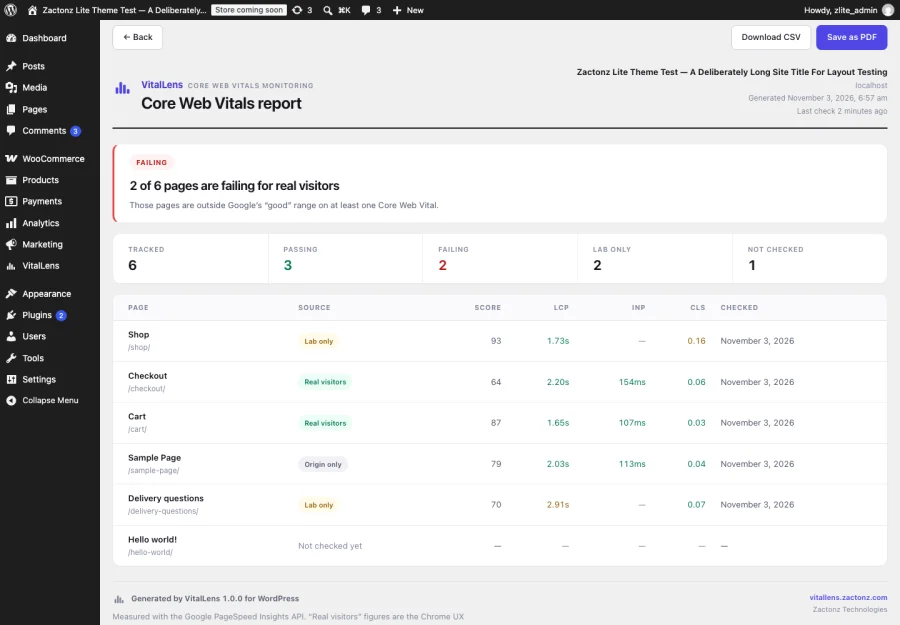
Client-ready reports and CSV export
Every tracked page in one printable report — branded, with thresholds and data sources stated — that saves as a PDF from your browser's own print dialog. Plus CSV of every page, or of one page's complete history.
Backups that survive deleting the plugin
A snapshot of every tracked page, check and setting is written to your uploads folder each time the plugin is deactivated — the step before every delete — and restores in one click. Deleting the plugin cannot take your history with it.
How it works
- You add a free Google PageSpeed Insights API key in Settings.
- You choose which pages to track.
- VitalLens calls the PageSpeed Insights API on a schedule, a few pages at a time.
- Results are stored in your own database and charted over time.
- Alerts fire when a metric crosses — or approaches — a threshold.
Nothing is added to your front end: no script, no tracking, no extra requests for visitors, no effect on the scores being measured.
What it costs to run
Nothing, for almost any site. VitalLens uses your own free PageSpeed Insights API key — no billing account, 25,000 calls a day.
One call per tracked page per device strategy, per run. Thirty pages checked daily on both mobile and desktop is roughly 1,800 calls a month against an allowance of 25,000 a day. The Tracked pages screen shows the exact figure for your selection before you save it.
Requirements
- WordPress 6.2 or later
- PHP 7.4 or later
- A free Google PageSpeed Insights API key
Installation
- Install and activate the plugin.
- Go to VitalLens → Settings and paste your PageSpeed Insights API key. Test key tells you immediately whether it works.
- Go to VitalLens → Tracked pages and choose what to watch.
- The first check runs within the hour.
Frequently asked questions
Why does one of my pages say "lab only"?
Google publishes real-user (CrUX) data only for URLs with enough traffic. Pages below that threshold are still checked, but the result is one simulated load rather than what visitors experienced. VitalLens labels it rather than mixing the two.
What is the difference between Core Web Vitals and a PageSpeed score?
The PageSpeed score out of 100 is a weighted lab result. Core Web Vitals are three specific metrics, and only the field (real-visitor) versions of them count toward search. A page can score 95 in the lab and still fail Core Web Vitals for real visitors — which is exactly why labelling the data source matters.
Why have my checks stopped running?
WP-Cron only fires when somebody visits your site, so on a low-traffic site it drifts or stalls entirely. VitalLens flags an overdue run instead of letting the gap pass unnoticed, and Settings gives you a real system cron command with the paths already filled in for your install.
Does this plugin slow down my site?
No. Checks run in the background against Google's API, and nothing is added to the front end. There is no script for visitors to download and no effect on the metrics being measured.
Can I export the data?
Yes, three ways: CSV of every tracked page with its latest reading, CSV of one page's full history, and a printable report that saves as a PDF through your browser. There is no bundled PDF engine — that would ship megabytes of vendored code to redraw a report the browser already renders perfectly.
What happens to my data if I deactivate or delete the plugin?
Nothing, either way, and updating never touches it. Deactivating stops the schedule. Deleting keeps your tracked pages and stored checks, so reinstalling picks up where you left off — because deleting a plugin is often just a step in updating it. A tick box on the Settings screen removes the tables if you genuinely want them gone.
How many pages can I track?
As many as your API allowance covers, which in practice means more than you need. The limit worth thinking about is attention, not quota — tracking your twenty most important pages produces a report you will read.
External service
VitalLens calls https://www.googleapis.com/pagespeedonline/v5/runPagespeed directly, using
the key you provide. Each request carries the public URL of a tracked page and that key, and
nothing else: no post content, no visitor data, no personal information, and nothing is sent
to Zactonz or to any server of ours.
Your key is stored in your own database, is never written to a backup snapshot, and is used only to sign these requests. Google's terms of service · Google's privacy policy
Documentation and support
- vitallens.zactonz.com — documentation, setup guides and how to read each metric
- Report an issue
- Full changelog, including the unpublished development builds, is in readme.txt
Licence
GPL-2.0-or-later — see LICENSE.
Developed by Zactonz Technologies, a software engineering practice building WordPress plugins, APIs and cPanel extensions. Not affiliated with Google.