Install
This is the repository archive. It installs, but the folder name will carry the branch suffix and updates will not flow.
Install straight from GitHub with WP-CLI:
wp plugin install https://github.com/yusufdeveloper2903/estatify-real-estate/archive/refs/heads/main.zipEstatify: real-estate listings for WordPress
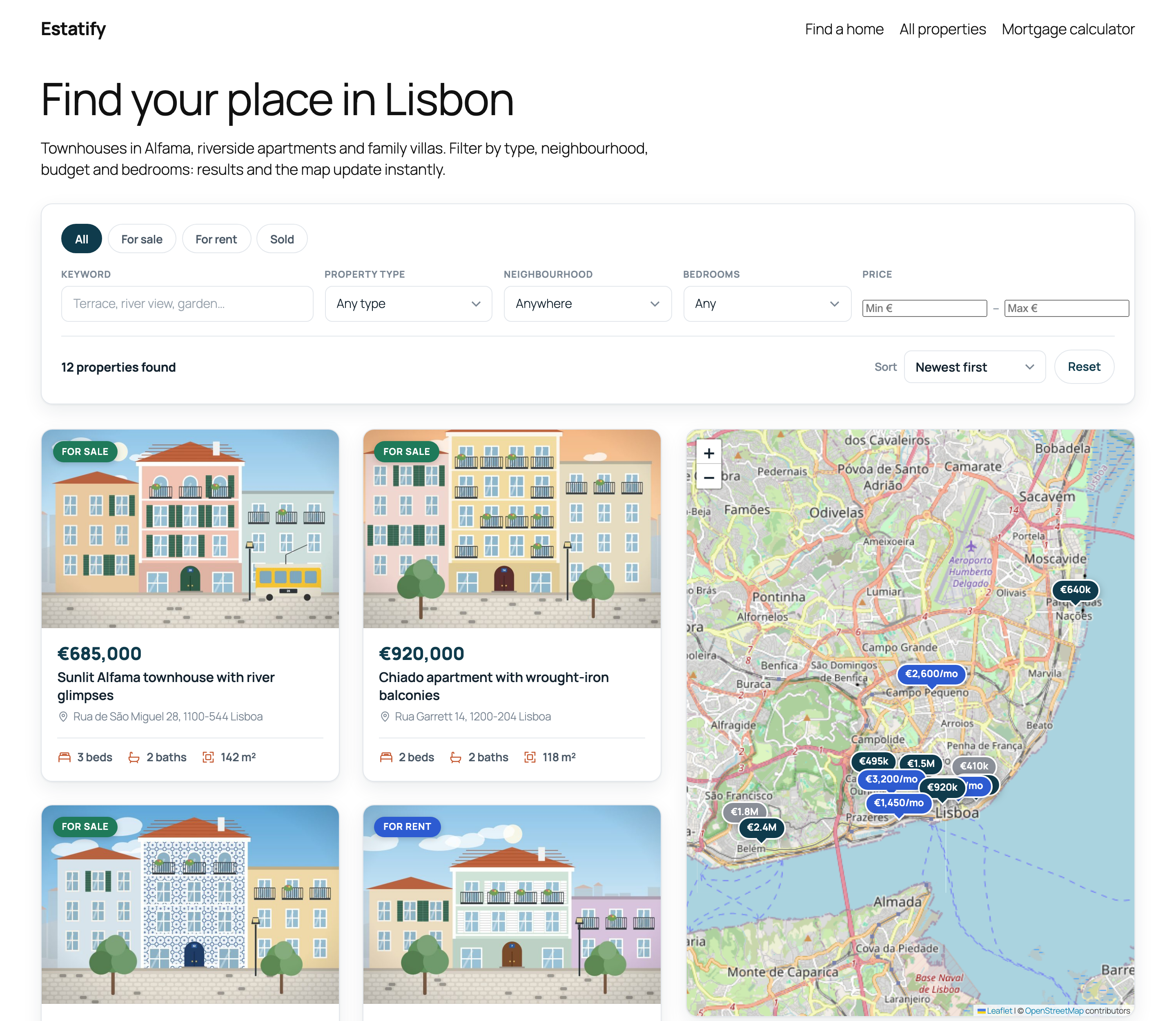
A custom WordPress plugin that adds property listings to any block theme. It includes a custom post type with typed meta, a filterable REST API and five Gutenberg blocks built with React and the Interactivity API: live search, a listing grid, a Leaflet map, a mortgage calculator and a property details view.
Demo / portfolio project. I built Estatify to show how I approach custom plugin, block and REST API work. The listings, addresses, prices and photos are fictional. The photos are illustrations generated by a script in this repo.
▶ Open the live demo in WordPress Playground: a complete WordPress site with 12 Lisbon listings runs in your browser. Nothing to install, and you are logged in as admin.
Features
Content model
propertypost type with Type, Location and Feature taxonomies.- Registered, typed and sanitized post meta exposed in the REST API: price, bedrooms, bathrooms, area (m²), address, latitude/longitude, status (
for_sale,for_rent,sold) and a photo gallery. - A "Property details" panel in the block-editor sidebar (
PluginDocumentSettingPanel, React). Its click-to-place Leaflet location picker and gallery picker save through core-data. There are no classic meta boxes.
REST API
GET /wp-json/estatify/v1/propertiesfilters by type, location, feature, status, price range, bedrooms, bathrooms and keyword, with sorting and pagination.- Every argument has a schema (types, enums, min/max) and a sanitizer, so WordPress rejects invalid requests with
400before the callback runs. - A permission callback only exposes published listings and applies a light rate limit to anonymous clients.
Blocks (@wordpress/scripts, block.json apiVersion 3, all dynamic with PHP render)
| Block | What it does |
| --- | --- |
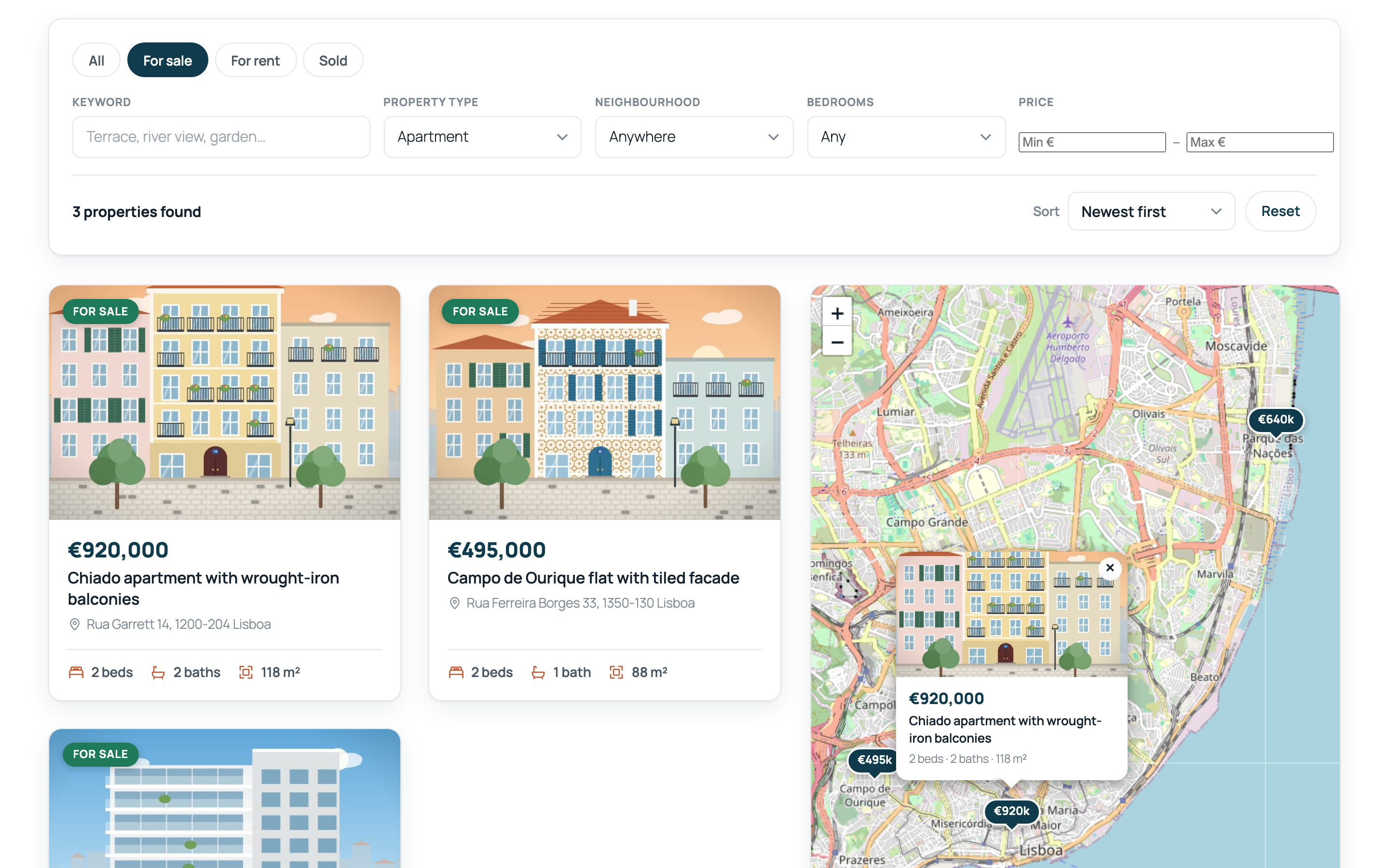
| Property Search | Status tabs, keyword, type, neighbourhood, bedrooms, price range and sort. It queries the REST endpoint and updates the grid and map without a page reload (Interactivity API), and keeps the URL query string in sync, so /?ptype=apartment&beds=2 is shareable and renders on the server. Without JS it falls back to a plain GET form. |
| Property Grid | Cards with photo, status badge, price, beds, baths and area. Inspector controls set columns, listings per page, pagination, default order, and fixed filters when the grid isn't connected to a search. |
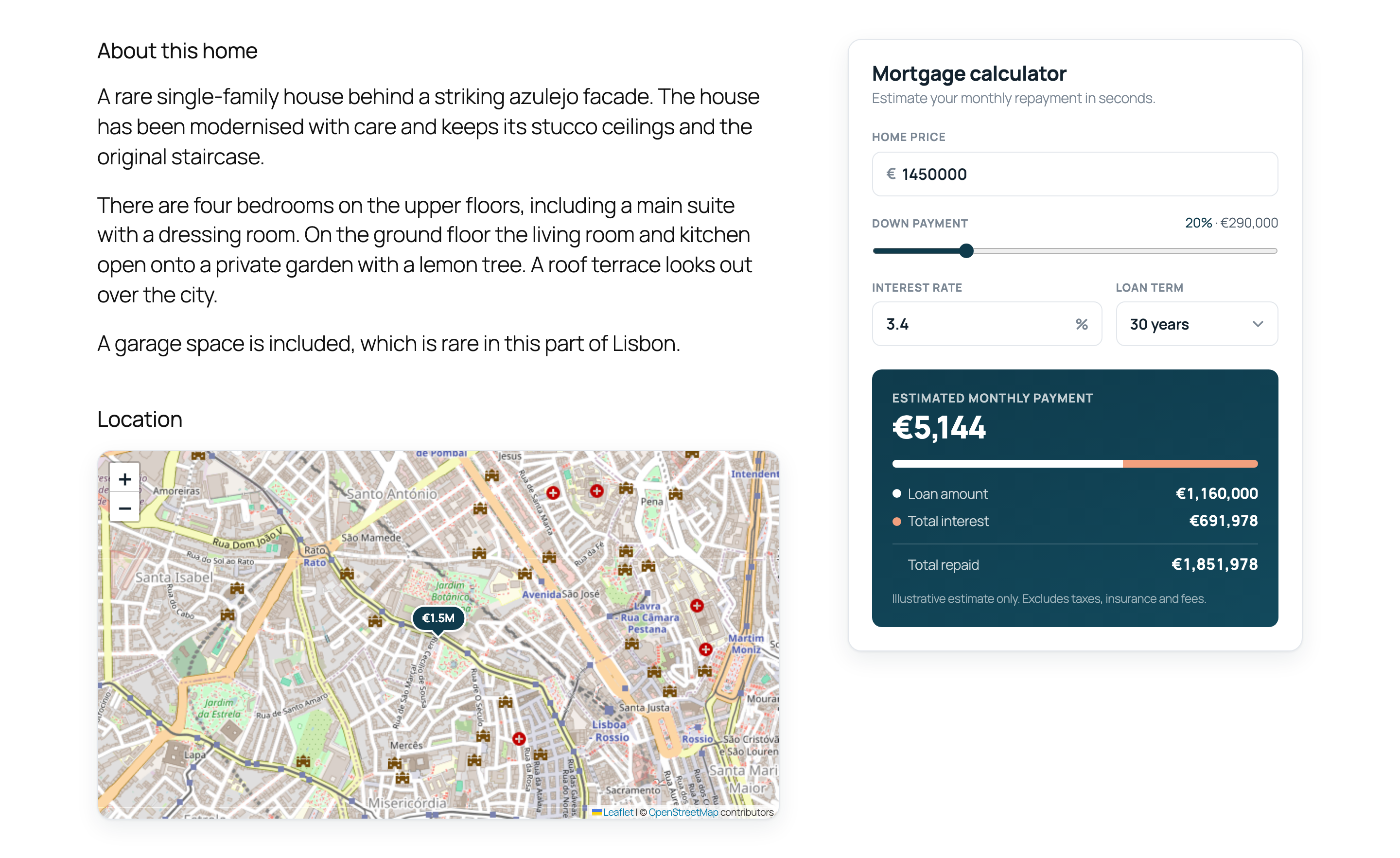
| Property Map | Leaflet with OpenStreetMap tiles and price-pin markers with popups. It follows the search filters, or shows only the current listing on a property page. |
| Mortgage Calculator | Interactive monthly payment, loan amount, interest and total cost. Defaults (price, deposit %, rate, term) are editable in the inspector, and on property pages it starts from the listing price. |
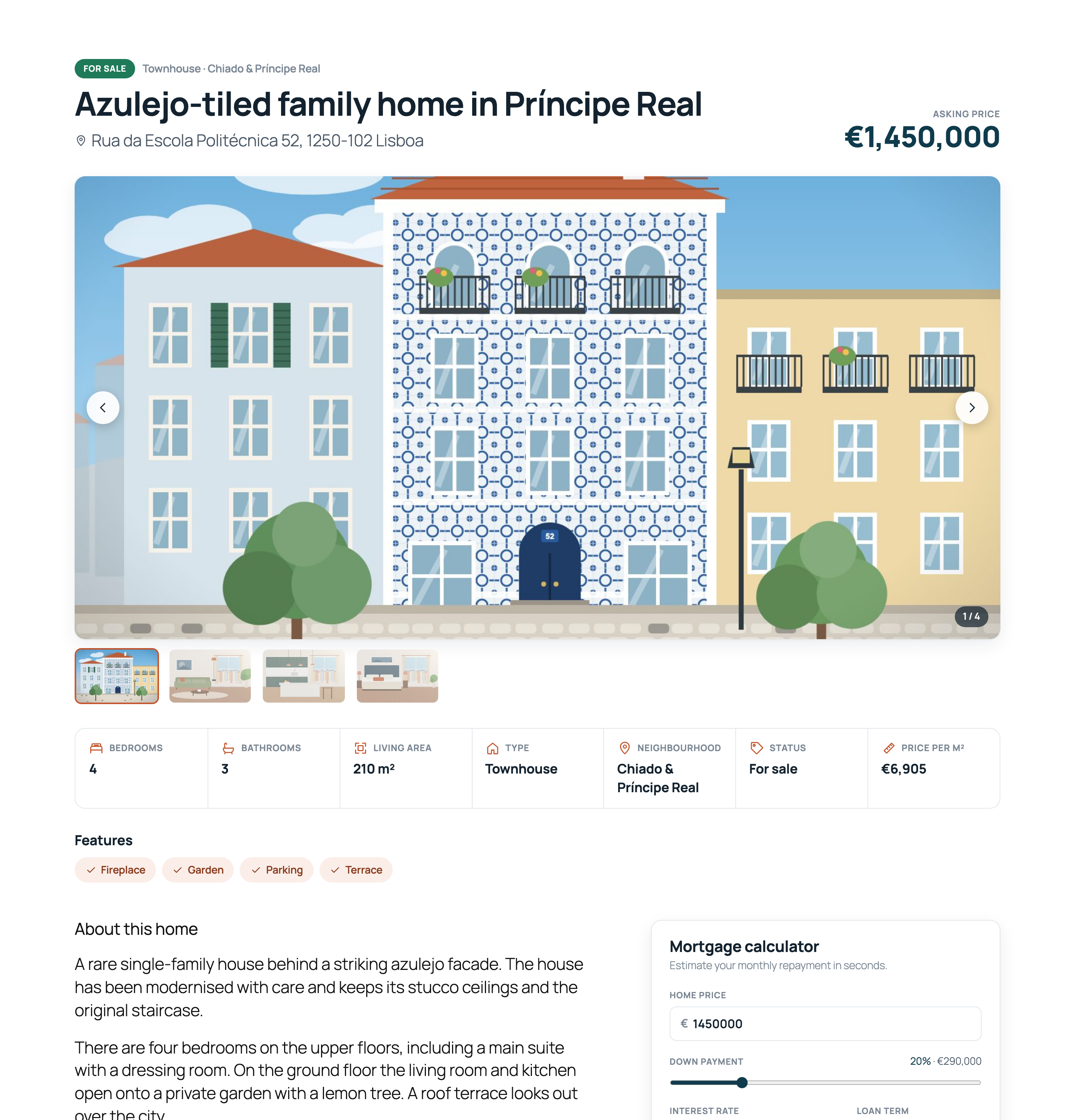
| Property Details | Title, price, gallery with thumbnails and keyboard navigation, spec table (beds, baths, area, type, neighbourhood, status, price per m²) and feature chips. |
Theme integration and admin
- Block templates (
single-property,archive-propertyand the taxonomy archives) registered withregister_block_template(). They use the active block theme's header and footer, are tested with Twenty Twenty-Five, and can be customised in the Site Editor. - Properties → Settings page built on the Settings API: currency symbol and position, area unit (m²/ft², converted for display) and map and mortgage defaults.
- WP-CLI commands:
wp estatify seedimports the demo content, andwp estatify list --status=for_salelists listings.
Code quality
- PHP 8 with strict types,
Estatify\namespaces and a small PSR-4 autoloader. Input is sanitized and output is escaped everywhere. - i18n-ready: PHP, JS and templates use the
estatifytext domain, andlanguages/estatify.potis included. - No jQuery. The front end uses about 3 KB of Interactivity API modules, plus Leaflet only on pages with a map.
- One data shape (
Presenter::card()) feeds the server render, the REST API and the client-side updates, so they cannot drift apart.
Screenshots
 Live filters, map popup Live filters, map popup |
 Single property template Single property template |
 Location map and calculator on a listing Location map and calculator on a listing |
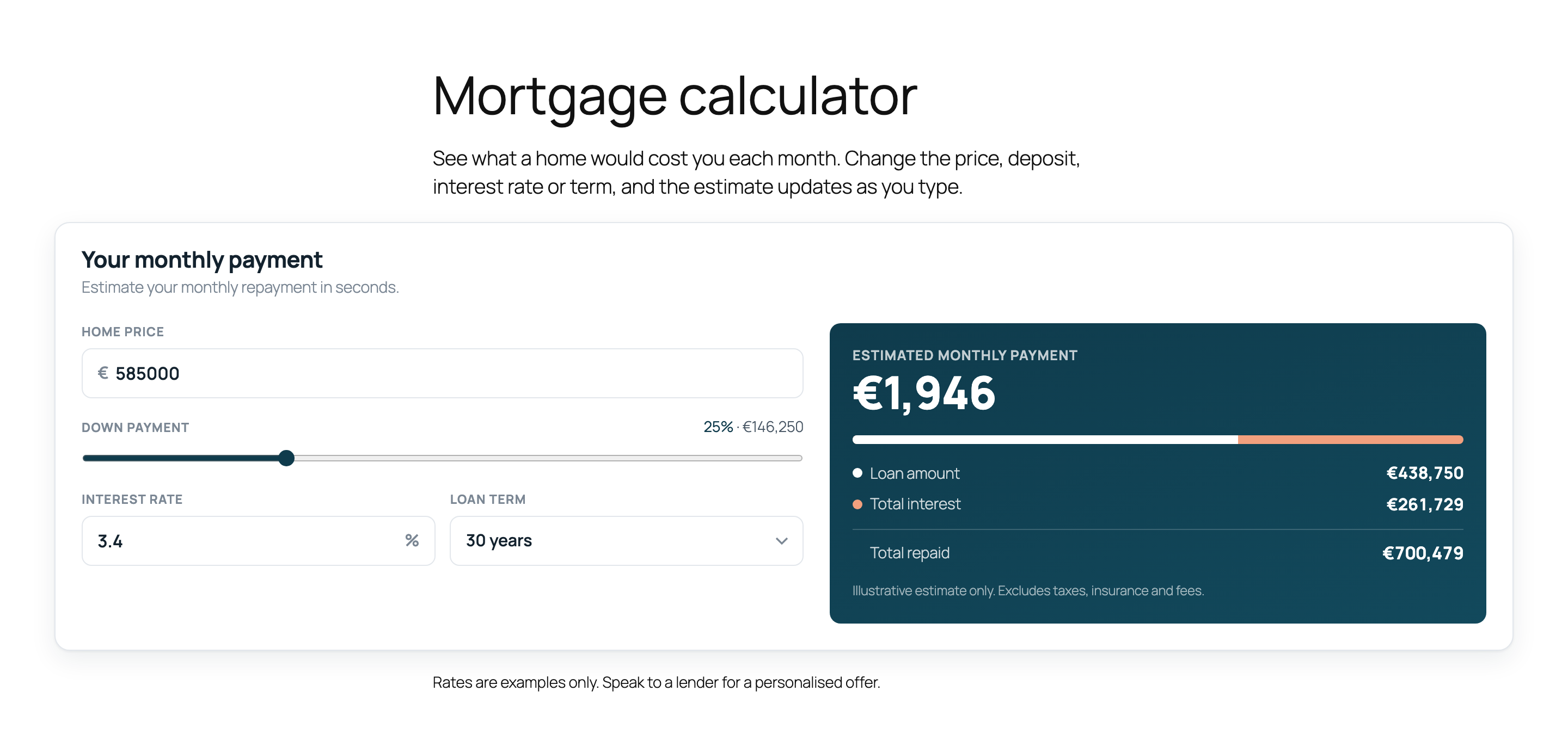 Mortgage Calculator block Mortgage Calculator block |
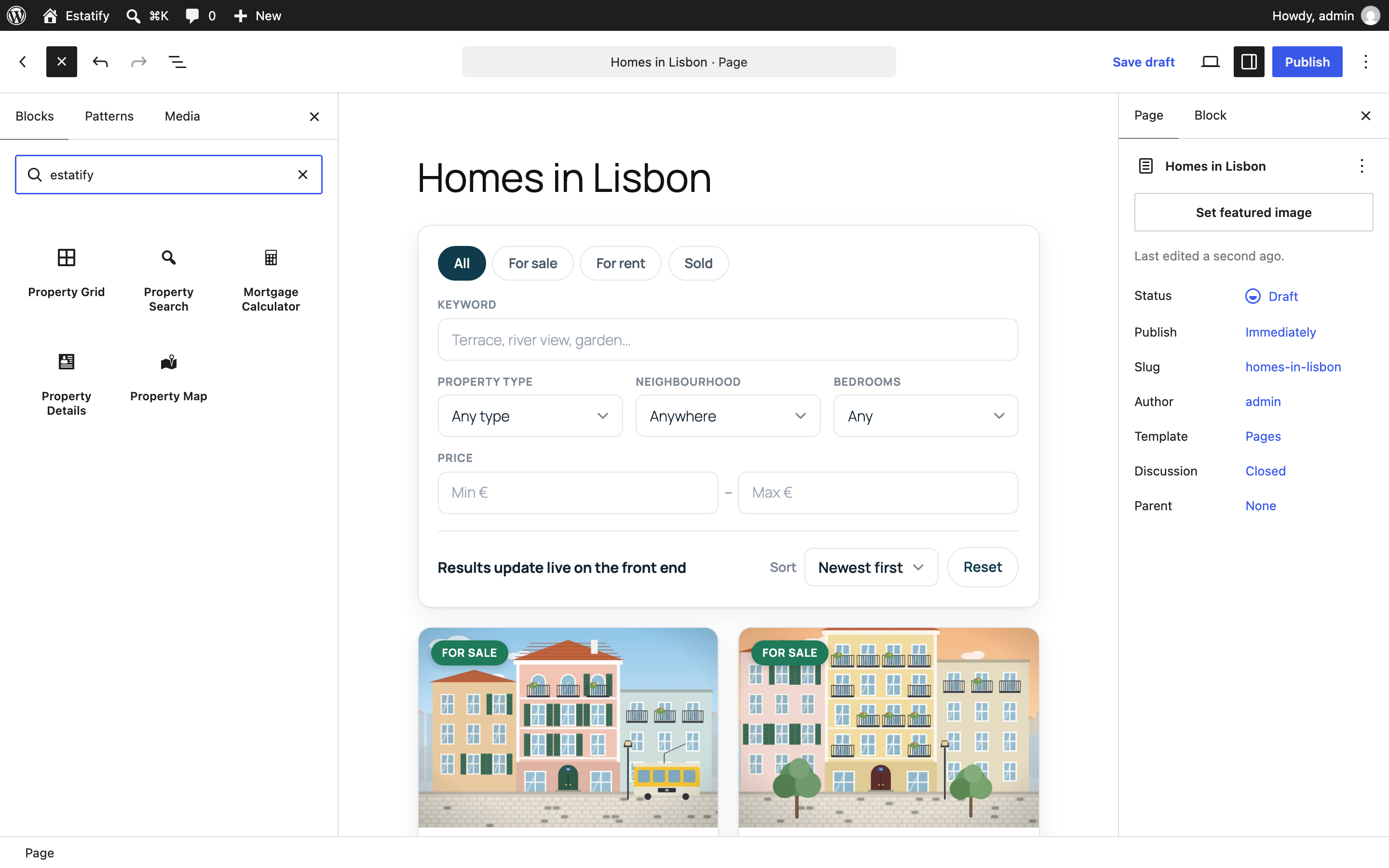 The five Estatify blocks in the inserter The five Estatify blocks in the inserter |
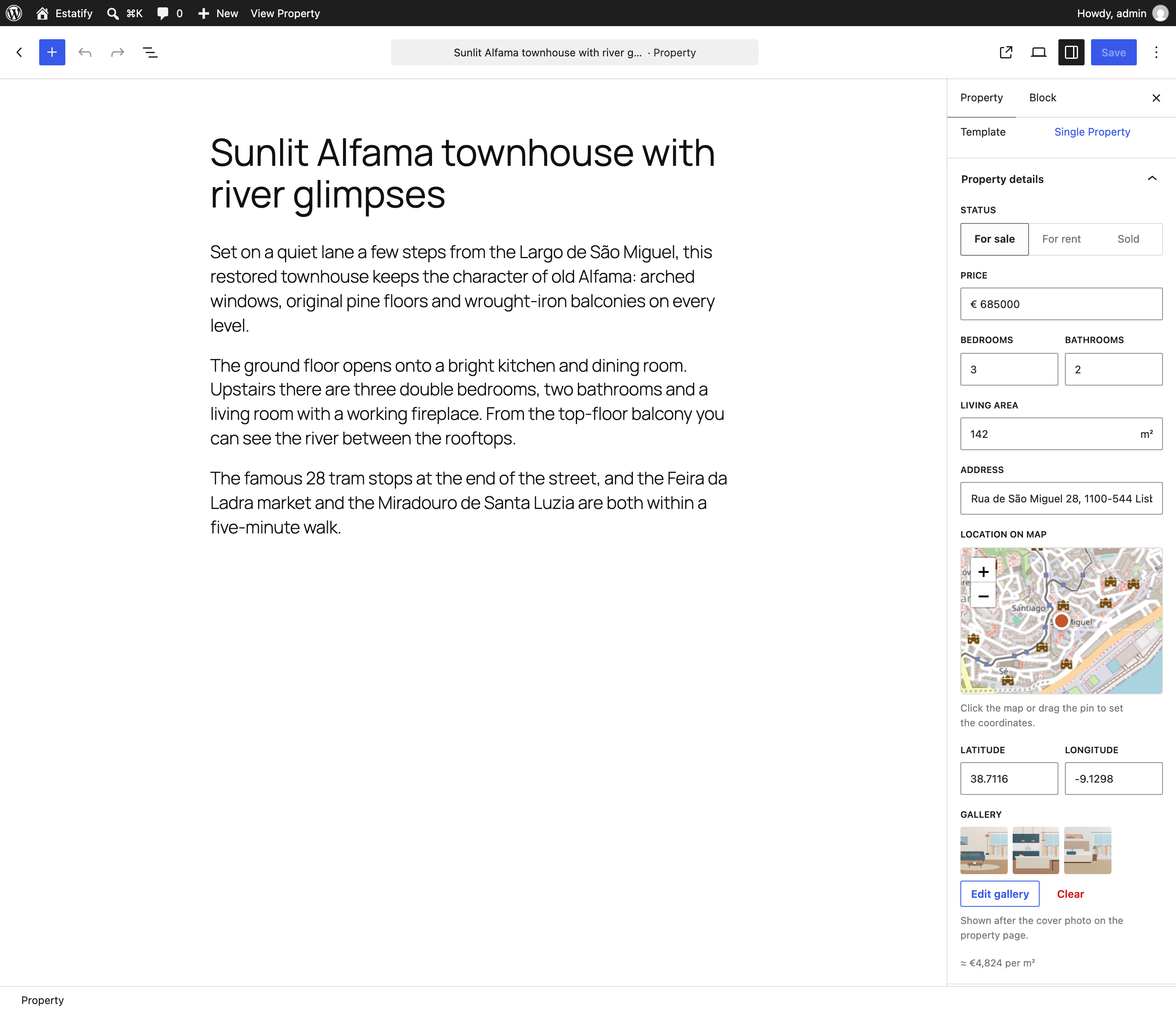 Property details sidebar panel Property details sidebar panel |
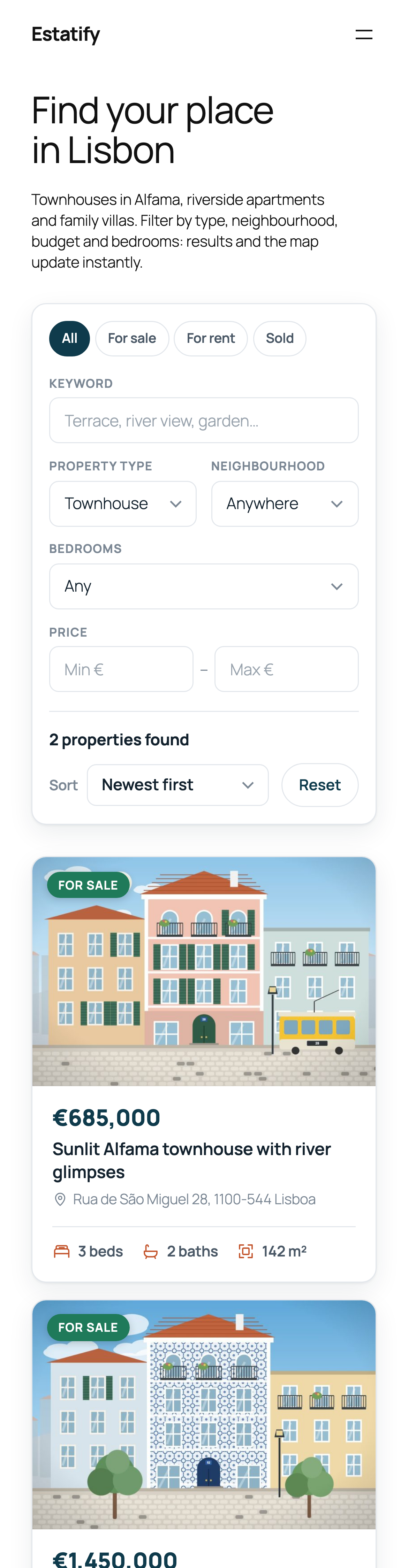 Mobile Mobile |
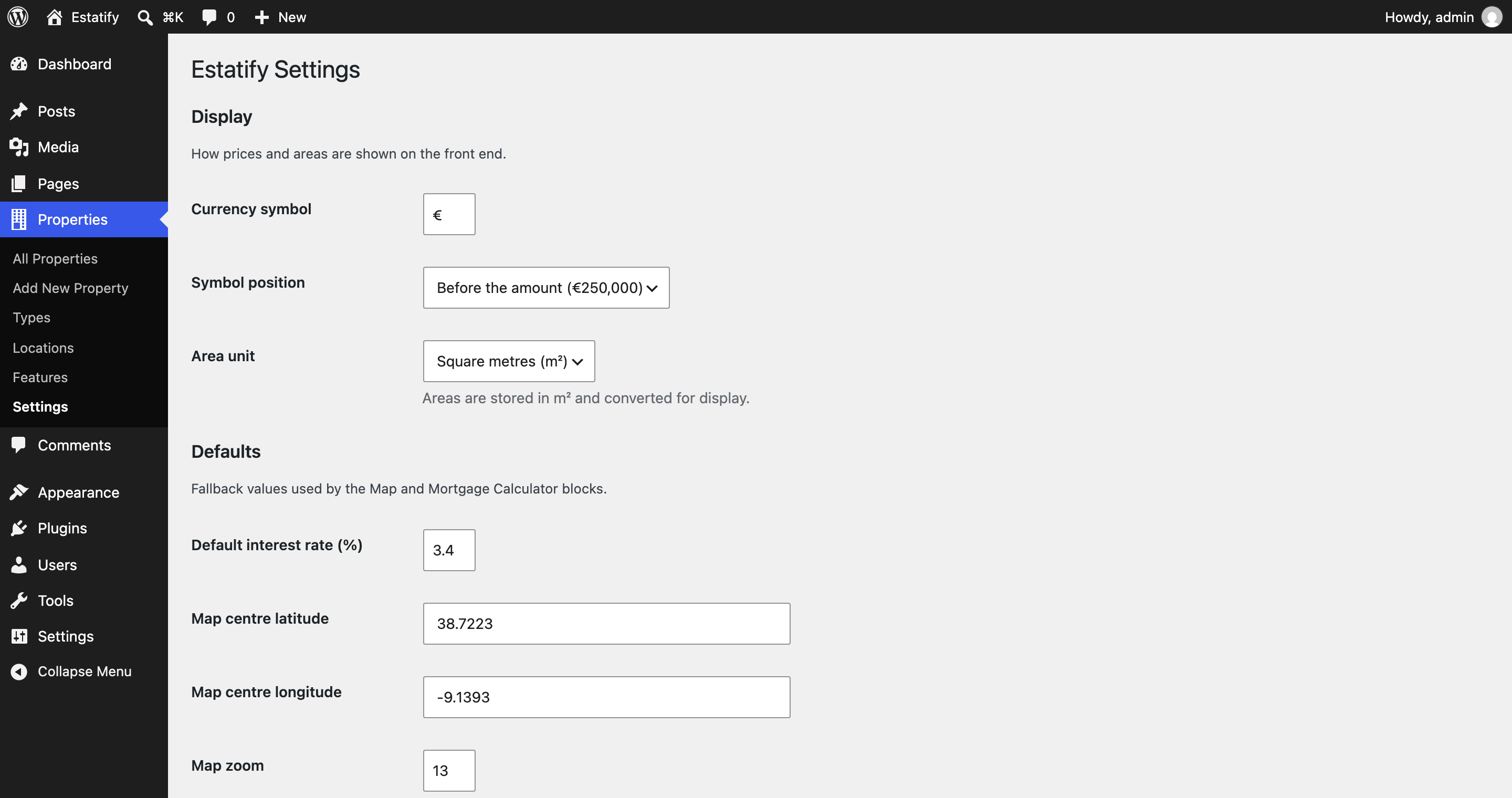 Settings page Settings page |
Run it locally
You need Node 20+. PHP, MySQL and Docker are not required, because WordPress runs in WordPress Playground (PHP compiled to WebAssembly, with SQLite).
git clone https://github.com/yusufdeveloper2903/estatify-real-estate.git
cd estatify-real-estate
npm install
npm run dev        # http://127.0.0.1:9403, logged in as admin
npm run dev mounts this folder as wp-content/plugins/estatify and runs blueprint.json. The blueprint activates Twenty Twenty-Five and the plugin, then imports the demo content: 12 listings with meta, terms, coordinates and bundled photos, a Find a home front page with the Search, Map and Grid blocks, a Mortgage calculator page and a menu. Each start is a fresh site.
No build step needed. The compiled
build/folder is committed, so you can copy the plugin into any WordPress 6.7+ site and activate it. Runnpm run build(ornpm startto watch) only if you change files insrc/.
| Script | Purpose |
|---|---|
npm run build / npm start |
Production build / watch mode (wp-scripts, ES-module view scripts, blocks manifest) |
npm run dev |
Playground on port 9403 with the plugin mounted and the local blueprint |
npm run test:smoke |
Playwright end-to-end checks against the running site (25 checks: live filtering, URL sync, map, templates, calculator, block validity, sidebar save, REST validation, no PHP notices or JS errors) |
npm run screenshots |
Regenerates docs/screenshots/*.png |
npm run images |
Regenerates the illustrated demo photos in demo/images/ |
npm run i18n:pot |
Regenerates languages/estatify.pot with WP-CLI inside Playground |
npm run plugin-zip |
Builds an installable estatify.zip |
There are two blueprints. blueprint.json expects the plugin to be mounted locally. blueprint-github.json installs the plugin from this repository's main branch with a git:directory resource, which is what powers the live demo link.
REST API
GET /wp-json/estatify/v1/properties
| Param | Type | Default | Notes |
|---|---|---|---|
search |
string | Keyword search in title and content (max 100 chars) | |
type |
slug(s) | Property type, comma-separated for several (apartment,loft) |
|
location |
slug(s) | Location term slug(s) | |
feature |
slug(s) | Listings must have all of the given features | |
status |
enum | for_sale, for_rent, sold |
|
min_price / max_price |
integer ≥ 0 | Price range (monthly rent for rentals) | |
beds / baths |
integer 0–20 | Minimum bedrooms / bathrooms | |
orderby |
enum | date |
date, title, price, area, bedrooms |
order |
enum | desc |
asc, desc |
page |
integer ≥ 1 | 1 |
|
per_page |
integer 1–50 | 9 |
|
with_markers |
boolean | false |
Also return lightweight map markers for all matches |
Example:
curl "https://example.com/wp-json/estatify/v1/properties?type=apartment&status=for_sale&max_price=700000&orderby=price&order=asc"{
"items": [
{
"id": 18,
"title": "Campo de Ourique flat with tiled facade",
"link": "https://example.com/property/campo-de-ourique-flat-with-tiled-facade/",
"image": "https://example.com/wp-content/uploads/…/campo-de-ourique-flat-768x512.jpg",
"price": 495000,
"priceFormatted": "€495,000",
"status": "for_sale",
"statusLabel": "For sale",
"bedrooms": 2, "bathrooms": 1, "area": 88, "areaFormatted": "88 m²",
"address": "Rua Ferreira Borges 33, 1350-130 Lisboa",
"lat": 38.7179, "lng": -9.1662,
"type": "Apartment", "location": "Estrela & Campo de Ourique",
"features": [ "Balcony", "Renovated" ]
}
],
"total": 2,
"total_pages": 1,
"page": 1,
"per_page": 9
}The response also sets X-WP-Total and X-WP-TotalPages headers. Invalid input such as status=haunted or per_page=500 returns 400 rest_invalid_param.
GET /wp-json/estatify/v1/properties/<id>
Returns a single published listing in the same shape, or 404 if it doesn't exist.
The core endpoint /wp/v2/properties also exposes the raw meta (_estatify_price, …) to authenticated editors. The block-editor sidebar uses it to save.
Code structure
estatify.php                  Plugin header, constants, autoloader, bootstrap
includes/
  Plugin.php                  Wires components to hooks; activation/deactivation
  PostTypes/PropertyPostType  CPT + taxonomies
  Meta/PropertyMeta           register_post_meta() with schemas, sanitizers, auth
  Rest/PropertiesController   estatify/v1/properties: args, permissions, schema
  Support/PropertyQuery       Normalizes filters → WP_Query (shared by REST + blocks)
  Support/Presenter           One listing shape for REST, SSR and Interactivity state
  Support/{Format,Settings,Mortgage,Icons}
  Blocks/Blocks               Registers blocks from build/blocks-manifest.php, editor assets
  Blocks/SearchState          Reads URL filters, seeds the Interactivity API store
  Blocks/Templates            register_block_template() for single/archive/taxonomy
  Admin/SettingsPage          Settings API page
  CLI/Command                 wp estatify seed | list
  Demo/Seeder                 Demo importer used by the blueprints
src/
  blocks/<block>/             block.json, edit.js (React), render.php, view.js, style.scss
  editor/index.js             PluginDocumentSettingPanel for property meta
  shared/store.js             Interactivity API store: filters, fetch, URL sync, pagination
  shared/leaflet-map.js       Leaflet wrapper used by the view module and the editor
build/                        Compiled assets (committed)
templates/                    Block template markup (PHP for i18n)
demo/listings.json, images/   Fictional demo data and generated illustrations
tools/                        Playwright smoke test, screenshots, image generator
blueprint.json                Local Playground blueprint (plugin mounted)
blueprint-github.json         Remote blueprint (installs from GitHub)
How the live search works
render.phpof the Search, Grid and Map blocks callsSearchState::bootstrap(). It reads the URL filters (?ptype=…&loc=…), runs the first query on the server and seeds theestatifyInteractivity API store, so the first paint is complete HTML.- The grid renders its cards from a single `