James SEO Auto Linker
James SEO Auto Linker inserts links on keywords automatically with optimized performance and security.
by James Colin · github.com/xxxlovecola/james-seo-auto-linker
Install
No release zip yet. The repository archive installs, but the folder name will carry the branch suffix and updates will not flow:
wp plugin install https://github.com/xxxlovecola/james-seo-auto-linker/archive/refs/heads/main.zipJames SEO Auto Linker is a lightweight WordPress plugin that automatically adds links for keywords and phrases in your content, boosting your internal linking strategy and overall SEO.
Features
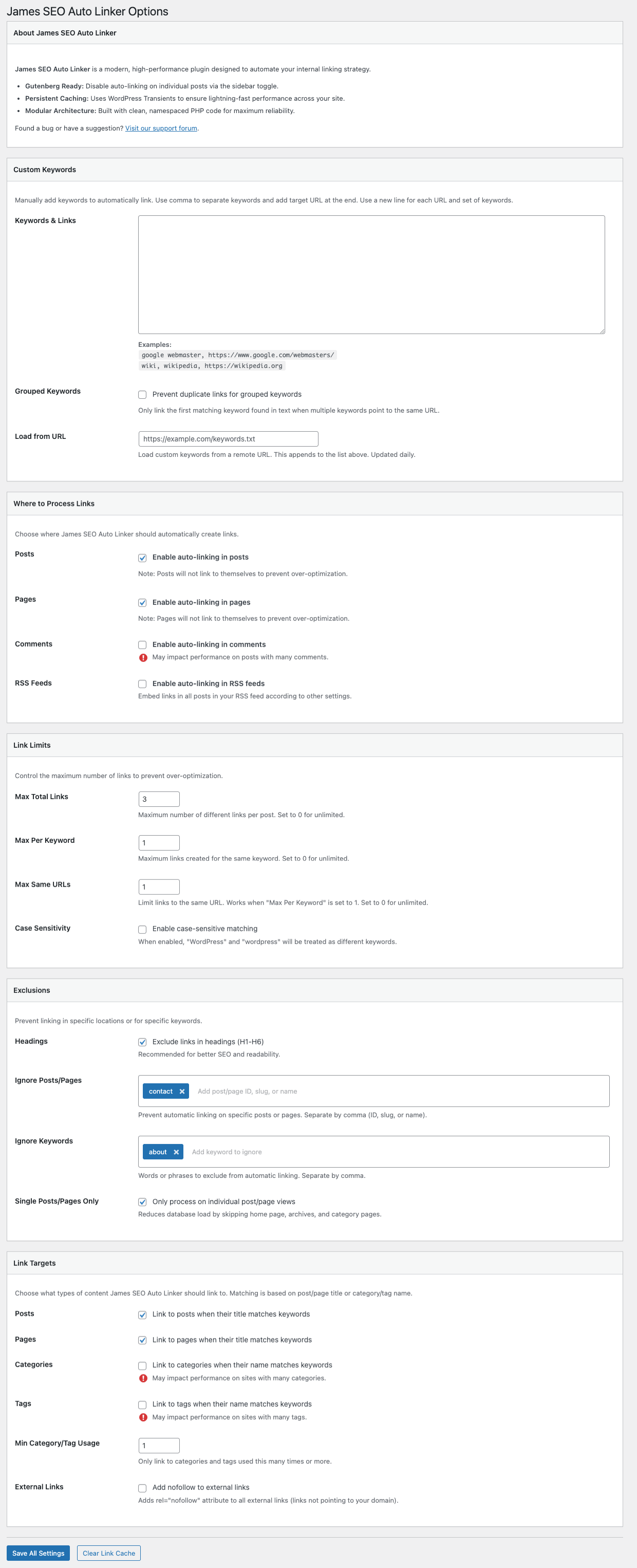
- Gutenberg Ready: Integrated toggle in the Block Editor sidebar to disable auto-linking on a per-post basis.
- Persistent Caching: Leverages WordPress Transients for high-performance link generation that doesn't slow down your site.
- Smart Internal Linking: Automatically link keywords to posts, pages, categories, and tags based on their titles.
- Custom Keyword Mapping: Manually define keywords and their target URLs (supports internal and external links).
- Advanced Control: Set limits on links per page, per keyword, and per URL to avoid over-optimization.
- Intelligent Exclusions: Automatically skip headings (H1-H6) and specific post IDs or slugs.
- Modern Architecture: Built with a modular, namespaced PHP structure (PSR-4) for maximum reliability and ease of extension.
- Translation Ready: Full support for internationalization, including French translation.
Installation
- Upload the plugin files to the
/wp-content/plugins/james-seo-auto-linkerdirectory. - Activate the plugin through the 'Plugins' screen in WordPress.
- Configure settings under Settings > James SEO Auto Linker.
Changelog
1.0 (2026-02-12)
- Initial official release.
- Clean rebranding and optimized code.
- Added French translation support.
Frequently Asked Questions
Does this plugin affect site performance?
No, James SEO Auto Linker is built with performance in mind. It uses a smart Transient caching system to minimize database queries and ensure your content is processed efficiently.
Can I link to external websites?
Yes! In the "Custom Keywords" section, you can specify any URL, including external sites.
Can I prevent certain words from being linked?
Yes, you can add words or phrases to the "Ignore Keywords" list in the settings to exclude them from automatic linking.
Can I disable auto-linking for a single post?
Yes, thanks to our new Gutenberg integration, you can find a toggle in the block editor sidebar to disable auto-linking for that specific post or page.
Author
James Colin