vars WP Registry grade A. No security issues foundWP RegistryNo security issues foundOpen the reportA
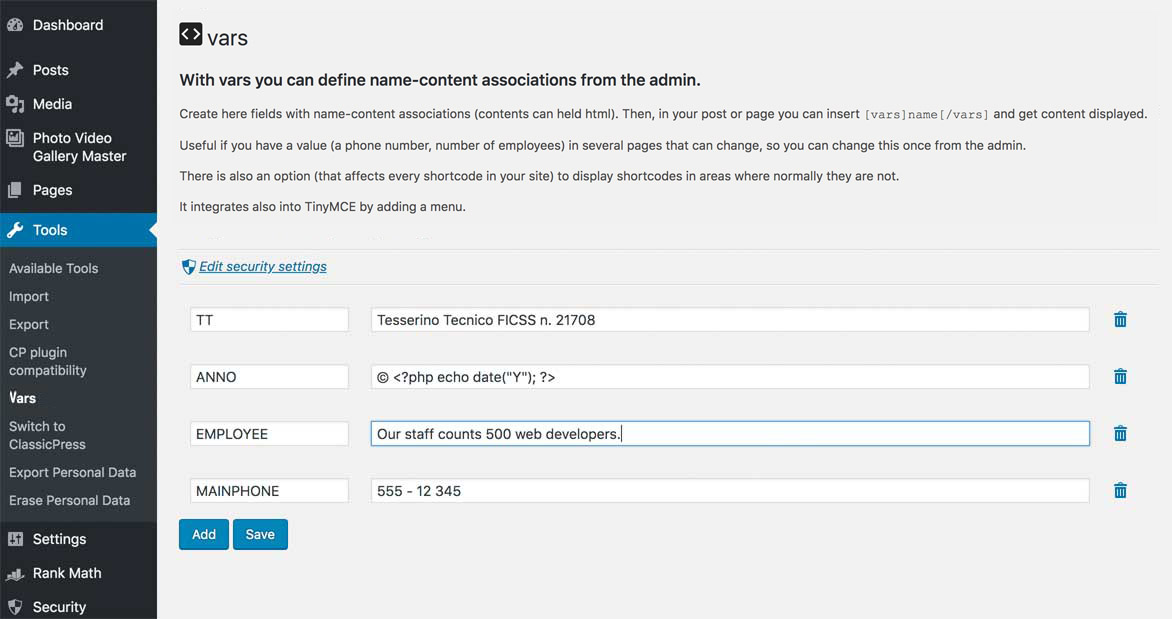
With vars (a plugin for classicPress) you can define name-value associations from the admin.
Install
Upload it under Plugins → Add New Plugin → Upload Plugin, then activate.
Install straight from GitHub with WP-CLI:
wp plugin install https://github.com/xxsimoxx/vars/releases/download/v2.1.2/vars-v2.1.2.zipWith vars you can define name-value associations from the admin.
Then, in your content you can insert
[vars]name[/vars]
and get value displayed.
Useful if you have a value (a phone number, number of employees) in several pages that can change, so you can change this once from the admin.
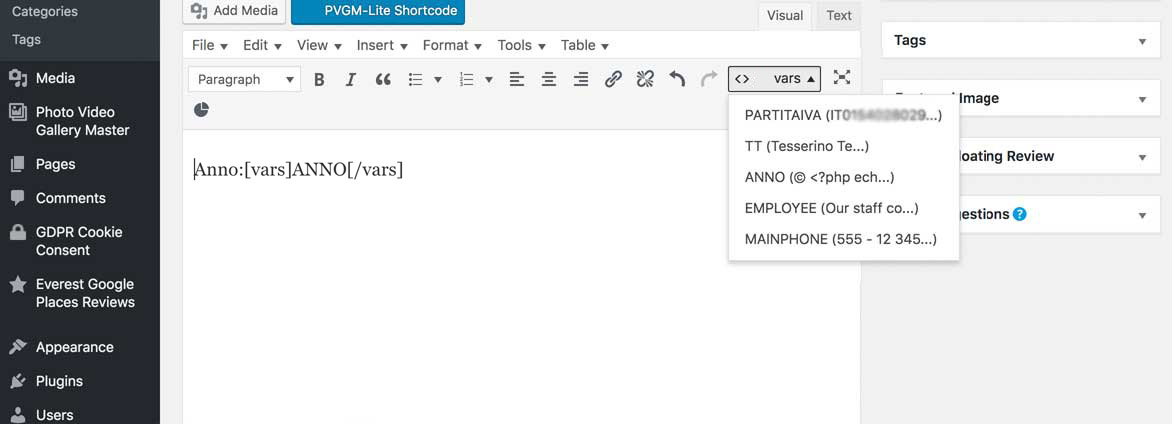
It integrates into TinyMCE by adding a menu (compatible also with TinyMCE v.5).
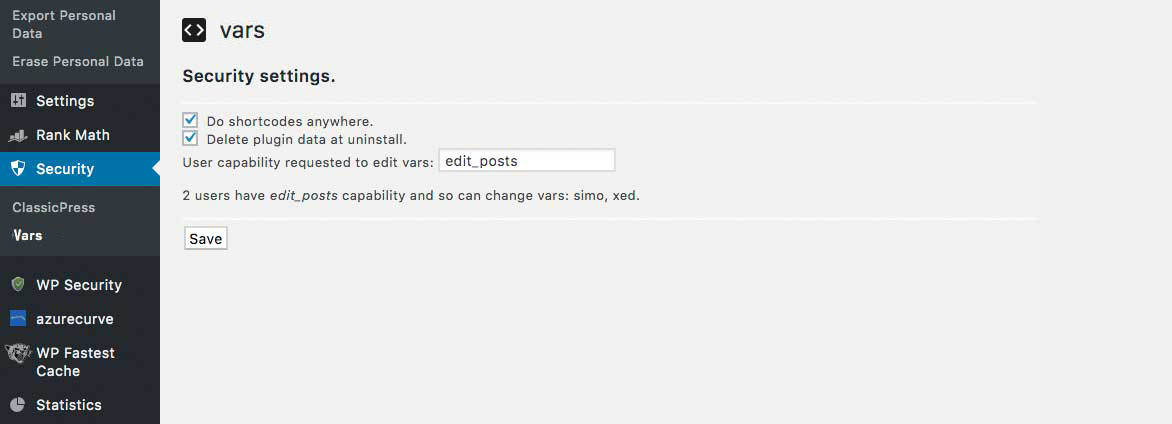
You can choose which users can manage vars.
Look at the screenshots.
Shortcodes everywhere
There is also an option (that affects every shortcode in your site) to display shortcodes in areas where normally they are not.
- single_post_title
- the_title
- widget_text
- widget_title
- bloginfo
- get_post_metadata
Integration
Security menu
If running ClassicPress 1.1.0 or newer those settings are moved to the Security menu: choose which users can manage vars, what to do with vars when uninstalling and apply shortcodes everywhere
Functions
If you would like to use in your theme/plugin
vars_do('name')
and get value displayed.
Filters
There is a filter called vars_output
An example to capitalize the output.
function vars_output_upper( $string ) {
    return strtoupper( $string );
}
add_filter( 'vars_output', 'vars_output_upper' );
An example to use it to exec PHP code. Dangerous, don't do it. You have to open and close php tags in your string.
function vars_output_exec_php( $string ) {
    ob_start();
    eval( "?>" . $string ." " );
    $evalContent = ob_get_contents();
    ob_end_clean();
    return $evalContent;
}
add_filter( 'vars_output', 'vars_output_exec_php' );
Screenshots
Privacy
To help us know the number of active installations of this plugin, we collect and store anonymized data when the plugin check in for updates. The date and unique plugin identifier are stored as plain text and the requesting URL is stored as a non-reversible hashed value. This data is stored for up to 28 days.
Releases
20 releases. Each count is every asset in that release; expand a row for the breakdown.
Active-site estimate ≈40 comes from the median of recent superseded releases. Method.