Install
This is the repository archive. It installs, but the folder name will carry the branch suffix and updates will not flow.
Install straight from GitHub with WP-CLI:
wp plugin install https://github.com/xjlin0/audio-list/archive/refs/heads/main.zipPlugin Name
Contributors: Dennis, Jack, Jason
Link: https://xjlin0.github.io/
Tags: audio, player
Requires at least: 6.5
Tested up to: 7.0
Stable tag:
License: Apache-2.0 license
License URI: https://github.com/xjlin0/audio-list?tab=Apache-2.0-1-ov-file
A Wordpress plug-in for showing HTML5 players for audio files in the remote folders, based on Dennis' code and https://wppb.me
Description
It can display HTML5 players of all audios in the database. In Post or Pages, please insert short codes like this:
[audio-list id='1'
            sermondate='2024%'
            type='regular'
            audio_style='width: 80%; min-width:100px'
            stripe_style='background-color: #E8E8E8;'
            url='https://host.server.com/org-name/path/2024/']
sermondate% (with the percent symbol at the end) and type are for filtering rows from wp_audio_list table in the Wordpress database. It will be rendered as multiple players with the audio_style supplied. With the CSS style from audio_style, the player will get the link from url prefix and the filename of audiofile from database. Optionally the row stripe CSS style can be added via stripe_style. If there are multiple audio-list short codes, please add id=1, id=2, etc so that the id of the each player can be unique. If there is only one audio-list short code, id is not required.
In the Wordpress Admin dashboard, Contributors will find side bar menu item "Audio List" where you can add meta data for each audio or select and update each audio. The soft deleted audio won't be shown on the Wordpress frontend.
Installation
- Download the plugin as a ZIP file from GitHub.
- If AWS direct upload needed, please define AWS key and secret in the wp-config.php
define( 'AS3CF_SETTINGS', serialize( array( 'provider' => 'aws', 'access-key-id' => '********************', 'secret-access-key' => '**************************************', ) ) ); - Install and Activate the plugin through the 'Plugins' and Upload menu in WordPress admin dashboard.
- Optionally, restore the Mysql database table
wp_audio_list.
Streenshots
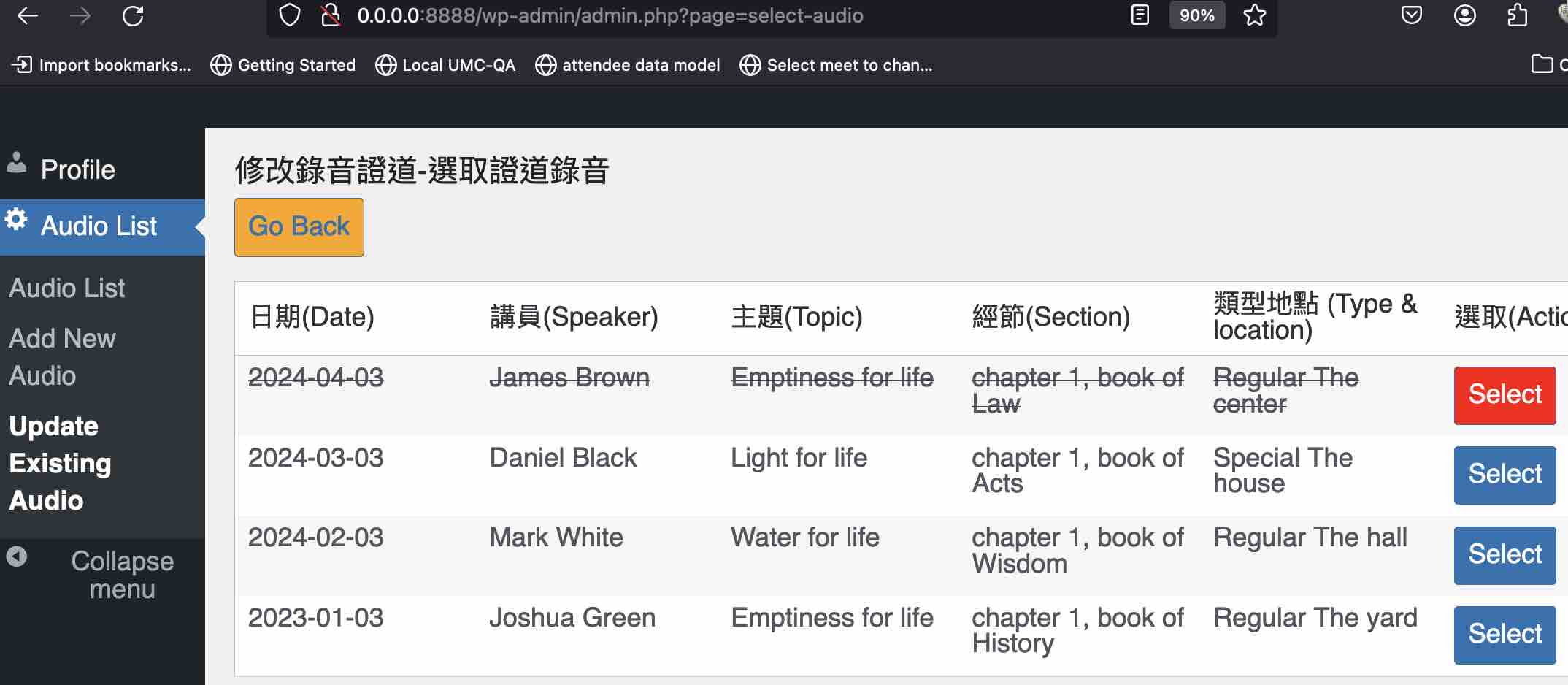
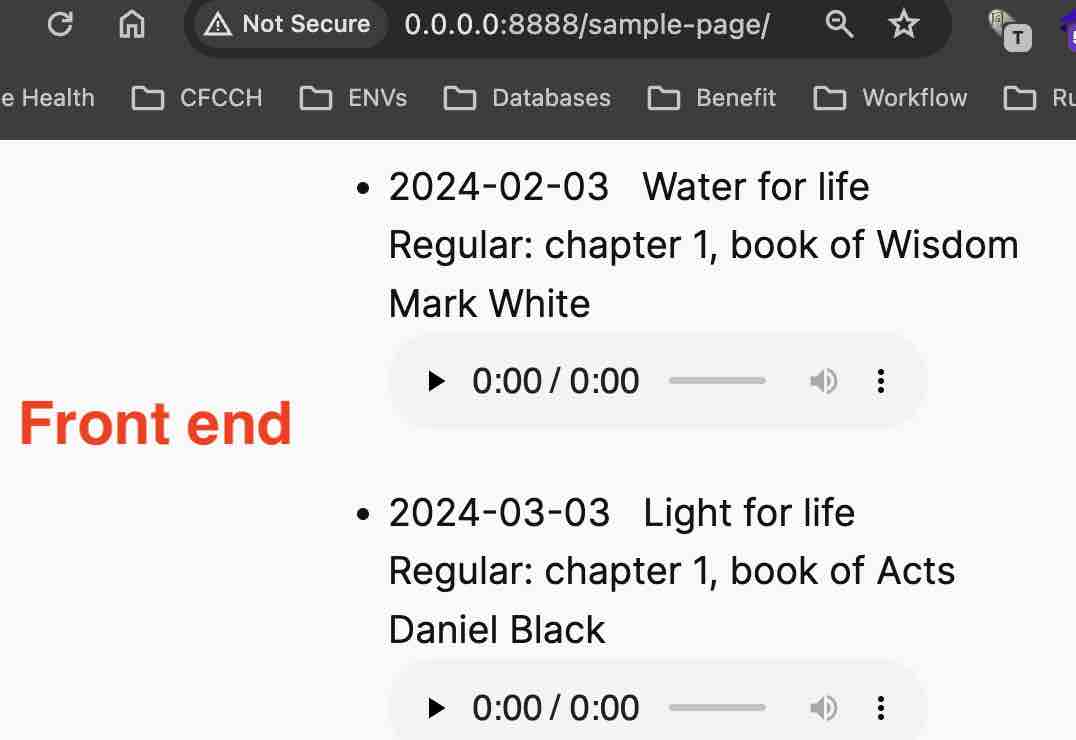
Frequently Asked Questions
Which PHP, Wordpress and MySQL versions are supported?
It's developed on PHP 8.2 and Wordpress 6.5.3~5 on MySQL 5.7, never tested in other versions.
Changelog
1.1
- Add search, tests, youtube & handout preview and mp3 directly upload functions. Removed vendor files.
1.0
- Initial implantation. No Bootstrap, no JQuery and No database password required.
Upgrade Notice
1.0
There's database table name change from the previous draft code, please change SQL INSERT table name accordingly for database restore.
local development using Wordpress in docker-compose and mysql in host
While Wazoo's docker-compose is great for everything using docker-compose, here is yet another docker-compose.yml if you'd like to develop Wordpress plug-in in docker-compose with mysql in local rather than in docker. Just docker compose up and you will see html folder shows up in the folder of docker-compose.yml:
services:
  wordpress:
    extra_hosts:
      - host.docker.internal:host-gateway
    image: wordpress:6.5.3-apache
    restart: unless-stopped
    ports:
      - "8888:80"
    environment:
      WORDPRESS_DEBUG: 1
      WORDPRESS_DB_HOST: host.docker.internal:3306
      WORDPRESS_DB_USER: host_mysql_user_name
      WORDPRESS_DB_PASSWORD: 'host mysql password or empty string with quotes'
      WORDPRESS_DB_NAME: host_mysql_database_name
    volumes:
      - ./html:/var/www/html
    command: /bin/bash -c "apt-get update && apt-get install -y git && apache2-foreground"
Please also add the following lines in html/.htaccess to overcome PHP upload limit:
php_value upload_max_filesize 500M
php_value post_max_size 500M
Then after docker compose up, please browse http://0.0.0.0:8888
Developer Guide
If you want to contribute to this plugin or run the automated tests, please follow these steps:
1. Install Composer
This project uses Composer to manage dependencies. If you don't have it installed:
- Linux/macOS:
curl -sS https://getcomposer.org/installer | php && sudo mv composer.phar /usr/local/bin/composer - Windows: Download and run the Composer-Setup.exe.
2. Install Development Dependencies
The core production libraries are included in the repository for convenience, but development tools (like PHPUnit) are excluded to keep the repository lightweight. To install them, run:
composer install3. Running Tests
We use PHPUnit and Brain Monkey for unit testing. To run the test suite:
# On Linux/macOS
php vendor/bin/phpunit

# On Windows
vendor\bin\phpunit
Any changes pushed to GitHub will automatically trigger these tests via GitHub Actions.
Releases
1 release.
These releases are tags only. The author does not attach a packaged zip, so there are no download counts to report.