Xowl Service WP Registry grade B. Medium-severity findings · 1 findingWP RegistryMedium-severity findings · 1 findingOpen the reportB
Xowl client for WordPress for semantic named entity recognition
Install
This is the repository archive. It installs, but the folder name will carry the branch suffix and updates will not flow.
Install straight from GitHub with WP-CLI:
wp plugin install https://github.com/ximdex/wp-xowl-client/archive/refs/heads/master.zipXowl Service client for WordPress
This WordPress plugin adds to your default editor (TinyMCE) the ability to detect semantic entities on your post content and link them to their official wikipedia page for further reading.
Installing instructions
This plugin works with the latest version of Wordpress (v4.2.2)
You can directly download the source code on its first release here. Install it as any WordPress plugin, that is, unzip it on the wp-content/plugins folder and WordPress itself should recognize it as plugin from its user interface.
You will have to request us an API-Key in our registration page in order to use it. The URL of this register page is provided by the module itself. Once the token has been validated, we can enrich our posts with references to a several semantic entities.
You will find a new icon on your editor's toolbar like this:

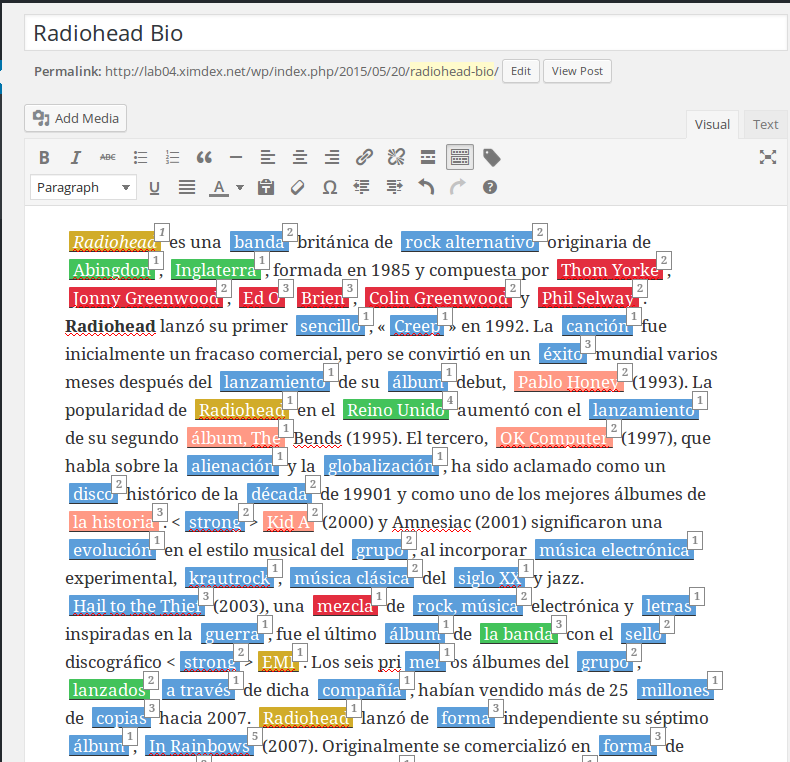
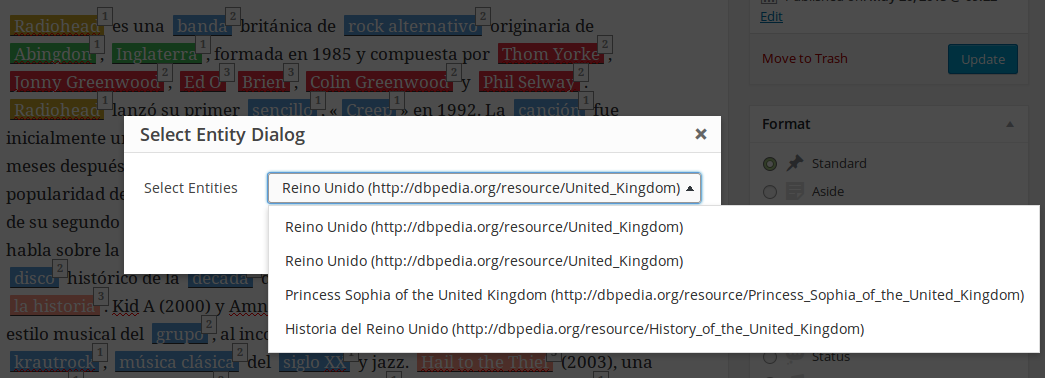
By clicking on this icon the plugin will send your content to our Xowl Service's API and will add entities of different types (rendered with different colors) depending on its type. If there are multiple references to a single entity, we can disambiguate choosing the proper one that best suits with our context.
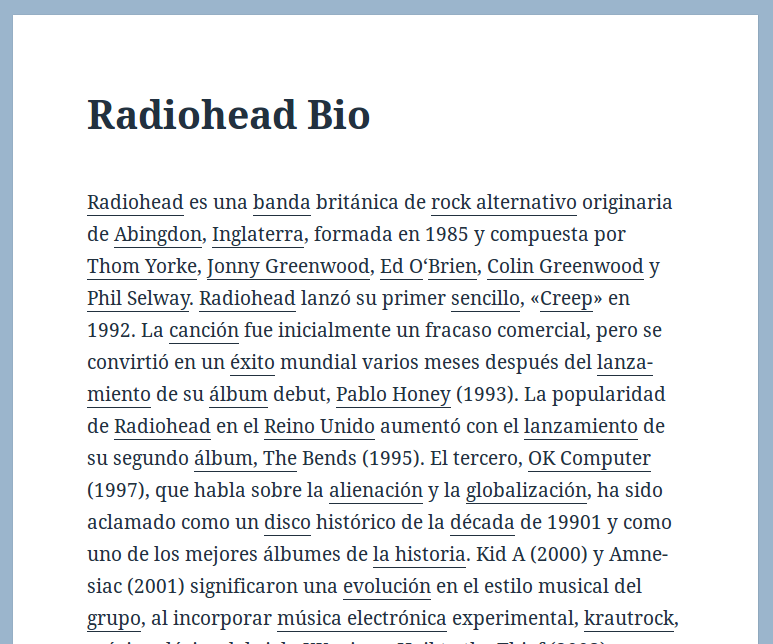
When you save and publish the post, the entities will be translated into their links to their official wikipedia pages where the visitor could find more useful information about each of them.
Screenshots
For example, enhancing some post about Radiohead:
And selecting the proper entity for the entity United Kingdom:
Finally, your published post looks like something like this:
Releases
4 releases.
These releases are tags only. The author does not attach a packaged zip, so there are no download counts to report.