FAQ Collector - WooCommerce Product Faq Manager Addon
Finding a nice way to collect questions from user end for your WooCommerce powered site? FAQ collector addon provide you that way to get user questions directly from product page and make a great list of FAQ for your current and upcoming users.
Install
This is the repository archive. It installs, but the folder name will carry the branch suffix and updates will not flow.
Install straight from GitHub with WP-CLI:
wp plugin install https://github.com/xenioushk/wpfm-faq-collector-addon/archive/refs/heads/main.zipFAQ Collector - WooCommerce Product Faq Manager Addon
Finding a nice way to collect questions from user end for your WooCommerce powered site? FAQ collector addon provide you that way to get user questions directly from product page and make a great list of FAQ for your current and upcoming users.
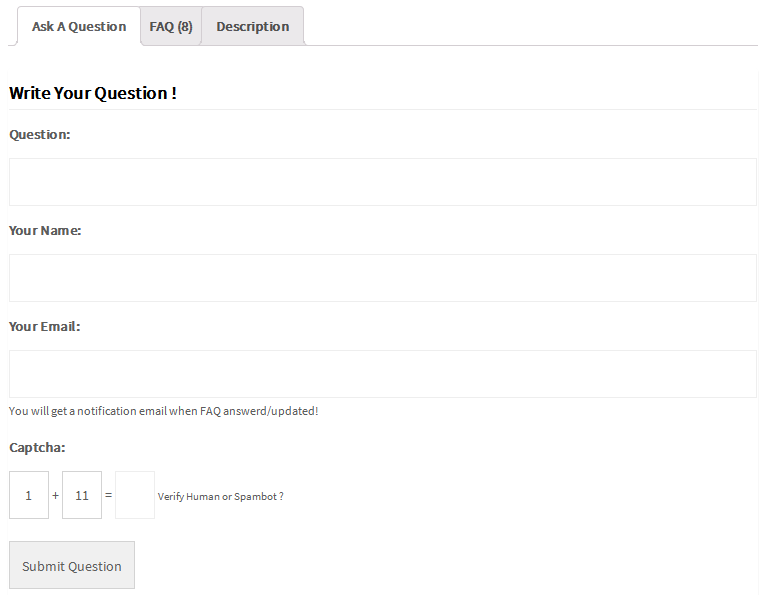
Most of the time user want to get product related answer instantly from product page. But, sometimes they want to get more information before purchase/order a product. This addon allow users to submit there questions without any registration process.
Demo | Download | Documentation
Addon requirements
You need to install WooCommerce Product Faq Manager Plugin to use "FAQ Collector - WooCommerce Product Faq Manager Addon".
You need at least WordPress version 4.8+ installed for this plugin to work properly. It is strongly recommended that you always use the latest stable version of WordPress to ensure all known bugs and security issues are fixed.
Technical requirements
- WordPress 5.6 or greater.
- PHP version 7.4 or greater.
- MySQL version 5.5.51 or greater.
Installation
-
Go to plugins section in your WordPress admin panel and click
Add Newto install plugin.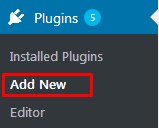
-
Now, upload the
wpfm-faq-collector-addon.zipfile.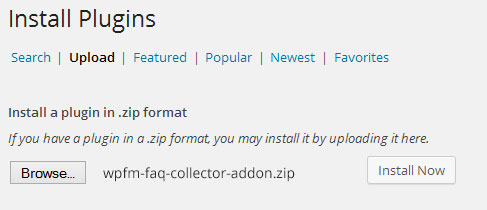
-
Once plugin successfully uploaded in your server you will get an message to activate it. Click on
Activate PluginLink and plugin will be ready to use. -
After activating plugins, you will redirect in plugins section of wp-admin panel and show new installed plugins information in there.

How to operate
-
Once you completed installation process, plugin will automatically added a new tab in product details page. You can see the change by visiting any product page.
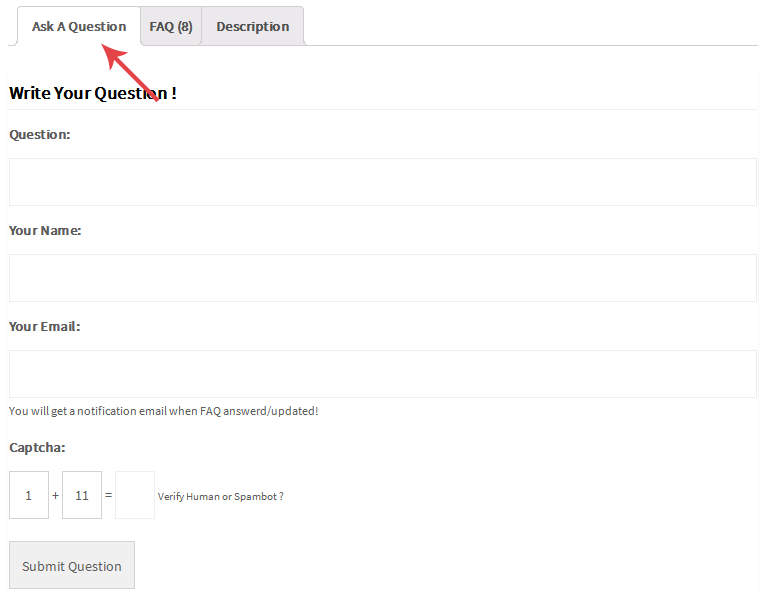
-
When user submit a new FAQ question, we will add this new FAQ as global item.
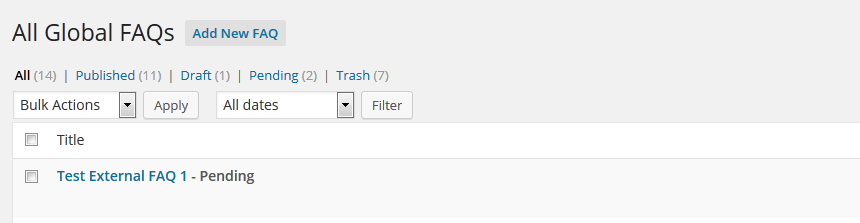
-
Next, you can add/update FAQ answer and submit a notification email to user.
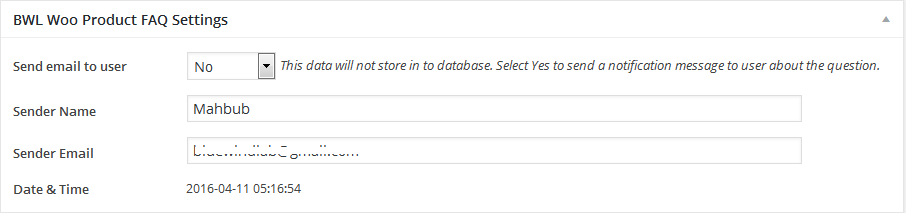
-
If you want to disable "Ask A Question" tab for a specific product, then go to product edit page and in "BWL Woo FAQ Display & Theme Settings" section you will get an option called "Hide Ask A Question Tab?". Check this box and click update.
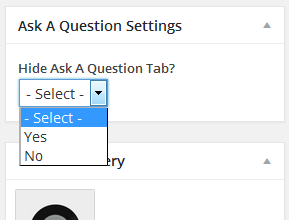
Addon options panel
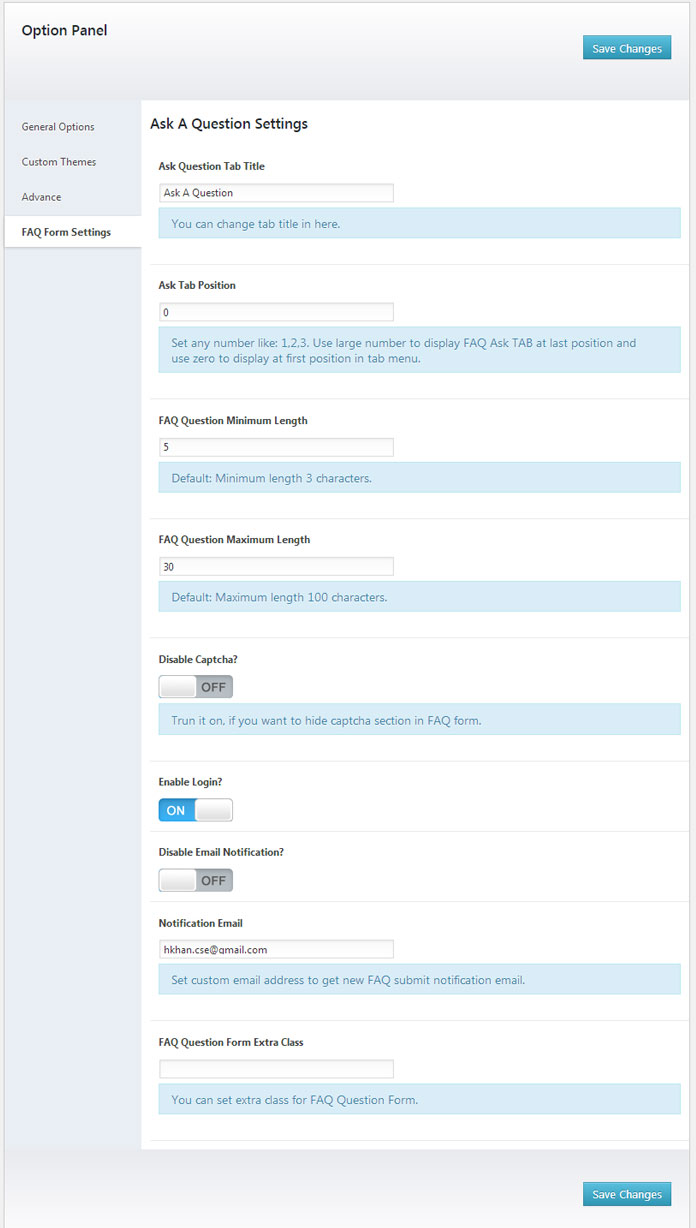
Ask Question Tab Title: This option allows you to set any title for the question submission tab. Default value: Ask A Question.
Ask Tab Position: By default, Question Tab will display at the last position of the tab. However, you can alter the order by entering a different value in the "Ask Tab Position" input box. For example, if you want to set the first position of the tab, then set value to 1
Disable Captcha: To protect users from external spam, the plugin included a random math captcha. However, if you wish, you can disable it from here.
Enable Login: If you activate this option, the user must first register and log in before submitting the FAQ question.
Email Notification: You can disable/enable the email notification feature. This feature enables us to send you an email when users submit a new FAQ question. You can enter your/administrator email address here to receive a notification email.
Translation
-
To translate the plugin texts, please download and install Poedit software in your computer.
-
Next, navigate to
/wp-content/plugins/wpfm-faq-collector-addon/lang/. You will get a file namedwpfm-faq-collector-addon.pot -
Our Plugin text-domain is
bwl-wpfmfc. Now, we want to translate our theme text in to Dutch language. So, copyen_EN.pofile and rename it asbwl-wpfmfc-de_DE.po -
Now, open that newly created
bwl-wpfmfc-de_DE.pofile using Poedit software. You will get all the plugin texts in there and you just need to add appropriate translated text in Translation box. -
Finally, save the file and you will get 'bwl-wpfmfc-de_DE.mo' file inside
langfolder.