Install
This is the repository archive. It installs, but the folder name will carry the branch suffix and updates will not flow.
Install straight from GitHub with WP-CLI:
wp plugin install https://github.com/wp-autoplugin/mockomatic/archive/refs/heads/main.zipMockomatic is a free WordPress plugin that auto-builds believable demo sites with AI. Generate posts, pages, categories, tags, and even featured images in one run using your own OpenAI, Google Gemini, or Replicate API keys. Clean, native-like UI inside wp-admin; no upsells, no middlemen, just fast content seeding for prototypes and staging sites.
- Spin up posts and pages with rich Gutenberg block markup
- Create categories, tags, and featured images alongside the content
- Choose between OpenAI and Google Gemini text models; Replicate for images
- Guided prompts for titles, content, taxonomy, and illustration ideas
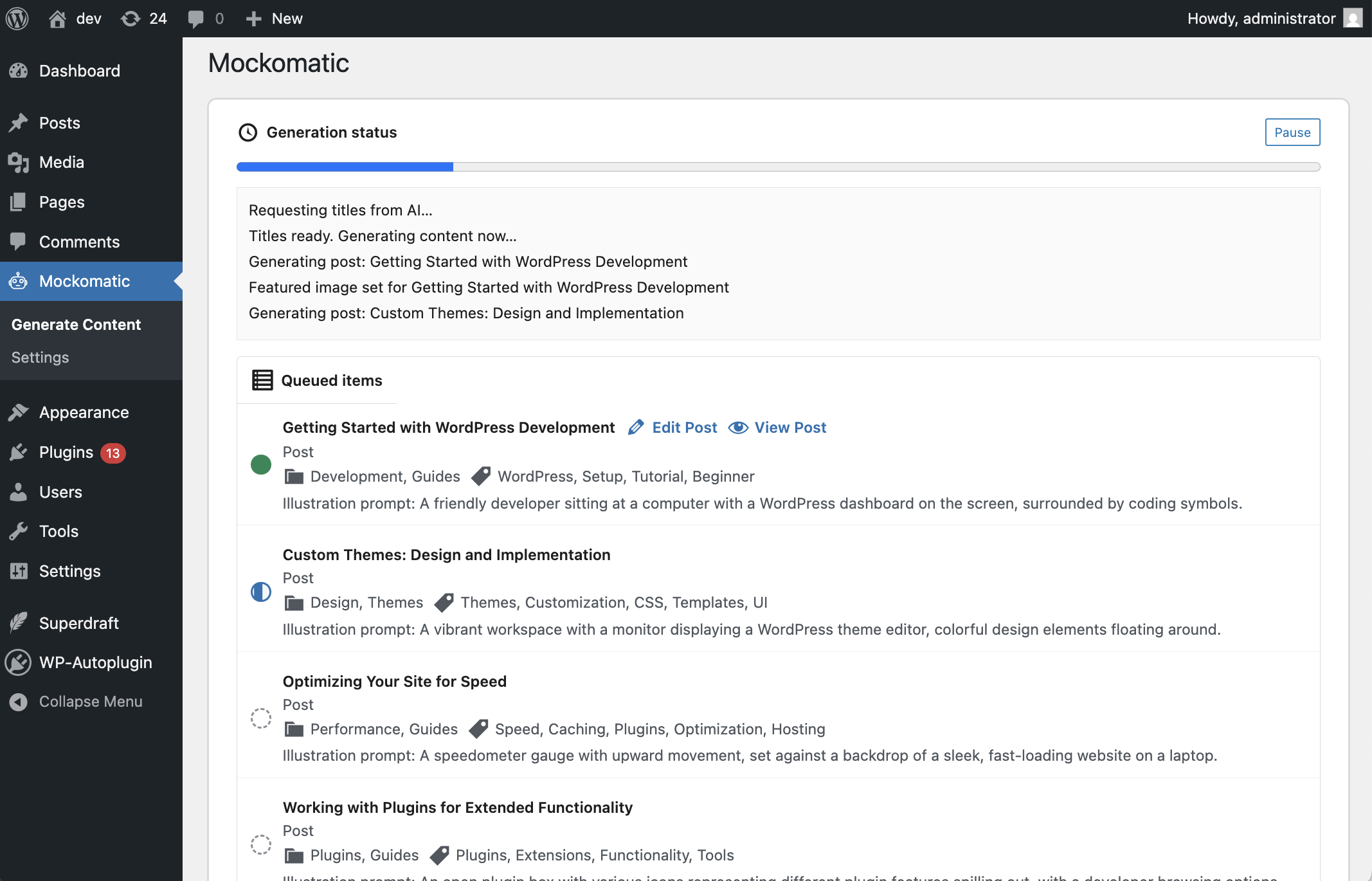
- Progress-aware UI with stop/resume-friendly handling and inline links to edit results
Plugin Highlights
- One-click site scaffolding: Request any mix of posts/pages; Mockomatic handles text, taxonomies, and featured images in a single flow.
- Native admin experience: Lives under the
Mockomaticmenu in wp-admin with Gutenberg-like controls and progress logs. - Bring your own keys: Store OpenAI, Google Gemini, and Replicate API keys in settings—no proxies or extra fees.
- Structured Gutenberg output: Generates valid block markup (paragraphs, headings, lists, quotes, columns, buttons, etc.) ready for immediate editing.
- Taxonomy + media aware: Suggests categories/tags and (optionally) saves AI-generated featured images to the Media Library.
Features
AI Content Generation
- Generate titles and full Gutenberg block content for posts and pages from a single prompt.
- Auto-assign categories and tags, with smart defaults that keep site structure coherent.
- Per-run controls for counts, models, taxonomy creation, and illustration prompts.
Featured Images (Replicate)
- Optional featured image generation per post via Replicate.
- Choose from multiple state-of-the-art image models; images are uploaded and attached automatically.
Flexible Prompts
- Global instructions to set tone, language, or domain (e.g., SaaS landing pages, travel blog, agency site).
- Inline illustration descriptions per post to guide featured image style.
Progress & Control
- Live progress meter and log of every action.
- Stop generation mid-run without breaking already-created content.
- Quick links back to the WordPress editor for each generated item.
Installation
- Download or clone this repository into
/wp-content/plugins/:git clone https://github.com/WP-Autoplugin/mockomatic.git - Activate Mockomatic from the Plugins menu in WordPress.
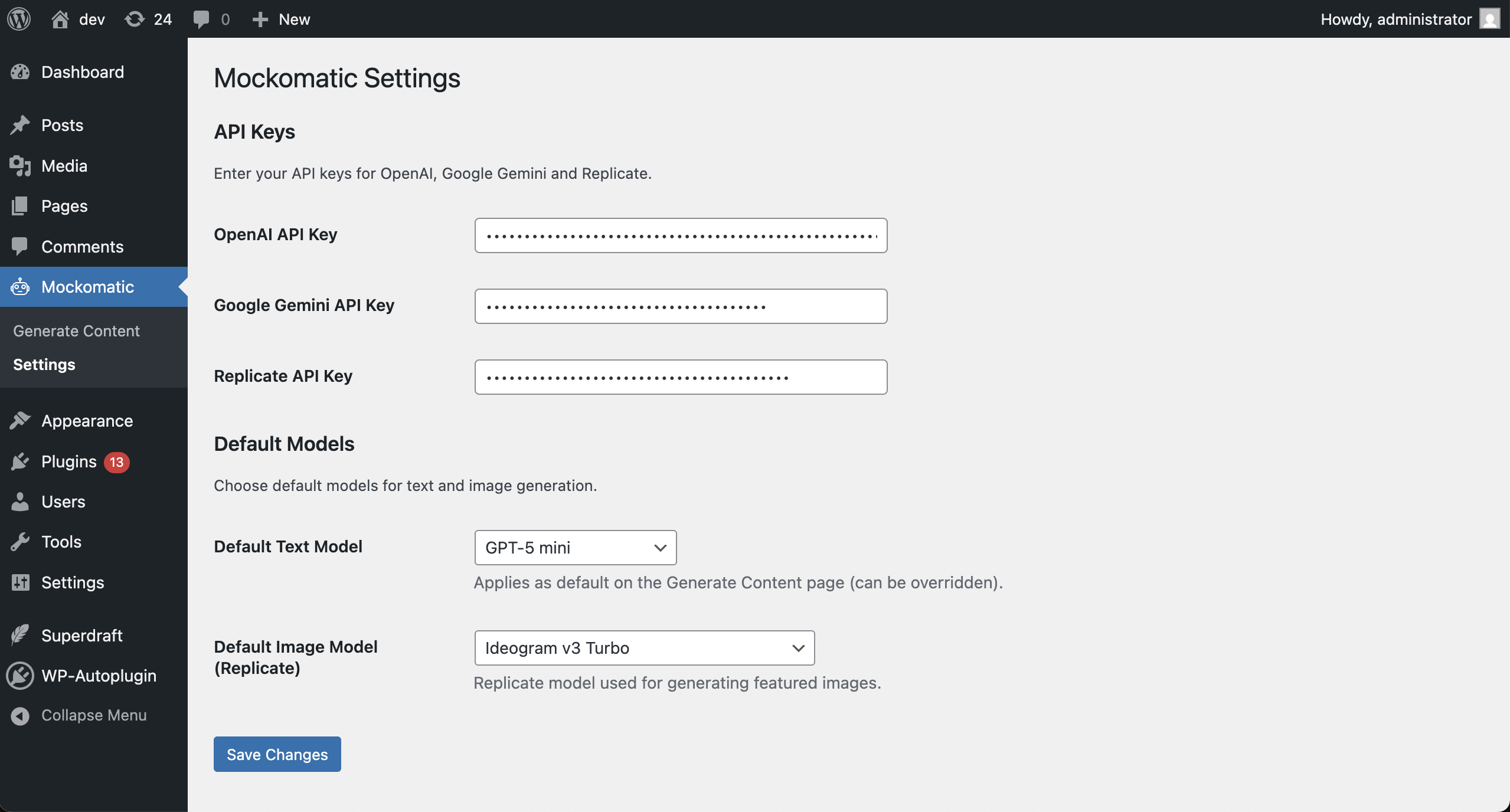
- Go to Mockomatic → Settings and enter your API keys (OpenAI, Google Gemini, Replicate).
- Optional: Set default text and image models for future runs.
Usage Examples
Generate a Batch of Posts and Pages
- Open Mockomatic → Generate Content.
- Set how many posts and pages you need.
- Pick a text model (OpenAI or Gemini) and optionally enable featured images with a Replicate model.
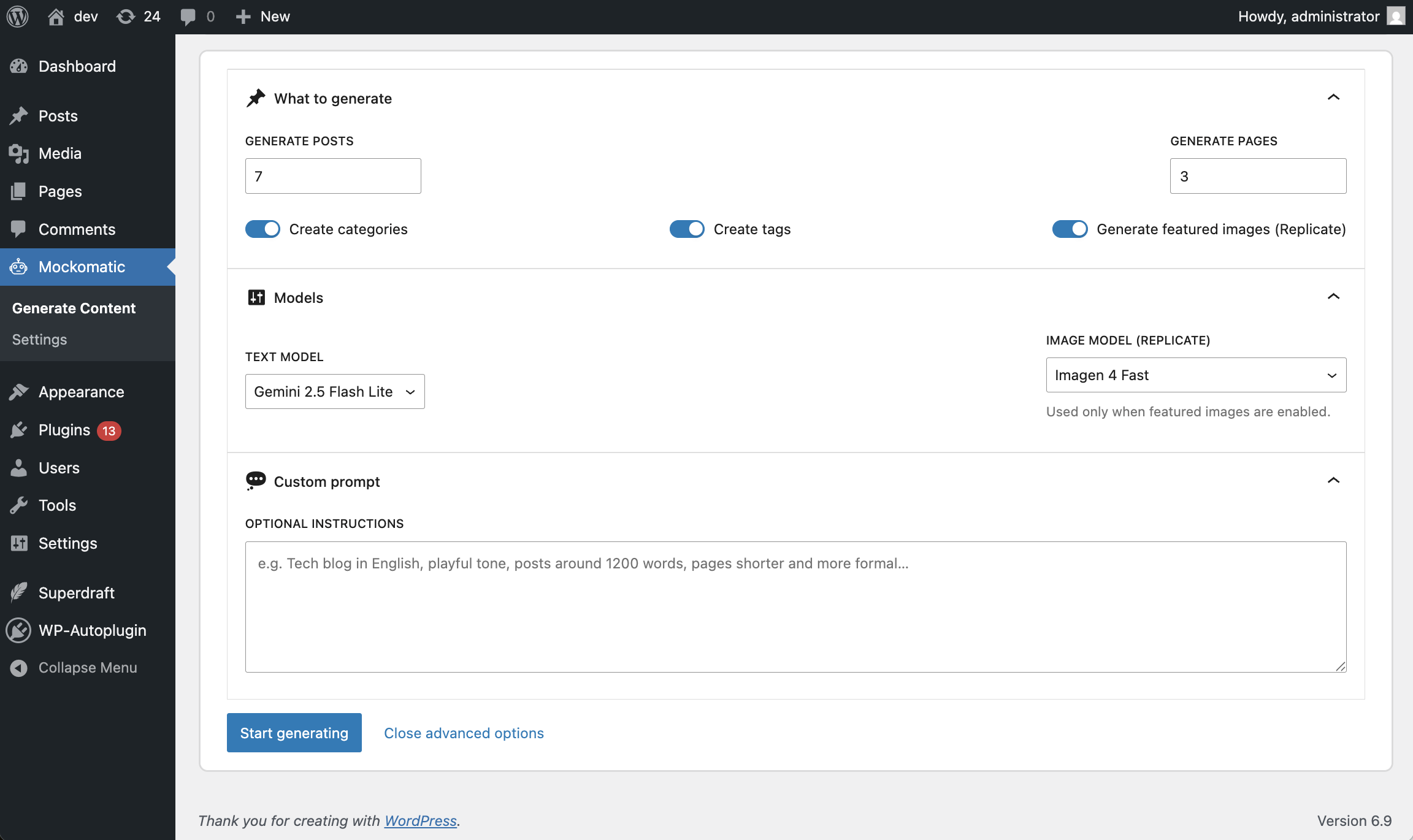
- Add optional instructions (e.g., "minimalist tech blog in English; posts ~1,200 words; pages concise and formal").
- Click Start Generating. Watch the log for each created item and jump to Edit links as they appear.
Create Taxonomy and Images Together
- Enable Create categories, Create tags, and Generate featured images.
- Provide a style cue for images in your instructions (or per-item illustration prompts when available).
- Run generation; Mockomatic will insert posts, attach featured images, and assign new categories/tags automatically.
Iterate with Custom Prompts
- Use the Custom prompt box to steer tone, structure, or topics (e.g., "local bakery site; warm, friendly tone; add pricing blocks and calls to action").
- Re-run generation with different counts or models to seed multiple variants of demo content.
Screenshots & Demo
Demo site: https://mockomatic-demo.wp-autoplugin.com/ (plain WordPress install with only Mockomatic installed and run once)
Generate demo content inside wp-admin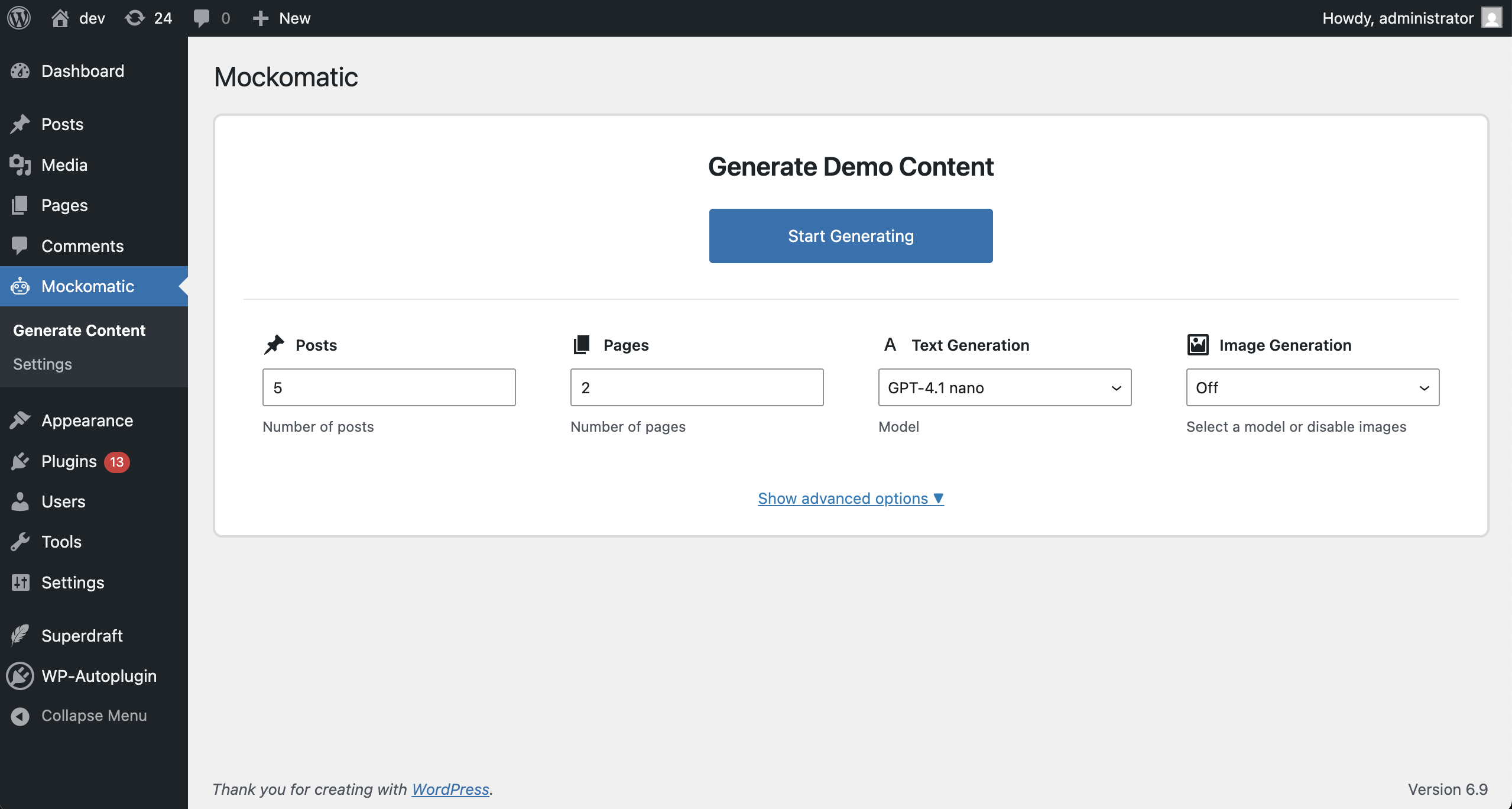 Live progress log and task list
 AI model and prompt configuration
 Settings page for API keys and defaults
Requirements
- WordPress 6.0+
- PHP 7.4+
- API keys for any providers you plan to use (OpenAI, Google Gemini, Replicate)
Supported AI Models
Text (OpenAI): gpt-5.1, gpt-5, gpt-5-mini, gpt-5-nano, gpt-5-chat-latest, gpt-4.5-preview, gpt-4.1, gpt-4.1-mini, gpt-4.1-nano, gpt-4o, gpt-4o-mini, chatgpt-4o-latest
Text (Google Gemini/Gemma): gemini-3-pro-preview, gemini-2.5-pro, gemini-2.5-flash, gemini-2.5-flash-lite, gemma-3-27b-it
Images (Replicate): google/nano-banana-pro, google/gemini-2.5-flash-image, google/imagen-4, google/imagen-4-ultra, google/imagen-4-fast, google/imagen-3, google/imagen-3-fast, black-forest-labs/flux-1.1-pro, black-forest-labs/flux-dev, black-forest-labs/flux-schnell, black-forest-labs/flux-pro, recraft-ai/recraft-v3, ideogram-ai/ideogram-v3-turbo, ideogram-ai/ideogram-v3-quality, ideogram-ai/ideogram-v3-balanced, bytedance/seedream-4.5
Contributing
Pull requests and issues are welcome. Please follow WordPress coding standards.
License
GPL-2.0 or later — https://www.gnu.org/licenses/gpl-2.0.html
Releases
1 release.
These releases are tags only. The author does not attach a packaged zip, so there are no download counts to report.