LLMs.txt for WP WP Registry grade C-. High-severity findings · 1 findingWP RegistryHigh-severity findings · 1 findingOpen the reportC-
Customizable llms.txt file for your WordPress site.
Install
This is the repository archive. It installs, but the folder name will carry the branch suffix and updates will not flow.
Install straight from GitHub with WP-CLI:
wp plugin install https://github.com/wp-autoplugin/llms-txt-for-wp/archive/refs/heads/main.zipLLMs.txt for WP is a WordPress plugin designed to generate machine-learning-friendly content from your site. It automatically creates an llms.txt file that compiles key content in a standardized format, making your site ready for Large Language Models (LLMs). This ensures that your content can be easily discovered and utilized by AI tools and applications.
Additionally, this plugin allows you to access Markdown versions of your posts by appending .md to the post URLs or by sending an Accept: text/markdown header. Posts automatically include a <link rel="alternate" type="text/markdown"> tag in their HTML <head>, and a Link HTTP response header pointing to the Markdown version for better discoverability. Markdown responses include an X-Markdown-Tokens header indicating the token count of the output.
About the llms.txt Standard
The llms.txt standard provides a simple, machine-readable file format for webmasters to communicate how their content should be utilized by Large Language Models (LLMs). It works similarly to robots.txt, enabling websites to specify which content is intended for training or reference by AI models. By implementing llms.txt, you can:
- Promote Discovery: Help LLMs understand the structure and purpose of your site.
- Define Content Use: Indicate permissions or restrictions on specific content.
- Control Visibility: Exclude or highlight specific sections of your site.
For more information on the llms.txt standard, visit the official website: https://llmstxt.org/.
Key Features
- Generate llms.txt: Aggregate key content from your site into an easy-to-read format for machine learning models.
- Markdown Support: Generate Markdown versions of posts, suitable for LLMs or for lightweight sharing. Markdown responses include an
X-Markdown-Tokensheader with the token count. - Fully Customizable: Customize which page or posts are included via an intuitive admin settings page.
Installation
- Download the plugin ZIP file from the releases page.
- Upload it to your WordPress site via the Plugins > Add New > Upload Plugin.
- Activate the plugin through the Plugins menu in WordPress.
Usage
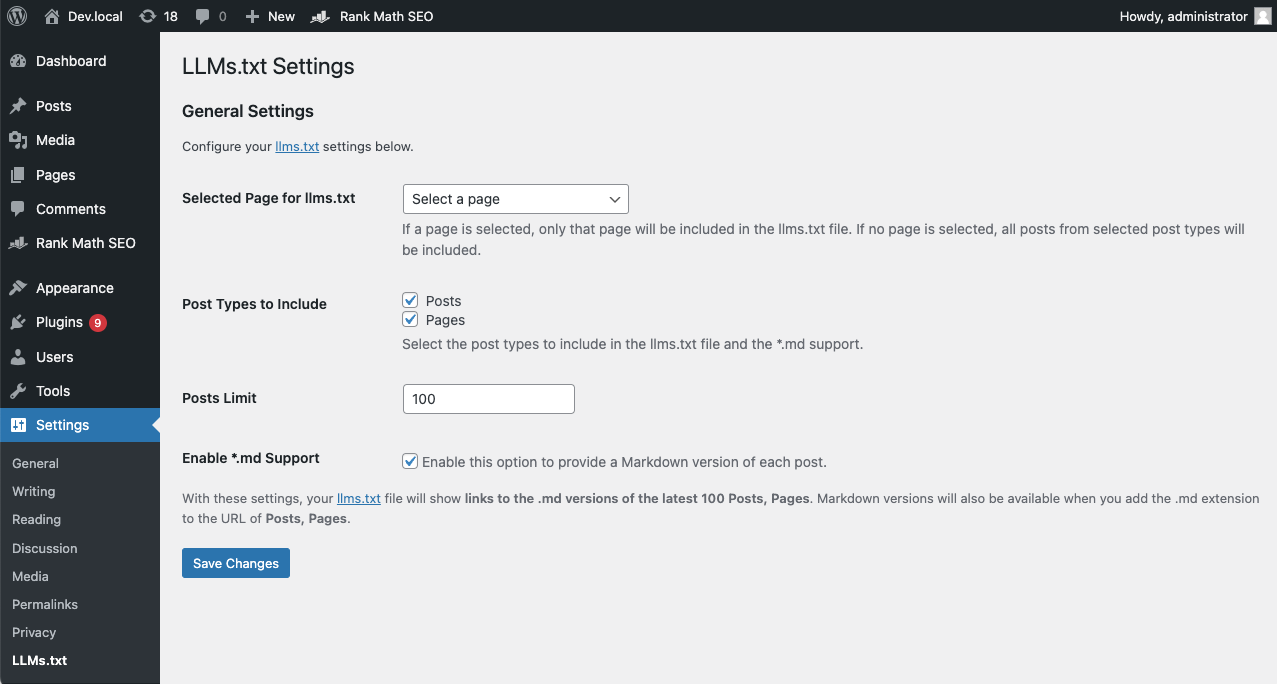
- Configure Plugin Settings: Navigate to Settings > LLMs.txt Settings.
- Select Content: Choose which page or post types to include in the
llms.txtfile. - Markdown Support: Enable Markdown output via settings and append
.mdto post URLs to view Markdown versions. - Access llms.txt: Open
https://yourdomain.com/llms.txtto view the file ready for LLM consumption.
Admin Settings
- Selected Content for llms.txt: Include specific pages or posts.
- Post Types to Include: Define which types of content (e.g., posts, pages) appear in
llms.txt. - Post Limit: Set the maximum number of posts to include.
- Markdown Support: Enable or disable
.mdfile extension for post URLs.
Frequently Asked Questions
Why use the llms.txt standard?
The llms.txt standard allows webmasters to provide structured data for Large Language Models, similar to how robots.txt serves search engines. This can improve the discoverability and usability of your content by AI tools, while also giving you control over what is included. It's quickly becoming a standard practice for AI-friendly websites.
How do I access the Markdown versions of posts?
Once Markdown support is enabled, you can access Markdown versions in three ways:
- Append
.mdto any post's URL (e.g.,https://example.com/your-post.md) - Send an
Accept: text/markdownheader in your HTTP request - Look for the
<link rel="alternate" type="text/markdown">tag in the post's HTML<head>to discover the Markdown URL
Markdown responses also include an X-Markdown-Tokens header indicating the approximate token count of the Markdown output, useful for LLM context management.
Can I control which posts are included in llms.txt?
Yes! The plugin can be configured to include specific post types and limit the number of posts included in the llms.txt file. You can also choose to include a specific page only.
Screenshots
- Admin Settings Page - Easily manage content for
llms.txtand enable Markdown support.
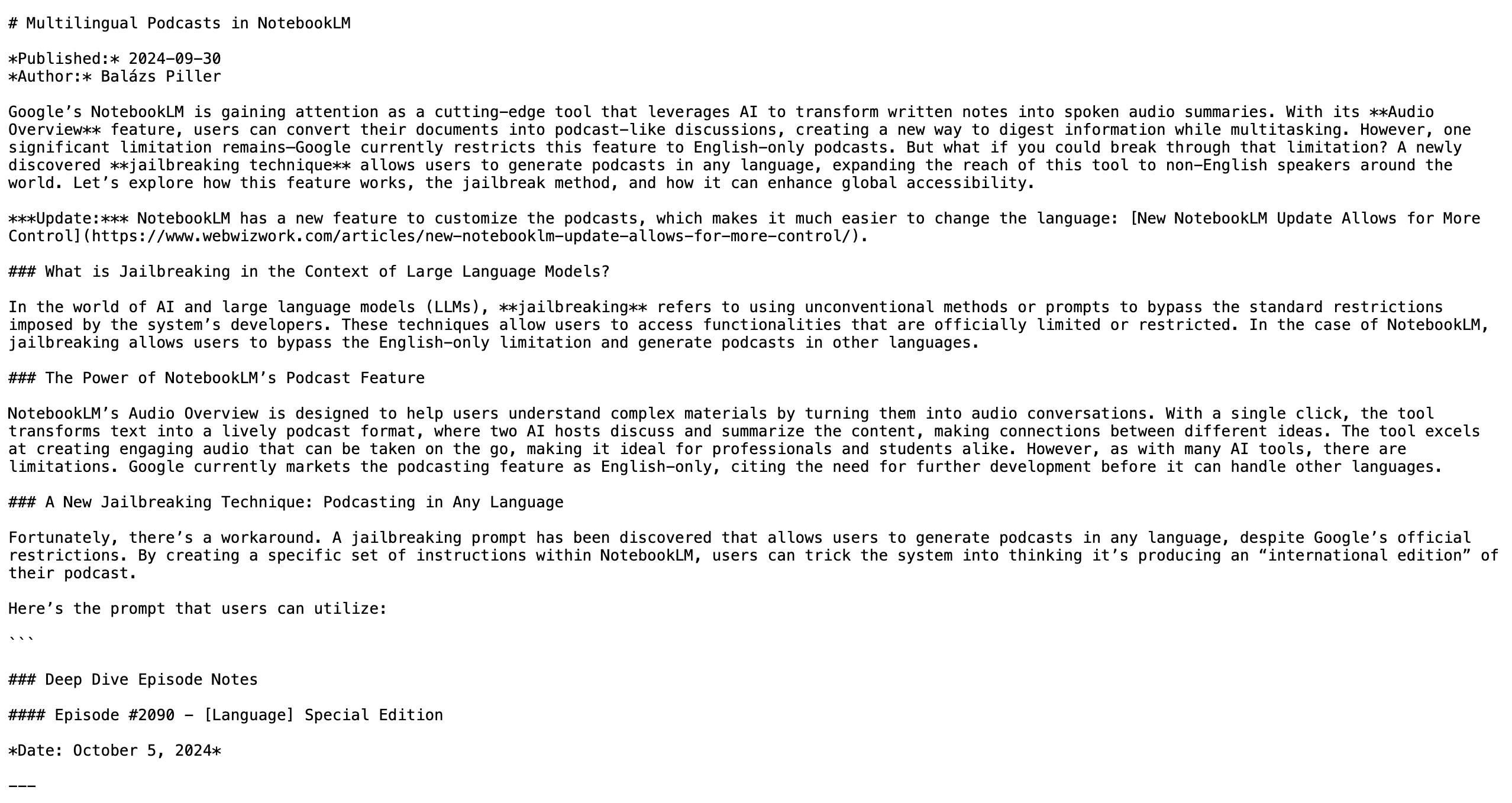
- Markdown Output - Example of a blog post converted to Markdown format.
Demo
You can view a demo of the plugin in action on my blog at WebWizWork.com.
Changelog
1.1.1
- Added X-Markdown-Tokens header for Markdown responses to indicate the number of tokens in the Markdown output.
1.1.0
- Markdown versions can now be accessed by sending the "Accept: text/markdown" header.
- link rel="alternate" type="text/markdown" added to post headers for better discoverability of Markdown versions.
1.0.0
- Initial release of LLMs.txt for WP.
- Added functionality to generate
llms.txt. - Added Markdown support for posts.
License
This plugin is licensed under the GPL v2 or later. For more information, please see the GNU General Public License.
Contributing
Contributions are welcome! Feel free to fork the repository, submit issues, or create pull requests.
Note: This plugin uses the league/html-to-markdown library for HTML to Markdown conversion.
Stable tag: 1.1.1
Releases
3 releases.
These releases are tags only. The author does not attach a packaged zip, so there are no download counts to report.