Install
Upload it under Plugins → Add New Plugin → Upload Plugin, then activate.
Install straight from GitHub with WP-CLI:
wp plugin install https://github.com/weiyuhl/disable-system-background-updates/releases/download/V1.0/Disable-backend-system-updates.zip
Disable WordPress Background Updates




English | 简体中文
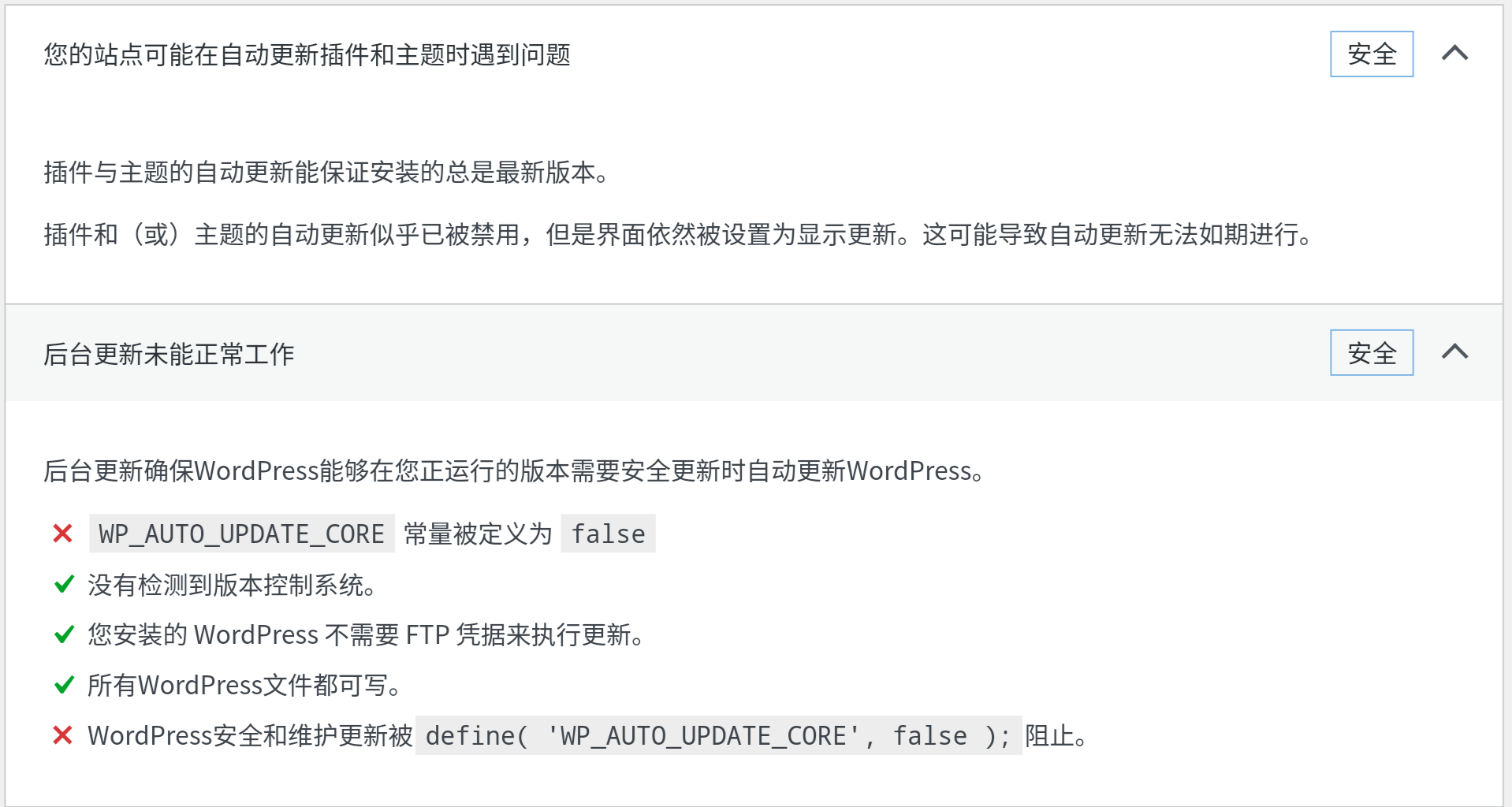
A WordPress plugin designed to disable plugin updates, theme updates, core updates, hide update notifications, and disable administrator notifications in the WordPress backend.
✨ Features
- ✅ Disable Plugin Updates - Prevent automatic and manual plugin updates
- ✅ Disable Theme Updates - Block theme update notifications and processes
- ✅ Disable Core Updates - Stop WordPress core update checks and installations
- ✅ Hide Update Notifications - Remove update notices from admin dashboard
- ✅ Disable Admin Notifications - Suppress update-related email notifications
📦 Installation
Method 1: WordPress Admin Dashboard
- Download the latest release from GitHub Releases
- Navigate to
Plugins > Add Newin WordPress admin - Click
Upload Pluginand select the downloaded zip file - Click
Install Nowand thenActivate
Method 2: Manual Installation
- Download and extract the plugin files
- Upload the
Disable-system-background-updatesfolder to your/wp-content/plugins/directory - Activate the plugin through the
Pluginsmenu in WordPress admin
⚙️ Configuration
Access Plugin Settings
Choose one of the following methods to access the plugin configuration:
Method 1: From Plugins Page
- Navigate to
Plugins > Installed Plugins - Find "Disable WordPress Background Updates" and click
Settings
Method 2: From Tools Menu
- Navigate to
Tools > Disable Update Settingsin WordPress admin sidebar
Configure Features
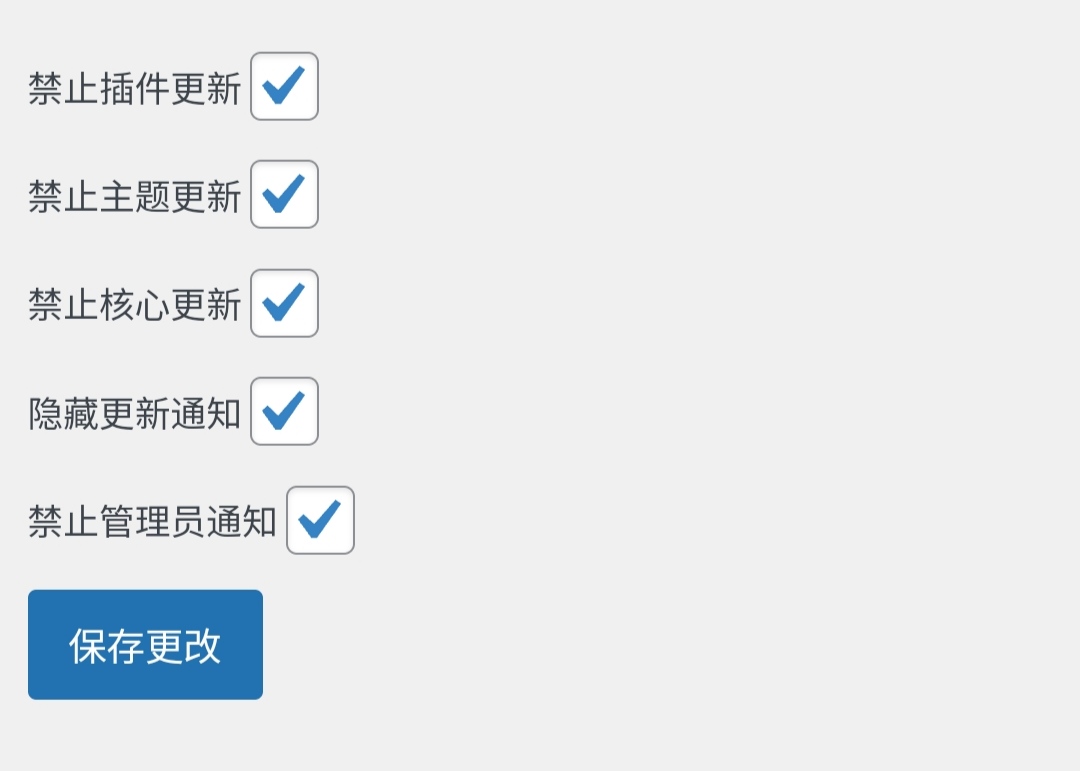
Select the features you want to enable based on your needs:
- Check/uncheck the options according to your requirements
- Click
Save Changesto apply the settings
🎯 Preview
To see the plugin in action:
- Navigate to
Tools > Site Healthin WordPress admin - Observe that update-related warnings and notifications are now hidden
📋 Requirements
- WordPress: 4.2 or higher
- PHP: 5.6.0 or higher
- Tested up to: WordPress 6.5
📄 License
This project is licensed under the Apache License 2.0.
🤝 Contributing
Contributions are welcome! Please feel free to submit a Pull Request or open an issue on GitHub.
📞 Support
- GitHub Issues: Report bugs or request features
- Author: 和离

Releases
1 release. Each count is every asset in that release; expand a row for the breakdown.