WP Manifestindependent plugin directory
manifest / integrations / wds-wp-rest-api-connect-ui

WDS WP REST API Connect UI WP Registry grade D+. High-severity findings · 3 findingsWP RegistryHigh-severity findings · 3 findingsOpen the reportD+

Provides UI for connecting from one WordPress installation to another via the WP REST API over OAuth1 (https://github.com/WP-API/OAuth1)

★ 20stars
17release downloads
≈10active sites
10composer installs
v0.2.5latest · 10 years ago

Install

Download wds-rest-connect-ui.zip From the v0.2.3 release on GitHub, Feb 20, 2016

Upload it under Plugins → Add New Plugin → Upload Plugin, then activate.

Install straight from GitHub with WP-CLI:

wp plugin install https://github.com/webdevstudios/wds-wp-rest-api-connect-ui/releases/download/v0.2.3/wds-rest-connect-ui.zip

On Packagist as webdevstudios/wds-wp-rest-api-connect-ui:

composer require webdevstudios/wds-wp-rest-api-connect-ui
No built-in updater. New versions won't appear under Dashboard → Updates. Install new releases yourself, or let Git Updater track the repository.

Description

Provides UI for connecting from one WordPress installation to another via the WordPress REST API over OAuth1. This plugin is a UI wrapper for WDS WP REST API Connect.

Caveats:

  • To use this plugin, you will need to run composer install from the root of the plugin to pull in the required dependencies, or download this zip.
  • Both the WP REST API plugin and the OAuth plugin are required to be on the server you are connecting to.
  • You'll need to create a 'Client Application' on the server. You'll be given instructions from this plugin's settings page after you save the server URL.

Usage:

Once you've created a successful API connection via the Settings screen, you can use the the plugin's API helper function/filter. If the connection is successful, The helper function and filter both return a WDS_WP_REST_API\OAuth1\Connect object (example usage here), which you can use to make your API requests.

The filter is an alternative to the helper function provided so that you can use in other plugins or themes without having to check if function_exists. To do that, simply use $api = apply_filters( 'wds_rest_connect_ui_api_object', false );. If the wds_rest_connect_ui_api_object function isn't available, you're original value, false will be returned. Whether using the function or the filter, you'll want to check if the $api object returned is a WP_Error object (is_wp_error) or a WDS_WP_REST_API_Connect object (is_a( $api, 'WDS_WP_REST_API\OAuth1\Connect' )) before proceeding with making requests.

// Get API object
$api = apply_filters( 'wds_rest_connect_ui_api_object', false );

// If WP_Error, find out what happened.
if ( is_wp_error( $api ) ) {
    echo '<xmp>'. print_r( $api->get_error_message(), true ) .'</xmp>';
}

// If a WDS_WP_REST_API\OAuth1\Connect object is returned, you're good to go.
if ( is_a( $api, 'WDS_WP_REST_API\OAuth1\Connect' ) ) {

    $schema = $api->get_api_description();

    // Let's take a look at the API schema
    echo '<xmp>$schema: '. print_r( $schema, true ) .'</xmp>';
}

Installation

Manual Installation

  1. Upload the entire /wds-rest-connect-ui directory to the /wp-content/plugins/ directory.
  2. Run composer install inside the /wp-content/plugins/wds-rest-connect-ui directory.
  3. Activate WDS WP REST API Connect UI through the 'Plugins' menu in WordPress.
  4. Update the connection settings.

To avoid step 2, download this zip, unzip the file and follow steps 1, 3, and 4.

Frequently Asked Questions

Screenshots (a bit out of date since 0.2.0)

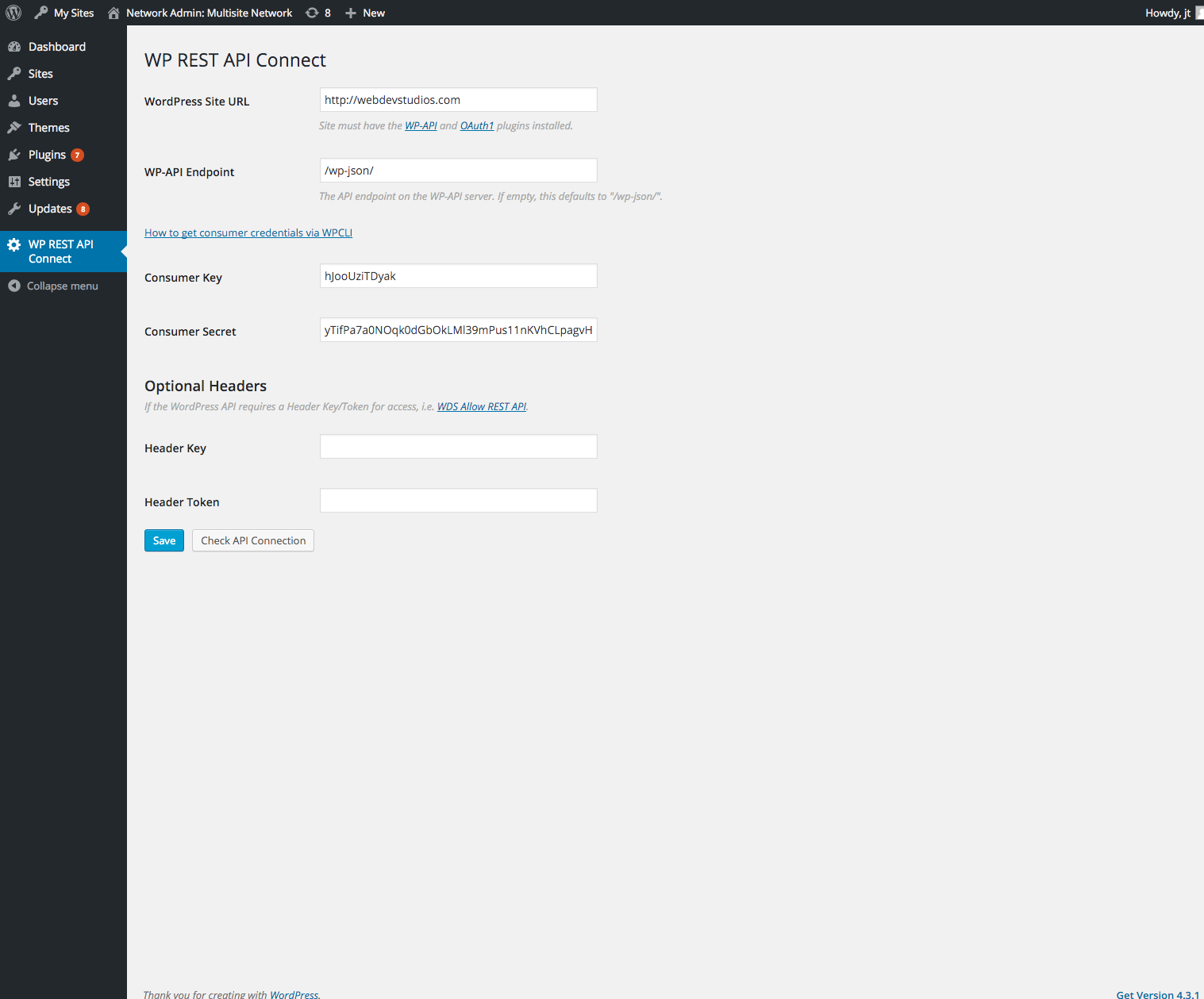
  1. Settings Settings

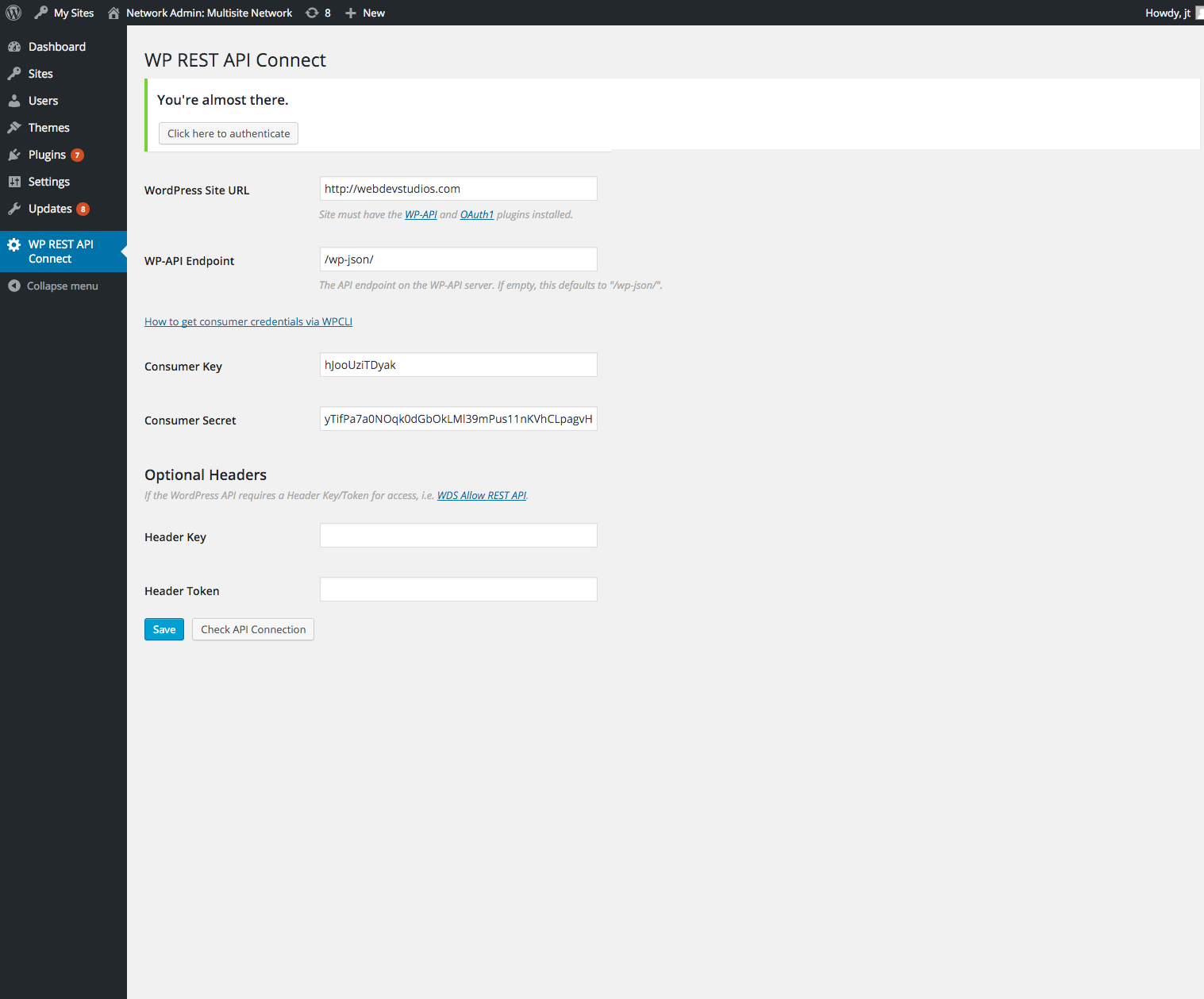
  2. After settings are saved, authentication is required. After settings are saved, authentication is required.
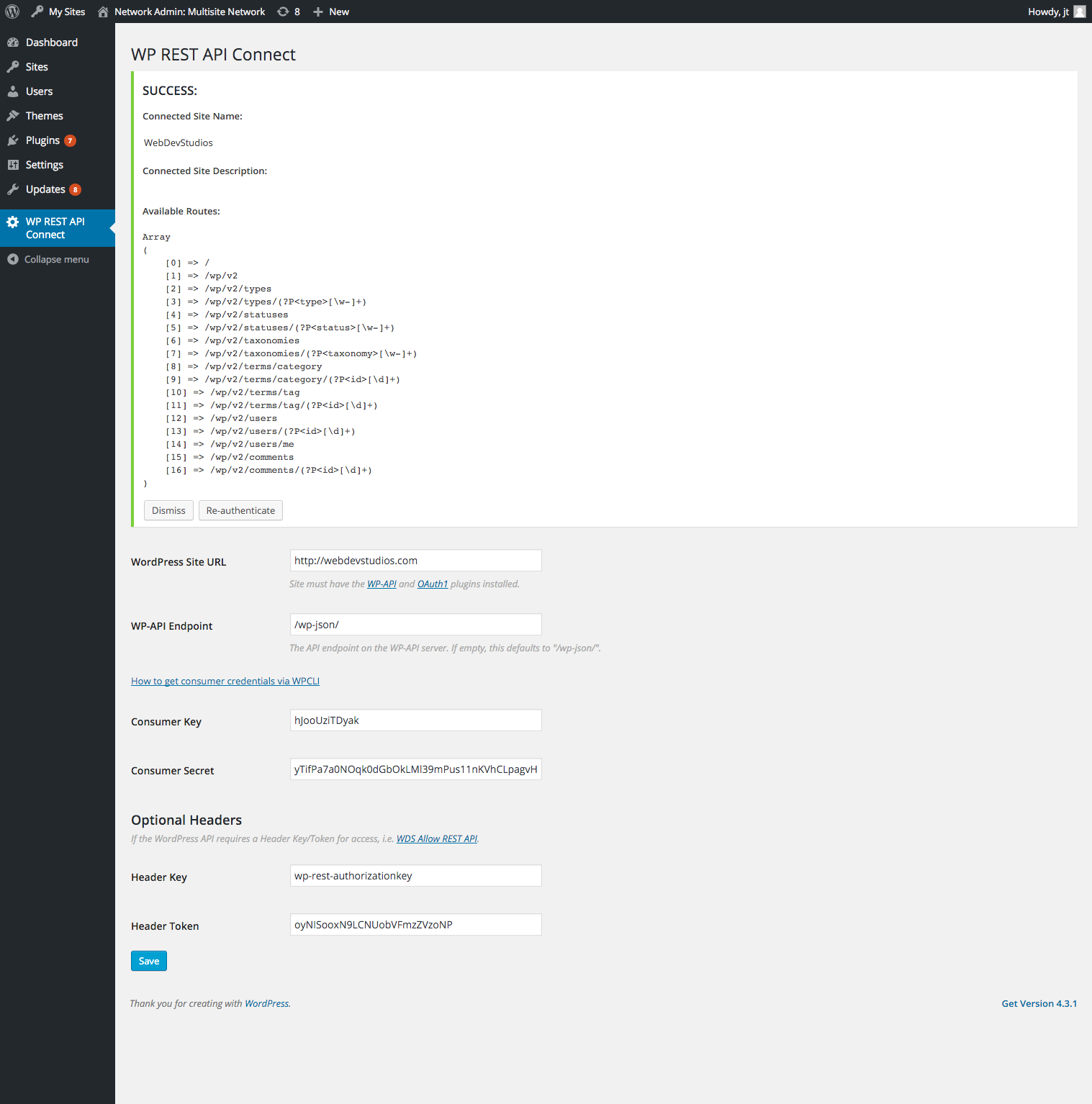
  3. Successful authentication notice which demonstrates available routes. Successful authentication notice which demonstrates available routes.
Changelog

0.2.5

  • Update the wds-wp-rest-api-connect dependency to fix a typo from a variable which should be using an object property (for legacy mode).

0.2.4

  • Update the wds-wp-rest-api-connect dependency to fix some bugs and in the auth_request method.

0.2.3

  • Fix some authentication step logic, and ensure discovery is not called too often.
  • Update the wds-wp-rest-api-connect dependency to fix some bugs and add filters to request args.

0.2.2

  • The Optional Headers fields are now available for all steps, to ensure proper headers are sent during discovery.
  • Update the wds-wp-rest-api-connect dependency, so that we use our own API Discovery library to use the WP http API, and to correctly pass any headers if they exist.

0.2.1

  • Update composer files to point to correct packagist repo for WDS WP REST API Connect.

0.2.0

  • Update to fix some security issues and work with the new version of the OAuth plugin.

0.1.0

  • First release

Releases

4 releases. Each count is every asset in that release; expand a row for the breakdown.

Tag
Published
Assets
Downloads
v0.2.5 latest
Mar 17, 2016 10 years ago
tag only
—
Mar 17, 2016 10 years ago
tag only
—
Feb 20, 2016 10 years ago
wds-rest-connect-ui.zip
10
Feb 16, 2016 10 years ago
wds-rest-connect-ui.zip
7

Active-site estimate ≈10 comes from the median of recent superseded releases. Method.

D+ grade

Security

WDS WP REST API Connect UI 0.2.3 · audited by WP Registry

High-severity findings.

3 high
Audited release
0.2.3
Findings
3
Worst severity
high
Content hash
07b2bf78f8523e45ca90f222…

Findings

  • high Unauthenticated SSRF via API discovery on cmb2_admin_init

    ssrf

    WDSRESTCUI_Settings::register_settings_page_metabox is hooked to cmb2_admin_init. CMB2 fires that action from cmb2_bootstrap() whenever is_admin() is true, which includes unauthenticated requests to wp-admin/admin-ajax.php and wp-admin/admin-post.php (those files define WP_ADMIN before loading WordPress; init runs during wp-load.php, before any login or action check). The metabox callback does not require manage_options, a nonce, or a settings-page screen. It reads url / header_key / header_token from the stored option or, if empty, from $_POST via get_current_value(), then calls do_discovery(). Connect::do_discovery() passes the URL to WDS_WP_REST_API\Discover, which uses WP_Http::head() then WP_Http::get() on the Link rel=https://api.w.org/ href with no reject_unsafe_urls / wp_safe_remote_get / host allow-list, and it follows redirects. An unauthenticated client can POST url=http://169.254.169.254/ or url=http://attacker/ (attacker Link header pointing at intranet/metadata) and optional header_key/header_token (arbitrary request headers). If wds_rest_connect_ui_settings already has a url, get_current_value prefers the stored value; chaining the reset_all finding clears that option first so the POST url is used. Discovery is intended for administrators entering a remote WP URL, but this registration runs on every admin-context request.

    includes/settings.php:203-247,327-336,902-908

    Recommendation

    Run discovery only after current_user_can('manage_options') and a verified settings nonce, and only on the plugin settings screen. Fetch with wp_safe_remote_get() / reject_unsafe_urls so loopback, link-local, and private addresses are blocked; do not send attacker-controlled header names; do not follow redirects off-origin. Do not register the CMB2 box (or read $_POST['url']) on every cmb2_admin_init.

  • high Unauthenticated reset of OAuth connection settings via admin_init reset_all

    missing_auth

    WDSRESTCUI_Settings::admin_init is hooked to admin_init with no capability check. The first request-driven branch is if ( isset( $_GET['reset_all'] ) ) { $this->delete_all_and_redirect(); }. reset_url() builds a wp_nonce_url(..., 'reset_all', 'reset_all') so the query arg is named reset_all, but the handler never calls wp_verify_nonce — any truthy reset_all value works (reset_all=1). delete_all_and_redirect() calls api()->reset_connection() (deletes token_credentials / temp_credentials, the apiconnect_* option, the description transient, and wp_rest_api_connect_error) then delete_option('wds_rest_connect_ui_settings') (url, consumer_key, consumer_secret, header_key, header_token). admin_init runs for every logged-in wp-admin request (Subscriber profile.php) and for unauthenticated wp-admin/admin-ajax.php and wp-admin/admin-post.php, which fire admin_init before any auth check. A cross-site GET (img/src or fetch) to /wp-admin/admin-ajax.php?action=heartbeat&reset_all=1 or /wp-admin/admin-post.php?reset_all=1 therefore wipes the site-to-site OAuth integration without cookies. Network mode (WDSRESTCUI_NETWORK_SETTINGS) uses delete_site_option instead, same missing gate. Consumers of the deleted options are wds_rest_connect_ui_get_setting() / wds_rest_connect_ui_api_object() used by other code to sign REST requests — the connection stays down until an administrator re-enters credentials and re-authorizes.

    includes/settings.php:97-105,477-481,845-847

    Recommendation

    Require current_user_can('manage_options') and wp_verify_nonce( $_GET['reset_all'], 'reset_all' ) before delete_all_and_redirect(). Prefer a POST admin-post action over a GET query flag. Do not hook destructive logic to admin_init for every admin-ajax/admin-post request.

  • high Missing capability on admin_init API checks leaks OAuth secrets and remote user data

    information_disclosure

    The same admin_init callback, with no current_user_can, calls check_api() whenever Connect::key() is set (i.e. after settings have been saved). check_credentials has no nonce: verify_api_connection_successful() uses stored token_credentials to GET the remote /wp/v2/users/me?context=edit and get_api_description(), then success_message()/output_user() print the remote user's email, name, nickname, and routes via all_admin_notices — hooked without a cap, so they render on Subscriber-accessible screens such as profile.php. If that request fails, oops_error_message() print_r's WP_Error data, which Connect passes as args() including client_key, client_secret, access_token, and access_token_secret. Independently, check_for_stored_connection_errors() dumps the wp_rest_api_connect_error option (message plus print_r of the same args() and the HTTP response) into those notices whenever a prior discovery/OAuth error was stored — any logged-in user who can load wp-admin sees the secrets. dismiss_errrors (typo) has no nonce and deletes that option. A Subscriber can therefore both (a) fire OAuth-signed requests to the configured remote WordPress as the connected user and (b) read client_secret/access tokens from error HTML, which is enough to impersonate that connection against the remote API.

    includes/settings.php:107-111,388-406,445-470,515-526,578-594,717-728

    Recommendation

    Gate check_api(), output_notices(), and stored-error rendering on current_user_can('manage_options') and the settings page hook. Require a nonce for check_credentials, dismiss_errrors, and re-auth. Never put client_secret or token credentials into admin notices or error options; store a redacted error id instead.

WP Registry hashes the installable build and reports on that exact bytes-for-bytes copy. Embargoed findings are withheld until they are disclosed, so a clean verdict means nothing public is outstanding. WP Manifest does not audit code itself.