Install
This is the repository archive. It installs, but the folder name will carry the branch suffix and updates will not flow.
Install straight from GitHub with WP-CLI:
wp plugin install https://github.com/webdevstudios/wds-plugin-documentor/archive/refs/heads/master.zipNo built-in updater. New versions won't appear under Dashboard → Updates. Install new releases yourself, or let Git Updater track the repository.
Allows developers to provide information to their clients about installed plugins. Multi-site compatible.
Description
This plugin will allow developers to provide documentation for their clients as to why a plugin is installed on the plugin list screen. It also makes use of actions and filters so you can prevent anyone from either editing or viewing the extended plugin information.
Installation
Manual Installation
- Upload the entire
/wds-plugin-documentordirectory to the/wp-content/plugins/directory. - Activate WDS Plugin Documentor through the 'Plugins' menu in WordPress.
Frequently Asked Questions
None at this point
Screenshots
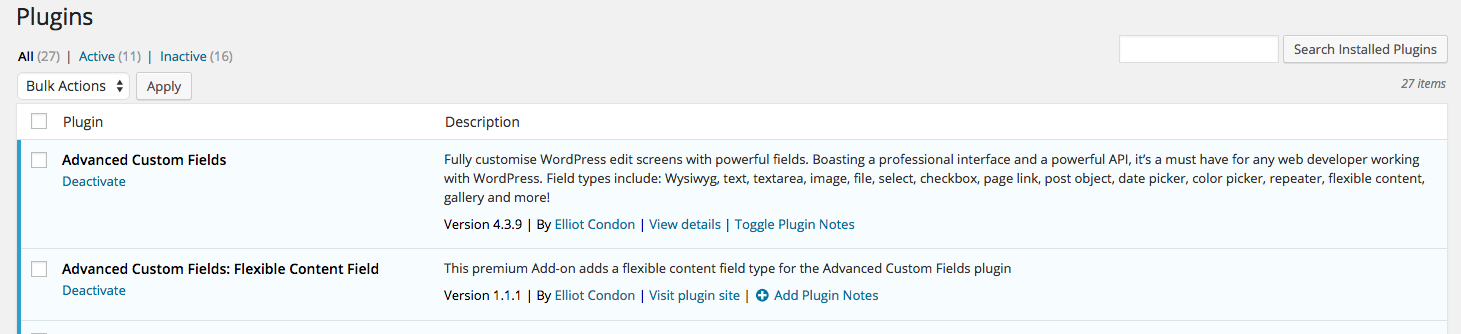
"Toggle Plugin Notes" inline link
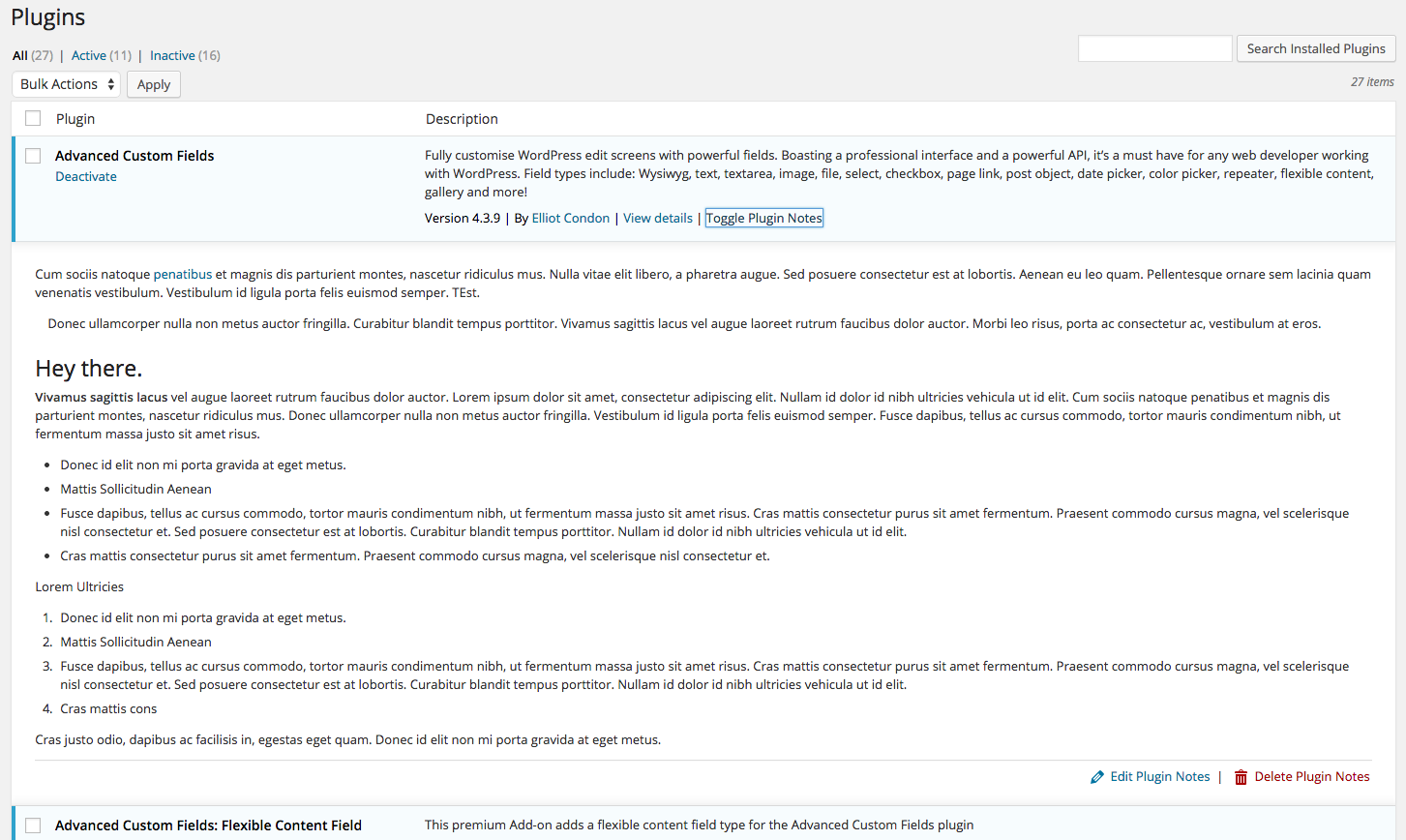
Plugin Notes visible
Changelog
0.1.0
- First release