Install
This is the repository archive. It installs, but the folder name will carry the branch suffix and updates will not flow.
Install straight from GitHub with WP-CLI:
wp plugin install https://github.com/webdesignerfactory/wdf-ai-metadata-remover/archive/refs/heads/main.zip

WDF AI Metadata Remover
Strip hidden metadata from your WordPress images: EXIF, GPS, XMP, IPTC and AI tags like C2PA.
The image itself is never re-encoded.




Download on WordPress.org · Try the free online version · Support forum · Changelog
Every image you upload carries data you can't see. A phone photo can include the exact GPS spot where it was taken. Editing apps add their own notes. AI image tools add records that say which tool made the file and when, and some save the full prompt and workflow inside the PNG.
Your visitors don't need any of it. It makes files bigger, and some of it is personal information you never meant to publish. This plugin takes it out.
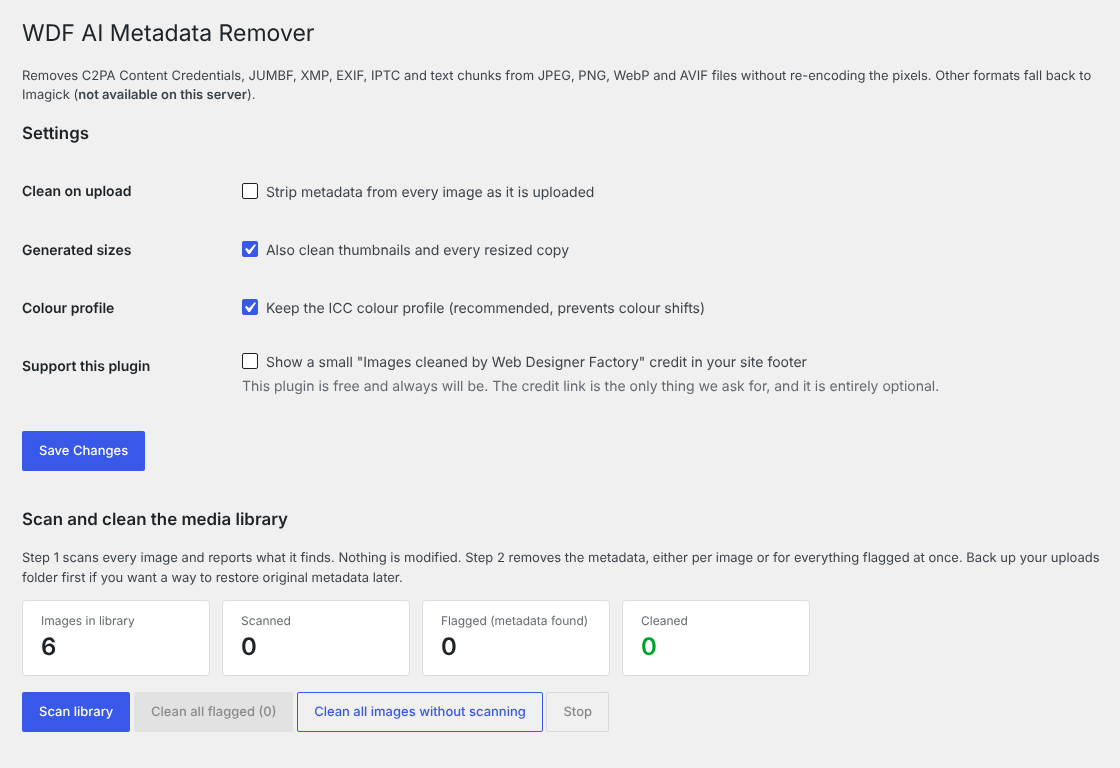
What it removes
- C2PA Content Credentials and JUMBF data (JPEG APP11, PNG caBX, WebP C2PA)
- XMP, including the IPTC
trainedAlgorithmicMediatag that marks an image as AI-generated - EXIF data such as camera model, software and GPS location
- IPTC and Photoshop blocks
- PNG text chunks such as Stable Diffusion prompts, ComfyUI workflows and Adobe XMP
- JPEG comments
JPEG, PNG, WebP and AVIF files are edited directly, byte by byte. The pixels are never decoded and saved again, so there is no quality loss. Other formats go through Imagick when the server has it.
What stays the same
- The pixels. Nothing is re-encoded.
- The ICC color profile, so colors look right (you can turn this off).
- The JPEG orientation tag, so phone photos still display the right way up.
- Titles, captions and alt text. WordPress keeps those in the database, not in the file.
Features
- Cleans every new upload automatically: the original, the scaled version and every thumbnail size
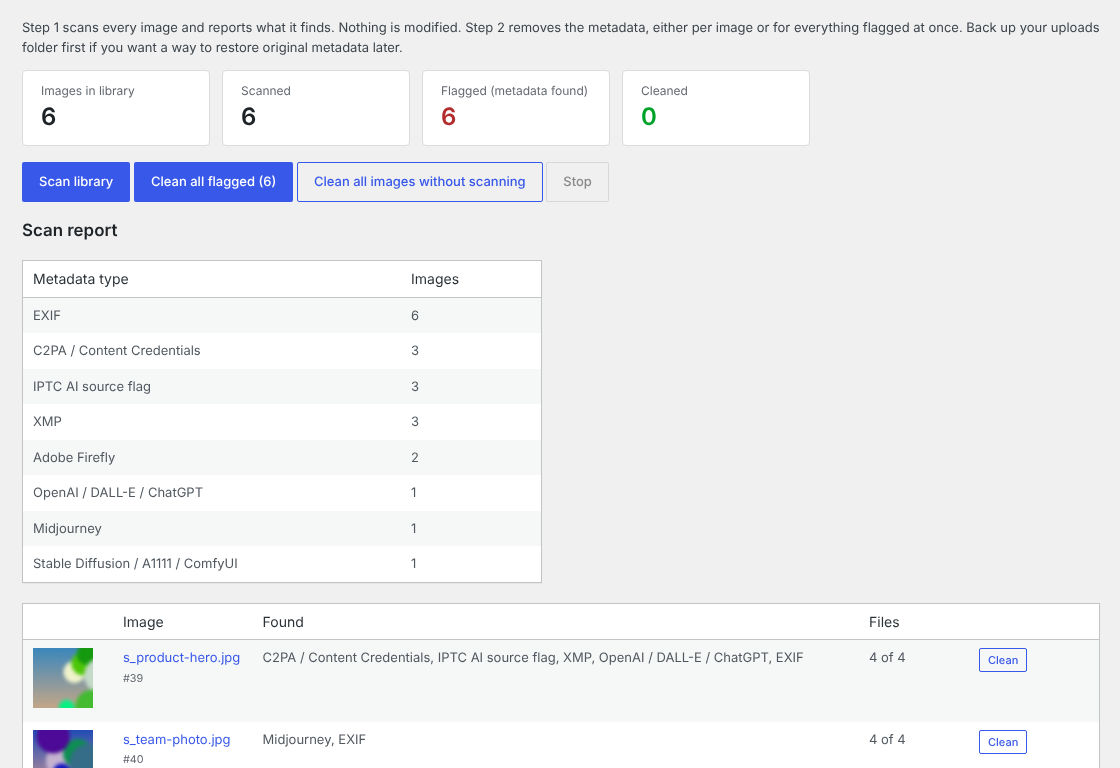
- Read-only scan of the whole Media Library with a report by metadata type
- Clean images one at a time from the report, or everything flagged in one click
- A Flagged / Clean / Cleaned column and a "Strip AI metadata" row action in the Media Library
- WP-CLI commands for large libraries
Quick start
- In WordPress, go to Plugins > Add New, search for "WDF AI Metadata Remover", then install and activate it.
- New uploads are cleaned from then on.
- For older images, go to Media > WDF AI Metadata Remover, run a scan, then clean the flagged images.
To install from this repo, copy the folder to /wp-content/plugins/wdf-ai-metadata-remover/ and activate it on the Plugins screen. WordPress.org is the recommended source, since it gives you automatic updates.
Requirements: WordPress 5.8 or later, PHP 7.2 or later.
WP-CLI
wp wdfaimr scan --all          # scan the whole library without changing anything
wp wdfaimr clean --flagged     # clean every image the scan flagged
wp wdfaimr clean --all         # clean every image
wp wdfaimr clean 123 456       # clean specific attachments by ID
What it doesn't do
Some AI providers hide an invisible watermark in the pixels themselves, such as Google's SynthID. This plugin works on metadata only, so it leaves those alone.
Please only use it on images you own or have permission to change. Some platforms and laws require you to disclose AI-generated images; this plugin is built for privacy and smaller files, so follow whatever disclosure rules apply to you.
Online version
Want to check a single photo without installing anything? The free Image Metadata Remover does the same cleaning in your browser, so your images are never uploaded.
Contributing
Bug reports and pull requests are welcome here. For general help, the WordPress.org support forum is the best place. All code uses the wdfaimr prefix.
To report a security issue, please email support@webdesignerfactory.com instead of opening a public issue.
Changelog
1.1.0
- JPEG orientation is kept, so sideways phone photos still show upright.
- AVIF and HEIF support (EXIF, XMP and C2PA), lossless and in place.
- New read-only scan of the whole library with a report by metadata type.
- Clean images one by one from the report, or every flagged image at once.
- The Media Library column now shows Flagged, Clean or Cleaned.
- WP-CLI: new
scancommand andclean --flagged.
1.0.0
- First release.
License
GPLv2 or later. See LICENSE.
Built and maintained by Web Designer Factory, a web design and development agency in Plano and Dallas, Texas. Free, with no paid version.