Advanced Quotes for WooCommerce releasesself-updates
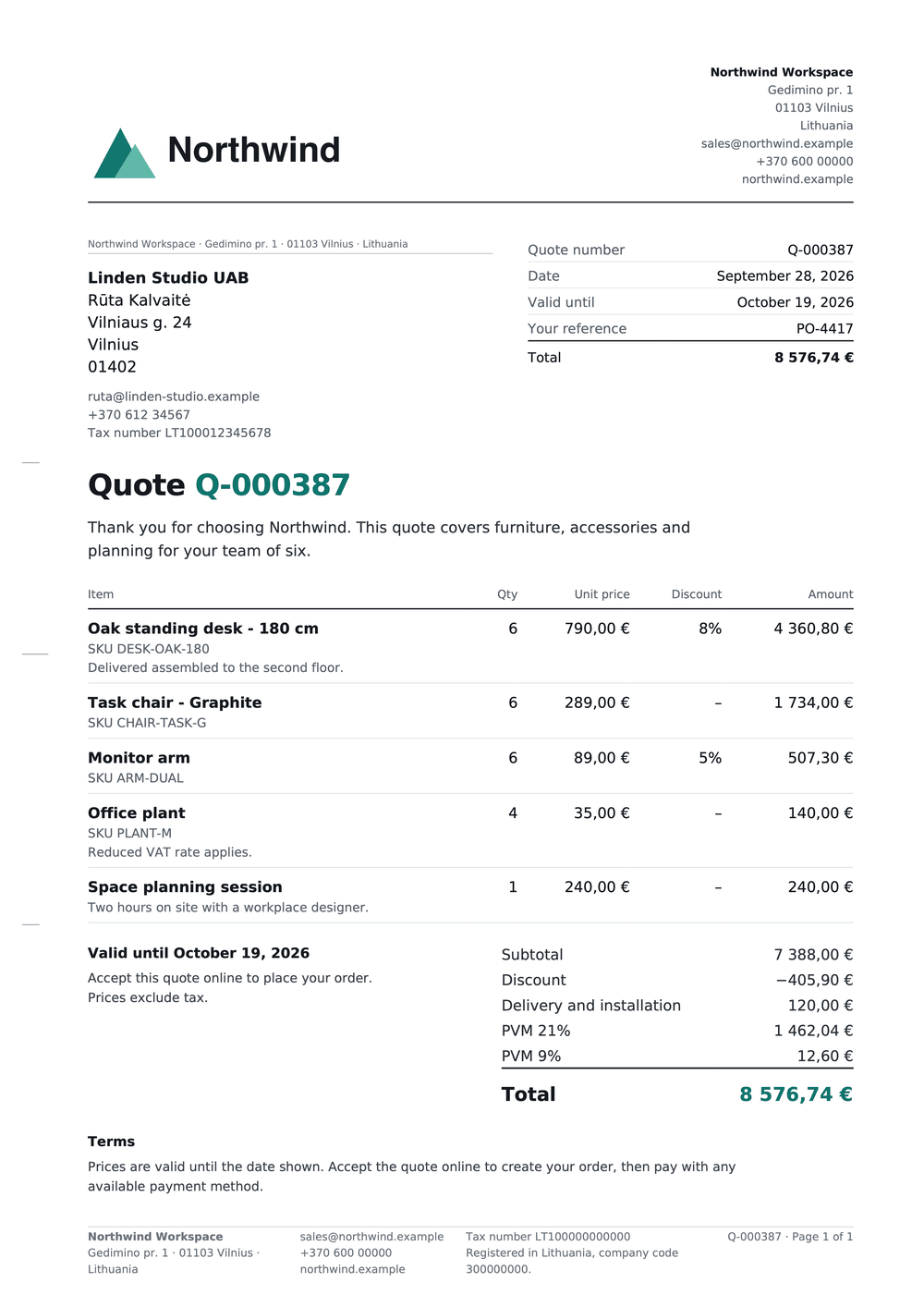
WooCommerce quotes: customers request a quote, you set prices in the admin quote generator, and customers accept and pay online. Numbered PDF quotes.
by UAB BusinessPress · github.com/we-wp/advanced-quotes-for-woocommerce · website
Install
The author publishes release zips, so WP-CLI can install straight from GitHub:
wp plugin install https://github.com/we-wp/advanced-quotes-for-woocommerce/releases/download/v0.2.0/advanced-quotes-for-woocommerce-0.2.0.zipShips its own WordPress updater (Update URI header), so new versions show up under Dashboard → Updates.
Let customers ask for a price, send them a quote, and get paid when they accept.
Download the latest version · Plugin page
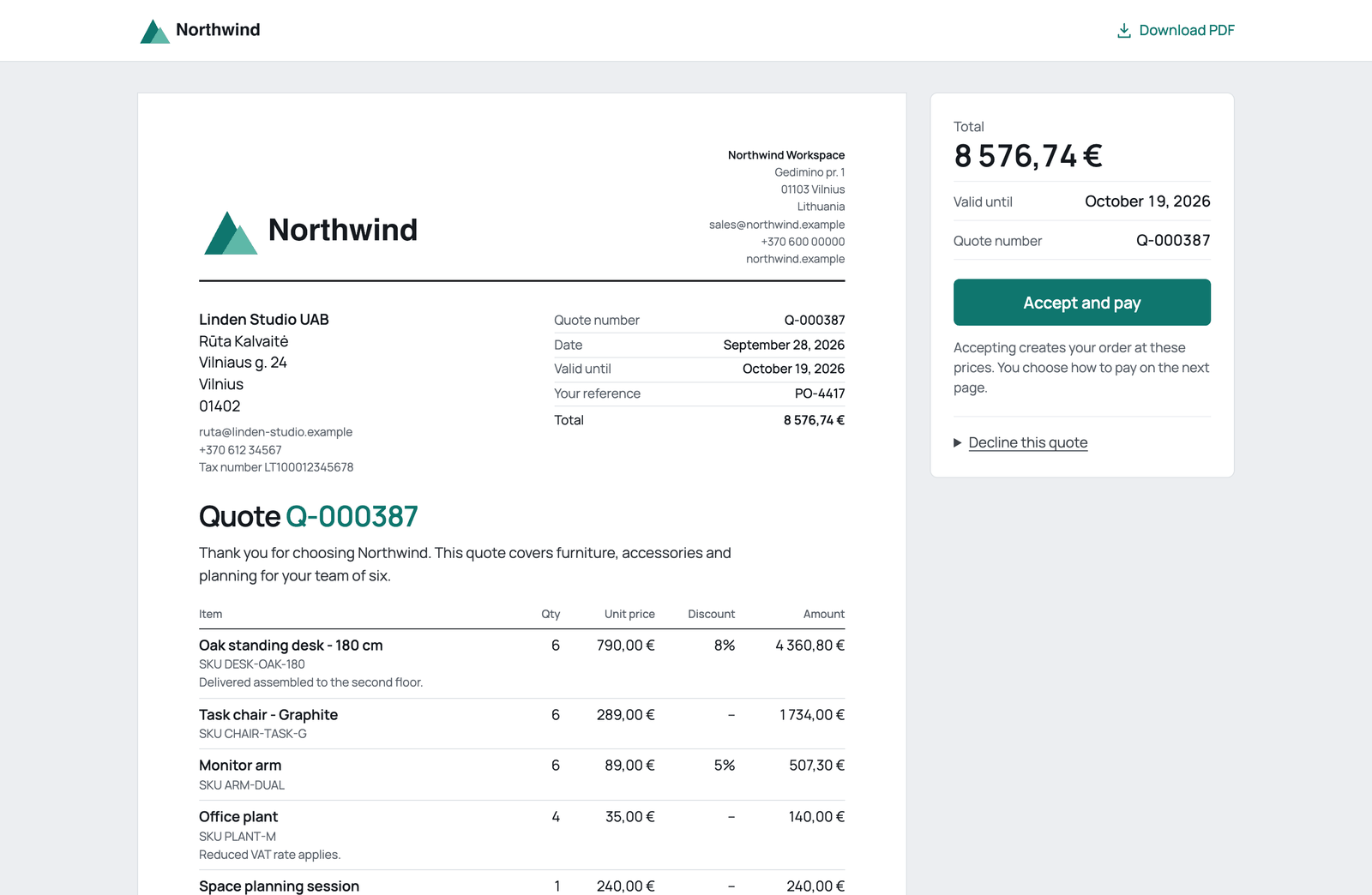
How it works
1. A customer asks for a price. A Request a quote button sits next to Add to cart, and in the cart.
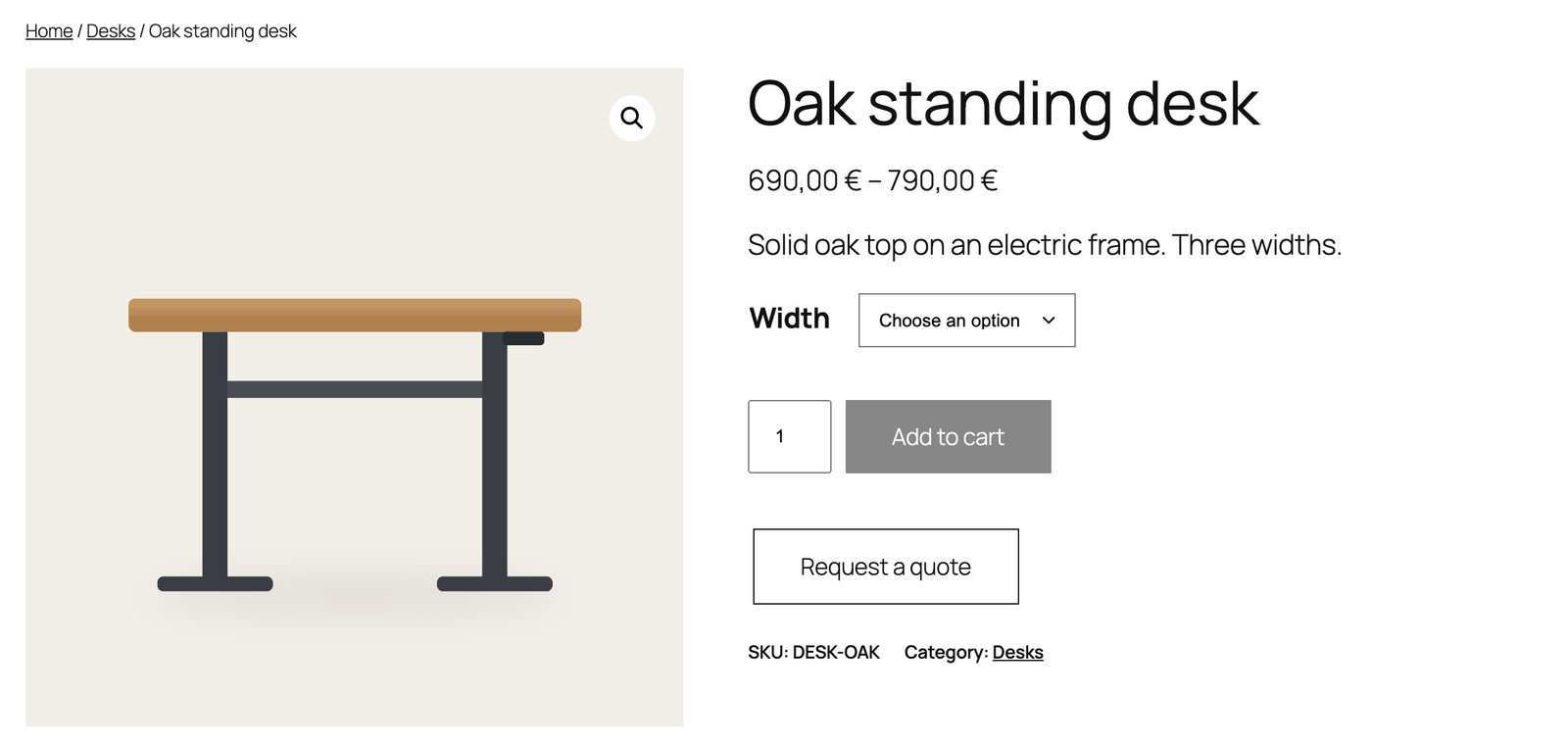
2. You set the prices. Open the request, adjust quantities and prices, add a discount or shipping, and send it. Totals follow your WooCommerce tax settings.
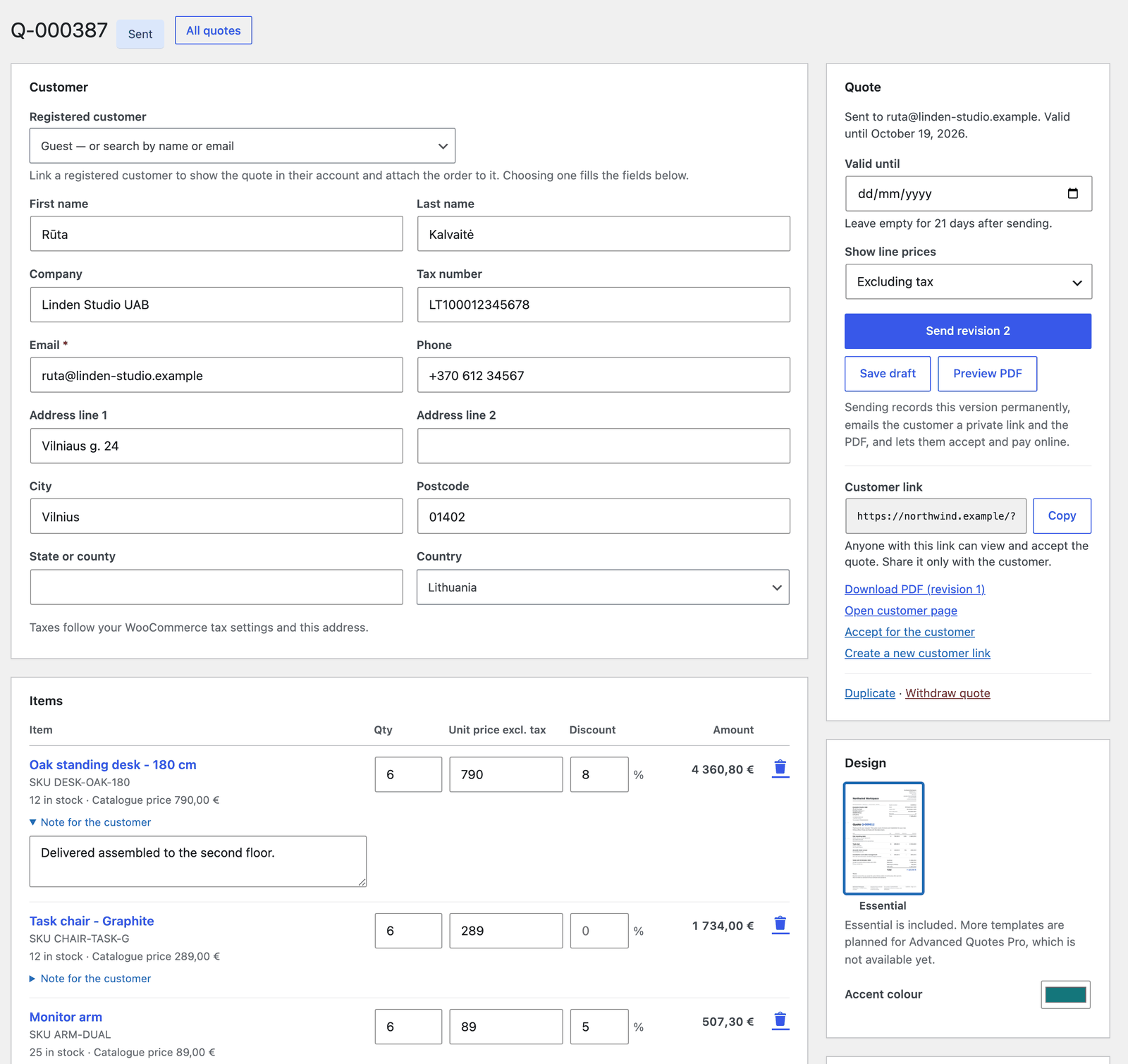
3. They accept and pay. Your customer gets a PDF and a private link. Accept and pay creates the order at your prices and opens checkout.
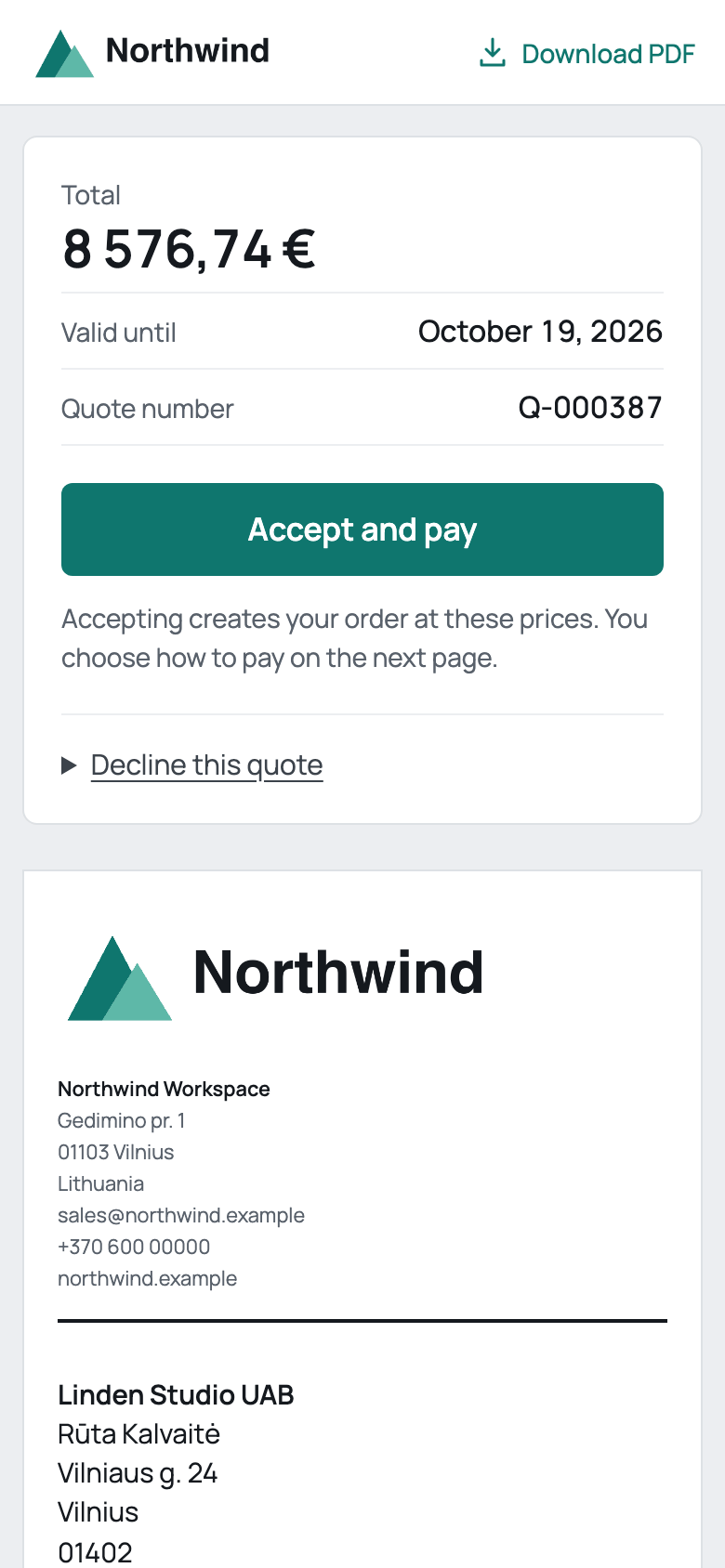
What you get
- A Request a quote button on product pages and in the cart
- Your own questions on the request form, such as a deadline, budget or measurements
- A quote generator with discounts, custom items and shipping
- PDF quotes with your logo and colour
- A page where customers accept, decline or download their quote
- An email at every step
- No limit on quotes
Install
- Download
advanced-quotes-for-woocommerce-0.2.0.zipfrom the latest release. The Source code files won't install. - In WordPress, go to Plugins → Add New Plugin → Upload Plugin, then install and activate it.
- Open WooCommerce → Settings → Quotes to add your business details and logo.
You need WordPress 7.0+, WooCommerce 11.1+ and PHP 8.3+.
Help
Questions or problems? Open an issue. Found a security problem? Report it privately.
For developers
python3 tools/build.py builds the installer. CONTRIBUTING.md explains how to test a change, and QA.md lists what was tested.
Made by we-wp · UAB BusinessPress · GPL-3.0-or-later. WooCommerce is a trademark of Automattic Inc. This plugin is not endorsed by Automattic.
Releases
2 releases. Each count is every asset in that release; expand a row for the breakdown.