Install
Upload it under Plugins → Add New Plugin → Upload Plugin, then activate.
Install straight from GitHub with WP-CLI:
wp plugin install https://github.com/warzou/wp-seed-pixel/releases/download/v0.7.0/wp-seed-pixel-0.7.0.zipWP Seed Pixel 0.3.0
Local, non-destructive JPEG optimization for the WordPress Media Library. No cloud upload, service quota, AI runtime or telemetry. The original is kept. Use automatic uploads, individual actions or selected bulk processing, with a bounded local Adaptive strategy. No extra runtime package or second library.
0.3.0 is a Tech Preview. Owner acceptance passed; this is not a universal production certification. Review tested compatibility and back up the site before a pilot.
Install
Upload wp-seed-pixel-0.3.0.zip through Plugins > Add New > Upload Plugin.
Download that installable asset from the GitHub release, not GitHub's automatic
Source code ZIP or tar.gz archives.
Activate on one site. Open Media > WP Seed Pixel. Automatic processing defaults
to OFF. Back up the database and uploads before a library-wide batch.
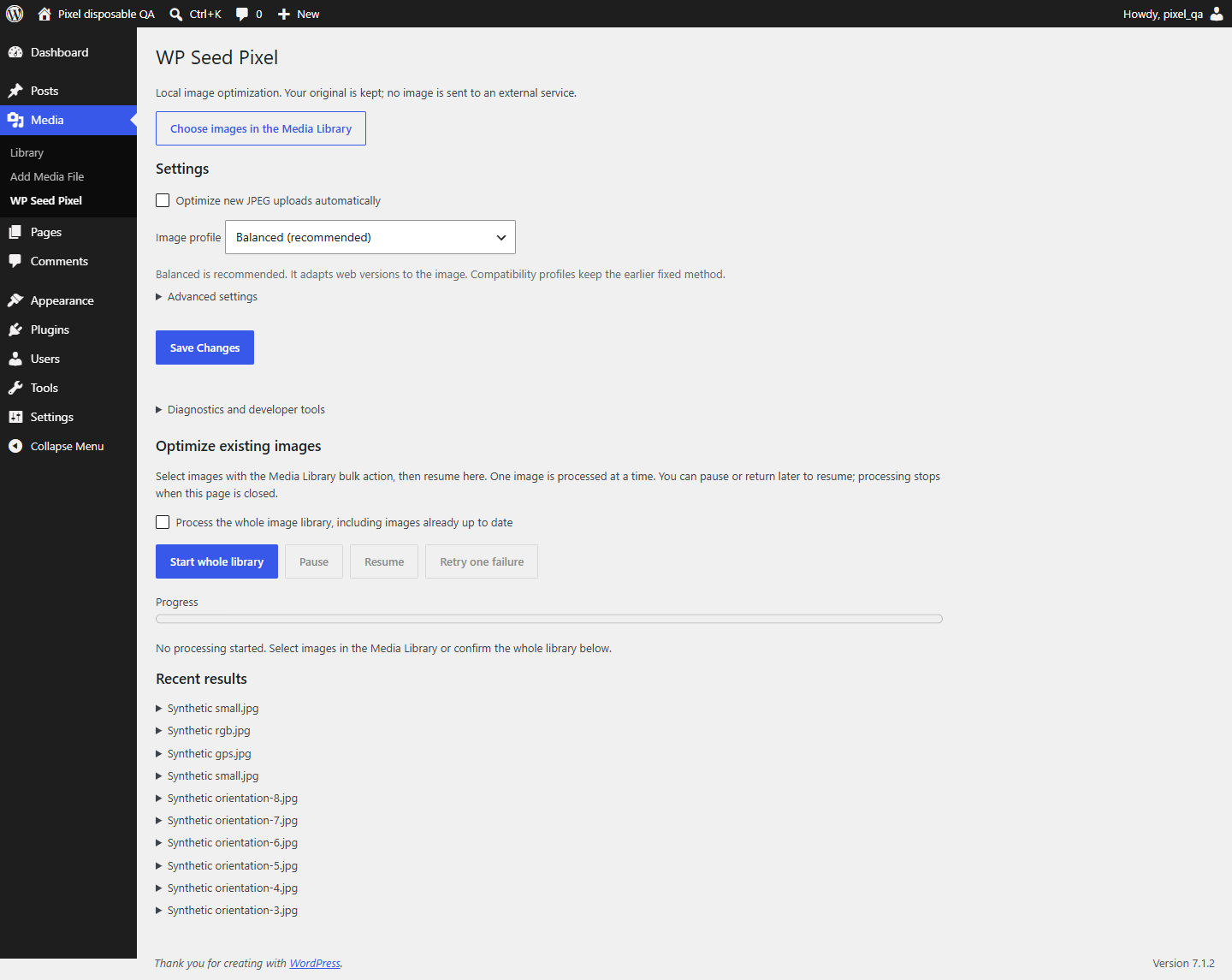
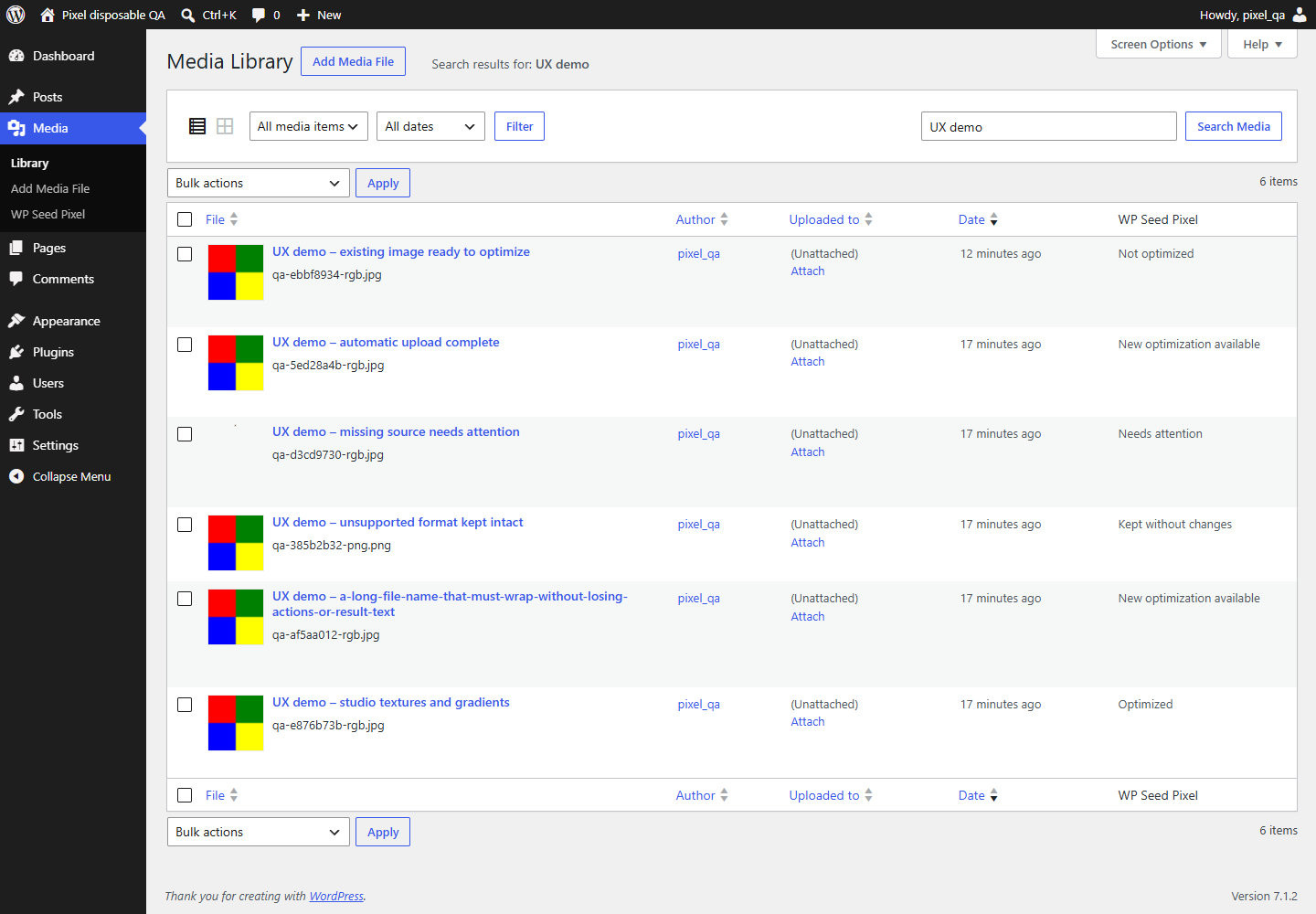
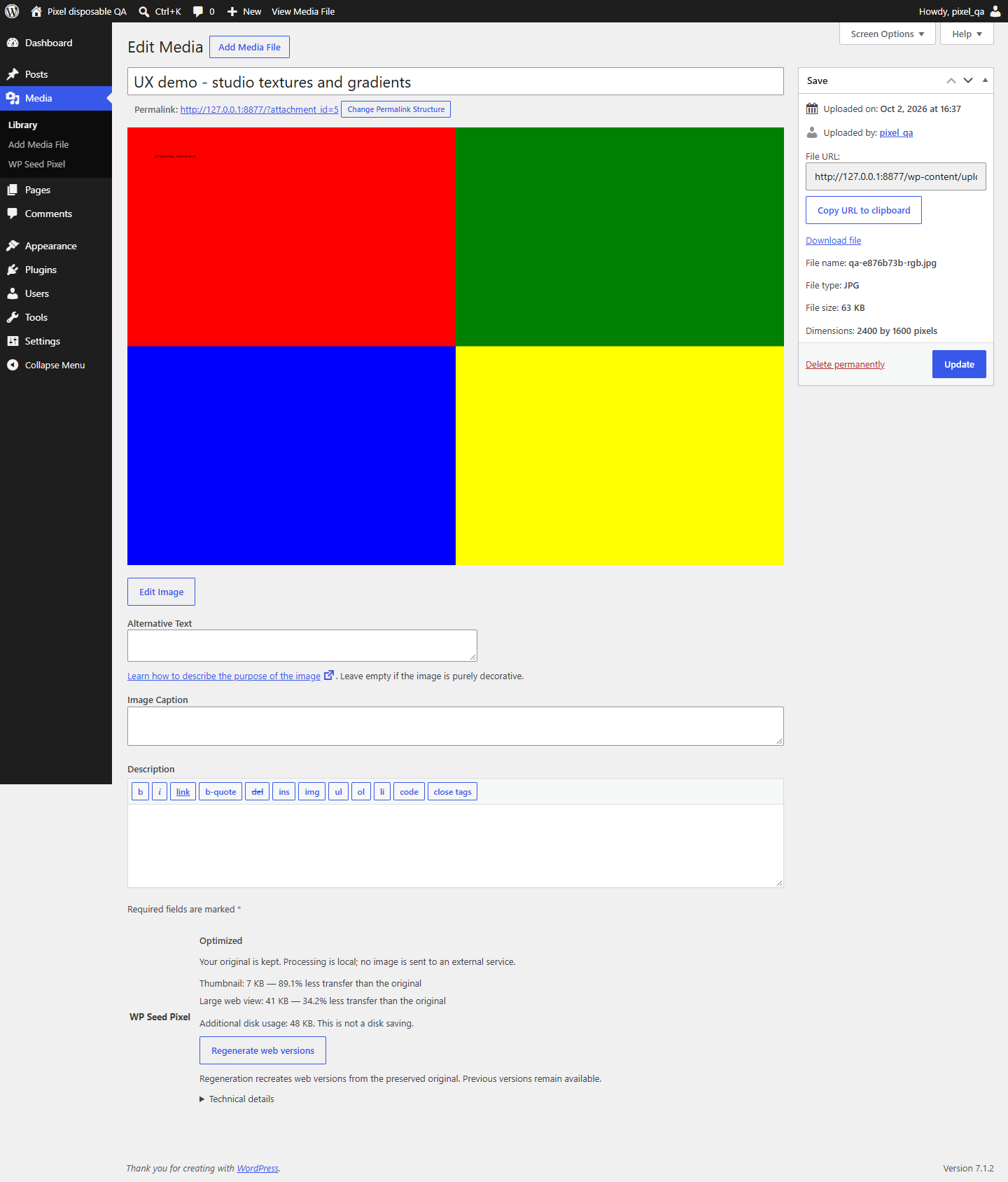
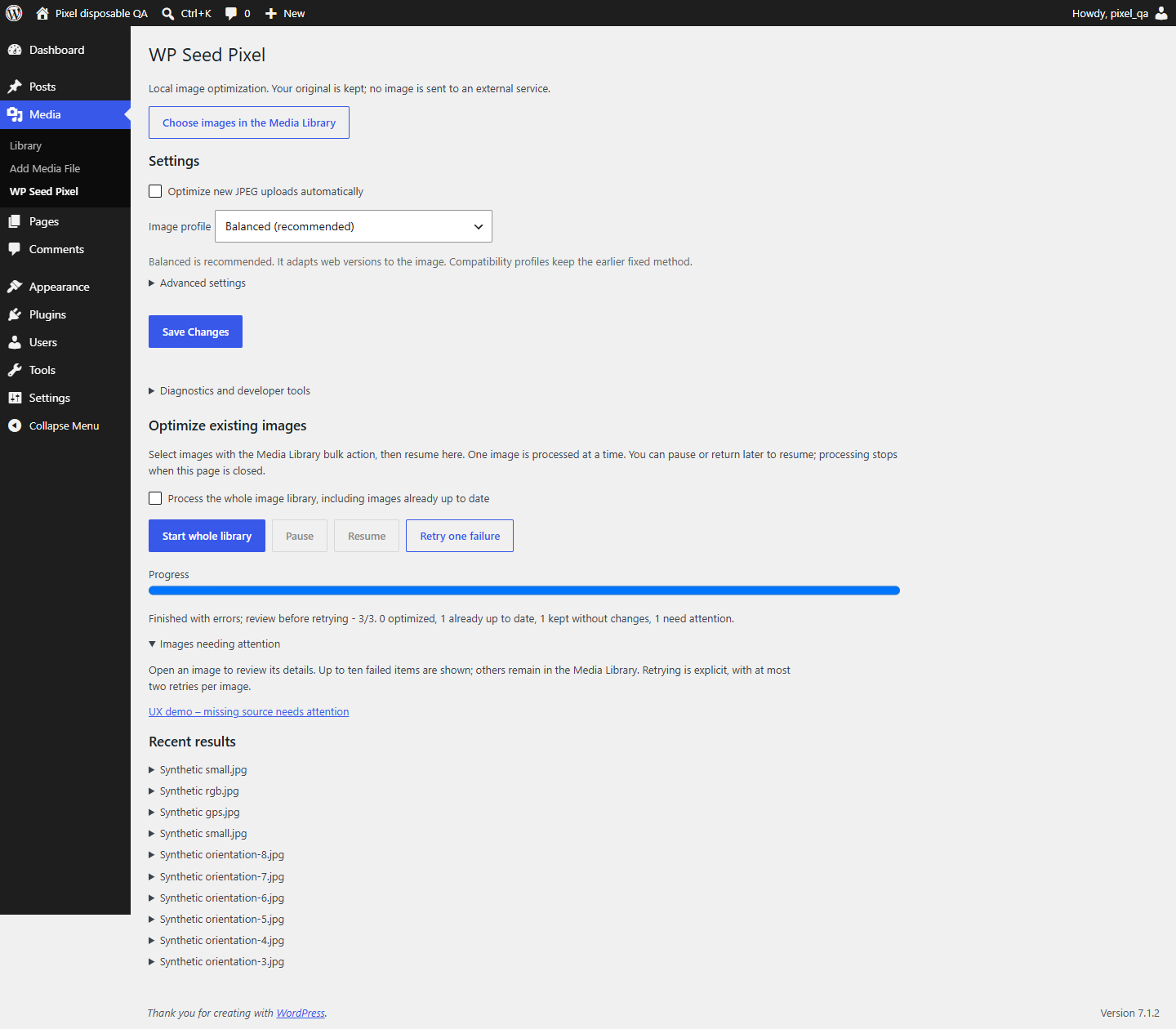
Choose an image in Media > Library and use Optimize with WP Seed Pixel. Native attachment details in list and grid show status, benefit and optional technical details. Regenerate web versions uses the preserved original. For several images, use the list view bulk action, then Resume on the Pixel page. A selection is capped at 1000 items; larger libraries can use several selections or the separate explicitly confirmed whole-library action. A batch processes one attachment per authenticated POST and can be paused, resumed after reload, and retried twice per failed attachment. Keep the admin page open to advance it; this is not a background worker daemon. Image buttons and batch progress require JavaScript. Settings and the diagnostic single-image fallback work without it. Numeric IDs are confined to developer tools, not normal use. Frontend rendering does not require JavaScript.
Presets
| Preset | Derivatives | JPEG quality |
|---|---|---|
| balanced (new installation default) | THUMB 640; VIEW target 1920 | local quality/byte selection, source reuse |
| web (legacy/API default) | maximum 1600 x 1600, proportional | 82 |
| participant_album (example) | THUMB maximum 640; VIEW maximum 2048 | 80; 90 |
No cropping, enlargement, sharpening or aesthetic alteration. Preset dimensions are upper bounds, not promised square outputs. Both derivatives come from the master independently, never from a previous compressed derivative.
Smaller transfer is not guaranteed. A Q90 re-encode can be larger than an already-compressed source. The result reports negative transfer savings honestly. Disk use can increase because the master and native WordPress sizes remain.
The recommended balanced intent tries at most three independent qualities
per output, checks sampled local structure and RGB error, and retains a safe
MASTER when encoding has no material gain. It never exposes an original carrying
private metadata. A reused resource has kind=master, quality=null and adds
zero disk bytes; it is not a duplicate file. A source retained after quality
rejection can exceed the dimension/soft weight target. See algorithm.
Existing settings and fixed/custom profiles stay unchanged on upgrade. Select
Balanced explicitly to regenerate existing images; there is no upgrade-wide batch.
The quality metric is a bounded heuristic, not a human visual certification.
Safety and compatibility
- WordPress
WP_Image_Editorselects its existing GD or Imagick backend. - Ordinary, unprofiled three-channel RGB JPEGs are supported. EXIF rotation and mirrored orientations require PHP EXIF. Sensitive metadata is removed from outputs; the fixed technical GD/JPEG encoder comment can remain.
- ICC-profiled, declared non-sRGB/uncalibrated, CMYK and grayscale JPEGs are deliberately skipped. This release does not promise profile conversion or wide-gamut color fidelity.
- PNG, GIF (including animation), WebP, AVIF and SVG are skipped, not overwritten.
- Source files must be regular local files inside this site's uploads directory, without symlink components. Remote/offloaded/private external storage is not supported by this release; this plugin is not a private-album access-control system.
- Preflight limits: 40 megapixels, 64 MB source, bounded JPEG header, estimated decode memory and staging disk budget. Host resource failures remain possible.
- File locks and metadata compare-and-swap prevent two Pixel jobs and concurrent metadata overwrites. Foreign metadata filters cause a safe refusal.
- Other optimizers are neither disabled nor rewritten. Coexistence with each commercial optimizer requires a separate real-site validation.
- PHP minimum 8.1, WordPress minimum 6.6 are declared API floors, not an assertion that every combination was tested. See compatibility.
- Network activation is refused. Per-site multisite behavior is not certified.
Deactivation and removal
Deactivation stops automation and pauses a running batch; masters and outputs remain. Default uninstall retains generated files and settings. Optional cleanup removes only proven-owned, hash-matching, unreferenced derivatives and plugin metadata. Shared or changed files are retained conservatively. WordPress itself deletes its original when the user explicitly deletes an attachment.
Interrupted output publication leaves a journal. The next job for that attachment recovers it under the lock. A crash does not replace the previous valid generation. Previously published URLs remain stored, including after regeneration, to avoid breaking static/cached HTML. A maximum of twenty previous generations is kept; further regeneration stops until explicitly reviewed/pruned with the PHP API. Disk growth includes these retained generations. Never prune before reviewing external and cached uses; database reference checks cannot see a CDN cache. Locks are persistent empty synchronization files, not active processes. Do not manually remove locks while workers may be running.
Documentation
- Architecture
- PHP API and hooks
- Development and tests
- Roadmap
- External album integration example
- Compatibility
- Contributing
- Security
Image-engine visual review passed for 0.2.0; its engine is unchanged. The 0.3.0 admin UX passed owner acceptance, not a production certification. Linux, Imagick, MySQL/MariaDB and multisite remain uncertified. English source strings are translatable; a French catalogue is not shipped yet.
Administration screenshots
These are real local WordPress screens with generated synthetic media only.
Settings
Media Library
Attachment details
Selected bulk result
License
GPL-2.0-or-later; see LICENSE. No third-party code, font, image corpus or licensed WordPress theme is bundled. Synthetic fixtures and public screenshots are original project test material, distributed under the same license.
Releases
6 releases. Each count is every asset in that release; expand a row for the breakdown.
v0.7.0
latest
Oct 13, 2026 6d ago
wp-seed-pixel-0.7.0.zip
+1 asset
2
Oct 10, 2026 9d ago
wp-seed-pixel-0.6.1.zip
+1 asset
3
Oct 7, 2026 12d ago
wp-seed-pixel-0.5.1.zip
+1 asset
3
Oct 7, 2026 12d ago
wp-seed-pixel-0.5.0.zip
+1 asset
cohort
5
Oct 2, 2026 17d ago
wp-seed-pixel-0.3.0.zip
+1 asset
1
Active-site estimate ≈10 comes from the v0.5.0 cohort. Method.