Install
This is the repository archive. It installs, but the folder name will carry the branch suffix and updates will not flow.
Install straight from GitHub with WP-CLI:
wp plugin install https://github.com/w3bdesign/wp-algolia-woo-indexer/archive/refs/heads/master.zip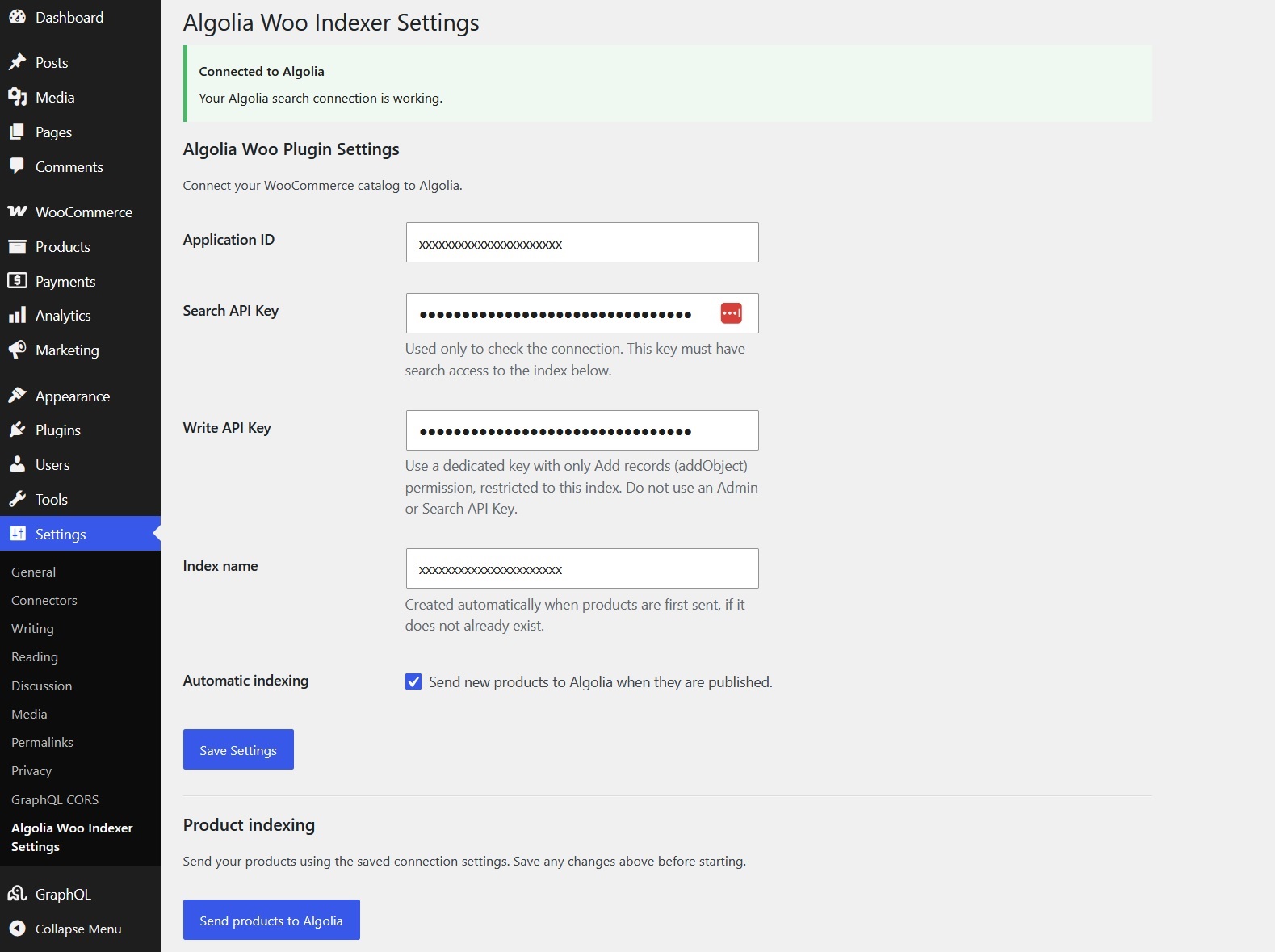
Algolia WooCommerce Indexer
- Used in production at https://flora-di-berna.ch
Description
This plugin transfers products from WooCommerce to Algolia. You can choose if it only sends products that are in stock.
You need to add the Application ID, the Admin API Key from the API keys section in Algolia as well as the Index Name.
Note that this plugin is designed for developers developing headless Ecommerce solutions.
This plugin will NOT submit products without a category
Basic Features
- Manually or automatically submit WooCommerce products to Algolia
- Default options are added upon plugin activation
- Options are deleted from database upon plugin uninstallation (not on deactivation)
Advanced Features
- POT file for translations is included
- All code scanned and verified with PHPCS
- Code follows modern coding standards
- All variables are properly sanitized to ensure that no security issues are present
- AI Repository documentation located in
/DOCS/repository_context.txt - PHPCS Autofix with Github actions
- AI Assistant guidance files (
AGENTS.mdand.roo/rules-*/AGENTS.md) for immediate productivity with AI coding tools
Requirements
- An account at <www.algolia.com> (either free or premium)
- Access to install and activate plugins (usually administrator rights)
- WordPress 6.1.1 or newer
- WooCommerce 7.4.0 or newer
- PHP 8.1 or newer
- PHP extensions/functions enabled:
mbstring,mbregexandcURL - All products MUST have a category assigned (Uncategorized is not a category), or they will not be submitted
Installation
- Login to WordPress as Admin
- Upload
Algolia Woo Indexerto the/wp-content/plugins/directory of your application - Activate the plugin through the
Pluginsmenu in WordPress - Login to Algolia and go to
API keysand copy or write down the Application ID and theAdmin API Key - Go back to WordPress and access plugin settings under
Settings->Algolia Woo Indexer - Add the
Application IDto the plugin settings page - Add the
Admin API Keyto the plugin settings page - Add the name of the index that should be used to index WooCommerce products
- Click on the
Send products with Algoliabutton to send the products to Algolia
Troubleshooting
If you encounter any errors, first of all make sure that your hosting environment meets the requirements listed under Requirements.
Feel free to open an issue and I will do my best to troubleshoot and assist.
TODO
- Upgrade Algolia package and check that it works correctly
Releases
11 releases.
These releases are tags only. The author does not attach a packaged zip, so there are no download counts to report.