Enhanced Interaction & Debug Logger Pro
Finally, a WordPress logger that doesn't suck! Enhanced with AI - Built for Developers - Tested in Production
by Volkan Kücükbudak · github.com/volkansah/interaction-debug-logger · website
Install
No release zip yet. The repository archive installs, but the folder name will carry the branch suffix and updates will not flow:
wp plugin install https://github.com/volkansah/interaction-debug-logger/archive/refs/heads/main.zipReadme
Enhanced Interaction & Debug Logger Pro
Description
Enhanced Interaction & Debug Logger Pro is a professional WordPress debugging plugin that captures everything - from simple page requests to fatal PHP errors. Born from frustration with bloated monitoring tools and debug bars that slow down development, this plugin provides a lightweight, comprehensive logging solution.
Why this plugin exists: After dealing with overloaded debug bars, heavy monitoring apps, and tools that miss critical errors (especially fatal errors during plugin installations), I decided to enhance my original logging tool with the help of Claude 4 Sonnet to create something that actually works when you need it most.
Key Features
🔥 Fatal Error Detection
- Catches PHP Fatal Errors that crash your site during plugin testing
- Shutdown Function Handler captures errors that other tools miss
- Plugin Installation Crashes are now logged and traceable
🚀 Professional Logging
- Real-time WordPress Debug Integration - automatically enables WP_DEBUG when needed
- Combined Log Views - see your custom logs AND WordPress debug-log.txt in one place
- Copy-to-Clipboard Functionality - finally works properly with modern browsers
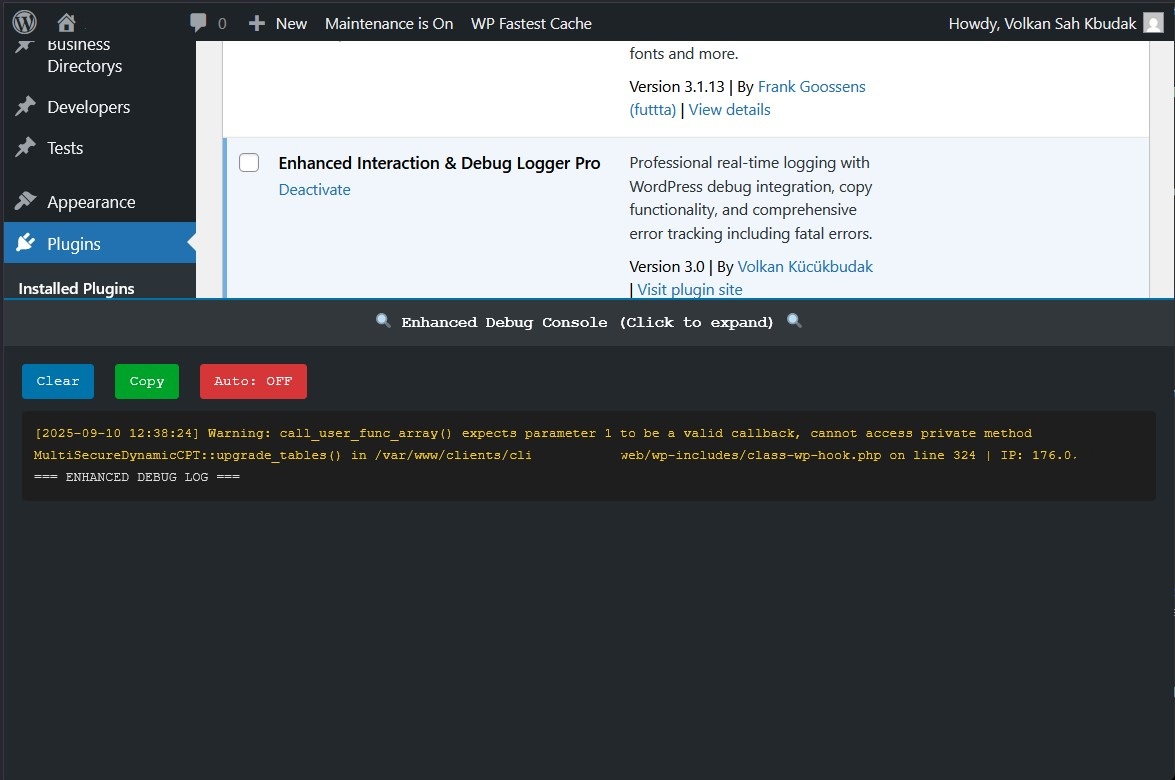
- Color-coded Error Levels - Fatal errors in red, warnings in orange, notices in yellow
🎯 Smart Console
- Expandable Console appears on both frontend and admin
- Auto-refresh with pause/resume controls
- Tab-based Interface for different log types
- Auto-scroll to latest entries option
⚡ Performance Optimized
- File-locking prevents corruption during concurrent requests
- Configurable log size limits prevent disk space issues
- Optional AJAX request filtering keeps logs clean
- Lightweight footprint - no bloat, just functionality
🌍 Internationalization (i18n) Ready
- Full WP-i18n integration ensures all text strings are translatable.
.potand.pofile generation support to easily create new language packs.- Seamless multi-language compatibility for a global developer community.
Installation
- Download the plugin and unzip it.
- Upload the
enhanced-interaction-debug-loggerdirectory to your/wp-content/plugins/directory. - Activate the plugin through the 'Plugins' menu in WordPress.
- Go to
Tools > Debug Logger Proto configure the settings.
Usage
Basic Setup
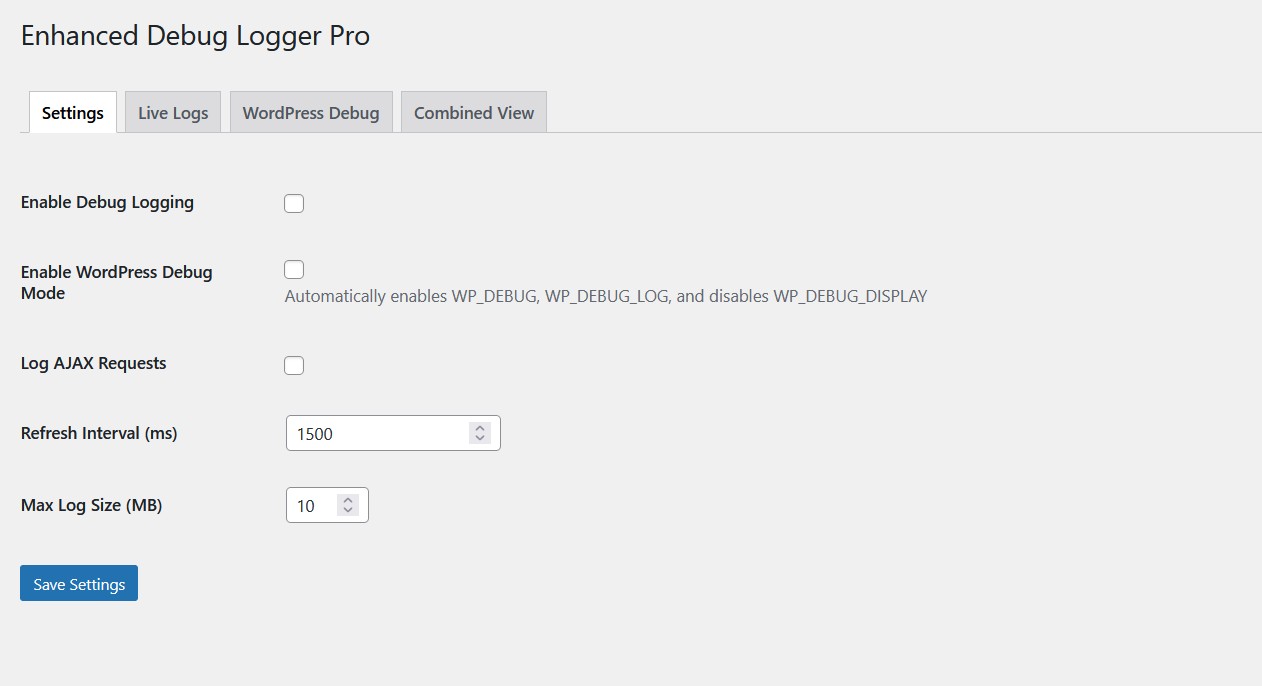
- Enable Logging: Navigate to
Tools > Debug Logger Proand enable logging - WordPress Debug Mode: Enable automatic WordPress debugging integration
- Configure Refresh Rate: Set how often logs update (default: 1 second)
Viewing Logs
- Live Logs Tab: Your custom interaction and error logs
- WordPress Debug Tab: Standard WordPress debug-log.txt content
- Combined View: Everything in chronological order with auto-scroll
Console Usage
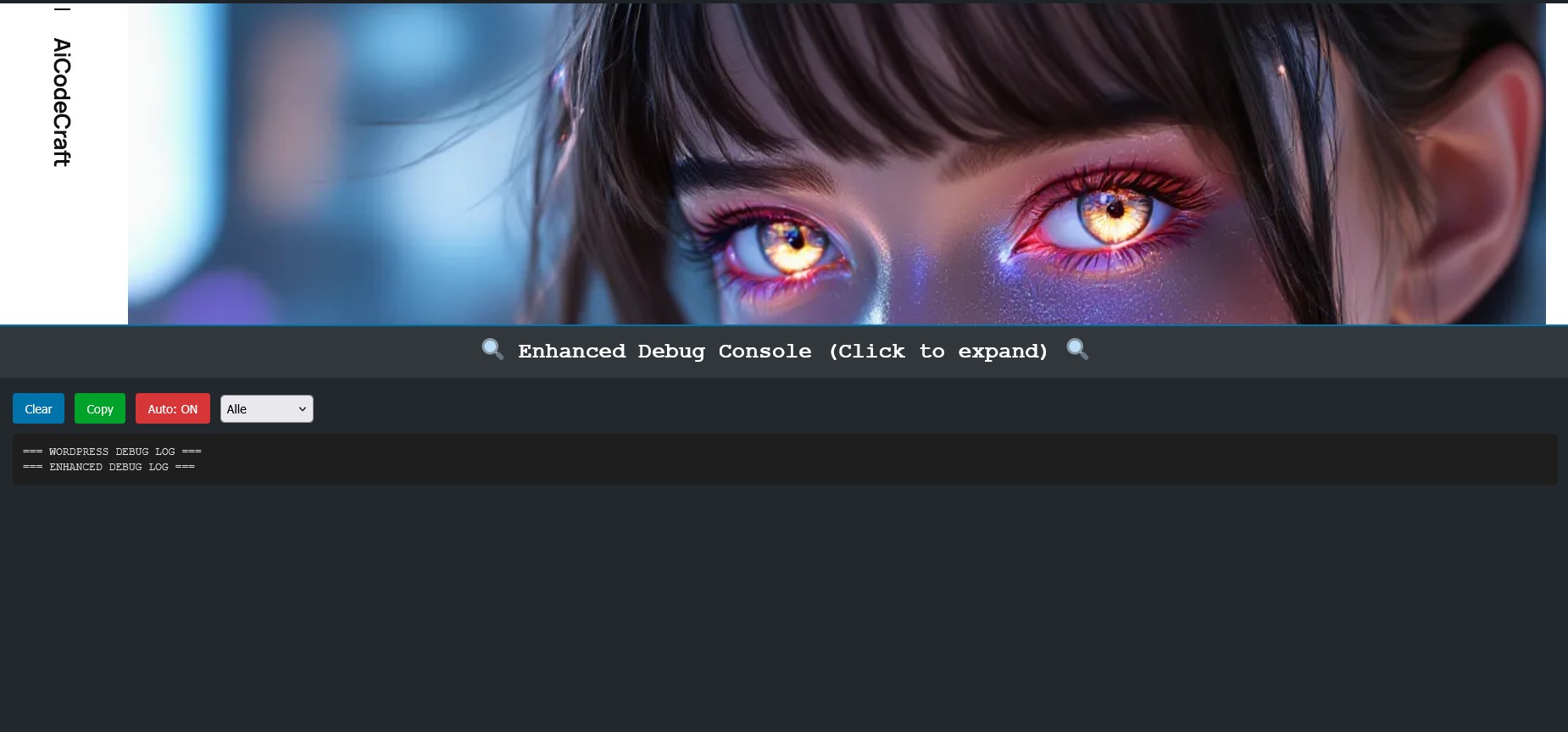
- Frontend/Admin Console: Fixed console at bottom of screen
- Click to expand/collapse: Doesn't interfere with normal usage
- Copy logs instantly with the copy button
- Clear logs when needed
Error Detection
The plugin automatically catches and logs:
- Fatal PHP Errors
- Parse Errors
- Plugin/Theme Errors
- Database Errors
- Custom Error Messages
- All WordPress Debug Messages
WP_DEBUG Integration
For most interactions during plugin and theme development, this tool is enought. If you need a complete debug history including all WordPress notices and warnings with this plugin, you must manually enable it. Add the following lines to your wp-config.php:
define('WP_DEBUG', true);
define('WP_DEBUG_LOG', true);
Many developers already have these lines enabled. The plugin will use the debug-log.txt file created by WordPress for its "WordPress Debug" tab.
Screenshots
1. Enhanced Admin Interface
2. Professional Console
3. Error Detection
Changelog
Version 3.1 - The Collaborative Polish
- NEW: Full internationalization (i18n) support added with
.potand.pofile generation capability. - IMPROVED: Adjusted the default WordPress debug log filename to
debug-log.txtfor consistency with some hosting environments.
Version 3.0 - AI Enhanced Edition
- MAJOR: Complete rewrite with Claude 4 Sonnet assistance
- NEW: Fatal error detection and logging
- NEW: WordPress debug-log.txt integration
- NEW: Working copy-to-clipboard functionality
- NEW: Combined log view with real-time updates
- NEW: Color-coded error levels (Fatal/Warning/Notice)
- NEW: Tab-based admin interface
- NEW: Auto-scroll and pause/resume controls
- NEW: File-locking for concurrent request safety
- NEW: Configurable log size limits
- NEW: Professional error handling and user feedback
- FIXED: Double hook registration bug from v2.5
- FIXED: XSS vulnerability in log display
- FIXED: Race condition in file writing
- FIXED: Missing error handling for file operations
- IMPROVED: OOP architecture with singleton pattern
- IMPROVED: Better performance and memory usage
- IMPROVED: Enhanced security and validation
Version 2.5 (Previous)
- NEW: Reverse log order to show the latest entries at the top
- NEW: Filter out unnecessary AJAX logs for cleaner data
- Improvement: Enhanced UI for better accessibility and user experience
- Improvement: Added "Clear Log" button directly in the console
Contributing
Contributions are welcome! This plugin was enhanced with AI assistance, but human developers are still needed for:
- Testing on different WordPress versions
- Feature requests and bug reports
- Translation improvements
- Performance optimizations
AI Enhancement Notice
This plugin was significantly improved with assistance from Claude 4 Sonnet (Anthropic) and Gemini (Google). The AIs helped with:
- Code review and bug identification
- WordPress best practices implementation
- Security improvements
- Performance optimization suggestions
- Modern JavaScript API usage
- Internationalization and Language File Generation
License
This project is licensed under the DBAD License - see the LICENSE file for details.
Support
For support, bug reports, or feature requests, please open an issue on the GitHub repository.
Finally, a WordPress debug logger that doesn't suck!
Enhanced with AI - Built for Developers - Tested in Production
Read the full README on GitHub →
Releases
| Tag | Published |
|---|---|
| v2 | Aug 28, 2024 |
These releases are tags only. The author does not attach a packaged zip, so there are no download counts to report.