Dynamics Sync Lite
WordPress plugin for Microsoft Dynamics 365 contact management integration.
Install
This is the repository archive. It installs, but the folder name will carry the branch suffix and updates will not flow.
Install straight from GitHub with WP-CLI:
wp plugin install https://github.com/vishvakarma/dynamics-sync-lite/archive/refs/heads/main.zipWordPress plugin for secure authentication and user contact sync with Microsoft Dynamics 365.
Description
Dynamics Sync Lite connects your WordPress site to Microsoft Dynamics 365.
It allows logged-in users to view and update their contact information stored in Dynamics 365, leveraging OAuth 2.0 for secure authentication and real-time API sync.
Designed for organizations who want a seamless bridge between their Dynamics contact database and their WordPress user management.
Features:
- Microsoft Dynamics 365 login using OAuth 2.0
- Secure access token handling per user
- Fetch logged-in user's contact info from Dynamics 365
- Update contact details (name, email, phone, address) and push changes back to Dynamics
- Simple, user-friendly frontend shortcode for form display
- Admin settings page for Azure/Dynamics credentials
- Support for multi-user installations
- Follows WordPress security best practices (nonce, sanitization)
Installation
- Upload the plugin folder to
/wp-content/plugins/dynamics-sync-lite/ - Activate via the WordPress 'Plugins' menu
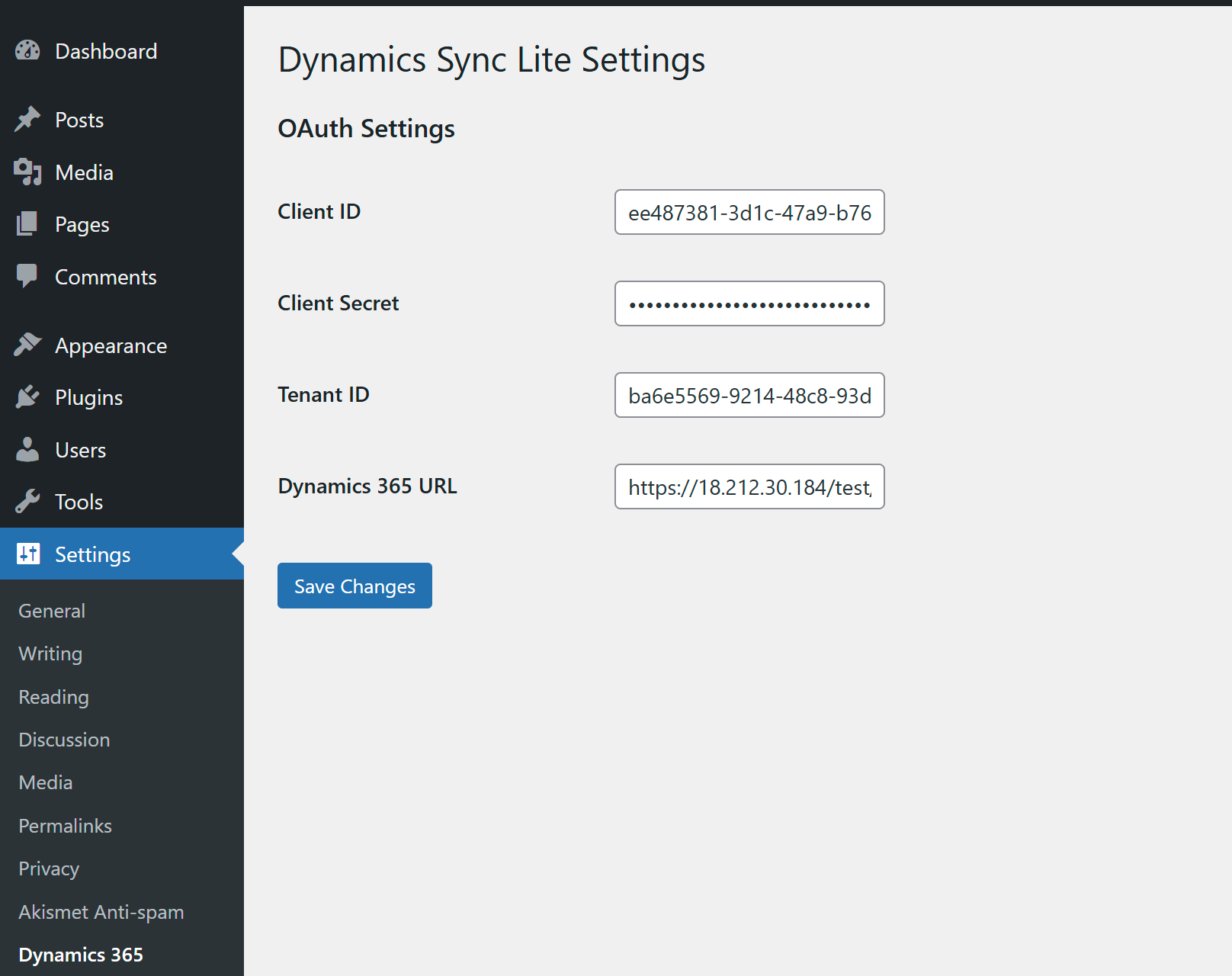
- Visit Settings > Dynamics 365, enter your Azure AD credentials and Dynamics 365 URL:
- Client ID (from Azure App Registration)
- Client Secret
- Tenant ID
- Dynamics 365 Organization URL
- Click Login with Dynamics 365 to complete OAuth authorization
- Add the
[dynamics_contact_form]shortcode to any page or post for the contact profile update form
Azure AD & Dynamics 365 Setup
- Register your application at Azure Portal
- Set
Redirect URItohttps://yourdomain.com/wp-admin/admin-ajax.php?action=dsl_oauth_callback - Under API Permissions, add the
Dynamics CRM (user_impersonation)delegated permission - Create a client secret and securely copy its value
- In Dynamics 365, create an Application User, assign it the necessary roles, and match the Application ID from Azure
Frequently Asked Questions
Who can use the plugin?
Any authenticated WordPress user. The plugin ties Dynamics tokens and data to the logged-in user account.
Is single sign-on supported?
Yes. Users authenticate via Microsoft OAuth and are then able to sync their profile with Dynamics 365.
Is this secure?
The plugin uses per-user tokens, stores sensitive credentials securely, and checks nonces and user login status for all critical operations.
Can I customize the form?
Yes. You can modify public/contact-form-handler.php as needed to display more fields.
How do I disconnect a user from Dynamics 365?
Delete the user's token from the user meta table in WordPress.
Screenshots
- Admin settings page for Dynamics 365 credentials
- Login button for Dynamics 365 authentication

- Frontend user profile form

Changelog
1.0
- Initial release
- User authentication and token storage using OAuth 2.0
- Fetch and update user contact data with Dynamics 365 API
- Secure settings/admin interface
- Shortcode for profile form
Upgrade Notice
1.0
Initial version; provides secure Dynamics 365 authentication and contact sync functionality.
Markdown Example
Use the shortcode [dynamics_contact_form] to display the form.
Example code snippet for the login button in your plugin:
<?php if ( is_user_logged_in() ) { $oauth = new DSL_OAuth_Handler(); echo '<a href="' . esc_url( $oauth->get_authorization_url() ) . '">Login with Dynamics 365</a>'; } ?>