Install
This is the repository archive. It installs, but the folder name will carry the branch suffix and updates will not flow.
Install straight from GitHub with WP-CLI:
wp plugin install https://github.com/vincentsch/pressqueue/archive/refs/heads/main.zipPressQueue is a free WordPress plugin for Buffer. When you publish a post, PressQueue adds it to your Buffer queue with the message and image your rules set, and Buffer posts it on LinkedIn, X, Bluesky, Mastodon, Threads and Facebook.
It is open source and has no Pro version, no license key and no account to create. The plugin runs on your own server and talks to Buffer directly.
Website and documentation: pressqueue.com
Features
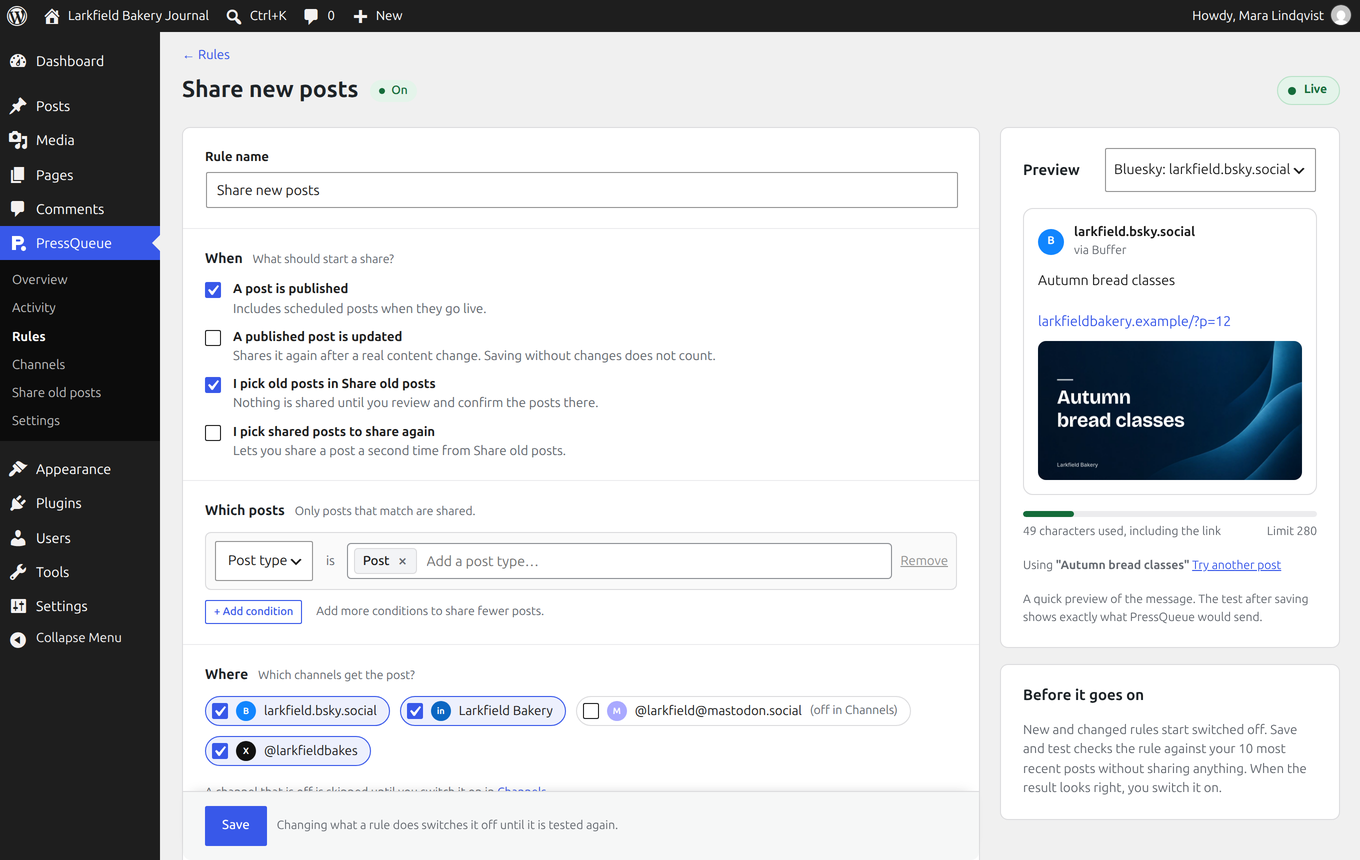
- Rules. Pick posts by type, category, tag, author or custom field. Write the message with the title, excerpt and other parts of the post, with a different version for each network if you like. The live preview counts the characters, and the link is added for you.
- Timing. Add posts to the end or the top of your Buffer queue, post them right away, save them as Buffer drafts, or pick a date and time for one post.
- Social images. PressQueue draws an image for each post from its title, in a style you pick once: 24 backgrounds, 6 fonts or your own background. The same image can be the link preview of the post, with Yoast SEO, Rank Math, The SEO Framework, Jetpack or no SEO plugin.
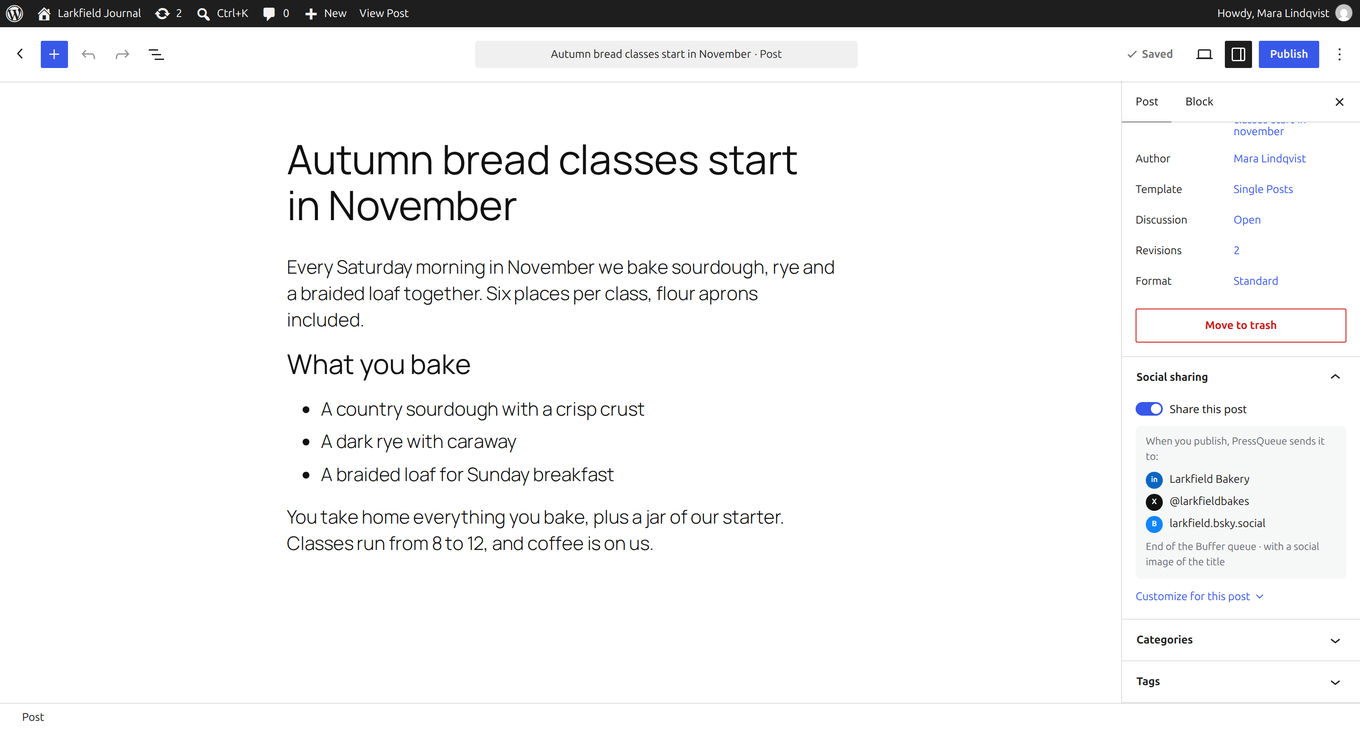
- A switch in the editor. Each post has a "Share this post" switch and a summary of where it goes. You can change the message, channels or timing for one post, or make sharing opt-in so new posts start switched off.
- Share now and Share old posts. Share a published post from the editor after a preview of what each channel gets, or pick up to 100 older posts and spread them across your Buffer queue.
- "Never share" rules. Keep a category, tag or author off social media. These rules win over every sharing rule.
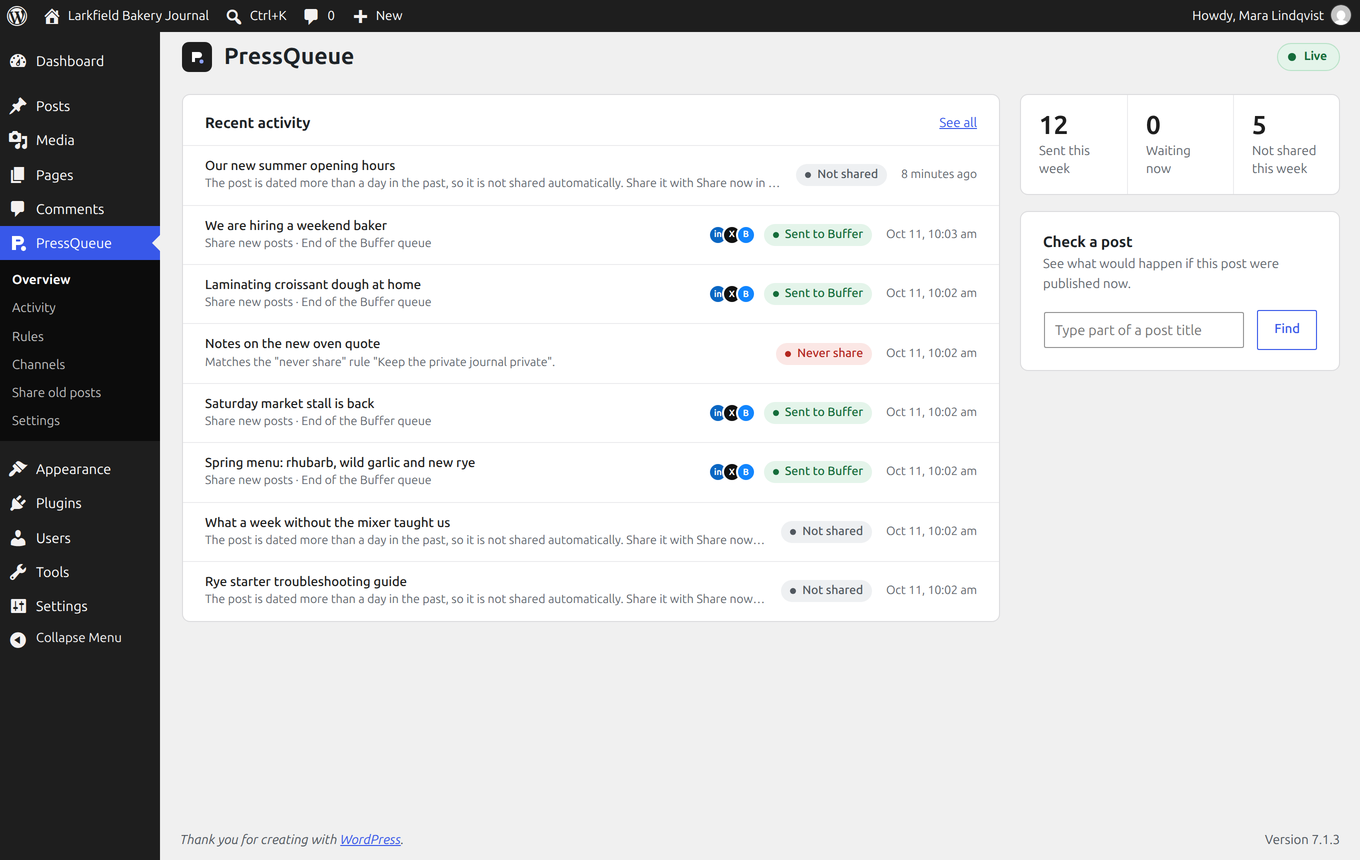
- Test mode, Live and Paused. PressQueue starts in test mode and records what it would share without sending anything. Paused holds everything that is waiting until you resume.
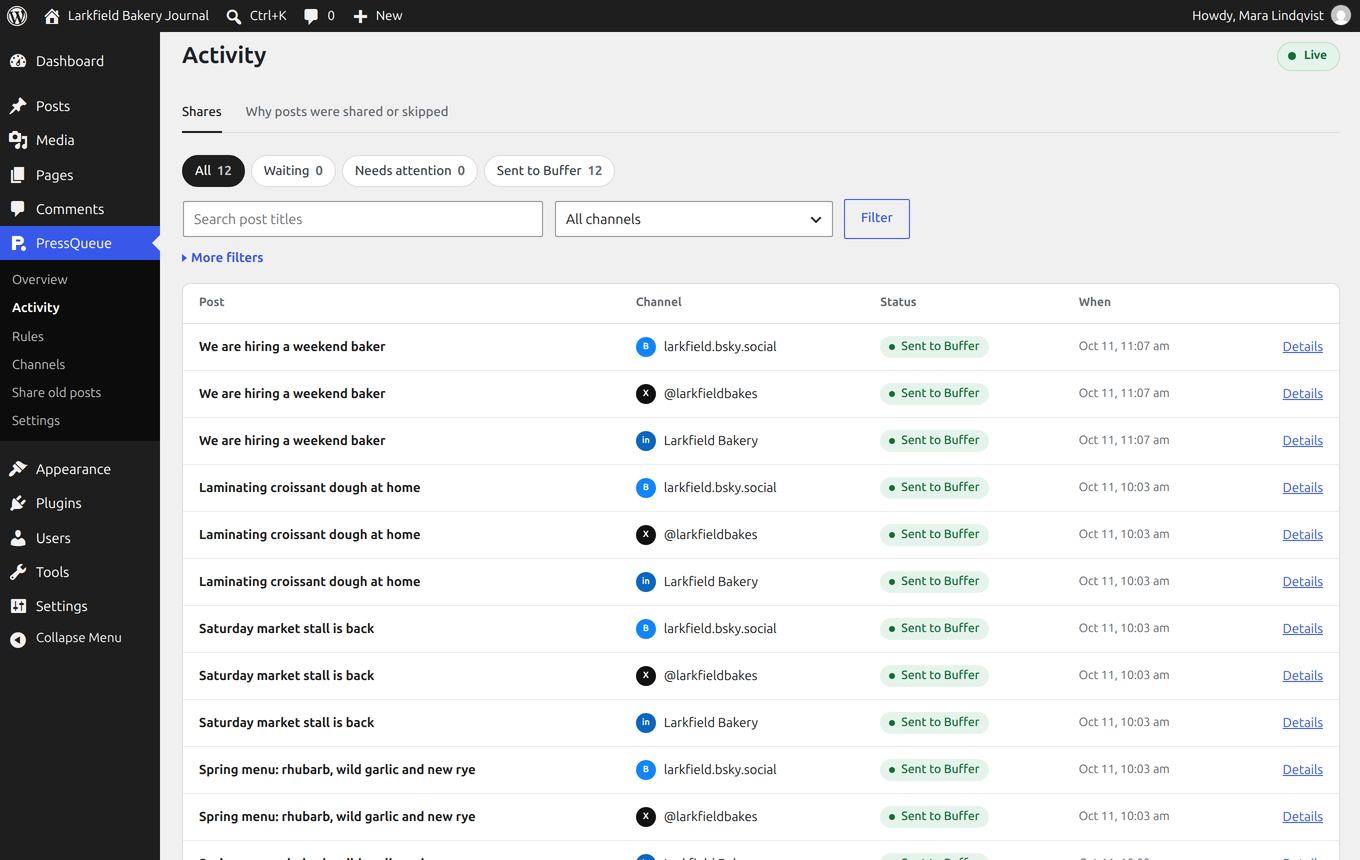
- Activity. See what was sent, what is waiting and why a post was skipped. Saving a post again never posts it twice.
Getting started
- Download
pressqueue.zipfrom the latest release (not GitHub's "Source code" file) and upload it under Plugins > Add Plugin > Upload Plugin. Activate it. - Open PressQueue in the admin menu. The checklist on the Overview takes you through connecting Buffer, making a rule and going live.
The getting started guide
explains each step. To run PressQueue from a Git checkout, run
composer install --no-dev in the plugin folder before you activate it.
Screenshots
Connect Buffer and switch channels on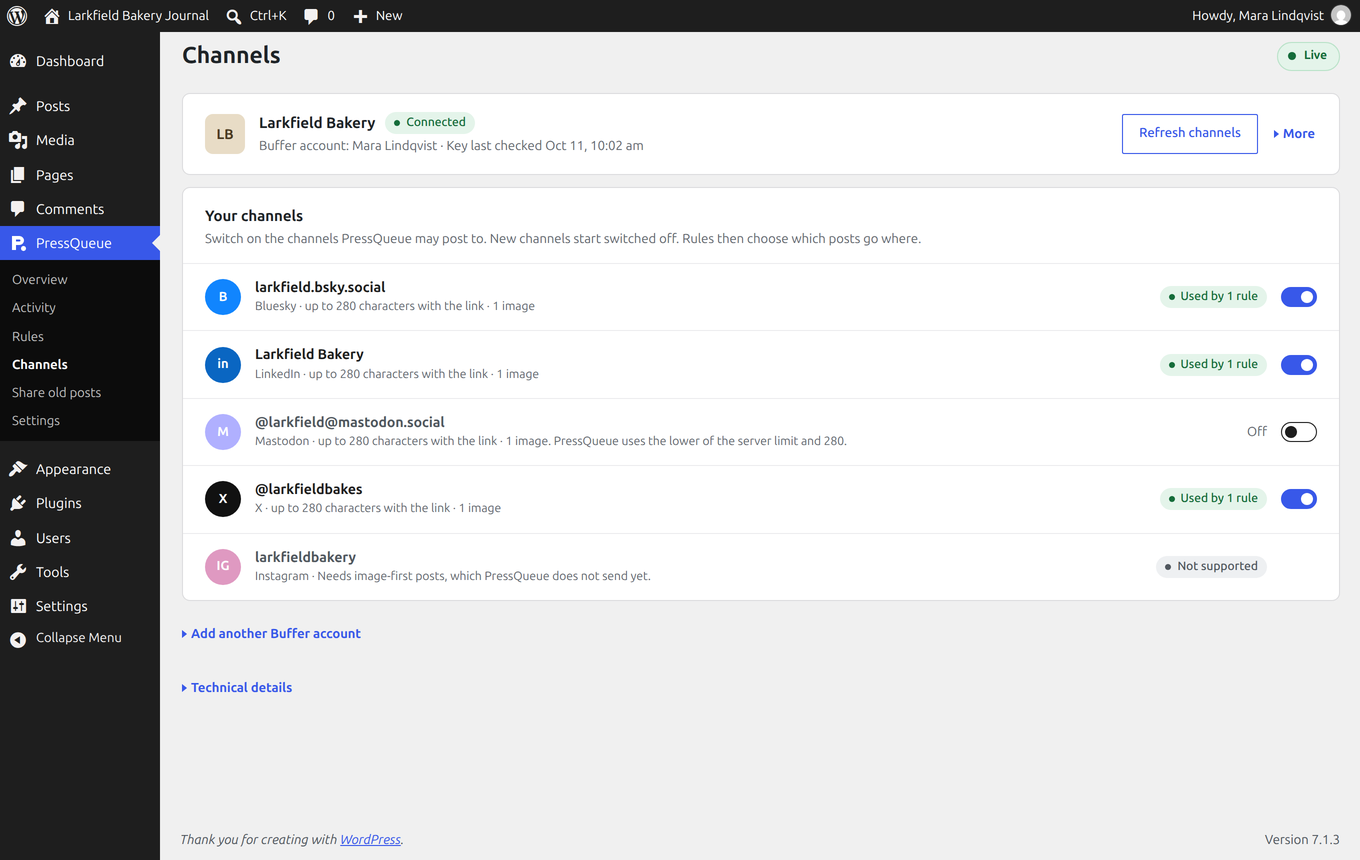
Requirements
- WordPress 6.8 or newer and PHP 8.1 or newer, with PHP's Sodium extension, which has been part of PHP since 7.2.
- MySQL 5.7.8 or MariaDB 10.2.3 or newer.
- A Buffer account. Buffer's free plan works.
- For social images, the PHP GD extension with FreeType, which most hosts have.
PressQueue shares text, a link and one image. Instagram, Pinterest, TikTok, YouTube, Google Business and video posts are not supported.
Why an API key and not "Log in with Buffer"?
Buffer's login button needs each website's address registered with Buffer in advance. That does not work for a plugin people install on their own sites. You create a personal API key in Buffer's settings and paste it into PressQueue, which stores it encrypted with your site's security keys. Pick the longest expiry when you create the key, since Buffer's default is 30 days.
Privacy
PressQueue keeps its rules and history in your WordPress database and sends nothing to anyone but Buffer. When a rule uses images, it also checks the image file on its host. Uninstalling keeps your data unless you switch on deletion under Settings > Data and privacy. Privacy and data has the details.
For developers
PressQueue has WP-CLI commands with JSON output, hooks for watching decisions and deliveries, and a provider interface for adding services other than Buffer:
Running the checks
composer install
composer run test:unit
node --test tests/editor/*.test.cjs
composer run lint:phpcs
composer run analyse
Integration tests need the WordPress test suite and a throwaway database. They create and drop tables, so never point them at a database you use:
bash tools/install-wp-tests.sh pressqueue_tests root '' 127.0.0.1 7.1.3
WP_TESTS_DIR=/tmp/wordpress-tests-lib-7.1.3 composer run test:integration
composer run matrix:local runs every supported PHP and WordPress version in
Docker. Building and checking a package covers the full
release checks, and CONTRIBUTING.md explains how to
contribute.
License
PressQueue's code is MIT licensed. The installable ZIP bundles Action Scheduler, which is GPL-3.0-or-later, so the ZIP as a whole is distributed under GPL-3.0-or-later. See third-party notices.
Help
Questions and bug reports go in the issues, or write to hello@pressqueue.com. To report a security issue, read SECURITY.md.