Install
This is the repository archive. It installs, but the folder name will carry the branch suffix and updates will not flow.
Install straight from GitHub with WP-CLI:
wp plugin install https://github.com/vertex-systems-network/checkout-impact-regression-for-woocommerce/archive/refs/heads/main.zip
Checkout Impact Regression for WooCommerce
See what changed at checkout after a plugin update or settings change.






Plugin page · Documentation · Report a bug · by WPEssential
A plugin update or a small change to a shipping zone or payment gateway can quietly change what customers see at checkout. A shipping method disappears, a rate goes up, a coupon stops applying, or a payment method is no longer offered. Most store owners find out from a customer.
Checkout Impact Regression for WooCommerce gives you a simple before-and-after check for the checkout journeys that matter most. Save a scenario, approve a known-good baseline, and after any change see field by field what is different.
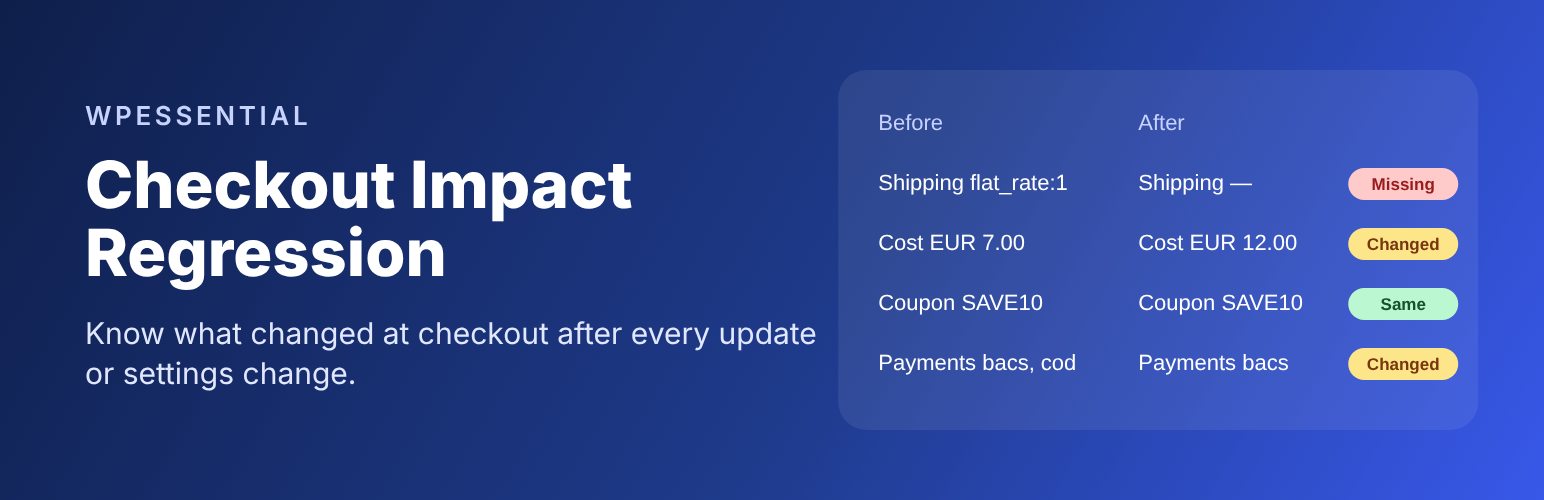
Example: after updating a shipping plugin, the Germany – best seller scenario shows shipping method
flat_rate:1 → missing, shipping costEUR 7.00 → EUR 12.00, coupon unchanged.
The plugin never places orders, charges payments, emails customers or runs checkout for you. You record what checkout shows, ideally on a staging copy of your store, and the plugin stores and compares it.
Contents
- How it works
- Features
- Free and Pro
- Requirements
- Installation
- Quick start
- Screenshots
- Privacy and safety
- Documentation
- For developers
- Project status
- Contributing and support
- License
How it works
- Save a scenario. Describe a customer journey: shipping country, currency, a test product and quantity, and what checkout should show (shipping method and cost, coupon and discount).
- Approve a baseline. Open checkout for that journey, record what you see and approve it as the known-good state.
- Compare after a change. After an update or a settings change, record checkout again. The plugin shows which fields changed, disappeared, appeared or need review.
Features
- Scenario library with version history. Editing a scenario creates a new version; old versions are kept.
- Approved baselines. Each baseline is tied to the exact scenario version it was approved for.
- Field-by-field comparison of shipping method, shipping cost, coupon code, coupon discount and available payment methods.
- Honest results. A value you did not record is reported as Needs review, never as unchanged.
- Exact money comparison in the scenario currency, with no floating-point rounding.
- Saved reports that are deleted automatically after 7–365 days (30 by default).
- Change log of plugin updates and changes to WooCommerce payment and shipping settings, so you know when to compare. Setting values are never stored.
- Store-aware pickers for countries, currencies, products, shipping rates and payment gateways.
- Built-in documentation under WooCommerce → Checkout Impact → Docs.
- Compatible with High-Performance Order Storage (HPOS) and the Cart and Checkout blocks. The plugin does not read or change orders and adds nothing to the storefront.
Free and Pro
| Free | Pro add-on | |
|---|---|---|
| Scenarios, versions and approved baselines | ✓ | ✓ |
| Before/after comparison and saved reports | ✓ | ✓ |
| Change log of plugin updates and settings changes | ✓ | ✓ |
| Retention, data removal and WordPress privacy tools | ✓ | ✓ |
| In-plugin documentation | ✓ | ✓ |
| Email alerts when a checkout-related change is recorded | ✓ | |
| CSV / JSON export of reports | ✓ |
The free plugin is complete on its own: no locked features, trials or upsell notices. Checkout Impact Regression Pro for WooCommerce is a separate paid plugin, to be sold on the WooCommerce Marketplace. It needs this plugin installed and active, and WordPress will not activate it otherwise. This repository contains no Pro code.
Requirements
| Minimum | Tested up to | |
|---|---|---|
| WordPress | 6.9 | 7.1 |
| WooCommerce | 10.8 | 11.2 |
| PHP | 8.2 | 8.4 |
| Database | MySQL/MariaDB or SQLite | Verified on MariaDB 10.11 and SQLite |
Users need the manage_woocommerce or manage_options capability (Shop managers and Administrators).
Installation
The plugin is not on WordPress.org yet. Until it is:
- Download the latest
checkout-impact-regression-for-woocommerce-<version>.zip. Open the latest successful CI run and use its free-plugin-package artifact, or build it yourself. - In WordPress, make sure WooCommerce is installed and active.
- Go to Plugins → Add New → Upload Plugin, choose the ZIP and click Install Now.
- Activate it and open WooCommerce → Checkout Impact.
Once it is listed on WordPress.org, install it from Plugins → Add New by searching for "Checkout Impact Regression".
Quick start
- Scenarios → Create a scenario. Pick the shipping country, currency, a test product and quantity. Optionally add what checkout should show. Save.
- Open checkout yourself for that journey, preferably on a staging copy of your store.
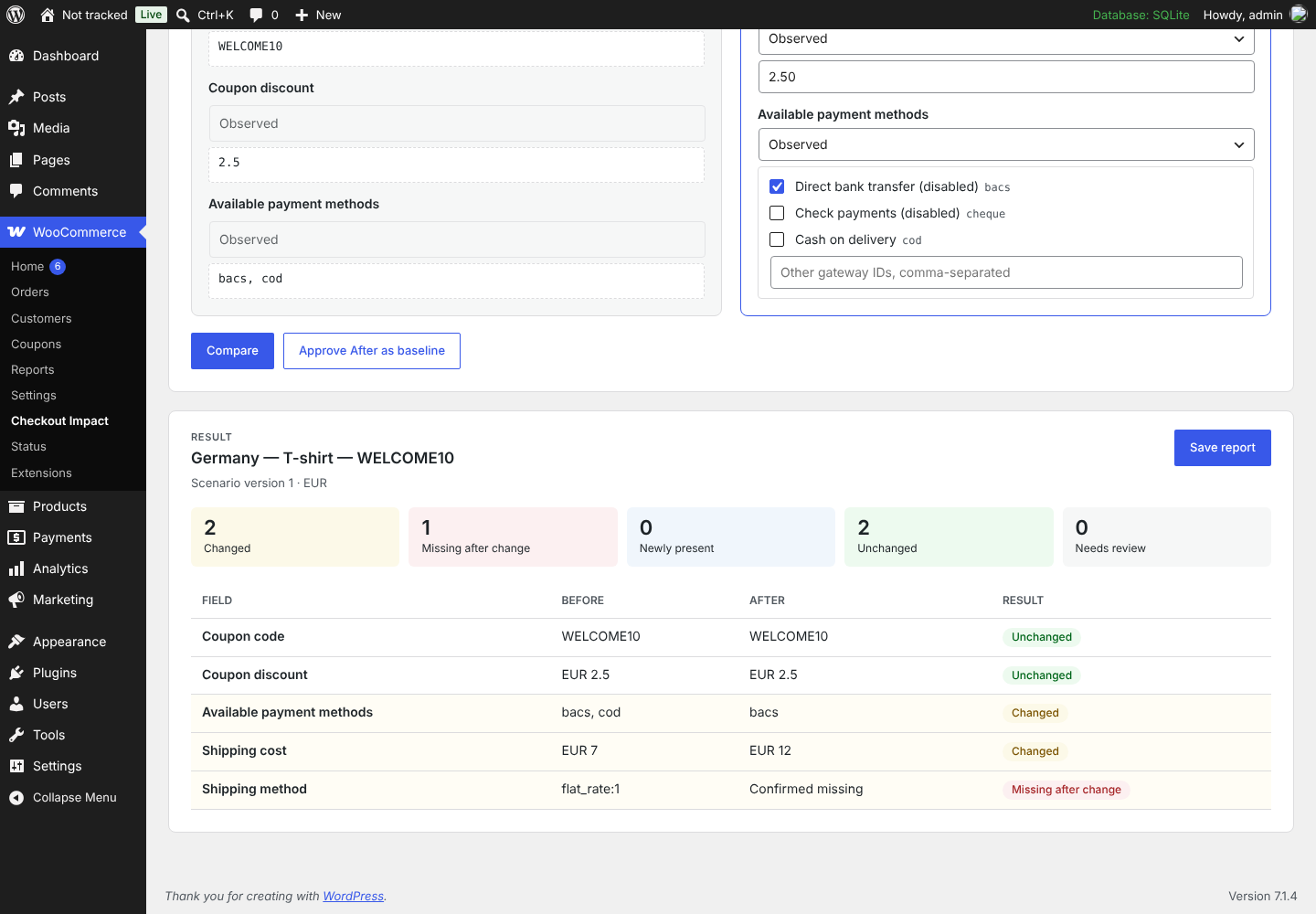
- Compare tab. Choose the scenario. In the After column record each field as Observed (with its value) or Confirmed missing, then click Approve After as baseline.
- Make your change: update a plugin, edit a shipping zone or switch a gateway.
- Open checkout again, record the new values and click Compare. Click Save report to keep the result.
Tip: start with your most important journey, such as your biggest shipping country with your best-selling product. The full walkthrough is in Getting Started.
Screenshots
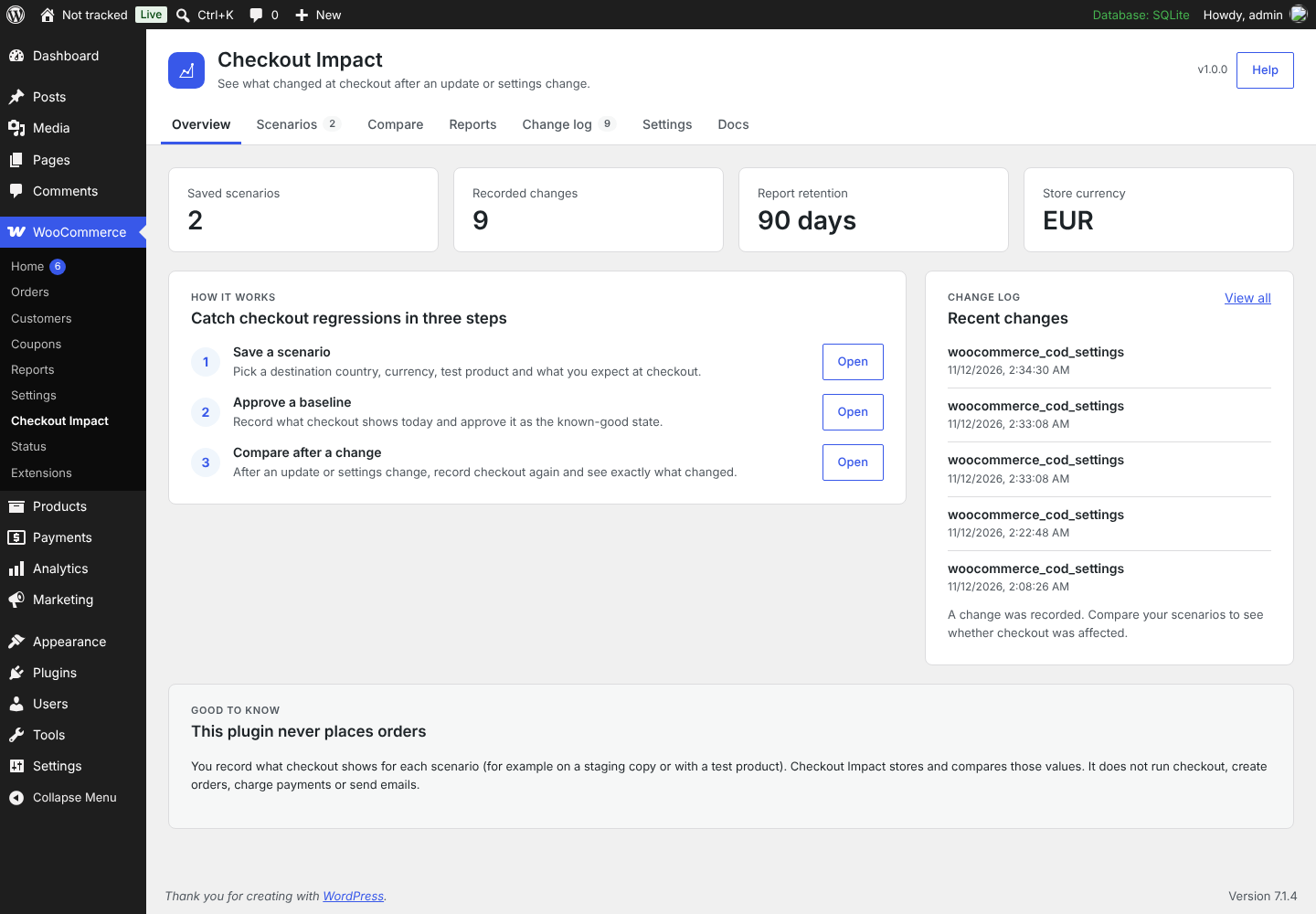 Overview with the three-step workflow and recent changes |
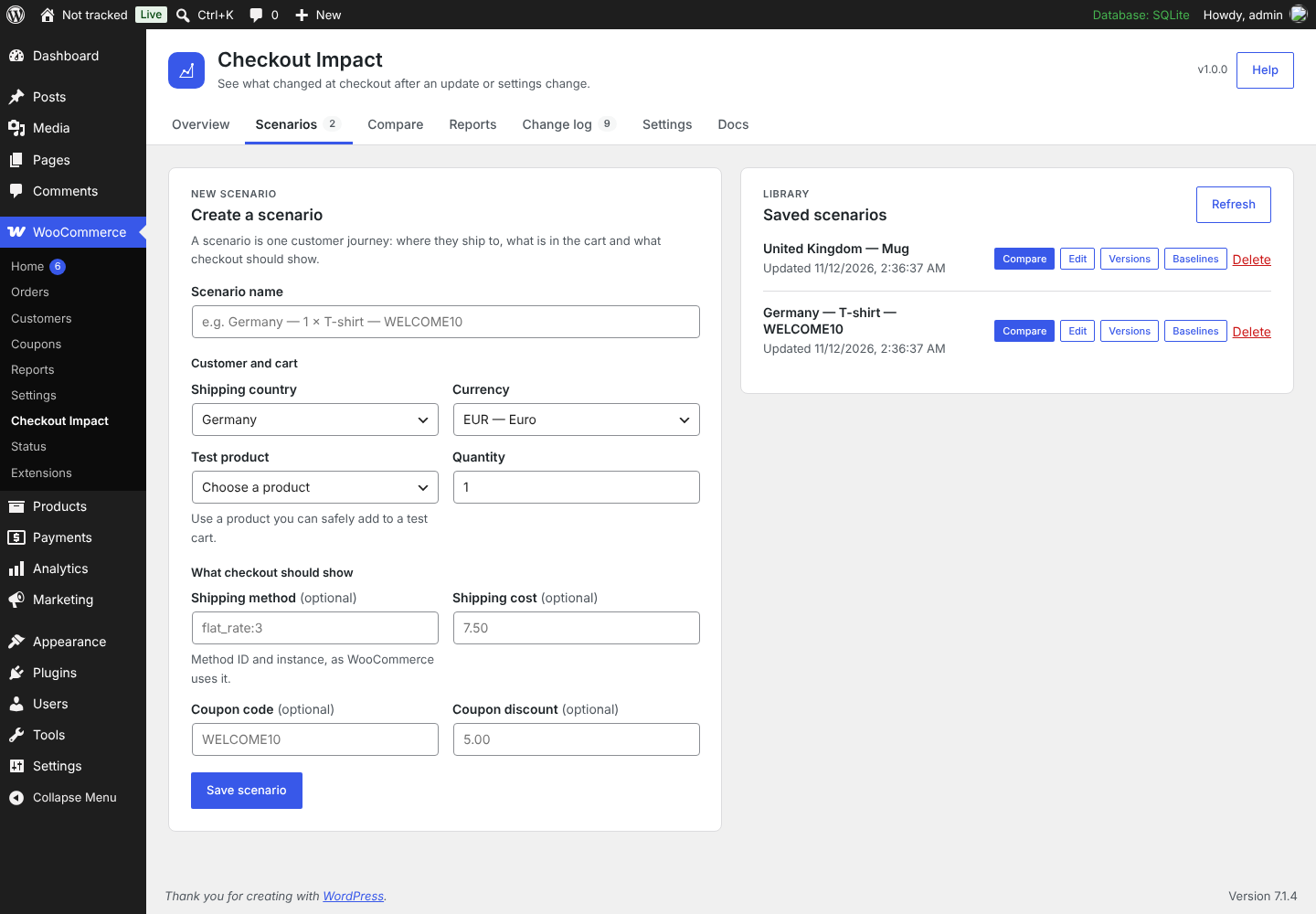 Scenario builder with your store's countries, currencies and products |
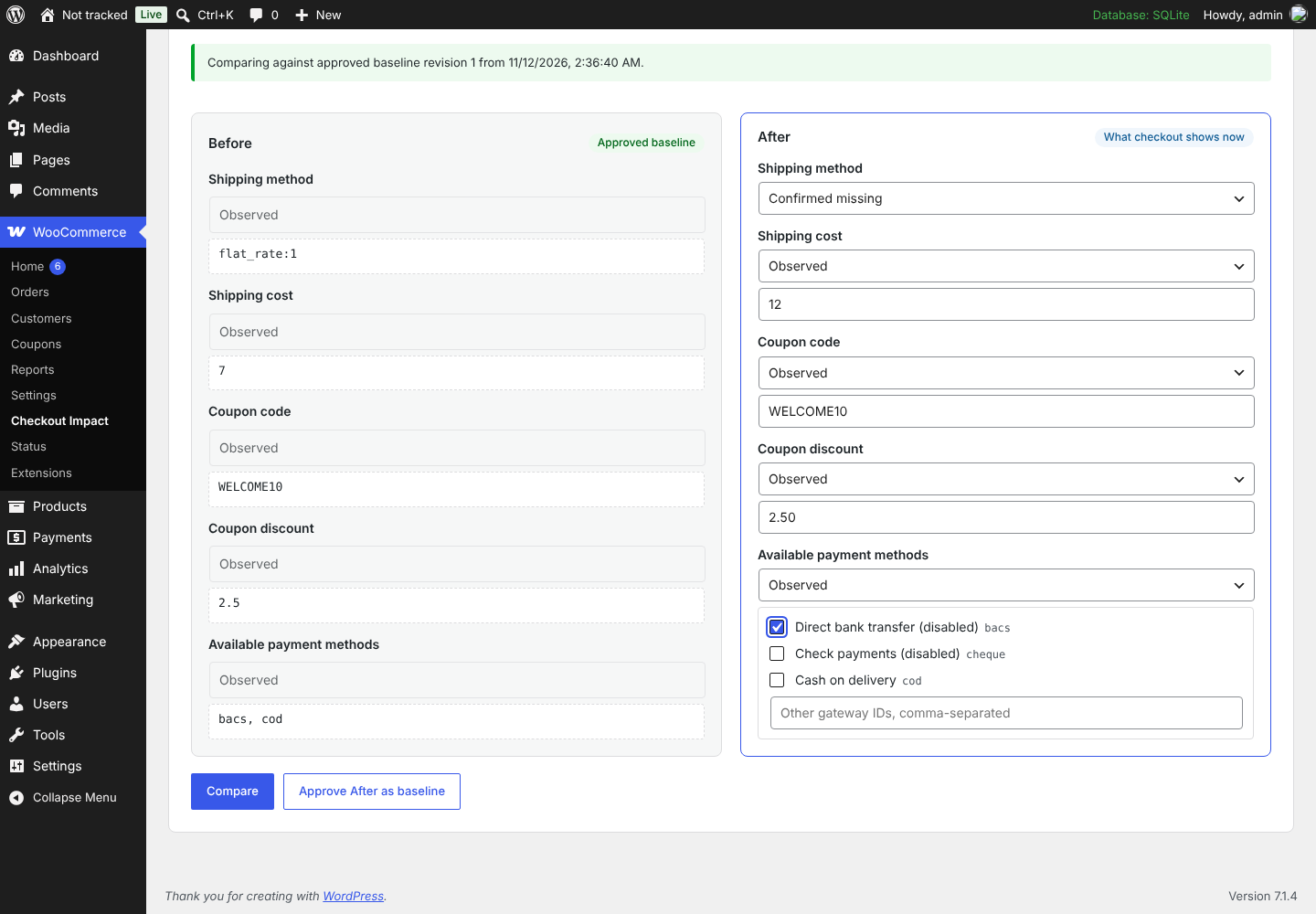 Recording After values against an approved baseline |
Comparison of changed, missing and unchanged fields |
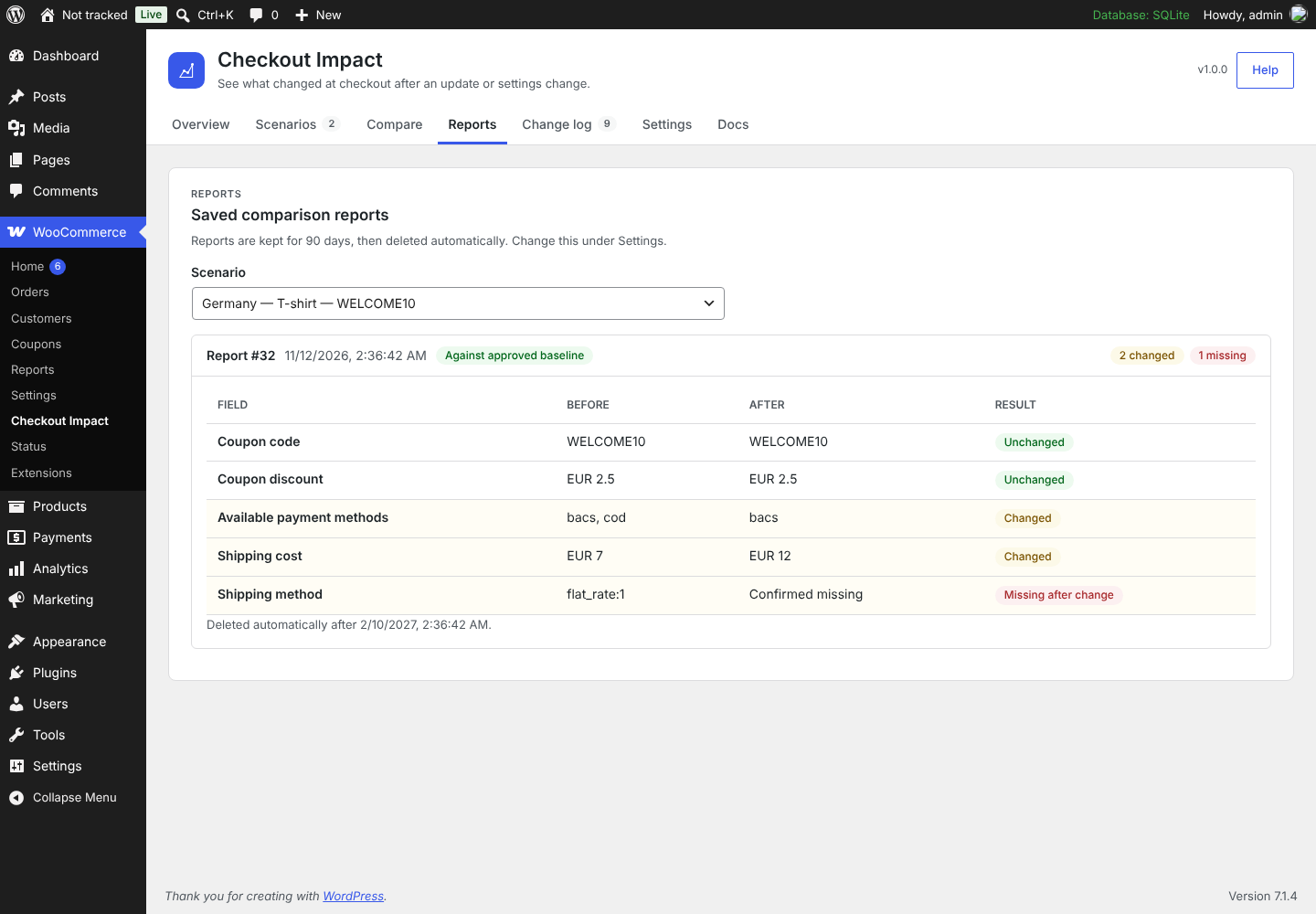 Saved reports with automatic retention |
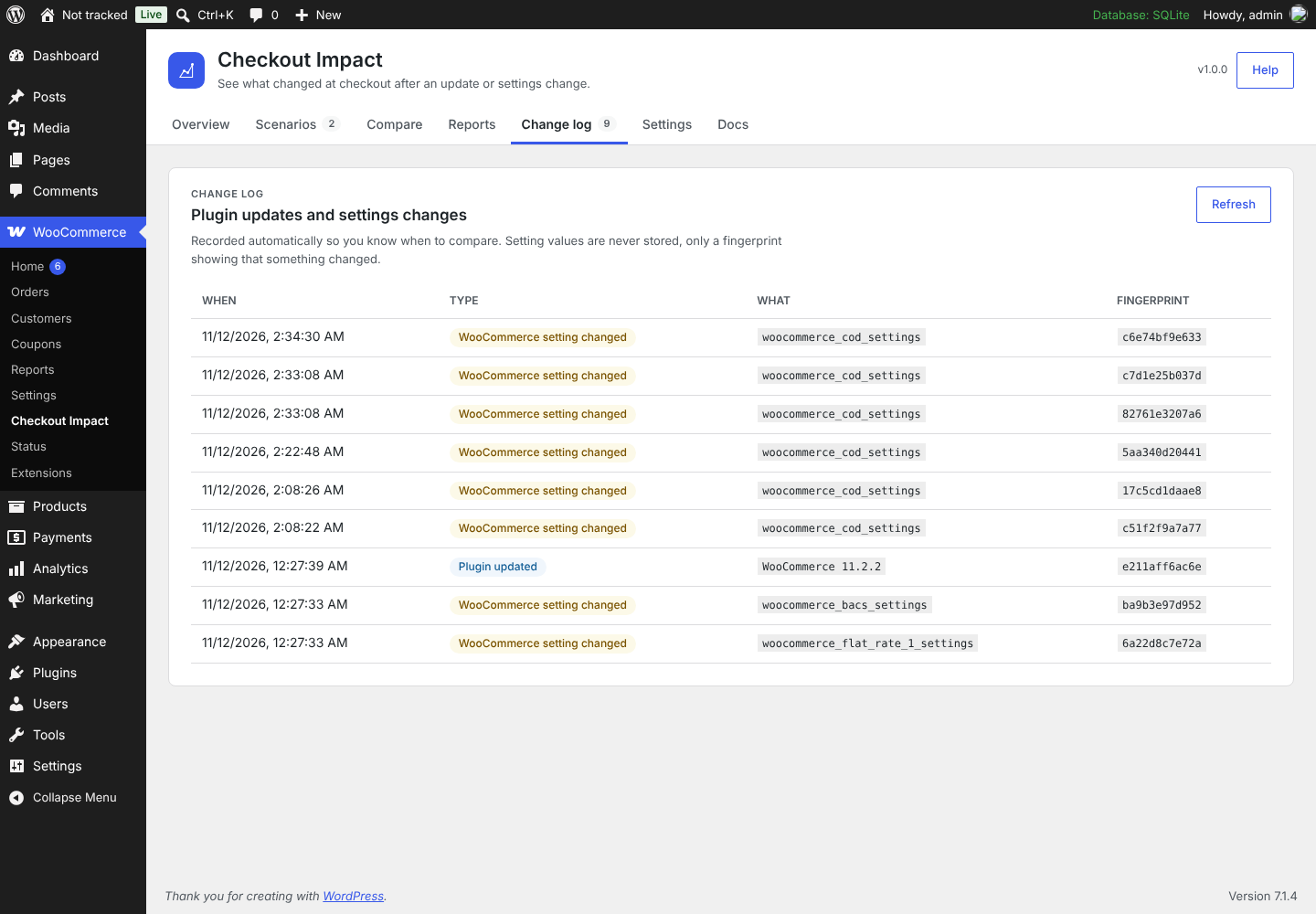 Change log of plugin updates and settings changes |
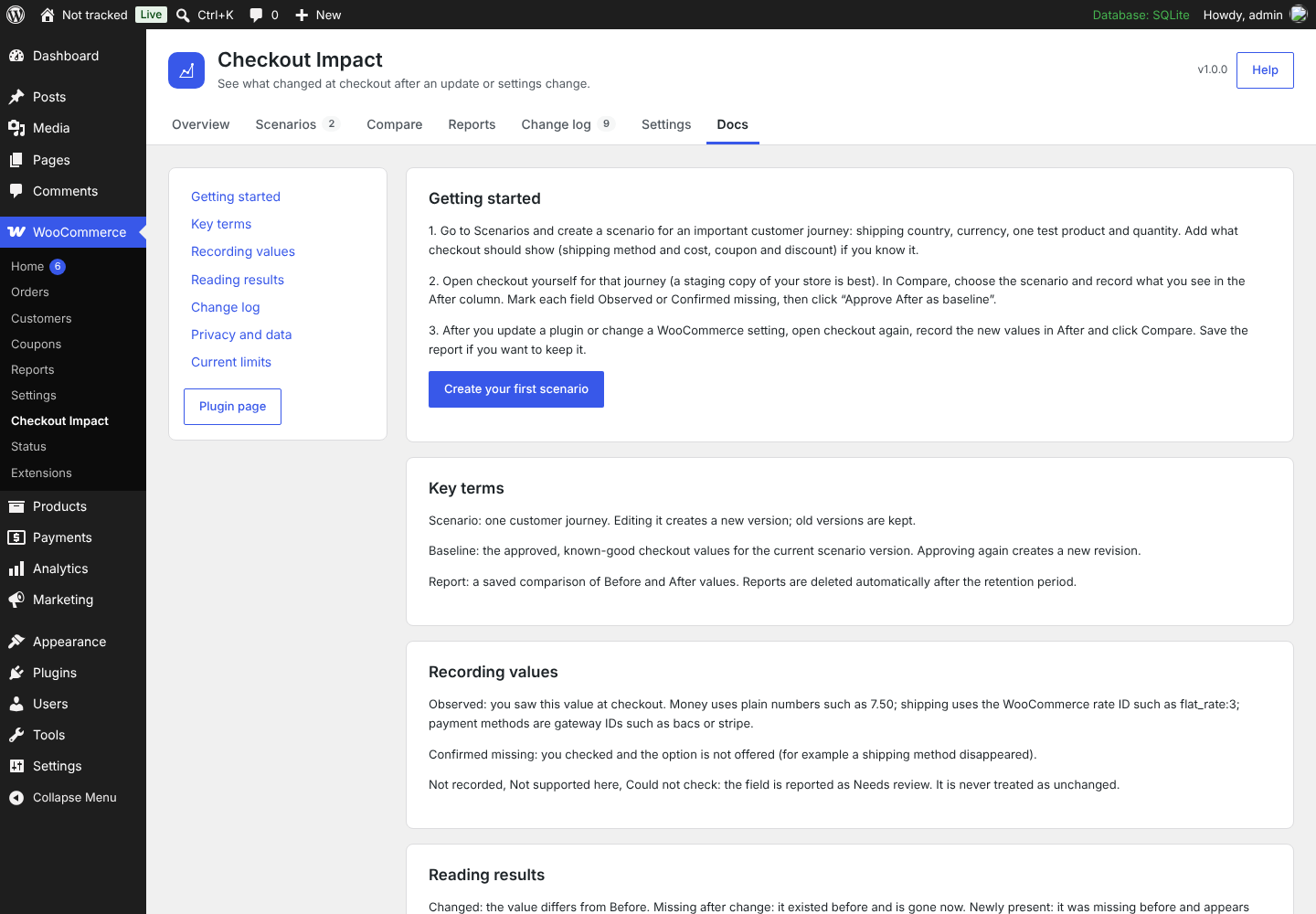 Built-in documentation |
Privacy and safety
- Nothing is sent to external services: no tracking, no remote scripts, no licence checks.
- Data stays in the plugin's own database tables on your site.
- Values that look like email addresses, passwords, tokens or API keys are rejected.
- Supports the WordPress personal data export and erase tools.
- Deactivating never deletes data. Deleting the plugin keeps data too, unless you turn on Delete all Checkout Impact data when the plugin is deleted in Settings.
Documentation
- In the plugin: WooCommerce → Checkout Impact → Docs, or the Documentation link on the Plugins screen.
- Wiki: Home · Getting Started · Scenarios · Baselines and Comparison · Reports · Change Log · Settings and Privacy · Pro Add-on · Developer Reference · FAQ and Troubleshooting
- The wiki is published from
docs/wiki/in this repository. Edit the files there, not the wiki itself.
For developers
Build and test
composer install
for t in tests/php/*-contract.php tests/php/normalizer-diff.php tests/php/multilingual-context-dry-run.php; do php "$t" || exit 1; done
php tests/php/uninstall-contract.php erase
php tools/readme-to-txt.php --check   # readme.txt is generated from wordpress-org/readme.md
./bin/build.sh                        # dist/checkout-impact-regression-for-woocommerce-<version>.zip
Extension points
Add-ons, including Pro, use only these public hooks and APIs:
| Type | Name | Purpose |
|---|---|---|
| Action | wpecir_loaded |
The plugin has booted; its classes are available |
| Action | wpecir_change_event_recorded |
A plugin update or settings change was logged |
| Action | wpecir_manual_report_saved |
A comparison report was saved |
| Action | wpecir_retention_purge_failed |
Automatic deletion of old reports failed |
| Filter | wpecir_pro_active |
Lets an add-on announce itself |
| Filter | wpecir_tracked_option_names |
Add more option names to the change log |
| JS filter | wpecir.adminTabs |
Add tabs to the admin screen |
| JS filter | wpecir.reportActions |
Add actions to saved reports |
REST routes live under wpecir/v1 and require manage_woocommerce or manage_options. See the Developer Reference for details.
Repository layout
| Path | Contents |
|---|---|
checkout-impact-regression-for-woocommerce.php |
Main plugin file |
includes/ |
PHP classes (admin, REST, storage, comparison) |
assets/ |
Admin React UI (wp.element, no build step) and CSS |
wordpress-org/ |
WordPress.org readme source, banners, icons, screenshots |
docs/wiki/ |
Wiki pages (published to the GitHub Wiki) |
docs/ |
Development plan, release checklists and validation evidence |
tests/ |
Contract tests and fixtures |
bin/build.sh, tools/ |
Packaging and readme generation |
Continuous integration
Every push to main, every pull request from a branch of this repository, every night and every manual run:
- lints the code and runs the contract tests on PHP 8.2, 8.3 and 8.4;
- runs the official WordPress.org Plugin Check on the built package;
- tests the free plugin together with the Pro add-on: Pro's compatibility contract and a WordPress Playground run with the latest WordPress and WooCommerce. This needs the
PRO_REPO_TOKENsecret, so pull requests from forks skip it.
The free-plugin-package artifact of each run contains the installable ZIP. This public repository never builds or uploads Pro files.
Project status
Version 1.0.0, release candidate. Development of the v1.0 scope is complete and tested. Remaining steps are submission to WordPress.org and the WooCommerce Marketplace.
Automatic checkout replay is planned for a later 1.x release. The scope, decisions and progress are tracked in the development plan, and the test evidence in docs/validation.
Contributing and support
- Bugs and ideas: open an issue. Please include your WordPress, WooCommerce and PHP versions, and never paste real customer data.
- Pull requests: work on a branch, keep changes small, and run the tests above before opening the PR. Edit
wordpress-org/readme.md, notreadme.txt. AI assistants should read AGENTS.md first. - Security issues: please report privately through the plugin page rather than in a public issue.
License
GPL-2.0-or-later. See LICENSE.
Made by WPEssential.