Install
Upload it under Plugins → Add New Plugin → Upload Plugin, then activate.
Install straight from GitHub with WP-CLI:
wp plugin install https://github.com/vebapi/keyword-research-wordpress-plugin/releases/download/Release/vebapi-keyword-research.zipNo built-in updater. New versions won't appear under Dashboard → Updates. Install new releases yourself, or let Git Updater track the repository.
A simple admin-only keyword research plugin powered by VebAPI.com.
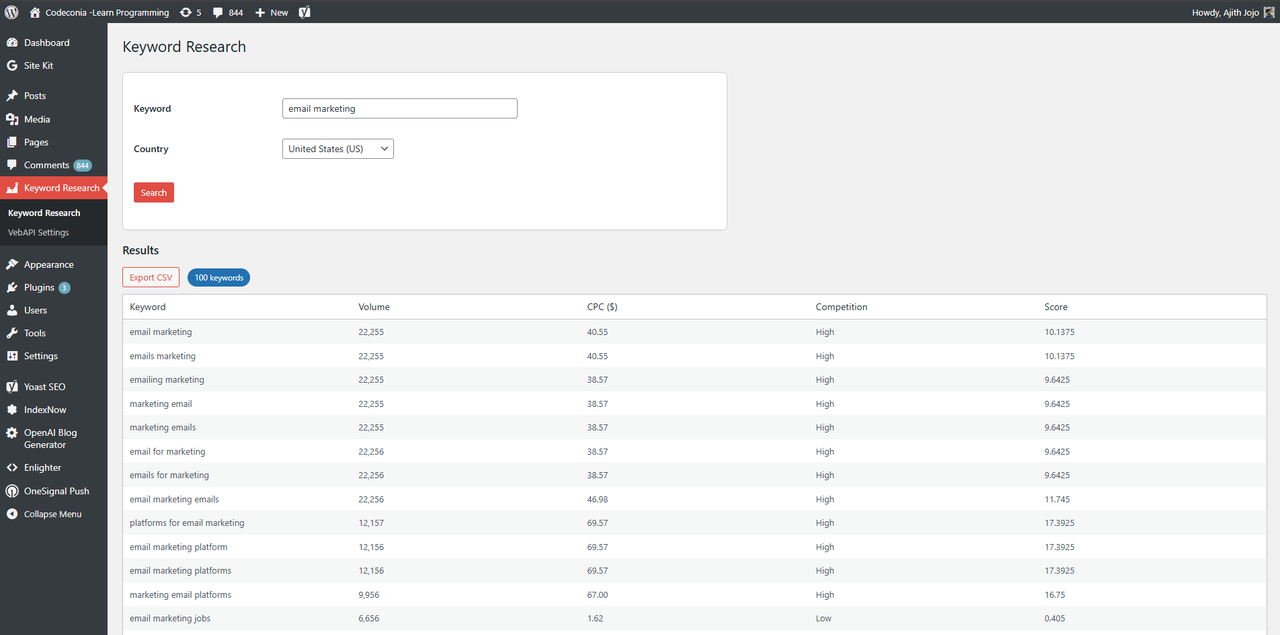
Enter your API key in Settings, then use the Keyword Research page to fetch related keywords with volume, CPC, competition, and score.
🚀 Installation
- Upload the ZIP via Plugins → Add New → Upload Plugin.
- Activate the plugin.
- Go to Keyword Research → VebAPI Settings and enter your API key.
👉 You can find your free API key from https://vebapi.com. - Use the Keyword Research page to start searching.
🧩 Features
- Admin-only dashboard page (no front-end code)
- Keyword, CPC, Volume, Competition, Score data
- CSV export option
- Built with native WordPress Settings & AJAX APIs
- 100% free to use
📝 Changelog
1.0.0
- Initial release.
Releases
1 release. Each count is every asset in that release; expand a row for the breakdown.
Tag
Published
Assets
Downloads