Install
This is the repository archive. It installs, but the folder name will carry the branch suffix and updates will not flow.
Install straight from GitHub with WP-CLI:
wp plugin install https://github.com/vandana-kacha/wp-job-opening/archive/refs/heads/main.zipWP Job Opening allows you to list job openings and collect CV applications using Contact Form 7, with full applicant management in the admin dashboard.
Description
WP Job Opening is a simple and powerful job listing and applicant management plugin for WordPress.
It allows website owners to display job openings on the frontend and collect candidate applications using Contact Form 7. All submitted applications are stored securely and can be viewed directly from the WordPress admin panel.
Key Features
- Display all job openings on the frontend
- Dedicated job detail pages
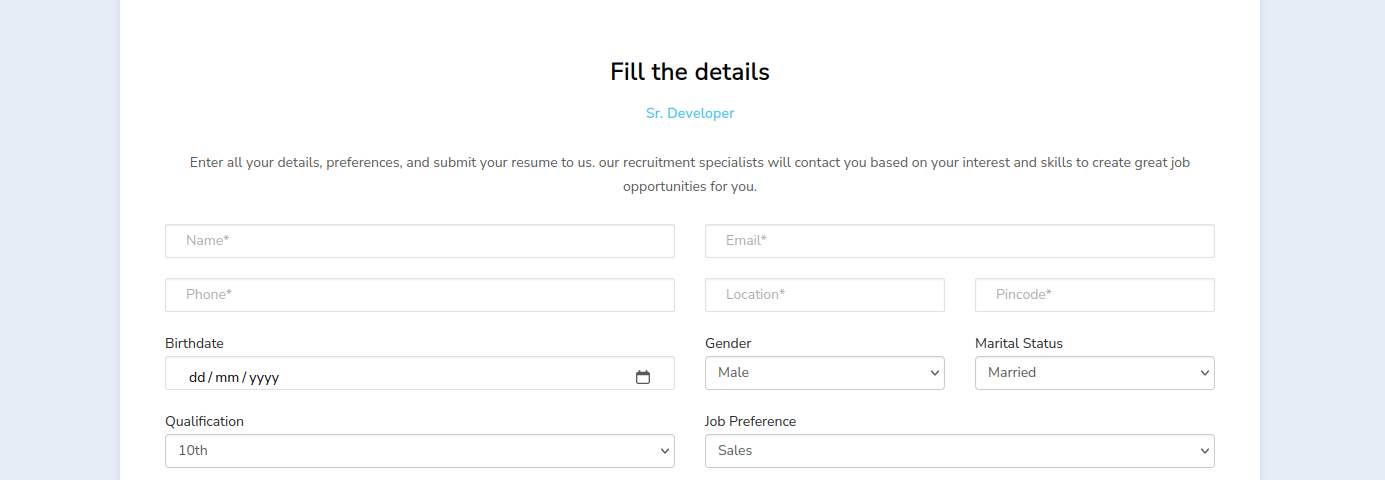
- Apply for jobs using Contact Form 7
- CV upload support
- Store applications securely in the database
- View all applicants in the WordPress admin dashboard
- Download applicant CVs from admin
- Search and filter applicants
- Clean and user-friendly admin interface
- Secure access for authorized users only
WP Job Opening is ideal for companies, HR teams, and recruiters who want a lightweight job management solution without third-party services.
Installation
- Upload the
wp-job-openingfolder to the/wp-content/plugins/directory - Activate the plugin through the Plugins menu in WordPress
- Create job openings from the admin dashboard
- Create a Contact Form 7 form for job applications
- Use the provided shortcode to display job listings
Usage
- Add job openings from WP Admin → WP Job Opening
- Create a Contact Form 7 form with CV upload field
- Assign the form to job openings
- Display jobs on any page using the provided shortcode
- View submitted applicants in WP Admin → WP Job Opening → Applicants
Shortcodes
[wp_job_list]
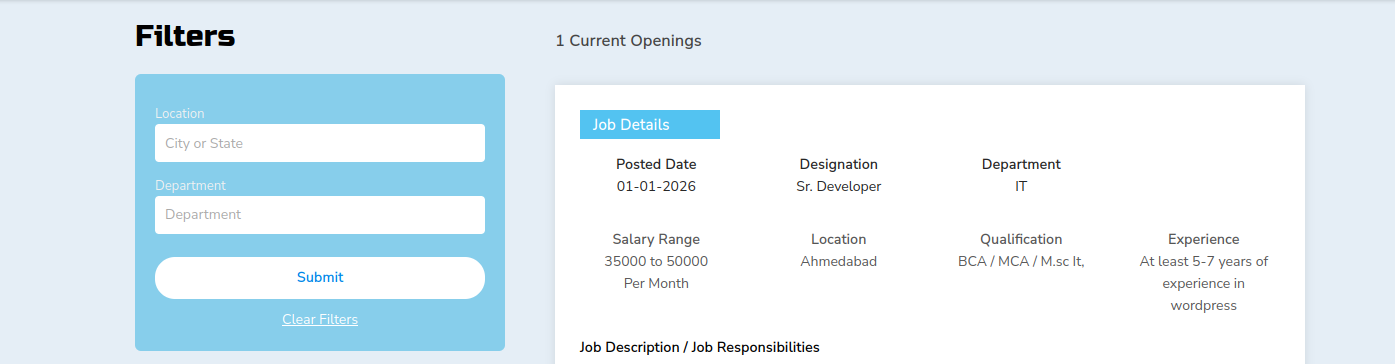
Displays all available job openings on the frontend. Require to create page and set shortcode inside that page. You can seel all jobs with ajax filter.
Frequently Asked Questions
Does this plugin require Contact Form 7 ?
Yes. Contact Form 7 is required to handle job application submissions.
Where are applications stored?
All applications are stored securely in the WordPress database and accessible from the admin panel.
Can I download applicant CVs?
Yes. CVs can be downloaded directly from the Applicants admin page.
Screenshots
- Job listings on the frontend
- Job detail page with application form
- Admin dashboard overview

- Applicants list with CV download

Changelog
1.0.0
- Initial release
- Job listing functionality
- Contact Form 7 integration
- Applicant management dashboard
Upgrade Notice
1.0.0
Initial release of WP Job Opening.