manifest / unclassified / plugin-woocommerce-wordpress-landing-page-multi-content-tracker
Landing Page Multi Content Tracker
Multi landing page content tracker for WordPress/WooCommerce.
★ 0stars
Install
This is the repository archive. It installs, but the folder name will carry the branch suffix and updates will not flow.
Install straight from GitHub with WP-CLI:
wp plugin install https://github.com/vanbess/plugin-woocommerce-wordpress-landing-page-multi-content-tracker/archive/refs/heads/master.zipNo built-in updater. New versions won't appear under Dashboard → Updates. Install new releases yourself, or let Git Updater track the repository.
PLUGIN: Landing Page Multi Content Tracker for WordPress
Prerequisites
- ACF (Advanced Custom Fields) must be installed for this plugin to work
- SBWC Custom Pages plugin must be installed, or a custom post type "landings" must be registered for this plugin to work
Overview
- This plugin adds the ability to add rotating content (headings and paragraph content) via the WP admin area to Landings post type
- Content is randomized and displayed on the front-end via the use of placeholders
- A particular front-end visitor will be shown the same content on a particular landing page if said visitor returns to said landing page within 24 hours
- After the 24 hour visitor cookie has expired, a new set of content will be displayed for said user using the same rule as previously mentioned
- Custom tracking links containing content placeholders for a particular landing is inserted on the page for all href attributes, allowing detailed content effectivity tracking
- A sample tracking link would be https://yourwebsite.com/en/product/abner-ash/?ct_ids=vh_1_7+cont_1_1+hd_2_2+cont_2_3+hd_3_2+cnt_abc_4+hdng_43_5+cnt_57_c
Instructions
- After activating the plugin, navigate to an existing Landing post type, or create a new Landing via the Landing menu item in the WordPress Admin area
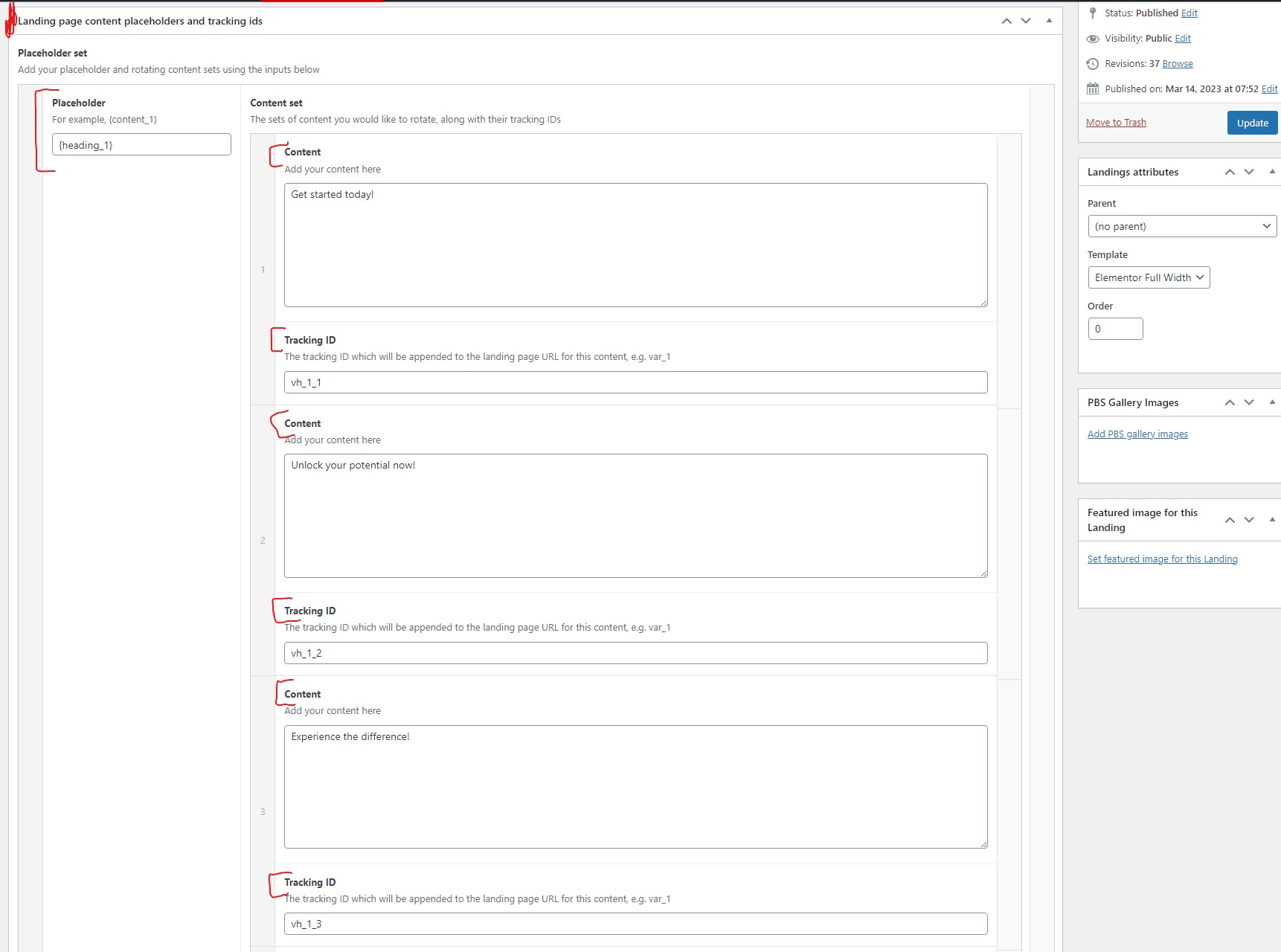
- On the Landing post type edit screen, you will find a metabox named Landing page convent placeholders and tracking ids
- In this metabox you will find inputs where you can define {placeholders}
- Each {placeholder} can have multiple content sets added, along with the associated tracking_id
- For example, let's say you've got a {heading_top} placeholder, you can define as many content/tracking sets for {heading_top} as you need; these will be rotated on a per user and page load basis
- A typical stucture would be
- __{heading_top}__ => placeholder
- Get started today! => placeholder content
- vh_1_1 => tracking id
- Unlock your potential now! => placeholder content
- vh_1_2 => tracking id
- Join our community today! => placeholder content
- vh_1_3 => tracking id
- __{heading_top}__ => placeholder
- In this way, you can add multiple {placeholders} to your page, each with multiple content sets and tracking ids
- Please be mindful of the following:
- Placeholders must make use of curly braces ({})
- Tracking IDs must only contain underscores (_), letters (a to z, upper or lowercase) and numbers (1 thru 0). No special characters allowed!
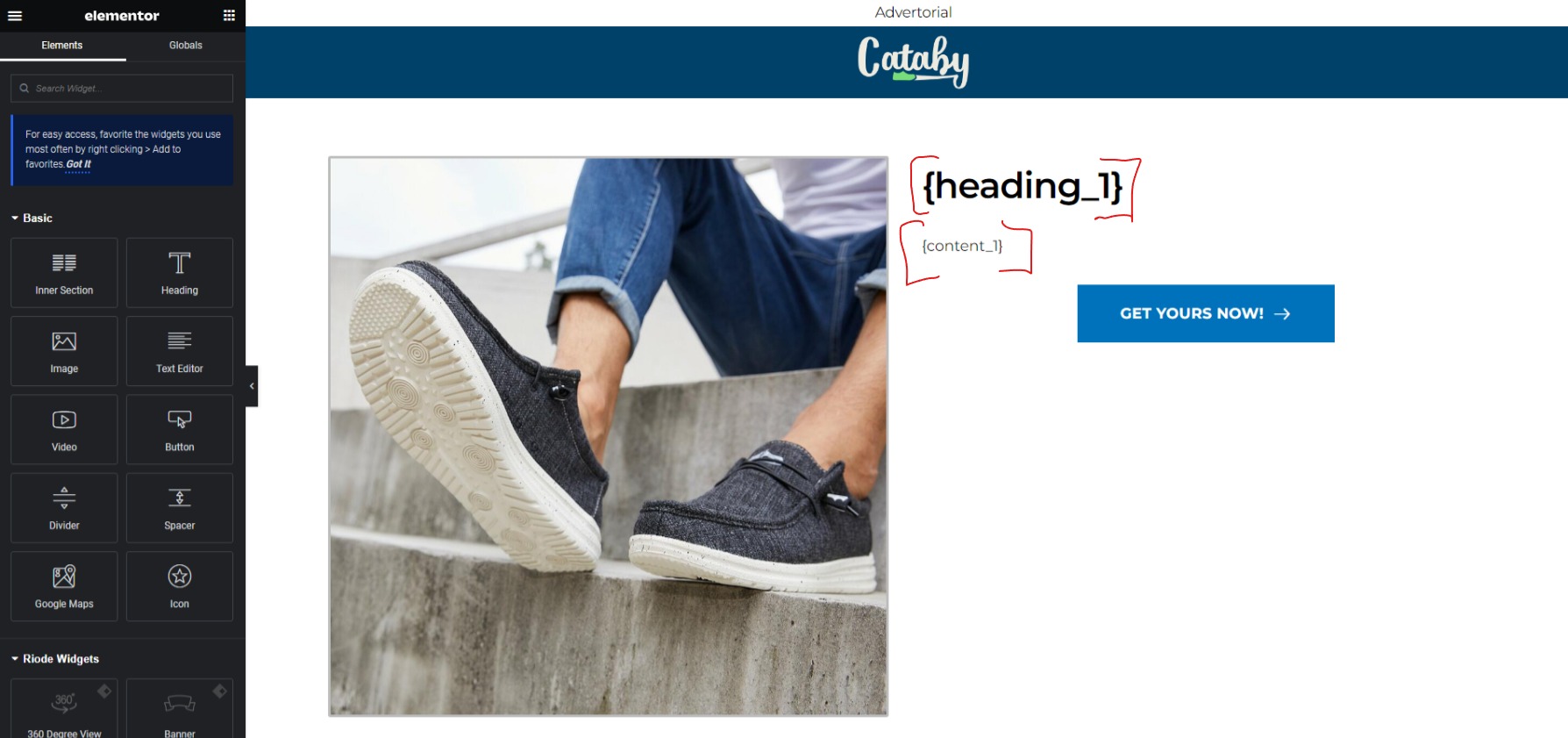
- The content of your post, whether added via the standard content editing area, or via a page builder such as Elementor, must contain all your {placeholders}; if you do not add said placeholders, your content will not be replaced and/or rotated!
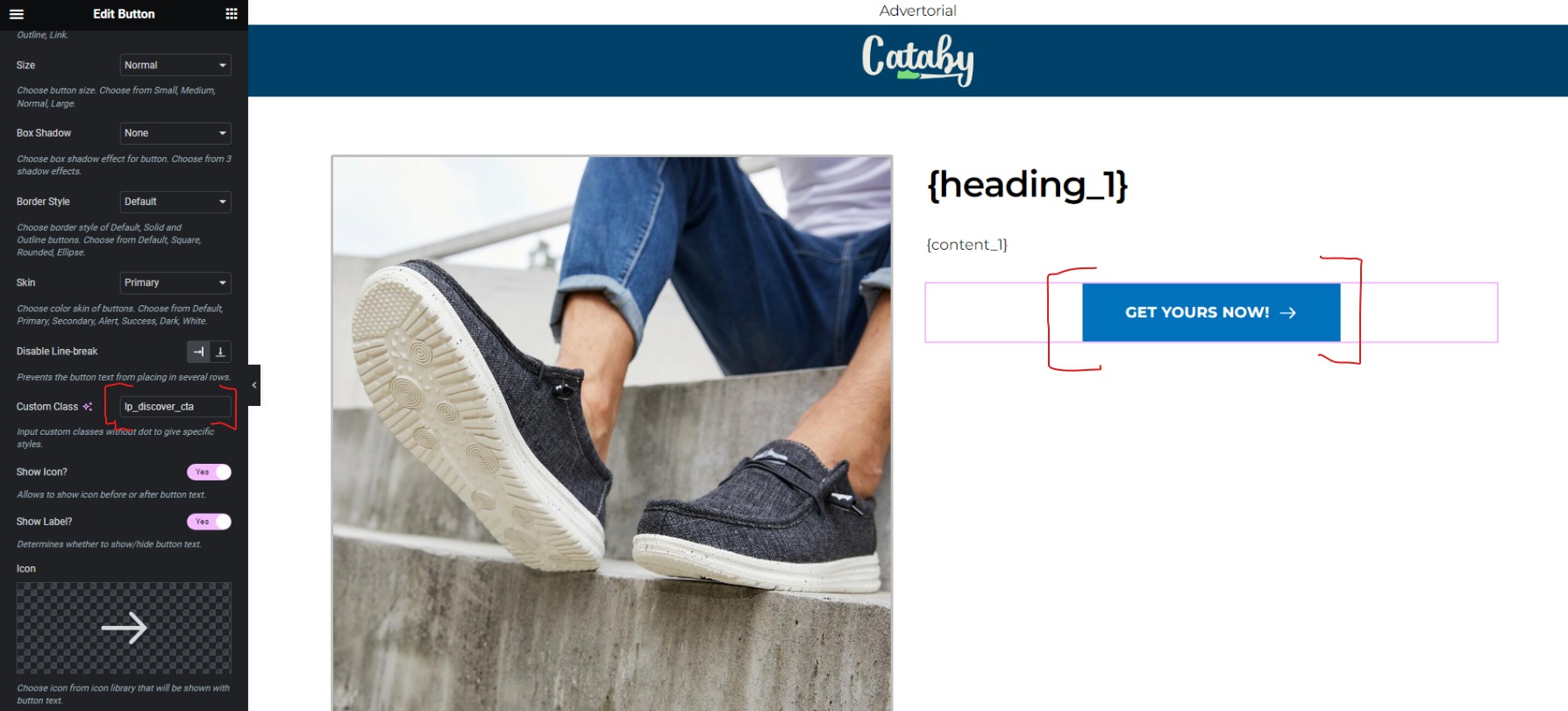
- All links on your landing page must have the CSS class _lp_discovercta if you want to replace the link you define with one which contains your content tracking ids
Sample landing page edit screen
Please see below screenshots for reference pertaining to the instructions above.
Landing page/post edit screen:
Placeholders in editor:
Button with CSS class lp_discover_cta: