Install
This is the repository archive. It installs, but the folder name will carry the branch suffix and updates will not flow.
Install straight from GitHub with WP-CLI:
wp plugin install https://github.com/uzhnu-edu-ua/genes-world-plugin/archive/refs/heads/main.zipWordPress plugin "Genes-WORLD" provides an intuitive and user-friendly interface for researchers to explore, filter, and contribute to a global collection of genomic data.
Description
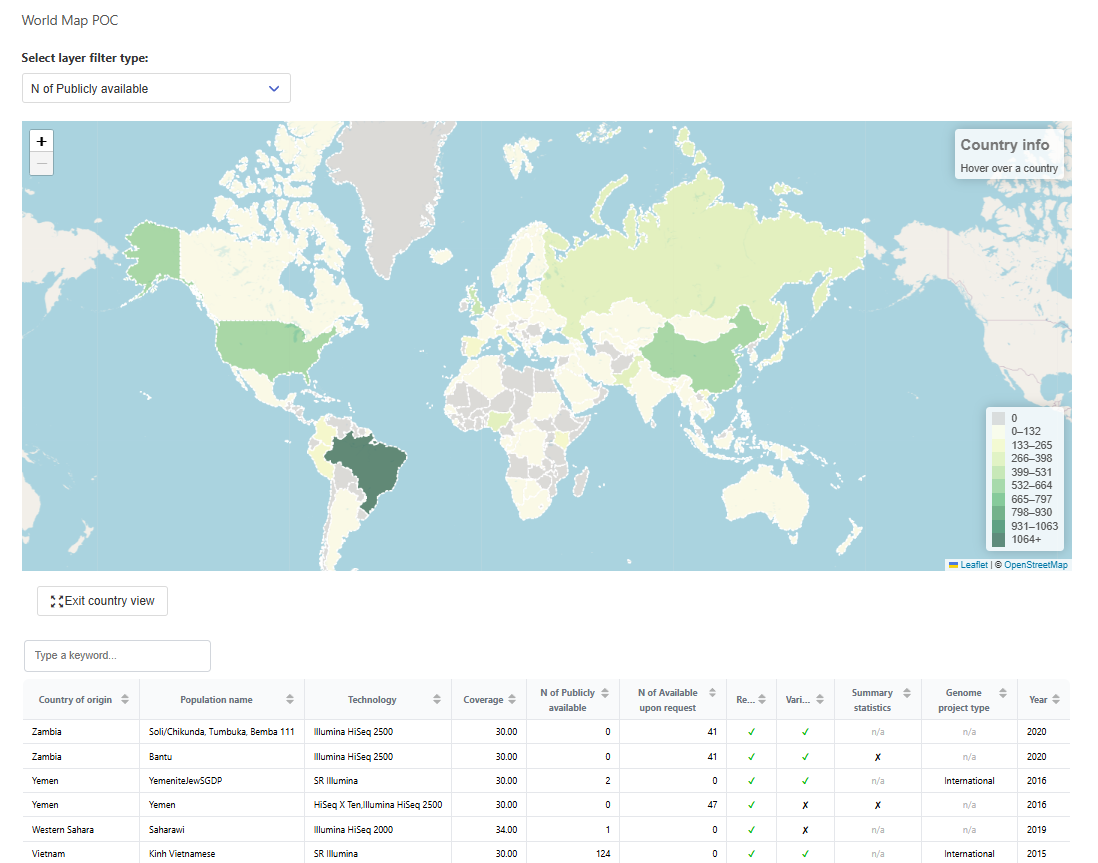
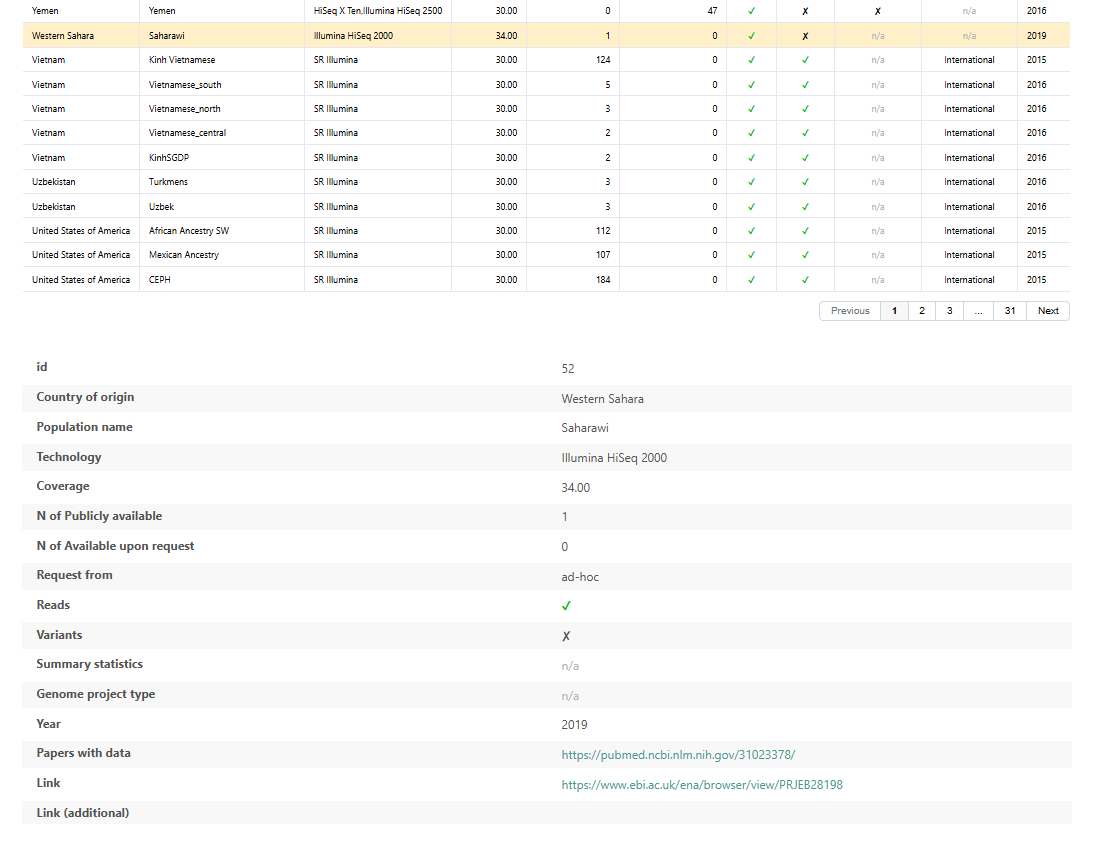
Genes-WORLD operates with two core visualization components: an interactive world map and a tabular data viewer.
-
🌍 Interactive World Map: This is the primary tool for exploring genomic data geographically. Users can filter by sample availability, genome project types, and more.
-
📊 Tabular Data Viewer: Located beneath the map, this table allows sorting, filtering, and pagination. Clicking a row reveals detailed metadata like country of origin, sequencing tech, data access type, and project links.
Additional details and live accces: https://globgen.uzhnu.edu.ua/ (https://globgen.uzhnu.edu.ua/world-geo-data/)
Installation
- Upload the
genes-world-plugindirectory to the/wp-content/plugins/directory. - Activate the plugin through the 'Plugins' menu in WordPress.
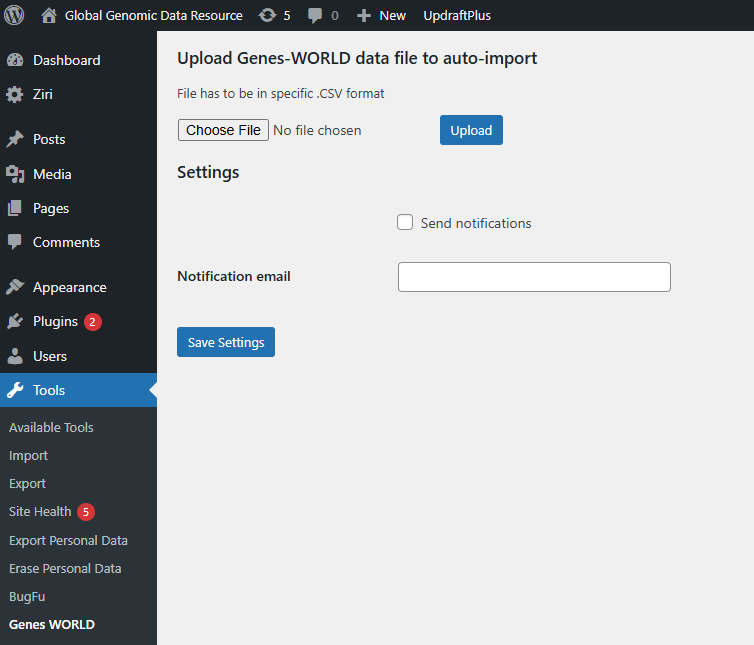
- In the WP admin panel, go to
Tools -> Genes WORLDand upload a prepared .CSV file. - Create a page and insert the shortcode
[genes_world_geodata]to display the interactive map and data table.
Screenshots
1. Front-end: Map view
2. Front-end: Data table view
3. Admin configuration panel
Changelog
1.0
- Initial commit and plugin publication