TRMNL Plugin Showcase WP Registry grade A. No security issues foundWP RegistryNo security issues foundOpen the reportA
WordPress plugin to show your TRMNL Plugins on your website.
Install
Upload it under Plugins → Add New Plugin → Upload Plugin, then activate.
Install straight from GitHub with WP-CLI:
wp plugin install https://github.com/usetrmnl/trmnl-wordpress-showcase/releases/download/v1.0.4/trmnl-wordpress-showcase.zip

TRMNL Plugin Showcase
Show off your TRMNL plugins on your WordPress site: as a shortcode, a Gutenberg block with Simple/Featured/Badge layouts, or a fully composable block built on the native Block Bindings API.
What it does
TRMNL Plugin Showcase pulls your published TRMNL recipes (plugins) straight from trmnl.com and lets you display them anywhere on your WordPress site:
- A shortcode,
[trmnl_plugins], for classic editor / theme templates. - A "TRMNL Plugins" block to list your whole catalog or feature a single plugin, in three layouts:
- Simple: icon, title/subtitle, install count, link.
- Featured: a big screenshot with icon, title, description, installs and a link.
- Badge: a small inline pill, perfect for mentioning a plugin mid-paragraph.
- A "TRMNL Plugin (build block)" to pick any plugin and build your own layout out of regular core blocks (Image, Heading, Paragraph, Button), wired up via the real Block Bindings API. Rearrange, restyle, and delete freely; bound blocks stay connected.
- Single-item mode works for any public TRMNL plugin by ID, not just your own, since trmnl.com exposes a JSON endpoint per recipe (no scraping involved).
- Translatable out of the box: English source strings, with ready-made translations for Dutch, German, French, Spanish, Norwegian (Bokmål) and Swedish.
- Caches responsibly: results are cached via WordPress transients (configurable duration) with a stale-data fallback, so a hiccup on trmnl.com never breaks your page.
Screenshots
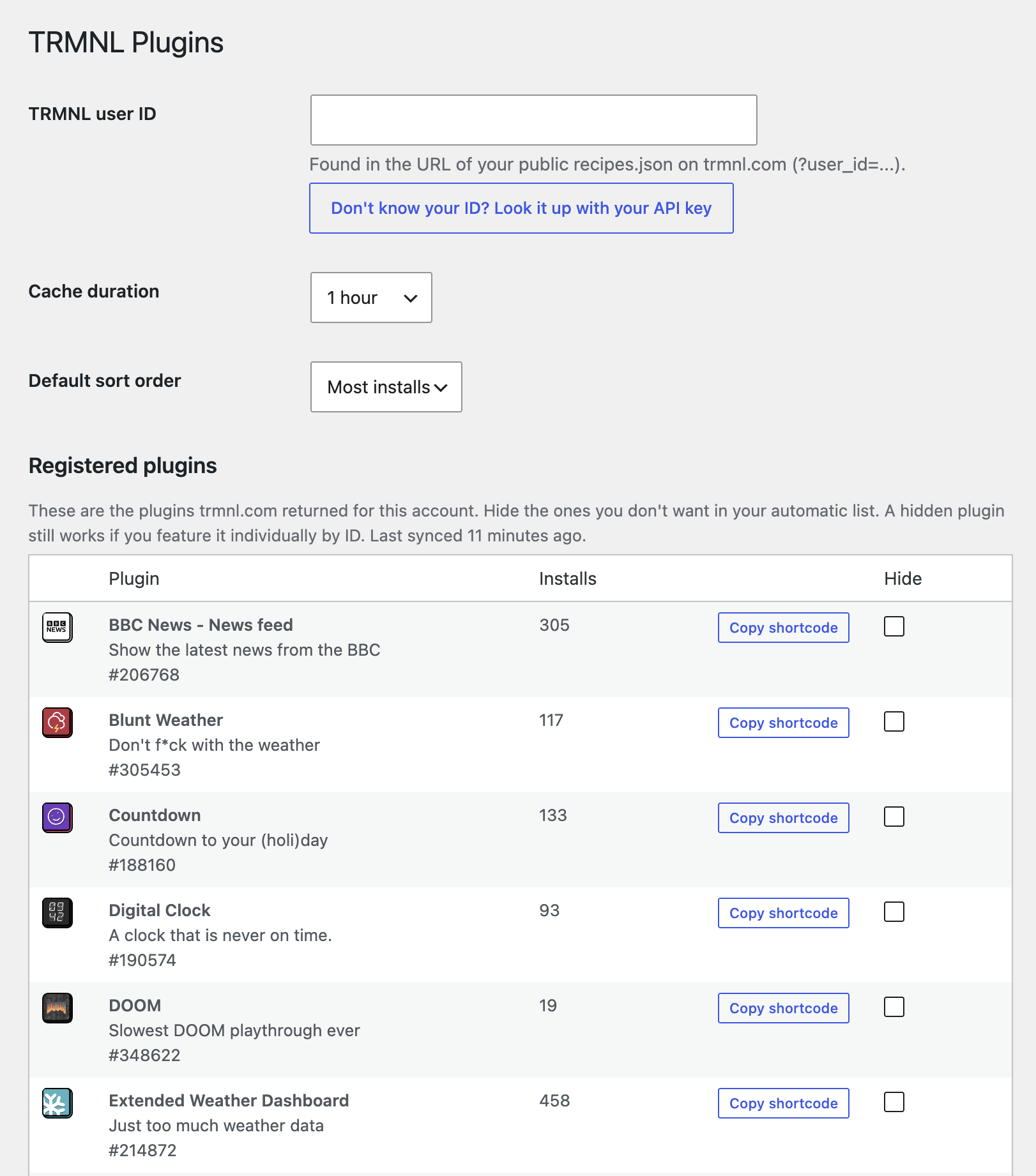 Settings: user ID, cache duration, default sort, and the registered plugins overview with per-plugin hide/copy-shortcode
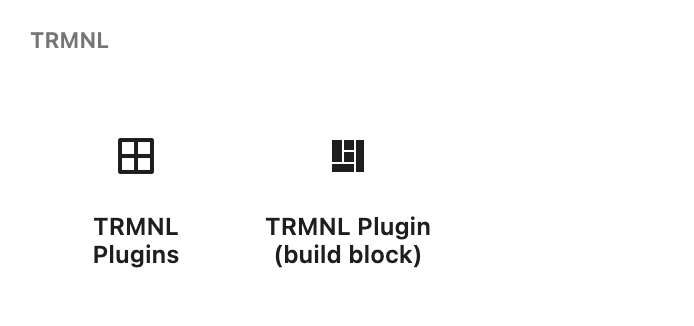 The two blocks in the inserter
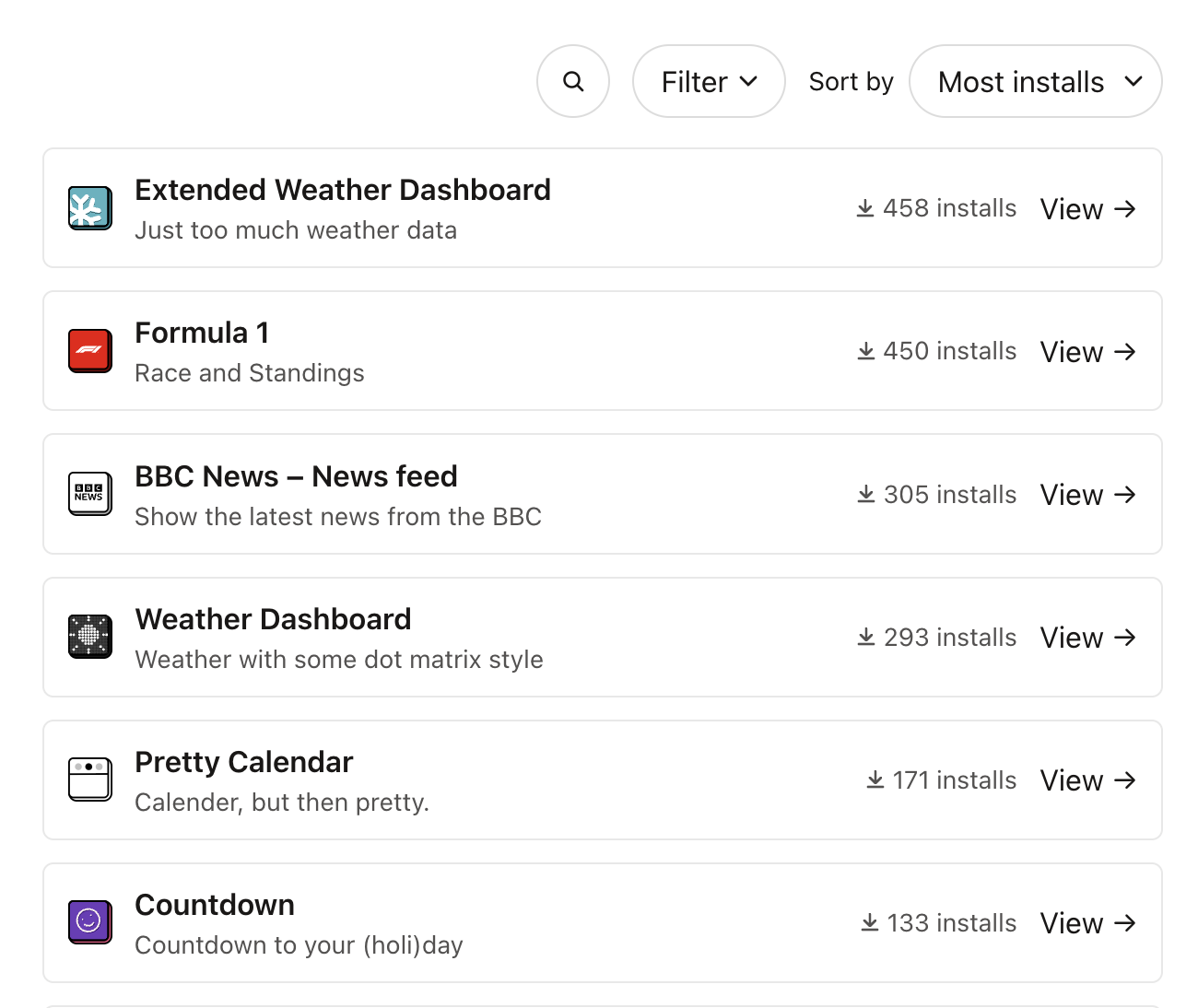 Simple layout, with search, filter and sort
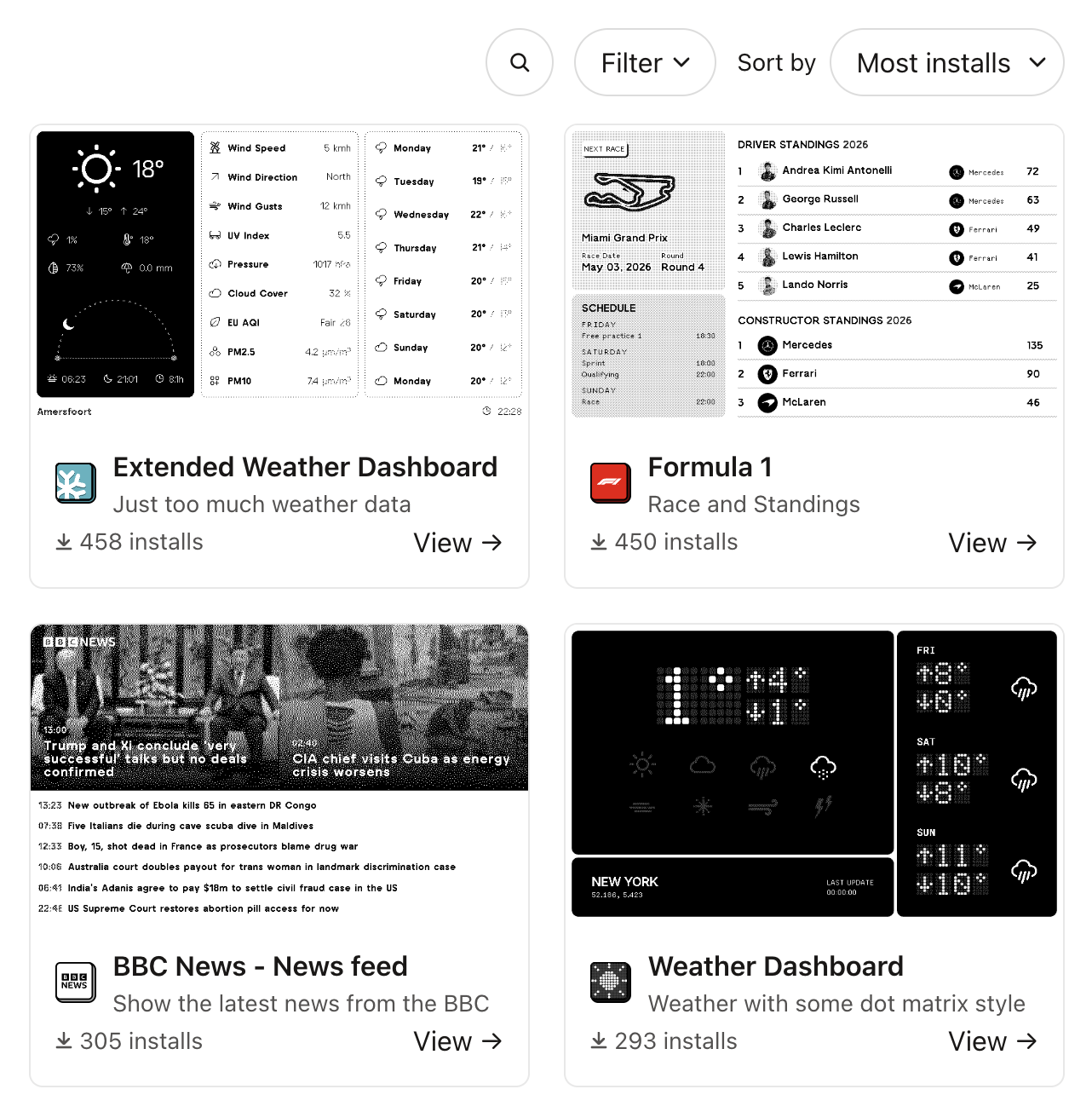 Featured layout
Badge layout
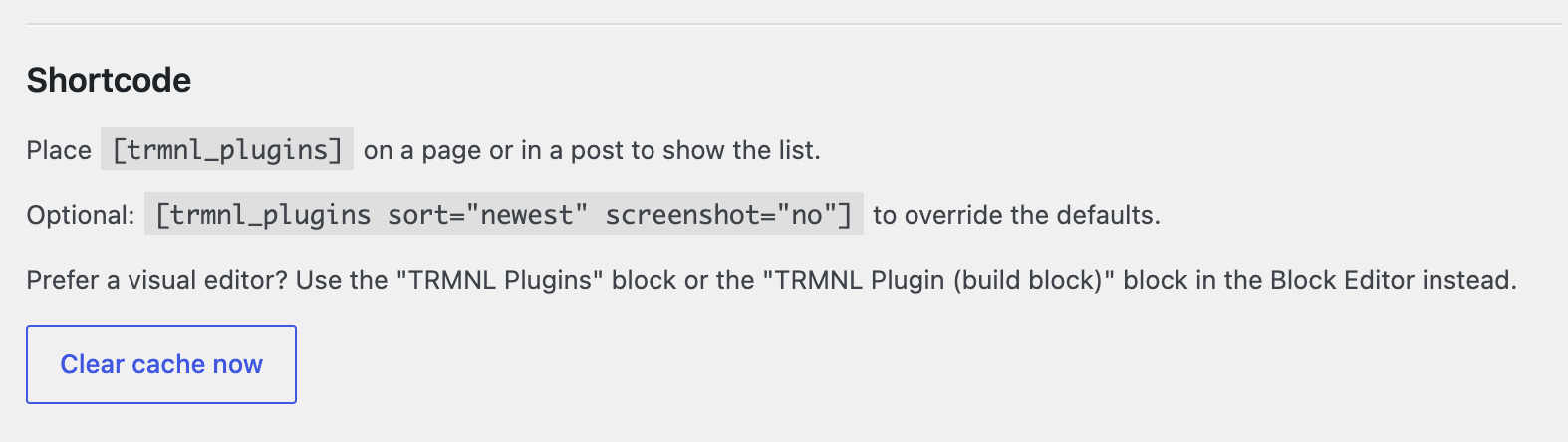 Shortcode usage shown on the settings page
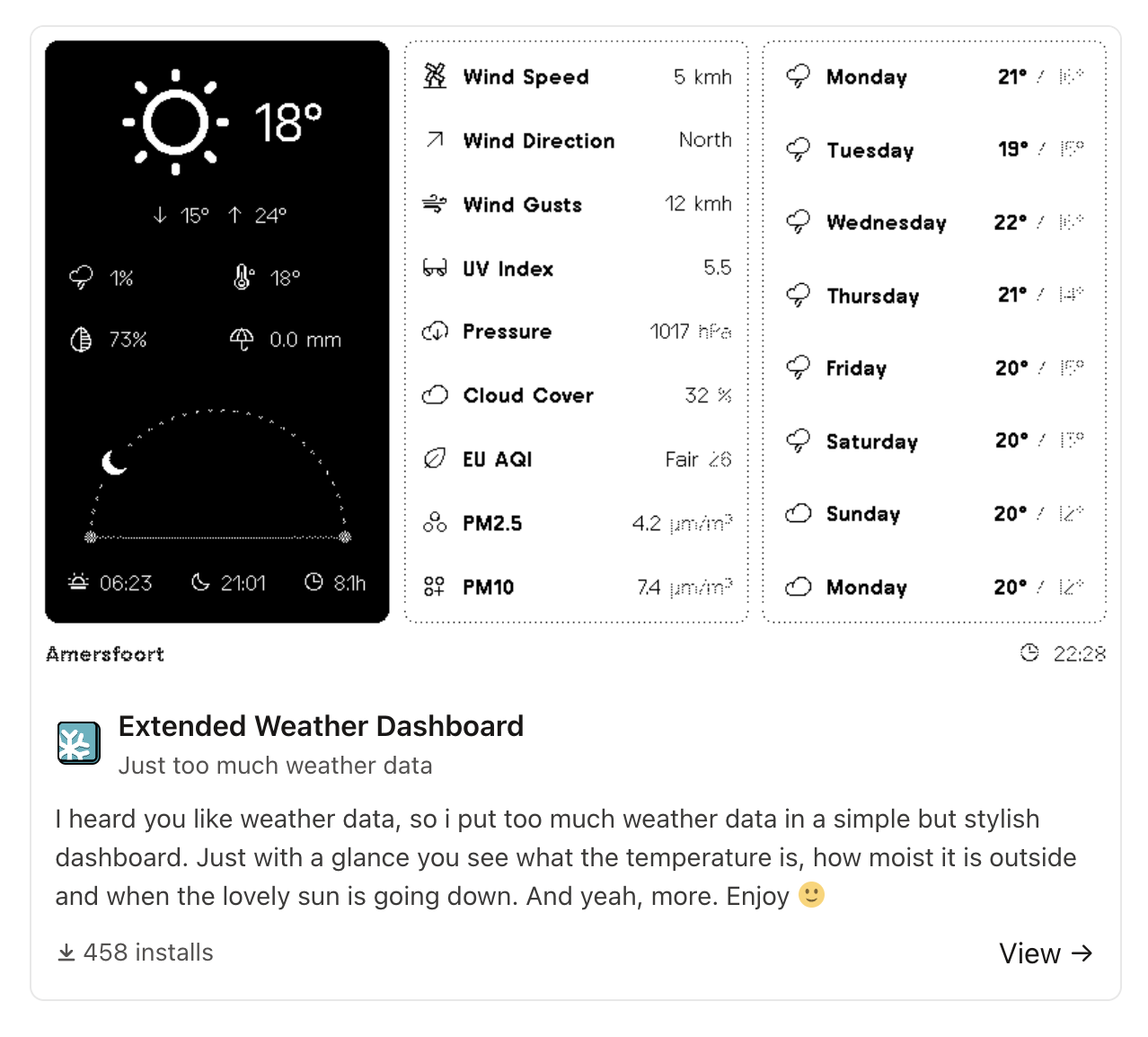 Pasting a
 trmnl.com/recipes/{id} URL auto-embeds it as a Featured card
Installation
- Download the latest release zip (or build it yourself, see Development below).
- In your WordPress admin, go to Plugins → Add New Plugin → Upload Plugin, select the zip, and activate.
- Go to Settings → TRMNL Plugins and enter your TRMNL user ID. Don't know it? Click "Look it up with your API key", paste the API key from trmnl.com/account, and it's resolved for you via TRMNL's
/api/meendpoint. The key itself is never stored.
Usage
Shortcode
[trmnl_plugins]
[trmnl_plugins layout="featured" sort="newest" limit="6"]
[trmnl_plugins recipe_id="377363" layout="badge"]
Attributes: user_id, sort (installs / newest / az), layout (simple / featured / badge), screenshot, description, installs, sort_control, limit, recipe_id.
Blocks
Search for "TRMNL Plugins" in the block inserter. Use the sidebar to switch between list/single mode, pick a layout, choose what to show, and set the sort order (which follows your site-wide default unless you override it per block).
For a fully custom layout, use "TRMNL Plugin (build block)" instead: pick a plugin, then edit the pre-bound Image/Heading/Paragraph/Button blocks like any other blocks in the editor.
Requirements
- WordPress 6.4+ (for block.json's server-side
renderfield). - WordPress 6.5+ if you want to use the "build block" (Block Bindings API). Without it, everything else still works fine.
Development
The shipped build/ directory is ready to use; most people never need this section. To modify the blocks:
npm install
npm run build   # or: npm run start (watch mode)
Source lives in src/; PHP lives in includes/. Translation source strings are extracted into languages/trmnl-showcase.pot; per-locale .po/.mo files live alongside it.
Author
Made by Baszert.
License
MIT. See LICENSE.
Releases
5 releases. Each count is every asset in that release; expand a row for the breakdown.