WP Ajax Endpoint
This plugin helps fetch the data in table format from the endpoint with time intervals of one hour. Also, use WP-CLI command to override time intervals and refresh new API Data.
Install
This is the repository archive. It installs, but the folder name will carry the branch suffix and updates will not flow.
Install straight from GitHub with WP-CLI:
wp plugin install https://github.com/upeshv/wp-ajax-endpoint/archive/refs/heads/master.zipThis plugin helps fetch the data in table format from endpoint with time intervals of one hour.
Have also added an option to override the one-hour limit and manually fetch the new data by clicking on a single button in the backend.
One can also override the hour limit using the WP CLI command since have also integrated WP CLI as well.
Have also created the facility to add table data in the frontend using shortcode inside any page.
For listing data, I have used WP List Table so that we can do further operations such as Sorting, Actions, Bulk Actions, etc.
Installation
- Upload the
wp-ajax-endpointfolder to your/wp-content/plugins/directory - Activate the plugin via the Plugins menu in WordPress
- Upon activation it will fetch the data in table format under admin menu WP Ajax Endpoint.
- You can click on Refresh Data button to override the hour limit and fetch new data.
Screenshots
Please do not try to match the content of table these screen was grab on different time intervals :wink:
- Backend menu page.
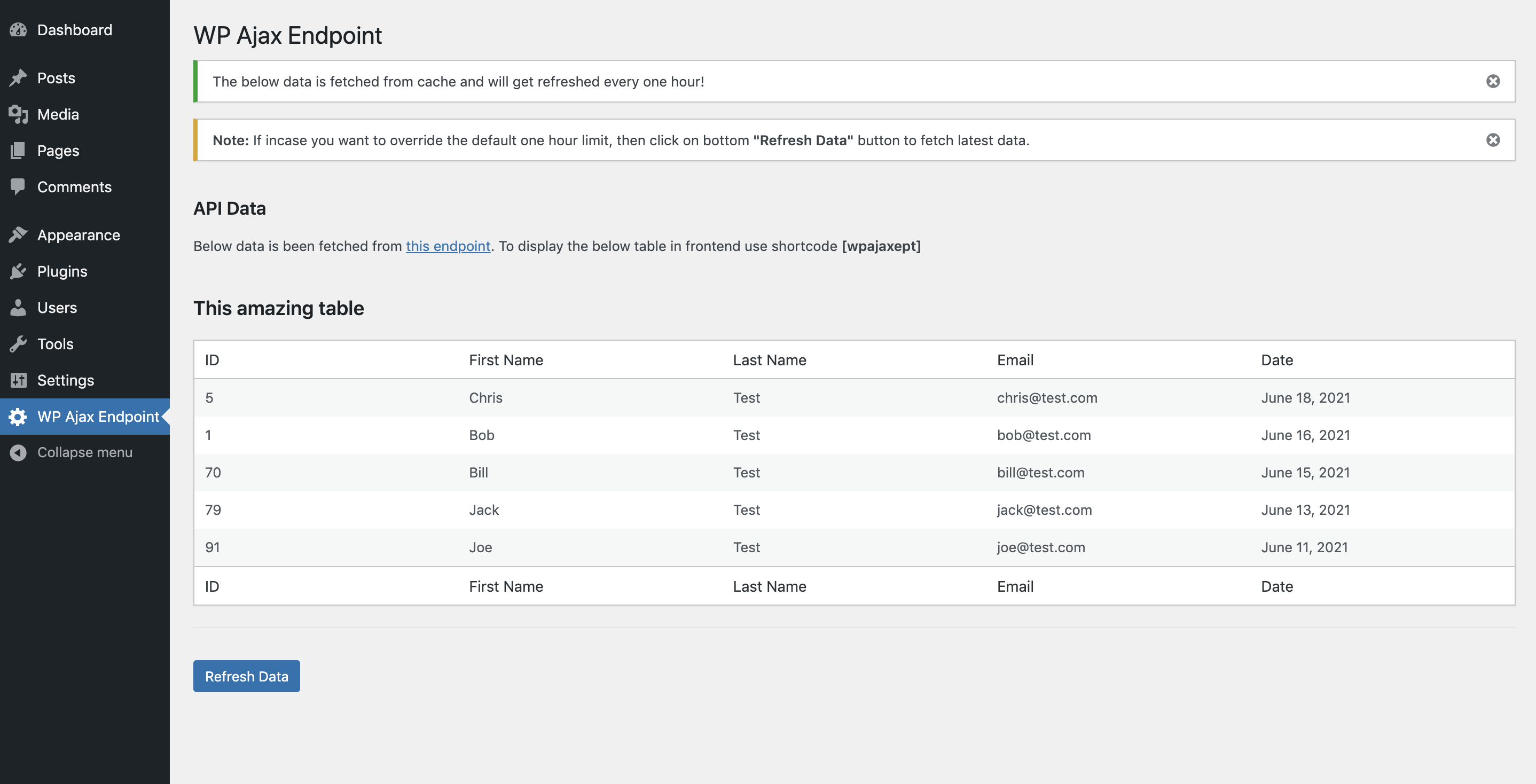 2. Frontend page.

CLI command to refresh data
Using Below command you can override the one-hour limit and manually fetch the new data. Setps to install WPCLi
wp wp-ajax-ept-resetShortcode
Below shortcode is used to display table data in frontend.
[wpajaxept]Compatibility and security
- Have followed the defined WordPress coding standards
- All the Data is been Sanitized, Escaped, and Validated.
- Also have used Vanilla JS for frontend things to avoid using jQuery
- The plugin is compatible with WordPress version 4.9 and latest and PHP versions 5.6.0 and latest.
- The plugin is translation-ready.
- The plugin is licensed as GPL v2 or later.
- It is not accessible directly by browsing the plugin's directory.
License
Happy Coding :smiley: