Install
Upload it under Plugins → Add New Plugin → Upload Plugin, then activate.
Install straight from GitHub with WP-CLI:
wp plugin install https://github.com/ulrichdahl/wp-leaderboard/releases/download/v1.1.2/WP-Leaderboard-v1.1.2.zipA retro-inspired WordPress plugin for displaying and managing live scoreboards at gaming events, tournaments, speedrun meets, and LAN parties.
It combines a classic arcade / CRT aesthetic with practical event tools, so your leaderboard feels like an authentic old-school tournament display while still working smoothly on modern WordPress sites.
Table of contents
- Overview
- Features
- Retro feel
- Screenshots
- Installation
- Quick start
- How it works
- Shortcode
- Frequently asked questions
- Requirements
- License
- Author
Overview
Leaderboard for Gaming Events helps you run a live scoreboard for gaming competitions and community events.
It is designed for:
- retro game nights
- local tournaments
- speedrunning events
- score challenges
- LAN parties
- convention competitions
The plugin provides:
- a public-facing leaderboard
- guest registration
- crew login
- live score updates
- event management from WordPress admin
- CSV export
- an audit log for changes
Features
For organizers
- Create and manage leaderboard events
- Set event title, description, and end date/time
- Add crew members for score entry
- Export results as CSV
- Review an audit log of changes
For participants
- Register through guest mode
- Submit name, handle, and email
- Wait for scores to be entered by crew
For staff
- Log in through crew mode
- Edit participant data
- Update scores
- See changes reflected live on the leaderboard
For displays
- Automatic score refresh
- Full-screen / presentation-friendly mode
- Clean, high-contrast scoreboard layout
- Optimized for monitors, TVs, and projectors
Retro feel
This plugin is intentionally styled to look like it belongs in a 1990s arcade tournament or on a CRT monitor in a gaming venue.
Visual style
- bright neon cyan and magenta accents
- dark background with glowing borders
- scanline-inspired overlay
- pixel-style typography
- bold uppercase headings
- flashy success/error messaging
Design goal
The idea is not just to show scores, but to make the leaderboard itself part of the event atmosphere.
It should feel:
- energetic
- nostalgic
- dramatic
- arcade-like
- perfect for a big public display
If you want a scoreboard that looks more like a tournament cabinet than a plain web page, this plugin is built for that.
Screenshots
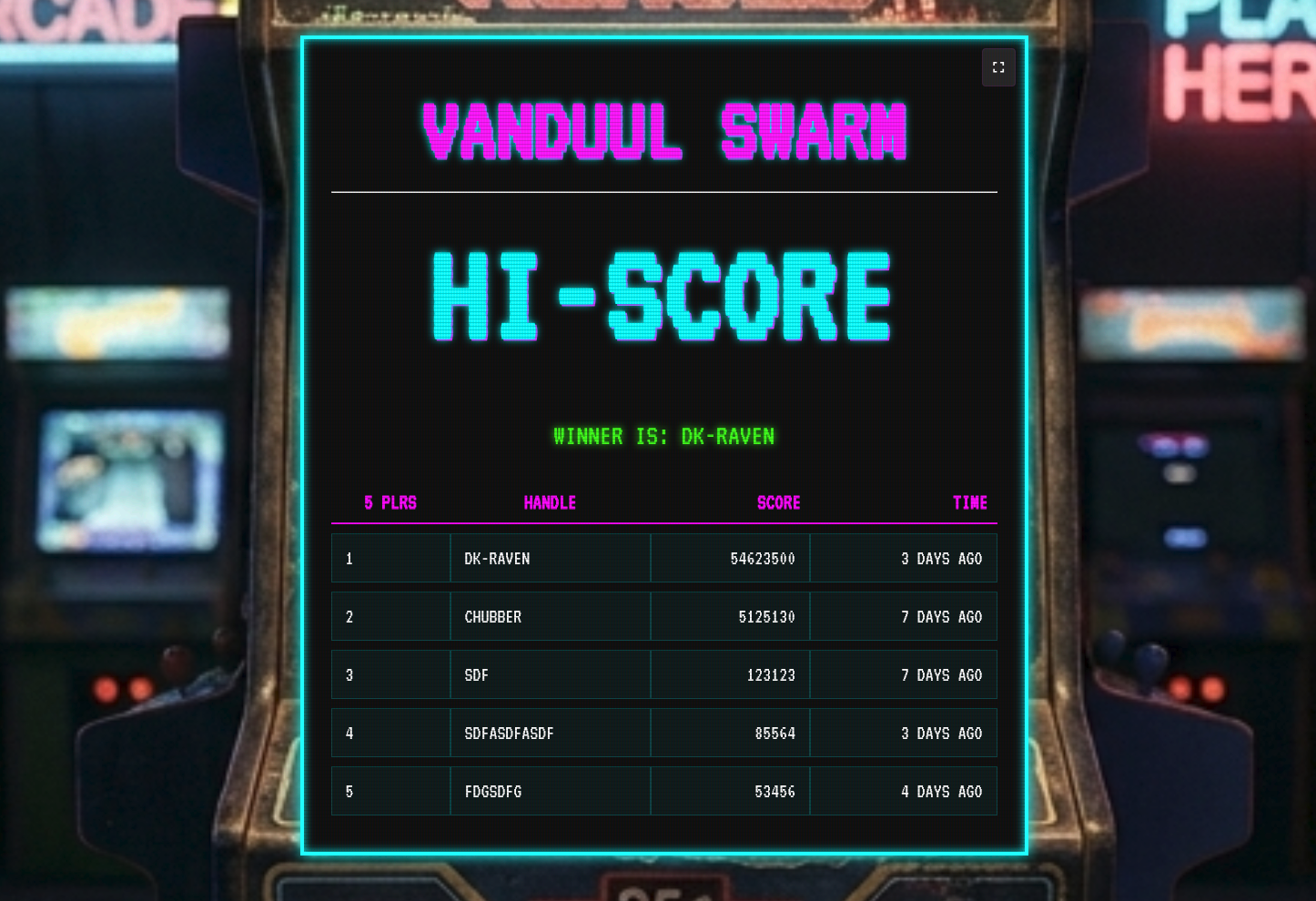 Examples:
-
Event management screen
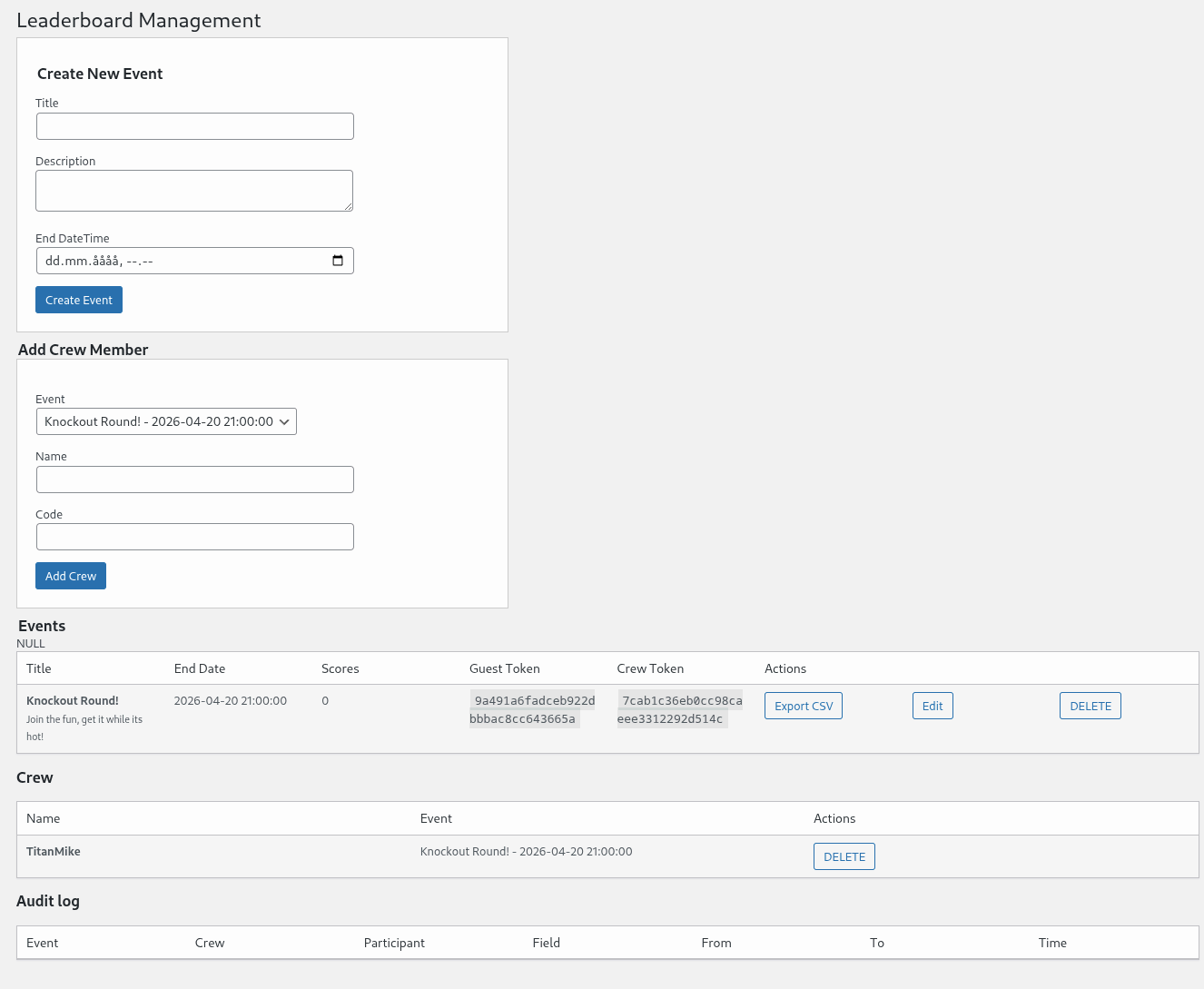
-
Guest registration view
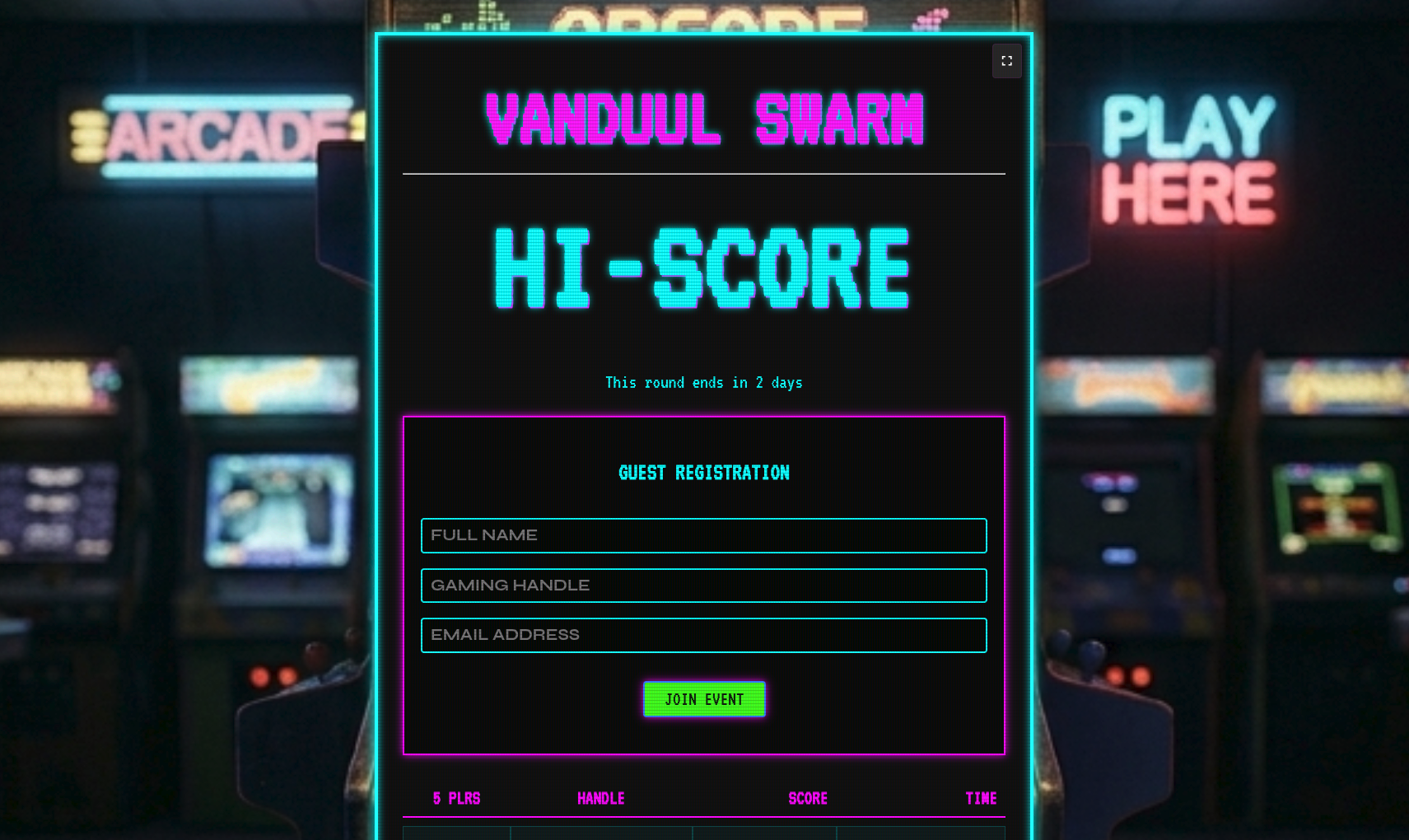
-
Crew login view
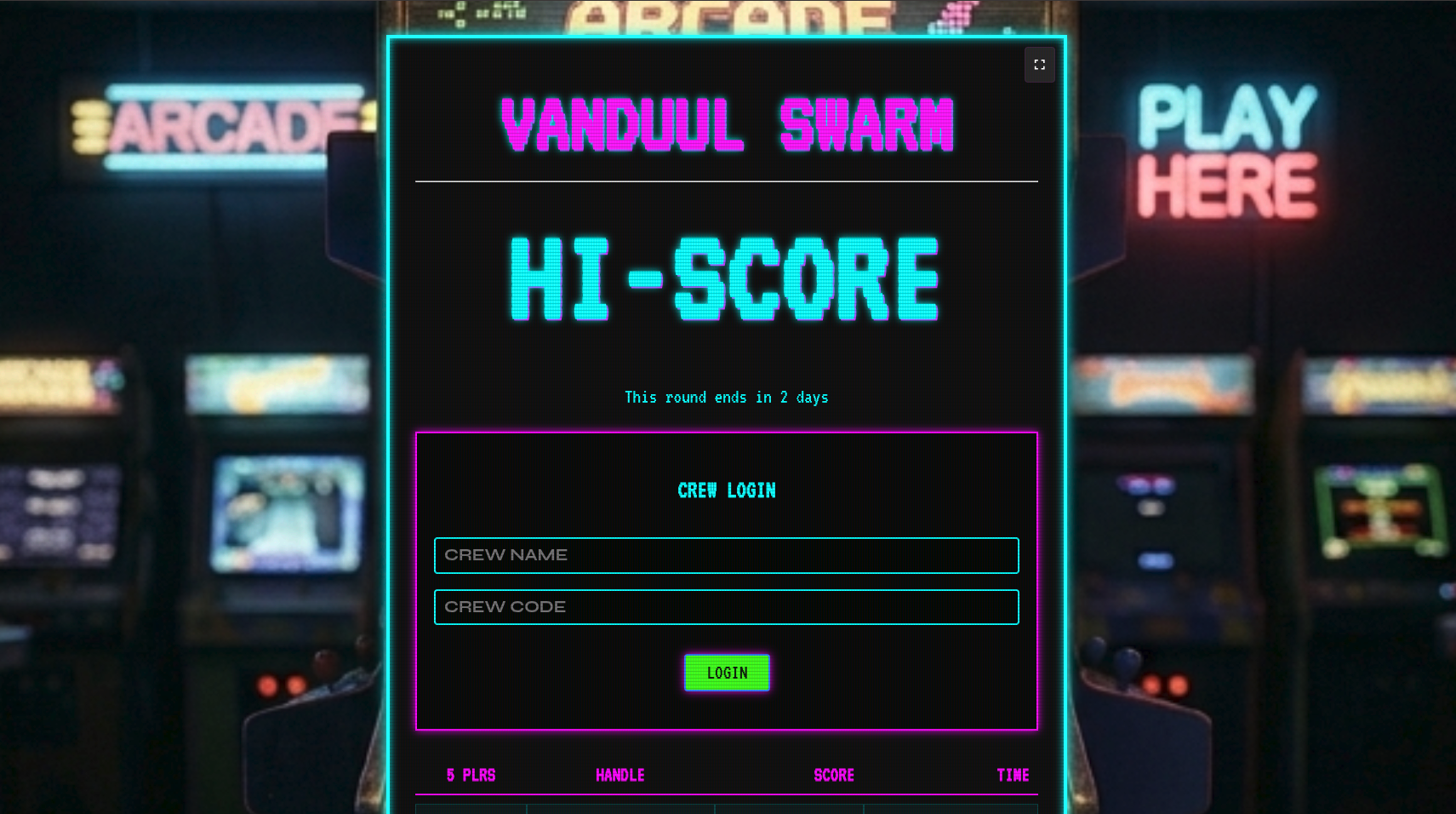
-
Crew edit view
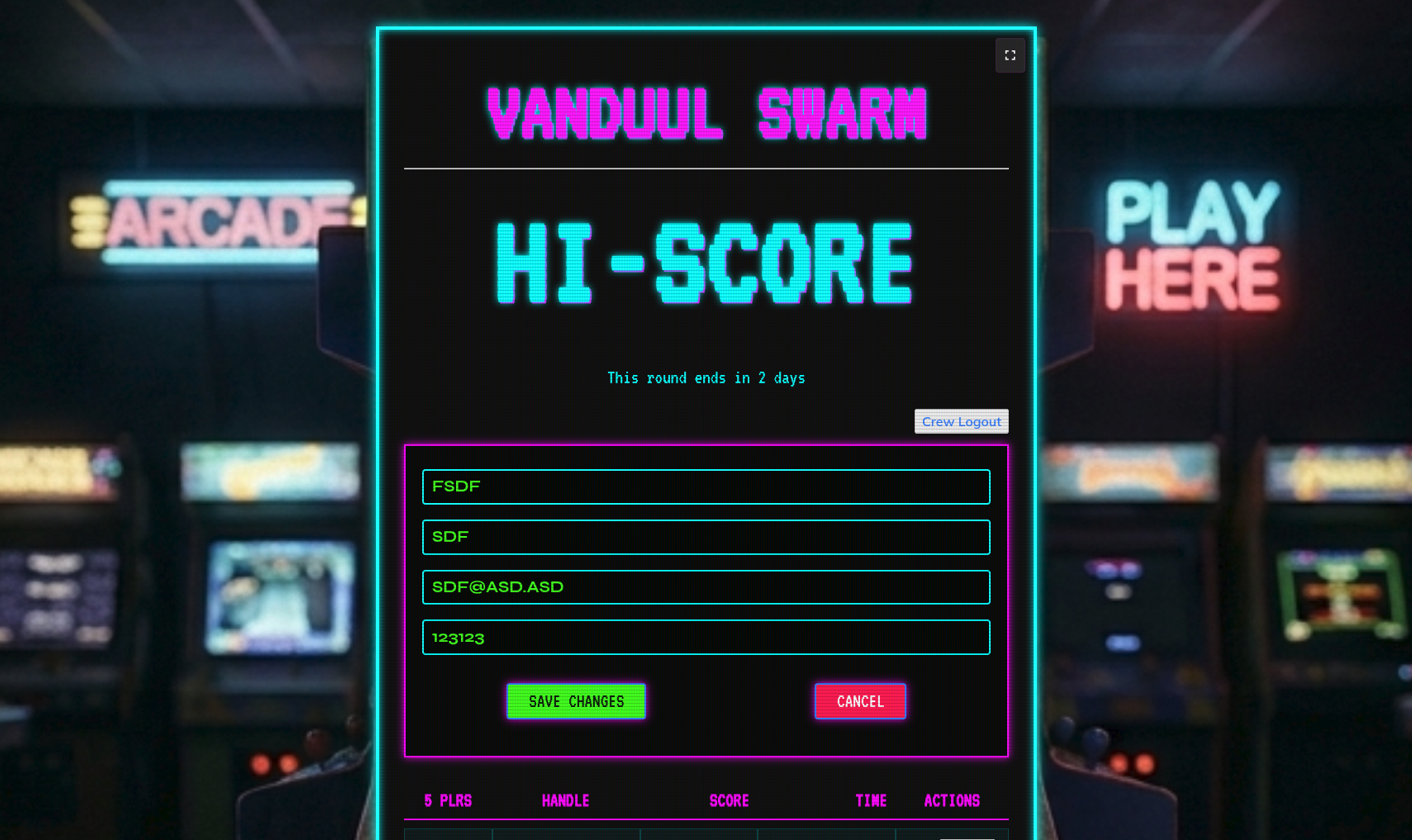
-
Live scoreboard fullscreen
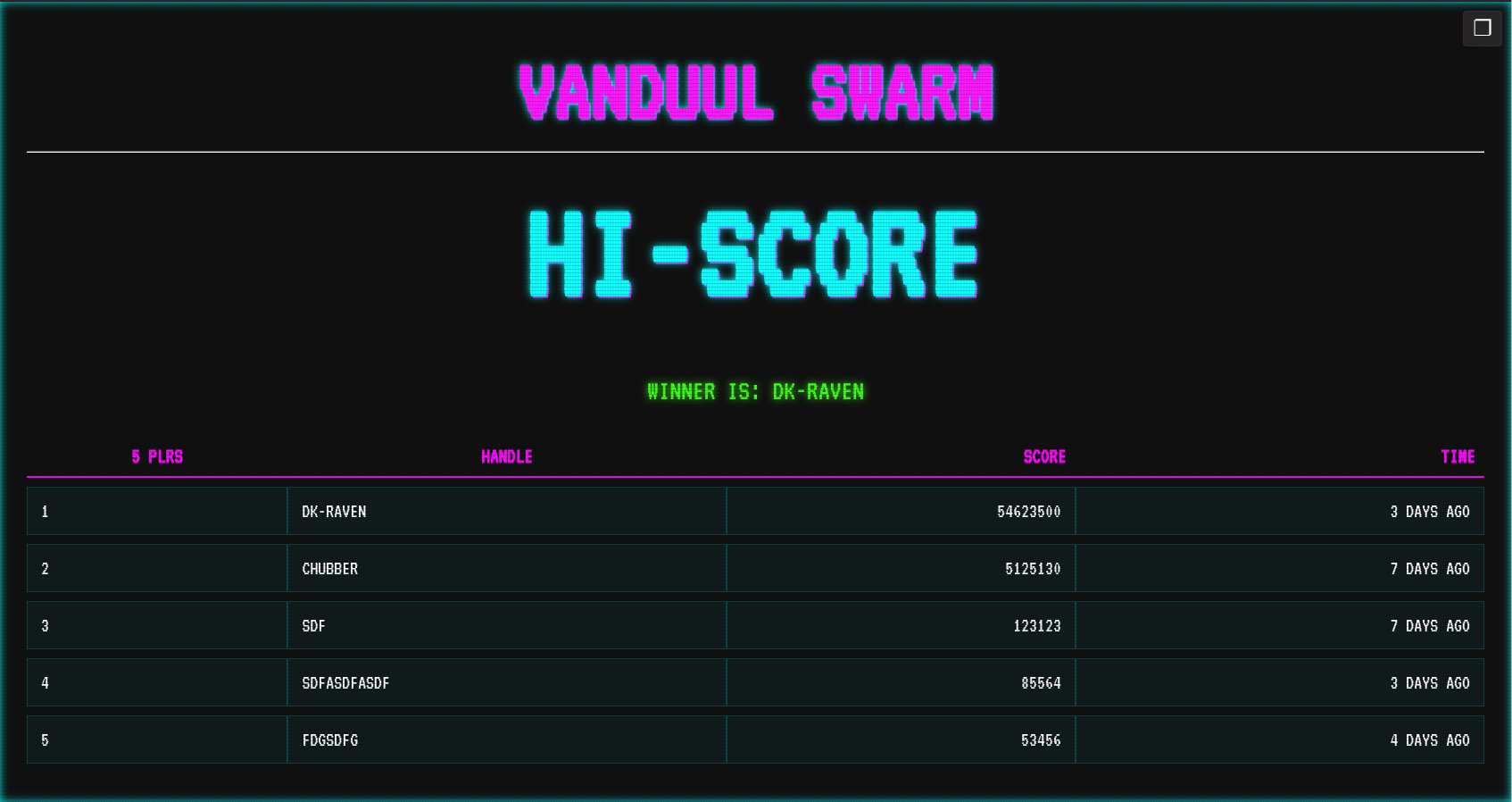
-
Mobile friendly
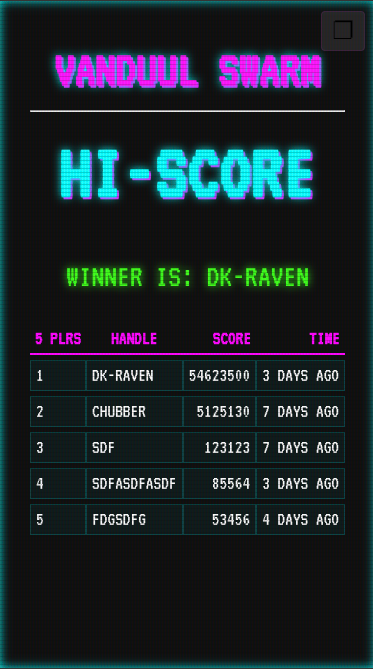
Installation
Option 1: Install from ZIP
- Download the plugin ZIP file
- In WordPress admin, go to Plugins → Add New → Upload Plugin
- Upload the ZIP
- Activate the plugin
Option 2: Manual installation
- Upload the plugin folder to:
wp-content/plugins/- Activate it from the Plugins screen in WordPress
Quick start
- Activate the plugin
- Go to the Leaderboard menu in the WordPress admin
- Create a new event
- Share the appropriate access tokens with staff or participants
- Add the leaderboard to a page using the shortcode
- Open that page on a screen for live display
How it works
The plugin uses a simple event workflow:
- Create an event in the WordPress admin
- Share guest access if participants need to register
- Share crew access with staff who will manage scores
- Embed the leaderboard on a page with the shortcode
- Display it live on a monitor or projector
Guest mode
Guest mode is for participants. They can enter:
- their name
- their gaming handle
- their email address
Crew mode
Crew mode is for staff. They can:
- log in with crew credentials
- edit participant information
- enter or update scores
- see changes reflected in real time
Shortcode
Use the shortcode on any WordPress page or post:
[leaderboard event="Your Event Name"]Replace Your Event Name with the exact title of the event you created in the admin panel.
Optional display controls
If you want the leaderboard to take over the screen, place it on a dedicated page and open it in full-screen mode.
Frequently asked questions
Can I use this for a live event display?
Yes. It is designed specifically for live event presentation, especially on large displays.
Does it refresh automatically?
Yes. The leaderboard updates live without requiring manual page reloads.
Can I export results?
Yes. You can export event scores as CSV for spreadsheets, backups, or post-event reporting.
Does it support translations?
Yes. The plugin is translation-ready.
Is it good for retro-themed events?
Absolutely. The styling is intentionally built around an arcade and CRT-inspired look.
Requirements
- WordPress
- PHP
- A browser for the live leaderboard display
Development notes
If you're planning to contribute or customize:
- keep the retro visual identity intact
- test on both desktop and large display setups
- check the leaderboard in narrow and wide layouts
- verify guest and crew flows during a test event
License
GPLv3
Author
Ulrich Dahl
GitHub: ulrichdahl
If you'd like, I can also make this into a more “GitHub-ready” README with:
- badges
- a cleaner project intro
- installation notes for releases
- a contribution section
- a changelog section
- screenshot captions and placeholders
Releases
2 releases. Each count is every asset in that release; expand a row for the breakdown.