Tsugawa YT Insights WP Registry grade A. No security issues foundWP RegistryNo security issues foundOpen the reportA
Tsugawa YT Insights is a WordPress plugin that combines YouTube Data API and YouTube Analytics API to help creators discover channel performance patterns.
Install
Upload it under Plugins → Add New Plugin → Upload Plugin, then activate.
Install straight from GitHub with WP-CLI:
wp plugin install https://github.com/tsugawatv/tsugawa-yt-insights/releases/download/v1.0.2/tsugawa-yt-insights.zip日本語ドキュメントは下部にあります (Japanese version is below)
Tsugawa YT Insights is a WordPress plugin that combines the YouTube Data API and Analytics API, allowing creators and bloggers to intuitively analyze their channel data. No data analysis expertise or complex configurations are required.

- Official Plugin Page: https://tsugawa.tv/plugins/tsugawa-yt-insights/en/
- Completely Free: Use it freely and with peace of mind.
🎯 Who is this for?
Tsugawa YT Insights is designed for creators who want to understand their long-term YouTube performance patterns.
Recommended for:
✓ You have published 100+ videos
✓ You want to review your past posting patterns
✓ You find it difficult to discover trends using YouTube Studio alone
✓ You want to know which posting times perform better
📸 Screenshots
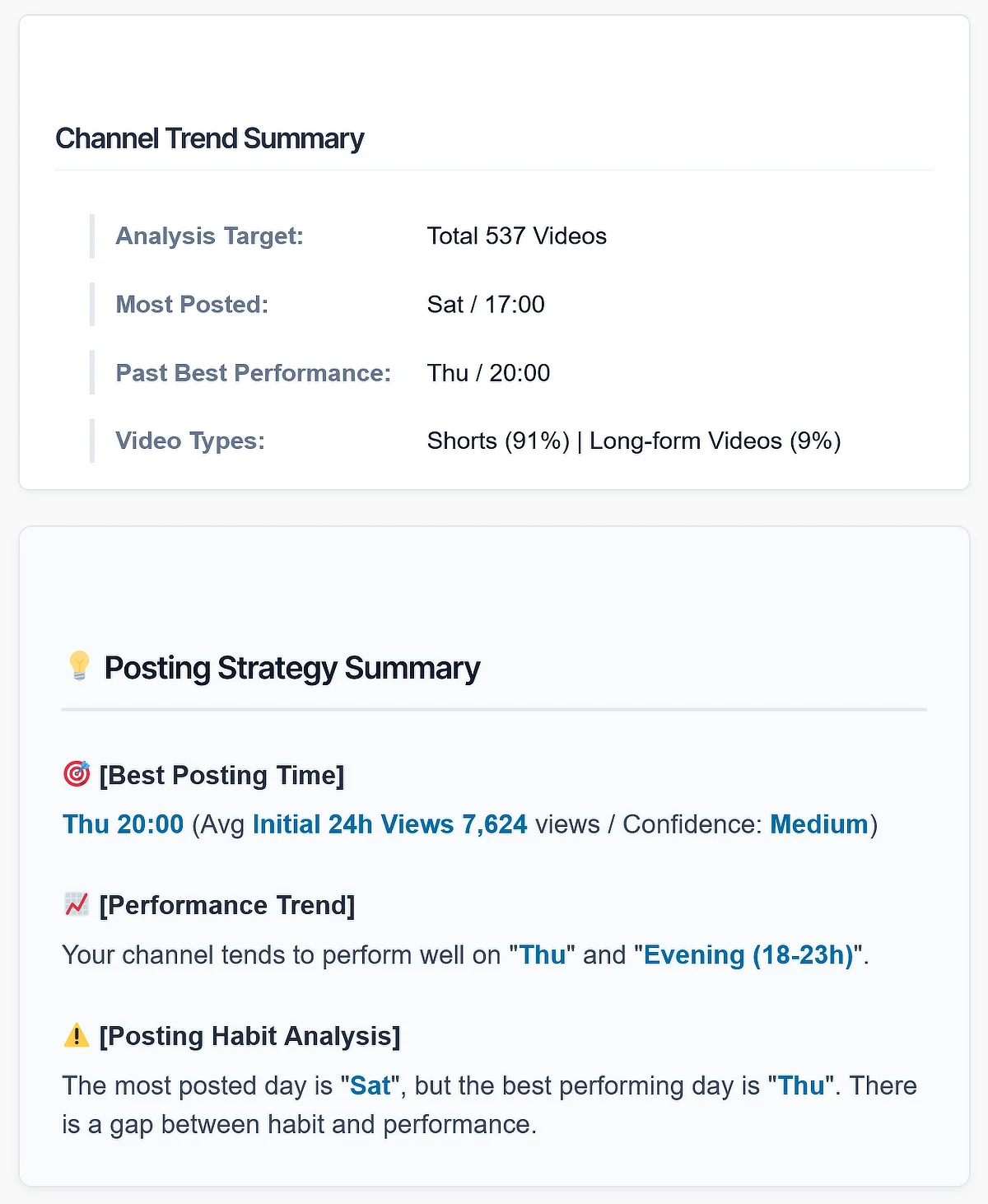
Channel Trend Summary and Posting Strategy Summary
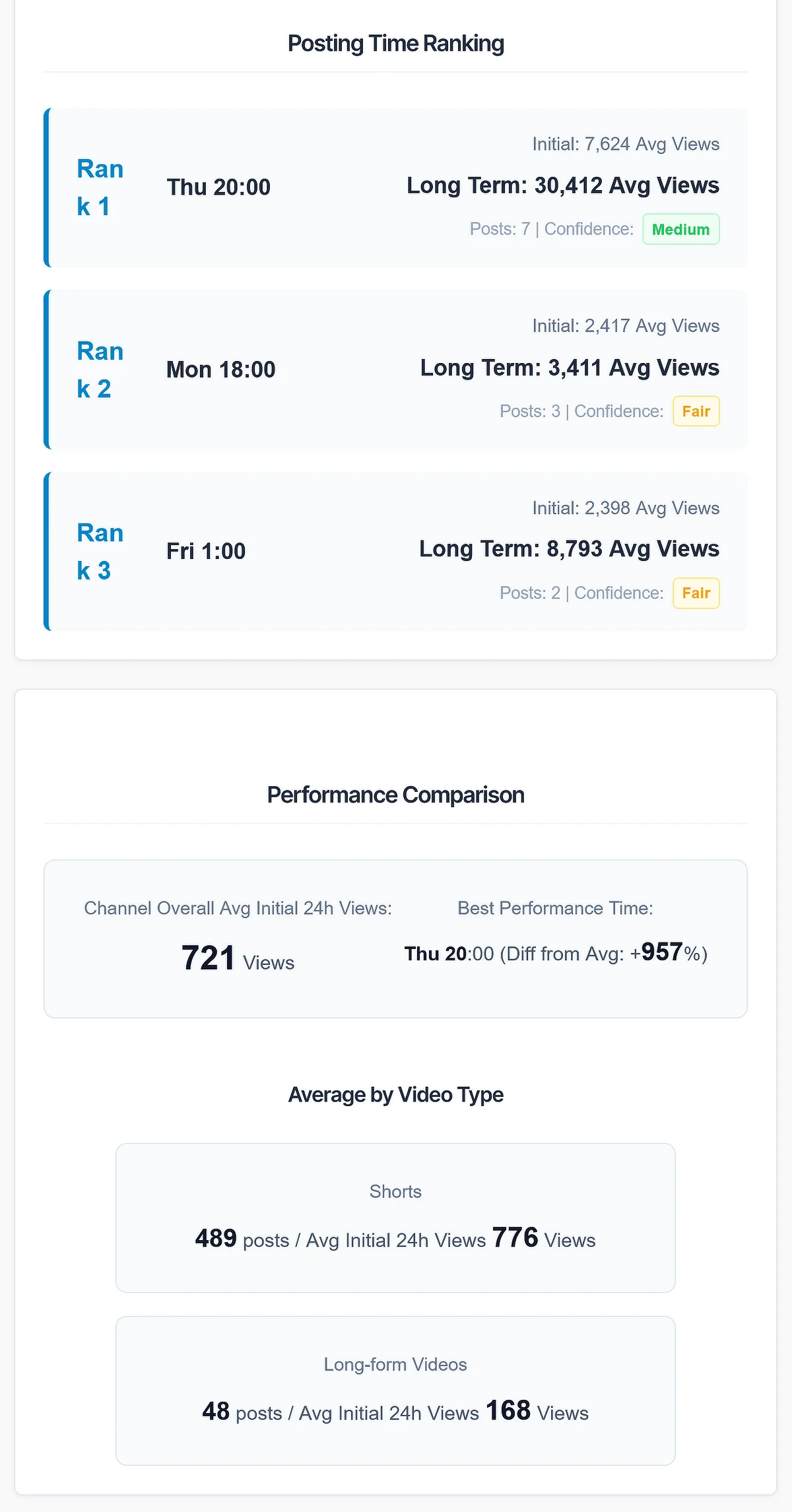
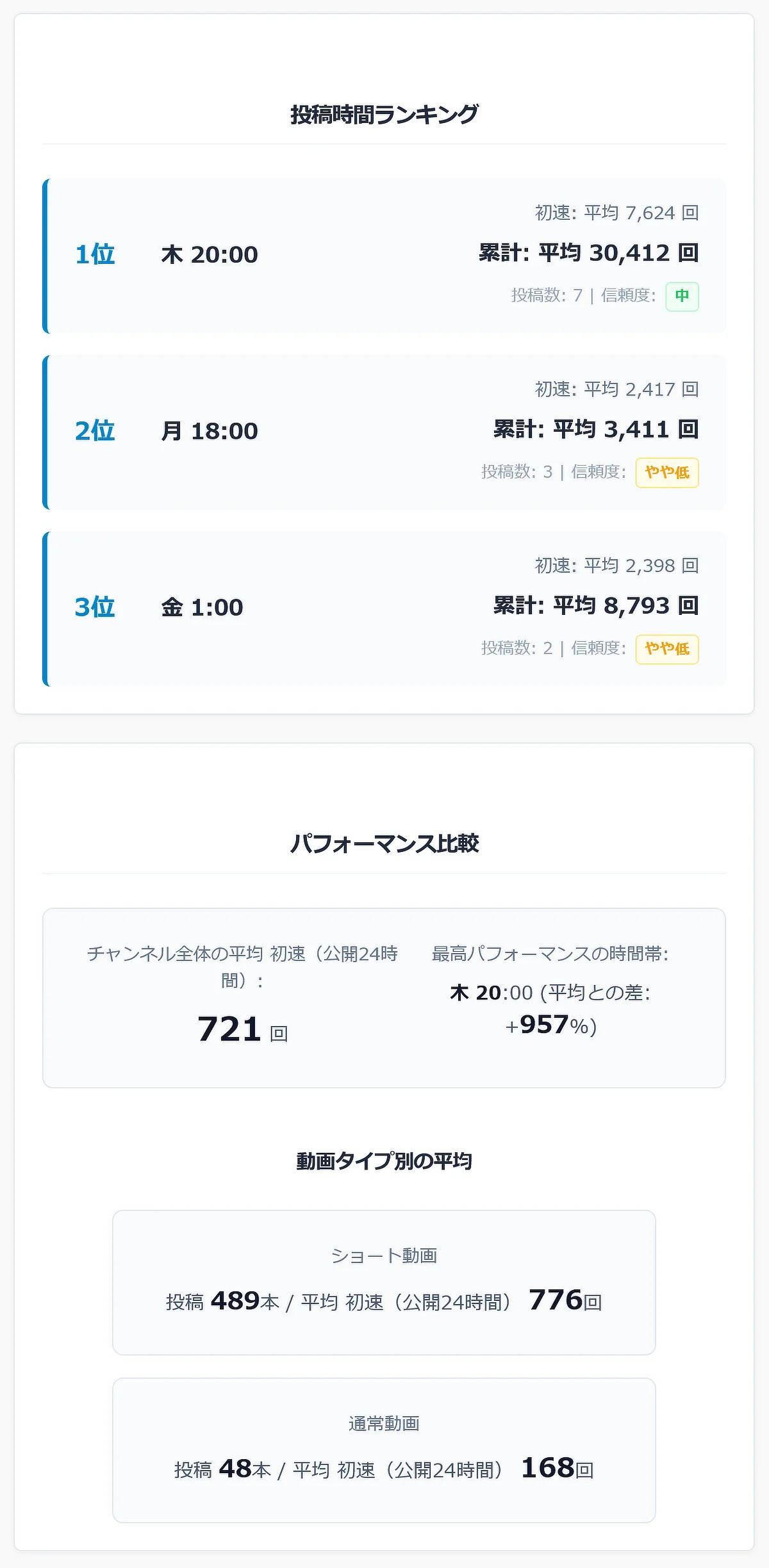
Posting Time Ranking and Performance Trend
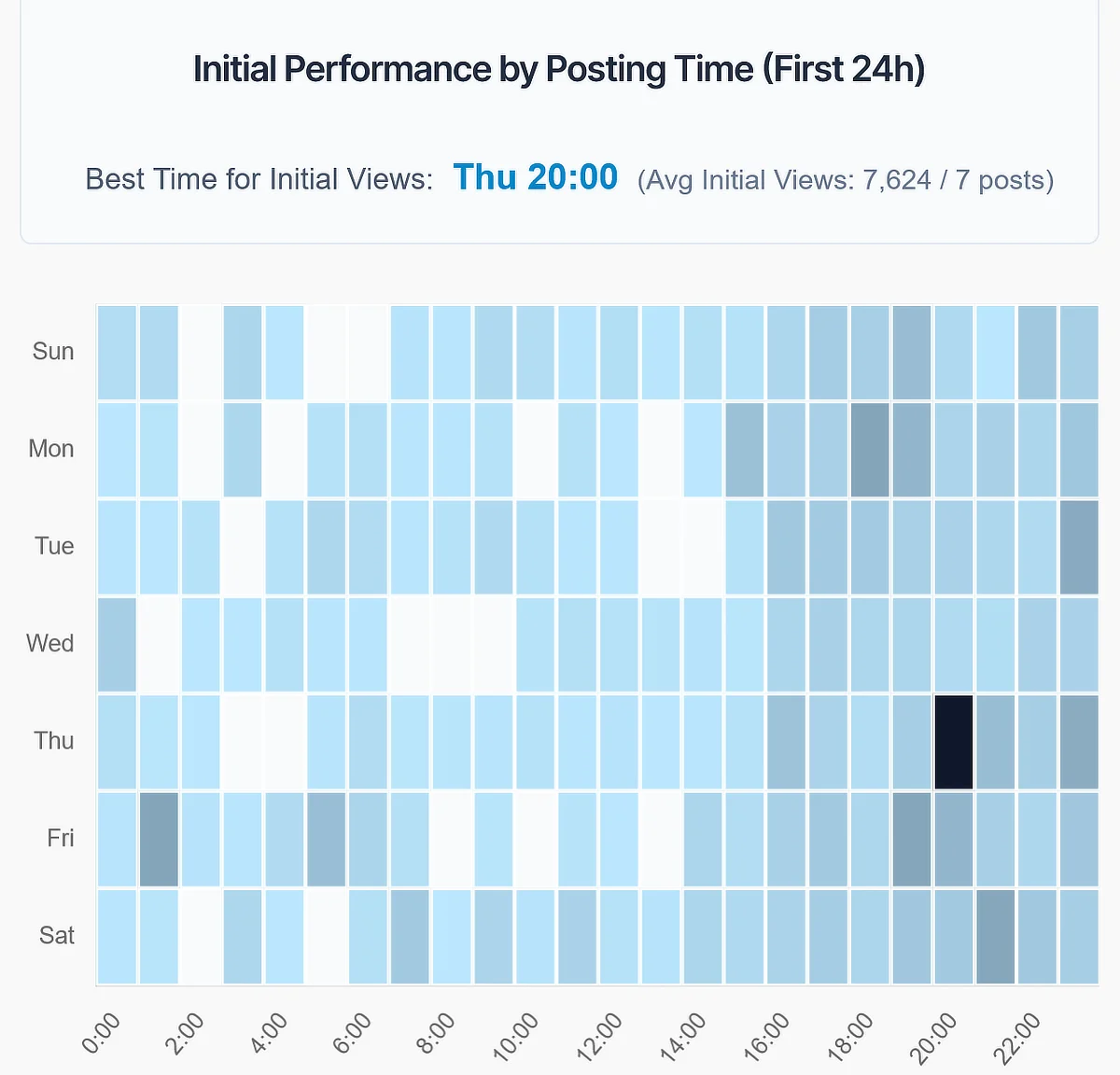
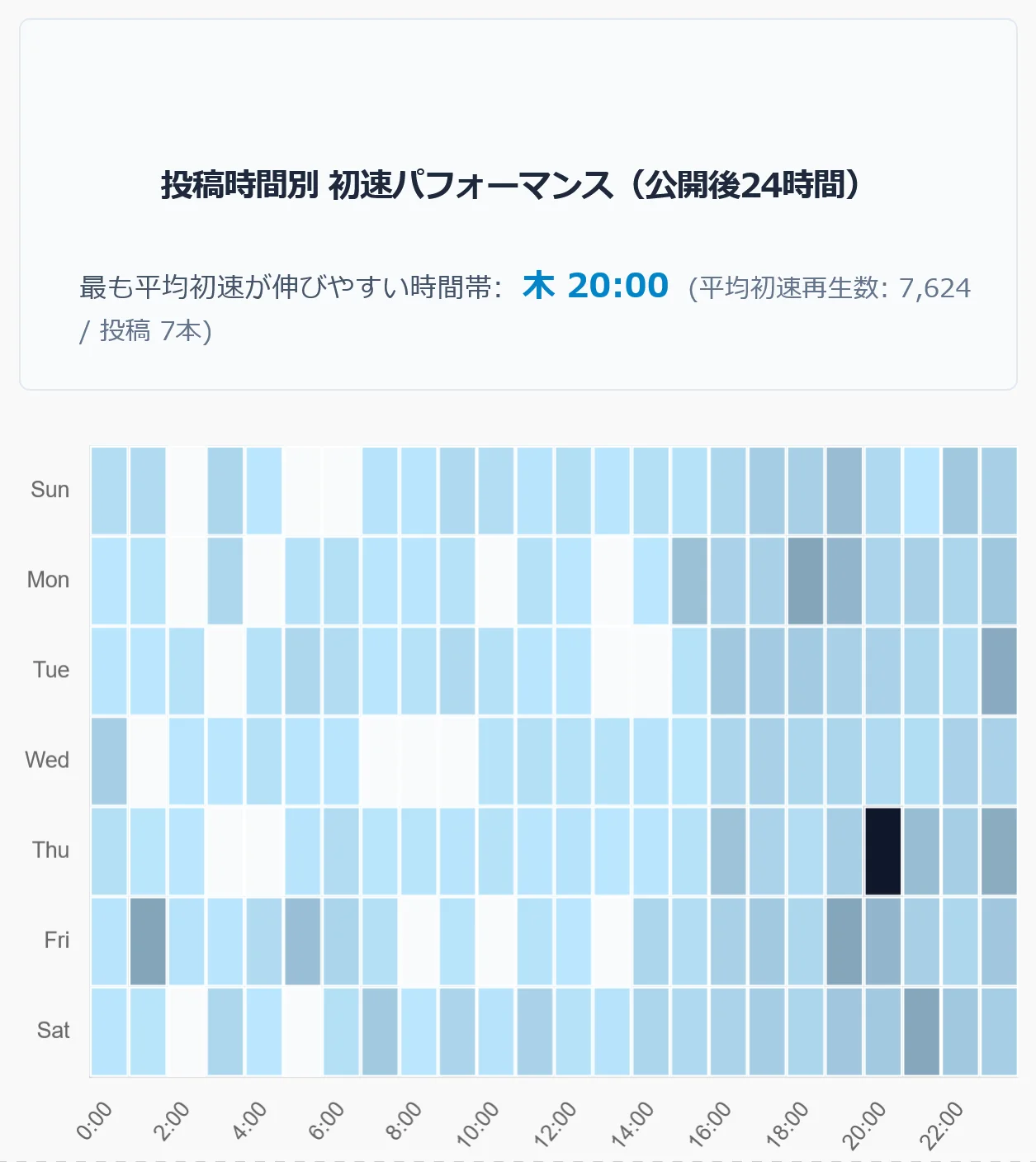
Performance by Posting Time and Heatmap
🌟 Key Features
- Powerful Analytics: Combines the Data API (public data) and Analytics API (detailed private data) to gain deep insights into audience trends.
- Clean Web Standards: Designed with clean web standards and compatibility in mind. It operates safely without conflicting with your existing WordPress theme.
- Automated Onboarding: Automatically generates an "Initial Setup Guide" that even beginners won't get lost in. Simply follow the on-screen instructions to complete the API integration.
- Frontend Complete: No need to navigate through complex admin menus. Just place the shortcode
[tsugawa_yt_insights_app]to deploy a sophisticated analytics dashboard anywhere on your site.
🚀 Installation
- Go to the Releases page on GitHub.
- Download the latest
tsugawa-yt-insights.zip. - Log in to your WordPress admin dashboard and navigate to Plugins > Add New > Upload Plugin.
- Select the downloaded ZIP file and click "Install Now".
- After installation, click "Activate Plugin".
- Follow the instructions in the automatically generated "Tsugawa YT Insights Initial Setup Guide" to configure your API integration.
📥 Important Notes on Download and Installation
- When downloading from the Releases page, make sure to select
tsugawa-yt-insights.zip. Do not useSource code (zip)orSource code (tar.gz)as they contain development files and will not work correctly. - Accessing the Initial Setup Guide The "Initial Setup Guide" page, automatically generated upon plugin activation, is set to "Private" status for security reasons. You must be logged in as an administrator to view it (accessing it from a different browser or mobile device while logged out will result in a 404 error).
⚙️ Requirements
- WordPress 6.0+
- PHP 7.4+
- Google Cloud project
- YouTube Data API access
- (Optional) YouTube Analytics API OAuth access
📊 Data Access Levels
Basic Analysis
Uses YouTube Data API.
- Video list
- Views
- Published dates
- Channel statistics
Advanced Analysis
Uses YouTube Analytics API OAuth.
- First 24h performance
- Audience-related data
- Detailed insights
⚠️ Important Security Notice
The API Key and OAuth Client ID required to use this plugin are critical credentials linked to your Google account. NEVER do the following:
- Expose the keys in screenshots for blog tutorials.
- Show the keys in YouTube tutorial videos.
- Share the keys with third parties.
[!CAUTION] If your credentials are leaked, third parties may misuse your API. Please handle them with the utmost care.
❓ FAQ
Is OAuth required?
No. Basic analysis works with API Key and Channel ID. OAuth unlocks advanced analytics.
Is my data sent anywhere?
No. Data is fetched directly from YouTube APIs.
Can I use it on a multilingual site?
Yes. The plugin supports WordPress translation files.
📄 License
This project is licensed under the GPL v2 or later.
🇯🇵 Japanese (日本語)
Tsugawa YT Insights は、YouTube Data API と Analytics API を融合させ、クリエイターやブロガーが直感的にチャンネルデータを分析できるWordPressプラグインです。データ分析の専門知識や複雑な設定は一切不要です。
- 公式プラグインページ: https://tsugawa.tv/plugins/tsugawa-yt-insights/
- 完全無料: 安心して自由にご利用いただけます。
🎯 こんな方におすすめ
Tsugawa YT Insights は、YouTubeチャンネルの過去データから、投稿パターンや成長傾向を分析したいクリエイター向けのプラグインです。
✓ 動画を100本以上投稿している
✓ 過去の投稿パターンを見直したい
✓ YouTube Studioだけでは傾向が分かりにくい
✓ 投稿時間や動画タイプごとの違いを分析したい
📸 スクリーンショット
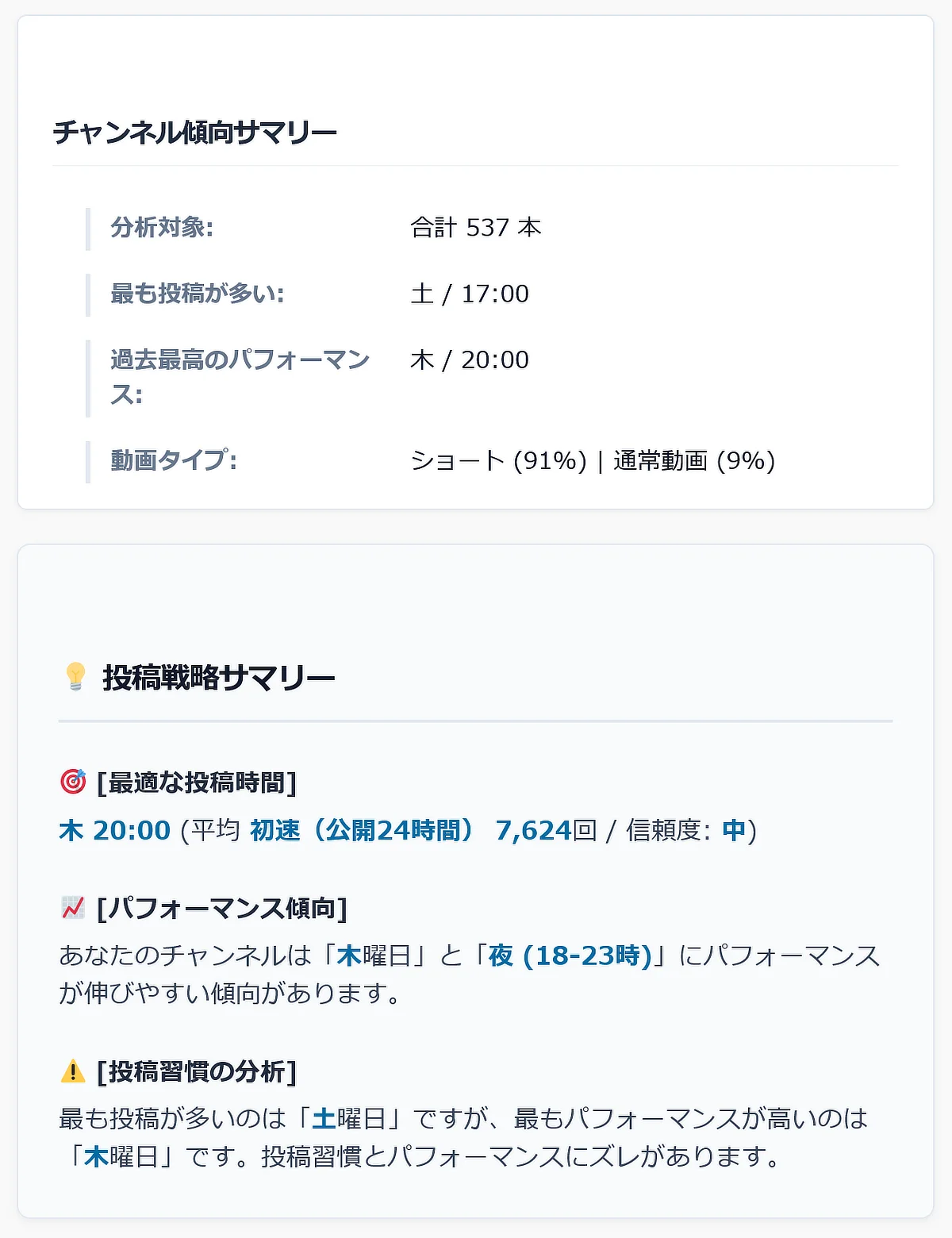
チャンネル傾向サマリーと投稿戦略サマリー
投稿時間ランキングとパフォーマンス比較
投稿時間帯別パフォーマンスとヒートマップ
🌟 主な特徴
- 圧倒的な分析力: Data API(公開データ)と Analytics API(詳細なプライベートデータ)を組み合わせ、視聴者の動向を深く理解できます。
- クリーンなWeb標準: Tsugawa.TV が提唱する「DOMハックに頼らない堅牢な設計」を採用。お使いのWordPressテーマと競合せず、安全に動作します。
- 自動オンボーディング: 初心者でも迷わない「初期セットアップガイド」を自動生成。画面の案内に従うだけで、誰でも簡単にAPI連携が完了します。
- フロントエンド完結: 管理画面の複雑なメニューを行き来する必要はありません。ショートコード
[tsugawa_yt_insights_app]を配置するだけで、どこでも洗練された分析ダッシュボードを展開できます。
🚀 インストール方法
- GitHubの Releases ページにアクセスします。
- 最新の
tsugawa-yt-insights.zipをダウンロードします。 - ご自身のWordPress管理画面にログインし、「プラグイン」 > 「新規追加」 > 「プラグインのアップロード」 へ進みます。
- ダウンロードした ZIPファイル を選択し、「今すぐインストール」をクリックします。
- インストール完了後、「プラグインを有効化」をクリックします。
- 自動生成される「Tsugawa YT Insights 初期セットアップガイド」の案内に従い、APIの連携設定を行ってください。
📥 ダウンロードとインストールに関するご注意
- Releasesページからダウンロードする際、必ず
tsugawa-yt-insights.zipを選択してください。Source code (zip)やSource code (tar.gz)は開発用ファイルが含まれており使用できません。 - 初期セットアップガイドの閲覧について プラグイン有効化時に自動作成される「初期セットアップガイド」のページは、安全のため「非公開(Private)」ステータスで作成されます。閲覧にはWordPressへの管理者ログインが必要です(ログアウト状態の別ブラウザやスマホからアクセスすると404エラーになりますのでご注意ください)。
⚙️ システム要件
- WordPress 6.0+
- PHP 7.4+
- Google Cloud プロジェクト
- YouTube Data API の利用設定
- (詳細な分析用) YouTube Analytics API OAuth 認証
📊 データアクセスレベル
基本分析
YouTube Data API を使用します。
- 動画リスト
- 再生回数
- 公開日
- チャンネル統計
高度な分析
YouTube Analytics API OAuth を使用します。
- 最初の 24 時間のパフォーマンス
- 視聴者関連データ
- 詳細な分析
⚠️ セキュリティに関する重要なお願い
当プラグインの利用に必要な 「API Key」 や 「OAuth Client ID」 は、あなたのGoogleアカウントに紐づく重要な認証情報です。 以下の行為は絶対におやめください。
- ブログ記事での手順解説でのスクリーンショットへの写り込み
- YouTubeの解説動画内でのキーの露出
- 他者へのキーの共有
[!CAUTION] 認証情報が漏洩すると、第三者にAPIを不正利用される恐れがあります。取り扱いには十分ご注意ください。
❓ よくある質問
OAuthは必須ですか?
いいえ。基本的な分析はAPIキーとチャンネルIDで行えます。OAuthを使用すると、より高度な分析が可能になります。
データはどこかに送信されますか?
いいえ。データはYouTube APIから直接取得されます。
多言語サイトで使用できますか?
はい。このプラグインはWordPressの翻訳ファイルに対応しています。
📄 ライセンス
このプロジェクトは GPL v2 or later の元にライセンスされています。
Releases
3 releases. Each count is every asset in that release; expand a row for the breakdown.