Install
Upload it under Plugins → Add New Plugin → Upload Plugin, then activate.
Install straight from GitHub with WP-CLI:
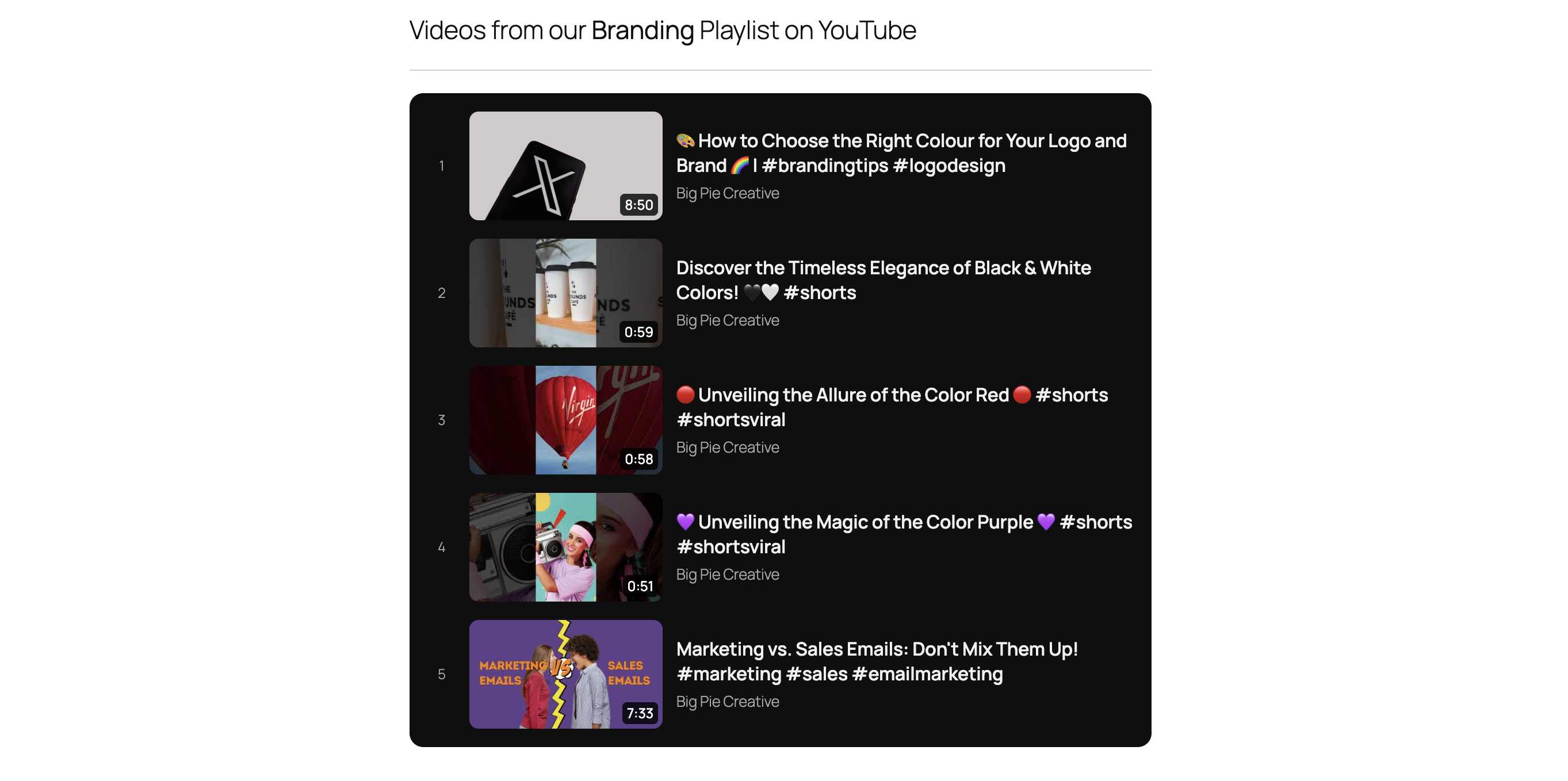
wp plugin install https://github.com/toyinsoladev-netizen/youtube-playlist-list-block/releases/download/v1.0.0/playlist-list-block.zipA tiny Gutenberg block that displays a YouTube playlist as a clean, numbered list: thumbnail, title, channel and duration. Enter the playlist ID and you're done.
Features
- Live editor preview (rendered by the same PHP as the front end)
- Paste a playlist ID or the full playlist URL
- Dark (default) and light block styles
- Duration, UPCOMING and LIVE badges
- Every row links to the video inside the playlist
- Cached for 1 hour (filter: plb_cache_ttl)
- No build step, no npm, no third-party libraries
Requirements
- WordPress 6.3+
- PHP 7.4+
- A free YouTube Data API v3 key
Installation
- Download playlist-list-block.zip from the latest release.
- In WordPress, go to Plugins > Add New > Upload Plugin, choose the zip and click Install Now, then Activate.
- Go to Settings > YouTube Playlist and paste your API key.
- Add the YouTube Playlist List block and enter a playlist ID.
Note: Don't use GitHub's green "Code > Download ZIP" button. It creates a folder named
youtube-playlist-list-block-master, which doesn't match the plugin folder name. Always use the zip from the Releases page.
Getting an API key
- Open the Google Cloud console and create (or pick) a project.
- Enable "YouTube Data API v3".
- Create an API key under Credentials. Restrict it to the YouTube Data API.
Keeping the key out of the database (optional)
Add this to wp-config.php:
define( 'PLB_API_KEY', 'your-api-key' );Quota
A playlist request costs 1 unit; showing durations adds 1 more. With the default 10,000 units/day and 1-hour caching this is rarely a concern.
Privacy and YouTube terms
The server sends the playlist ID and your API key to the YouTube Data API. Visitors' browsers load thumbnails from i.ytimg.com. By using this plugin you agree to the YouTube Terms of Service and the Google Privacy Policy.
Development
There is no build step. Edit the files and reload.
- playlist-list-block.php: registration, API calls, caching, rendering, settings page
- block.json: block metadata
- assets/editor.js: editor UI (plain JS, no JSX)
- assets/style.css: front-end and editor styles
Releasing
- Bump the version in playlist-list-block.php, readme.txt and README.md.
- Commit, then tag: git tag v1.0.0 && git push --tags
- The GitHub Action builds playlist-list-block.zip (dev files excluded via .gitattributes) and attaches it to the release.
License
GPL-2.0-or-later. See LICENSE.
Releases
1 release. Each count is every asset in that release; expand a row for the breakdown.