TLDers Domain Prices
WordPress plugin: domain price comparison from 145+ registrars with your own affiliate links: block, sidebar widget, shortcodes and search box.
by TLDers · github.com/tlders/tlders-domain-prices-wordpress · website
Install
No release zip yet. The repository archive installs, but the folder name will carry the branch suffix and updates will not flow:
wp plugin install https://github.com/tlders/tlders-domain-prices-wordpress/archive/refs/heads/main.zipTLDers Domain Prices for WordPress
Add domain price comparison to your WordPress site and earn affiliate commissions with your own registrar links. Prices for register, renew and transfer come from TLDers, which tracks 145+ registrars and 1,100+ extensions and refreshes daily.
- Your affiliate links. Paste your link for each registrar you've joined. Every Buy button for that registrar uses it.
- A block, a widget and shortcodes. Put prices in posts, pages, sidebars and block-theme widget areas.
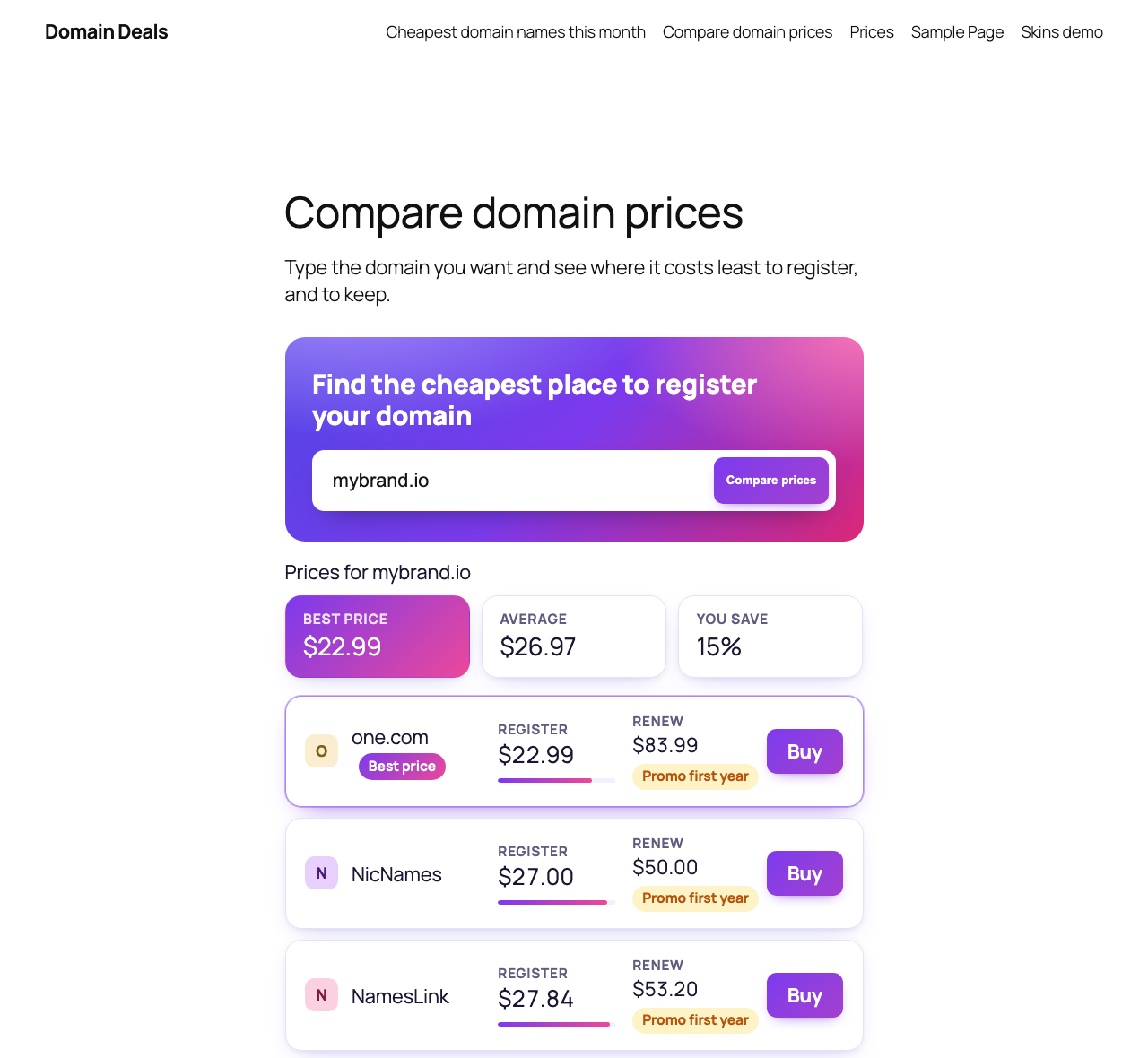
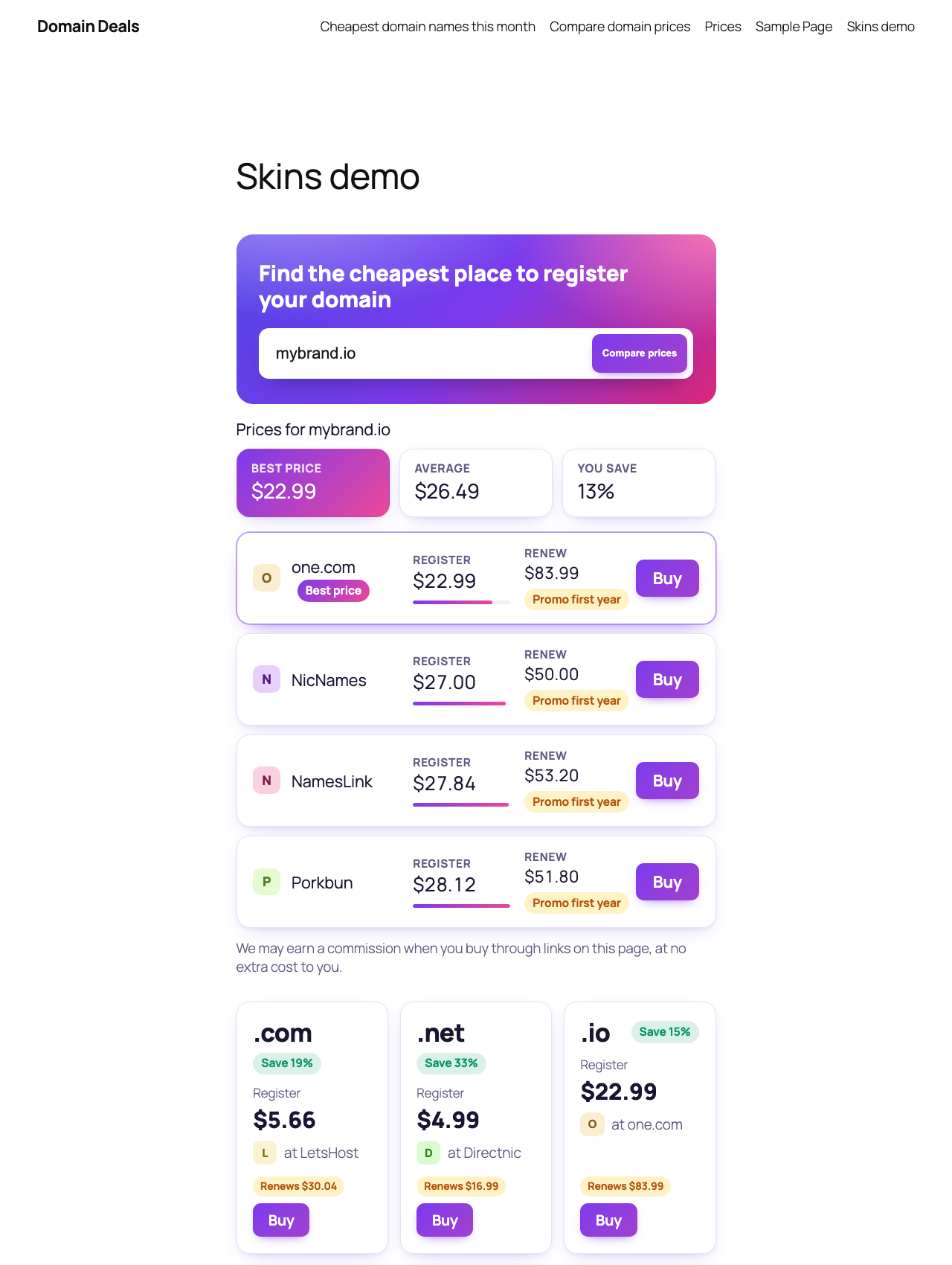
- A domain search box. Visitors type
mybrand.comand see where it's cheapest to register. - Any currency. Show prices in INR, EUR or any other currency at your own rate.
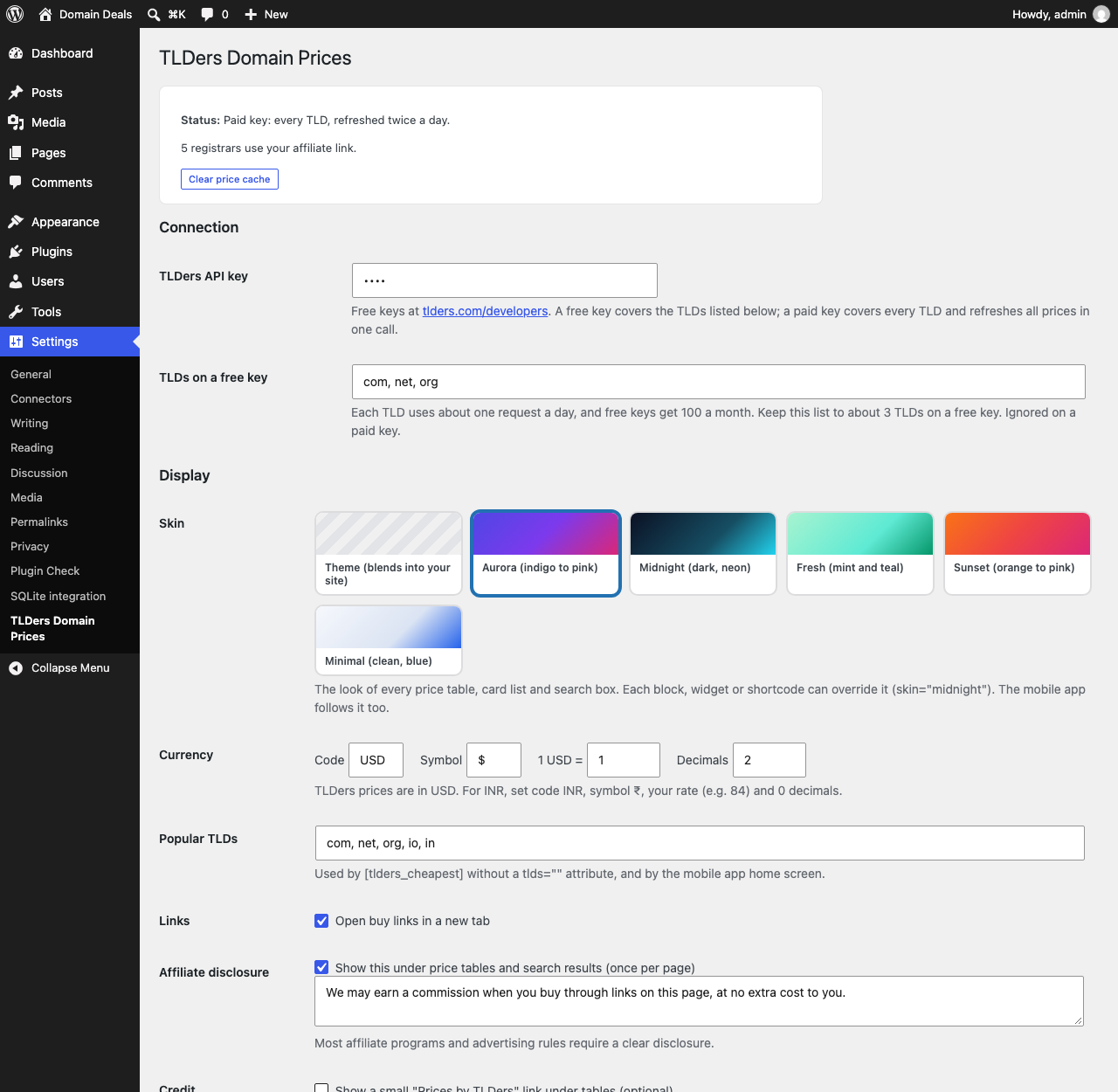
- Six skins. Theme (blends into your site), Aurora, Midnight, Fresh, Sunset and Minimal, set site-wide or per block.
- Interactive. Instant Register/Renew/Transfer sorting, list or grid view, filter as you type, "Show all", and live search results as visitors type (all still work without JavaScript).
- Smart extras. Registrar avatars, a "Best price" badge, savings against the average, price bars and promo-renewal warnings.
- Fast. Prices are cached on your server and refreshed in the background twice a day.
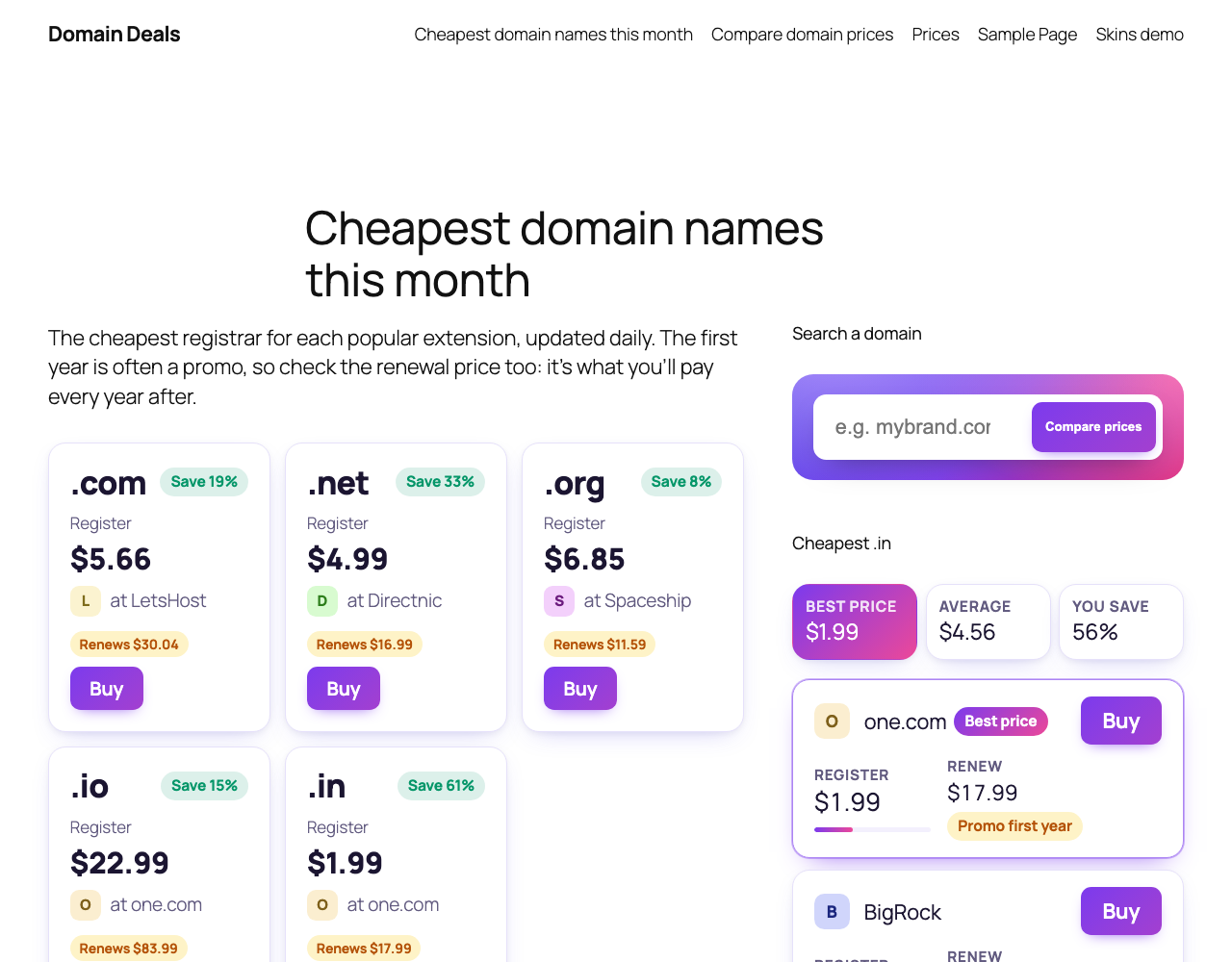
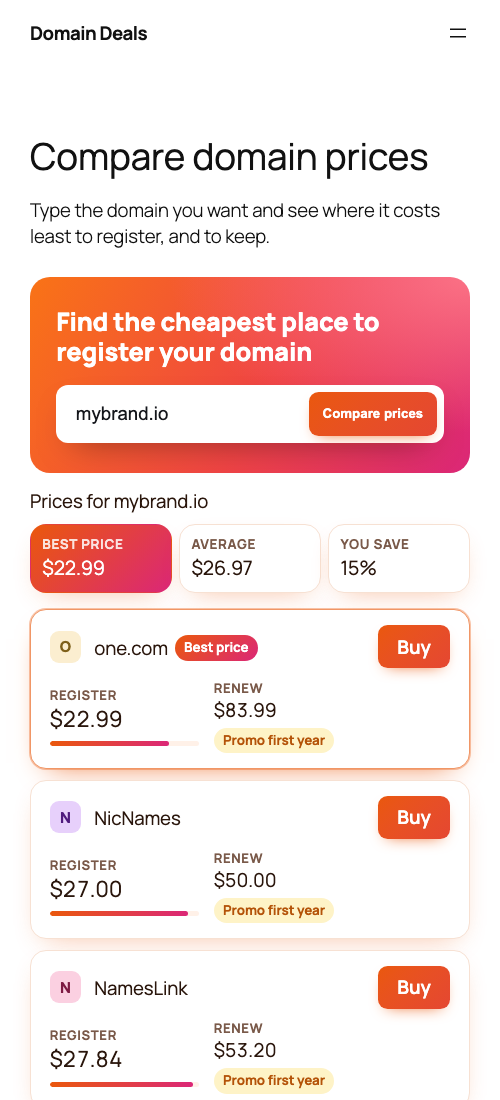
| Domain search (Aurora) | Extension cards + sidebar | On phones (Sunset) |
|---|---|---|
 |
 |
 |
| Settings and skin picker | Mixing skins (Aurora + Midnight) |
|---|---|
 |
 |
Install
From WordPress: go to Plugins → Add New, search for TLDers Domain Prices, then click Install and Activate.
From GitHub: download the latest zip from Releases,
then go to Plugins → Add New → Upload Plugin. You can also clone this repository into wp-content/plugins/tlders-domain-prices.
Then:
- Go to Settings → TLDers Domain Prices and paste your TLDers API key. Get one at tlders.com/developers.
- Under Your affiliate links, paste your link for each registrar you're signed up with.
- Add the Domain Prices block, the TLDers Domain Prices widget, or a shortcode.
Show prices
Block
In the block editor, add Domain Prices. It works in posts and pages, and in widget areas on block themes. In the block settings, choose what it shows:
| View | Shows |
|---|---|
| Domain search box | A search form; visitors see a price table for the domain they type |
| Cheapest price per extension | One row per extension with its cheapest registrar |
| Price table for one extension | Every registrar's register and renew price for, say, .io |
| Cheapest price for one extension | A single line like "$9.58 at Namecheap" |
Widget
Classic themes: Appearance → Widgets → TLDers Domain Prices, with the same four views.
To put a search box in a narrow sidebar, create a page with a full-width search
(block or [tlders_search]). Then pick that page as the widget's Search results
page: visitors search from the sidebar and see the results on that page.
Shortcodes
| Shortcode | Shows |
|---|---|
[tlders_price tld="com"] |
The cheapest price as a link. Options: type="renew", registrar="porkbun", show_registrar="no", link="no" |
[tlders_table tld="io" limit="10"] |
A registrar comparison table. Options: show="register,renew,transfer", domain="mybrand.io" |
[tlders_cheapest tlds="com,net,io"] |
The cheapest registrar per extension. Without tlds it uses your popular TLDs. Option: type="renew" |
[tlders_search] |
A search box with results. Options: limit="10", show="register,renew", page="12" (send results to page 12) |
Tables turn into compact cards in narrow spaces (phones and sidebars), so the Buy button is always visible.
Affiliate links
Each registrar row in the settings shows that registrar's plain search URL as a grey example. Turn it into your affiliate link the way that program tells you to, and put the placeholders where the searched domain goes:
| Placeholder | Becomes |
|---|---|
{domain} |
mybrand.com (or com when only an extension is shown) |
{sld} |
mybrand |
{tld} |
com |
Example for a program that takes a destination URL:
https://partner.example.net/c/123?u=https%3A%2F%2Fporkbun.com%2Fcheckout%2Fsearch%3Fq%3D{domain}Registrars you haven't added a link for are shown by default, linking through
tlders.com/go (TLDers may earn a commission on those clicks). To show only
registrars you have a link for, choose Hide them in the settings.
Every Buy link has rel="sponsored nofollow noopener". An editable affiliate disclosure
appears under price tables (once per page).
Free and paid API keys
| Free key | Paid key | |
|---|---|---|
| Extensions | The few you choose (default .com, .net, .org) | All 1,100+ |
| Requests | 100 a month (about 1 per extension per day) | One bulk refresh covers everything |
| Search box | Only your chosen extensions | Any domain |
The plugin is careful with a free key's quota. It caches each extension for a day, never looks up extensions outside your list, stops calling after a rate-limit response, and keeps showing the last known prices if TLDers can't be reached.
Mobile app API
Turn on Settings → TLDers Domain Prices → Mobile app API to serve the
TLDers white-label Android/iOS app from your site at /wp-json/tlders/v1.
The app only receives prices and your buy links; your API key stays on your server.
Skins and styling
| Skin | Look |
|---|---|
theme (default) |
Your theme's fonts and colours, subtle cards |
aurora |
Indigo → violet → pink gradients |
midnight |
Dark panel, neon cyan and lime |
fresh |
Mint and teal, rounded |
sunset |
Orange → pink gradients |
minimal |
Clean white cards, blue accent |
Choose the site-wide skin in Settings → TLDers Domain Prices → Display. Override it per block or widget
(the Skin option) or per shortcode: [tlders_table tld="io" skin="midnight"]. The mobile app follows the
site-wide skin (Theme becomes Minimal there).
Fonts come from your theme. To fine-tune colours, override these in your theme's CSS:
.tlders {
  --tlders-accent: #0f766e;      /* buttons */
  --tlders-accent-text: #fff;
  --tlders-border: rgba(127, 127, 127, 0.25);
  --tlders-best: rgba(15, 118, 110, 0.08);   /* cheapest row */
}
For developers
tlders_dp_client_optionsfilters the API client options (base,userAgent,ttl,freeTlds).- Settings are stored in the
tlders_dp_settingsoption. Cached prices are transients prefixedtlders_dp_, so a persistent object cache (Redis, Memcached) is used automatically. lib/is the TLDers PHP SDK (PHP 7.4+, no dependencies), bundled so the plugin needs no Composer.
Privacy and external services
The plugin calls the TLDers API (https://www.tlders.com/api/v1) with your API key and
the extension being looked up. Your site's URL is sent in the User-Agent. Nothing
about your visitors is sent. Clicks on fallback links (registrars without your link) go through
tlders.com/go, which records the click with a hashed IP address and redirects.
See the TLDers Terms and Privacy Policy.
Support
Open an issue, use the WordPress.org support forum, or email advertise@tlders.com.
License
GPLv2 or later. See LICENSE.