Install
This is the repository archive. It installs, but the folder name will carry the branch suffix and updates will not flow.
Install straight from GitHub with WP-CLI:
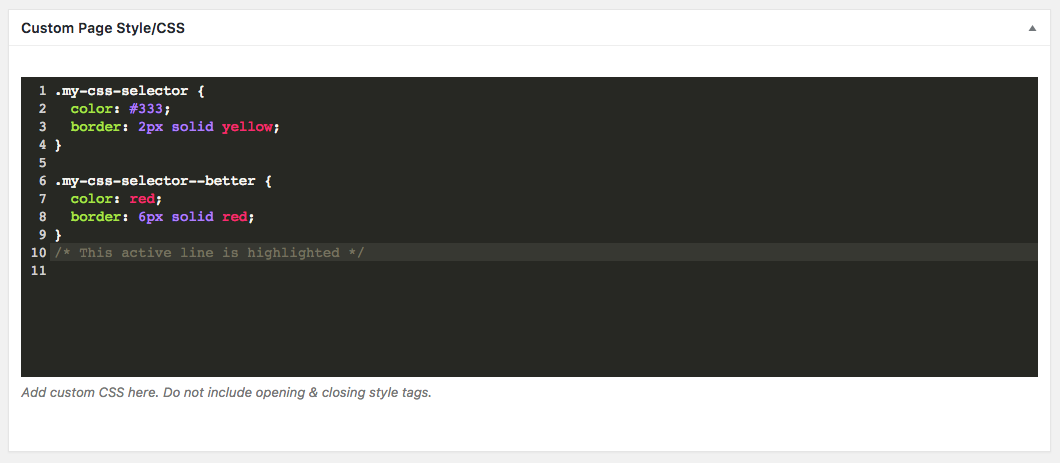
wp plugin install https://github.com/timothyjensen/cmb2-syntax-highlighting/archive/refs/heads/master.zipThis plugin allows you to optionally add CSS or JavaScript syntax highlighting to textarea_code fields.
Installation
Install like any other WordPress plugin.
Usage
Add 'syntax_highlighting' => 'css' or 'syntax_highlighting' => 'js' when registering your CMB2 field:
<?php

$cmb_demo->add_field( array(
        'name'                => esc_html__( 'Custom Page Style/CSS', 'text-domain' ),
        'desc'                => esc_html__( 'Add custom CSS here. Do not include opening & closing style tags.', 'text-domain' ),
        'id'                  => 'textarea_code_syntax_highlighting',
        'type'                => 'textarea_code',
        'syntax_highlighting' => 'css',
    ) );
Customization
Presently there are three filters — 'cmb2_syntax_highlighting_theme', 'cmb2_syntax_highlighting_dependencies', and 'cmb2_syntax_highlighting_codemirror_config' — that allow you to customize the look and behavior CodeMirror. To change the theme to cobalt you would add the following filter:
<?php

add_filter( 'cmb2_syntax_highlighting_theme', function() {
    return 'cobalt';
} );
A list of available themes can be seen in the CodeMirror demo.