Install
This is the repository archive. It installs, but the folder name will carry the branch suffix and updates will not flow.
Install straight from GitHub with WP-CLI:
wp plugin install https://github.com/tillpress/orderbay-lite/archive/refs/heads/main.zipFree WooCommerce invoices and packing slips: server-generated PDFs, sequential numbers, credit notes, customer My Account downloads, and Factur-X / ZUGFeRD, XRechnung, UBL and CII e-invoices.
No license key, no account, no license checks or telemetry. Free forever. Tillpress is contacted only when you choose to send a support ticket; see the support details below.
- PDF invoice for every order, generated on your own server, plus a browser Print → Save as PDF view
- Sequential, race-free invoice numbers (prefix,
{YYYY} {MM} {SEQ:5}, yearly/monthly reset) - Credit notes for refunded orders
- Single-order packing slips with items, SKUs, quantities and shipping details
- Customer invoice and PDF buttons on My Account → Orders
- Factur-X / ZUGFeRD PDF, XRechnung XML, UBL 2.1 (Peppol BIS Billing 3.0) and UN/CEFACT CII export
- Bundled Dompdf engine for PDF downloads and configurable WooCommerce email attachments
Paid OrderBay adds Peppol sending through your own Recommand account, bulk and multi-order packing slips, delivery notes, labels, proforma, bulk print, barcodes/QR, branding, and a fulfillment desk. Lite's own features work without a license key or time limit.
Author: Tillpress (trade name of Alex Software Holdings LLC). Contact: info@tillpress.com.
Install
- In wp-admin, open Plugins → Add New and search for OrderBay Lite. It is listed at WordPress.org.
- Install and activate. WooCommerce must already be active.
- Open WooCommerce → OrderBay Lite and fill in your business details.
For a manual ZIP install, download the current plugin ZIP from WordPress.org or the installable asset under Releases, then use Plugins → Add New → Upload Plugin. For a repository checkout, use the folder name orderbay-lite under wp-content/plugins/.
Requirements: WordPress 6.2+, PHP 7.4+, WooCommerce 7.0+.
See readme.txt for the full feature list, external-service details and changelog.
Setup
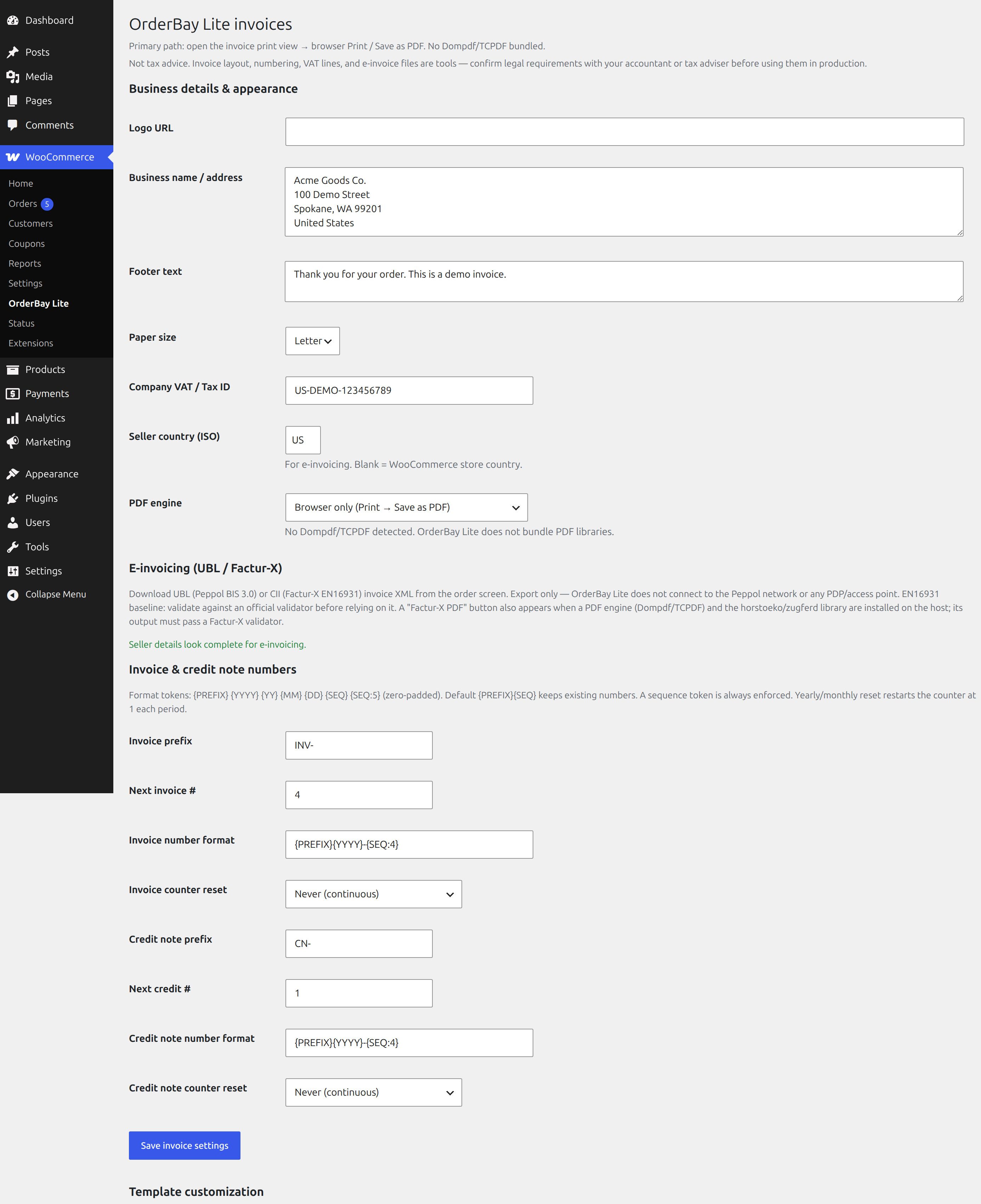
1. Business details
WooCommerce → OrderBay Lite (or the OrderBay Lite settings screen):
- Legal business name
- Address
- VAT / Tax ID
- Logo (optional)
- Invoice number format, for example
{PREFIX}{YYYY}{SEQ:5}→INV202600001 - Yearly or monthly counter reset, if you want numbers to restart
Save.
2. Print an invoice
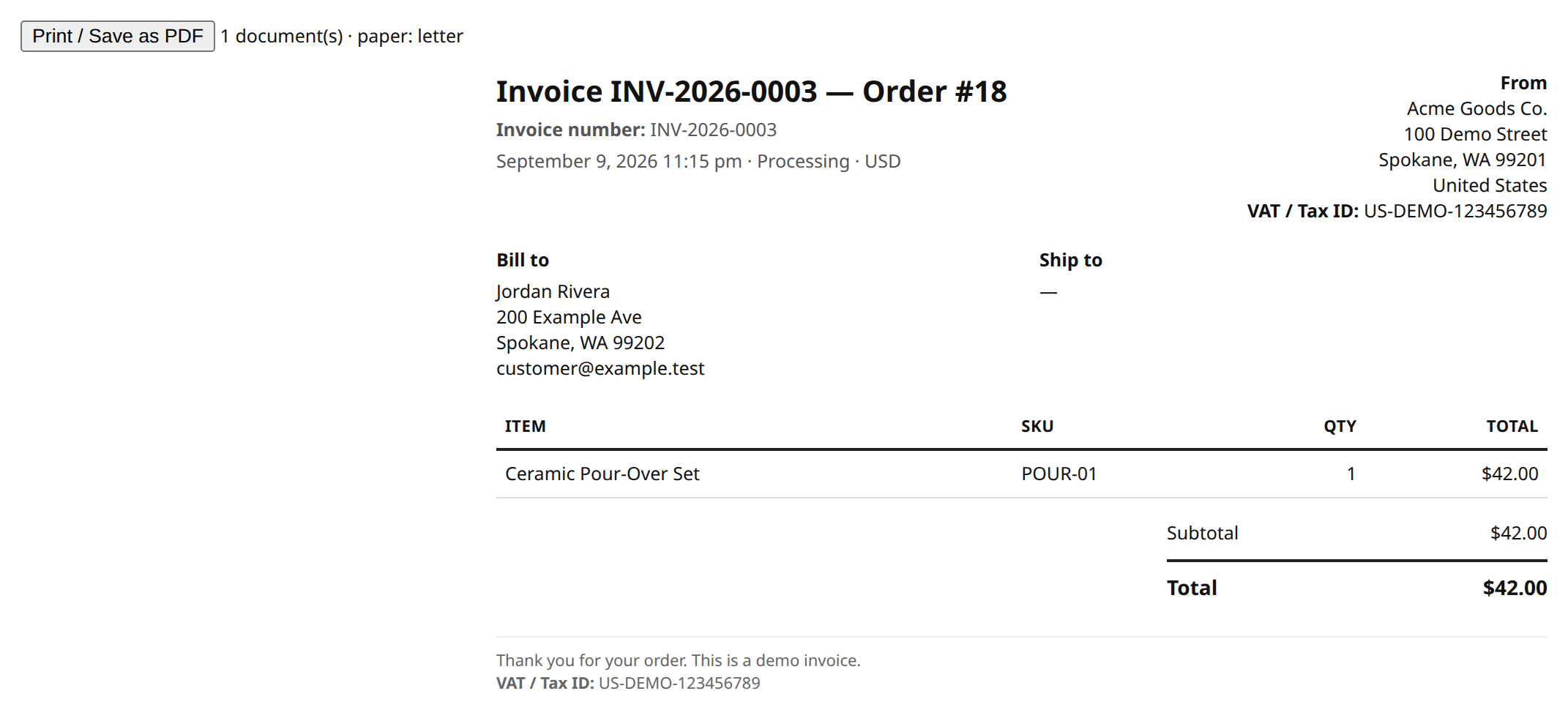
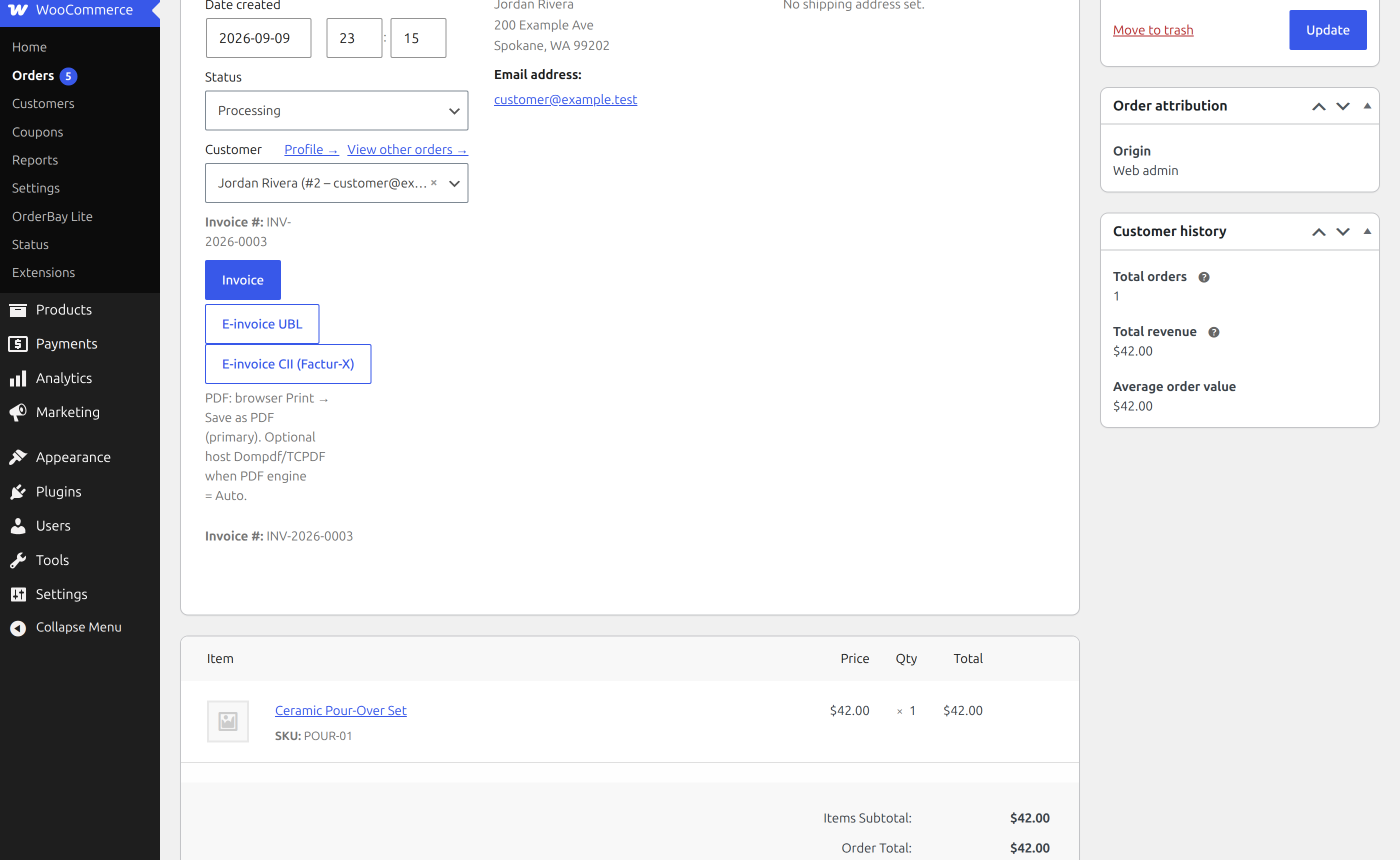
Open a WooCommerce order. Click Invoice for the printable view, Download PDF for the server-generated invoice, or Packing slip for a price-free packing list.
The first invoice print, PDF download or email attachment assigns the next sequential number. Numbers are immutable after that. An atomic counter allocates unique numbers across orders. Printing a packing slip does not assign an invoice number.
3. Customer download
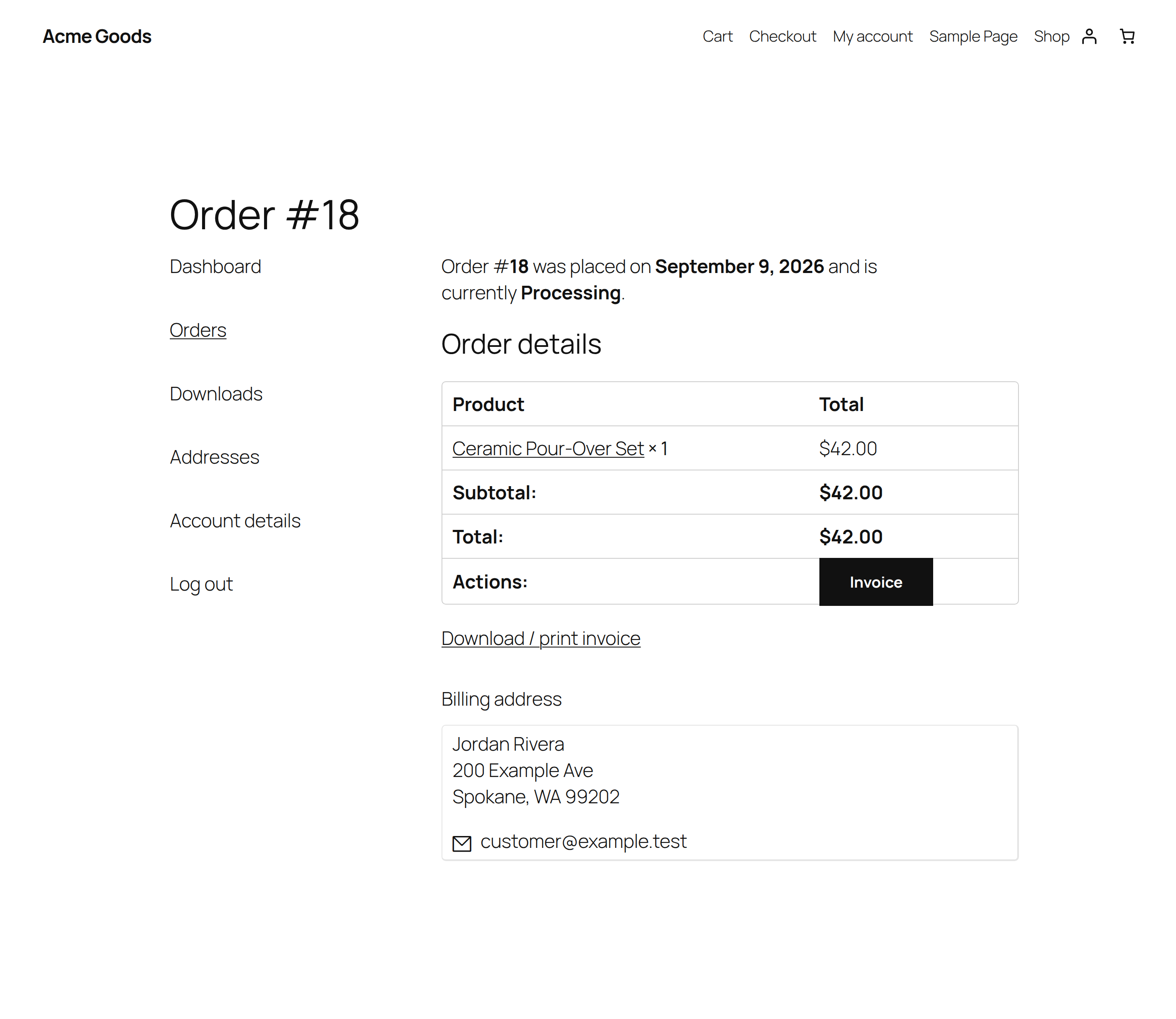
Logged-in customers get invoice print and PDF download buttons on My Account → Orders and on the order view. Only the customer account that placed the order (or shop staff) can open them.
4. Credit notes
Refund the order in WooCommerce as usual, then open its credit note from the order screen. Refunded orders without a credit note show an Issue credit note button.
5. E-invoice files
The order screen offers Factur-X / ZUGFeRD PDF, XRechnung XML, UBL 2.1 and CII exports. Factur-X / ZUGFeRD PDFs embed the invoice XML in a PDF/A-3 file using the bundled PDF engine; no separate horstoeko/zugferd installation is required.
Fill in the seller details and the buyer information required for your chosen format, then validate one of your own invoices with an official EN16931/Peppol validator before relying on it. Lite exports files; it does not transmit them to the Peppol network.
6. PDFs and email attachments
Lite bundles Dompdf and generates PDFs on your own server. PDF generation requires the PHP mbstring and dom extensions. The browser print view is also available.
Under WooCommerce → OrderBay Lite → PDF invoices in emails, choose which emails carry a PDF. New installations enable On-hold order, Completed order and Customer invoice / Order details by default. Processing order, Refunded order and the admin New order email can also be selected. A Refunded order email attaches the credit note PDF only when a credit note has already been issued.
Screenshots
FAQ
Is there a license key or trial?
No. Lite features do not require a license key or a trial.
How do invoice numbers work?
Assigned on the first invoice print, PDF download or email attachment, using an atomic counter in the database. Configurable prefix, tokens ({PREFIX} {YYYY} {MM} {SEQ:5}), optional yearly/monthly reset.
Does it generate PDFs?
Yes. Dompdf is bundled for PDF downloads and email attachments; the host needs PHP mbstring and dom. Browser Print → Save as PDF is also available.
What if I also install paid OrderBay?
Lite steps aside while the paid OrderBay plugin is activated, even if its Pro entitlement has ended. There is no automatic switch to Lite on expiry. To use Lite's features instead, deactivate the paid plugin and activate Lite. Both plugins share invoice and credit-note numbering.
Can I install from “Code → Download ZIP”?
Use the WordPress.org ZIP or an installable Release asset for the simplest upload. If using GitHub's source archive, extract it, rename the plugin folder to orderbay-lite, and re-zip that folder or copy it into wp-content/plugins/.
Where do I get help?
Open WooCommerce → OrderBay Lite help, use the WordPress.org support forum, or email info@tillpress.com.
The optional support form contacts Tillpress only after you tick the consent box and press Send ticket. It sends your name, reply address, topic, subject, message and site URL, plus a system report if selected. The generated report lists versions, theme and active plugins without credentials or customer/order data. See readme.txt → External services for the endpoint and privacy policy.
License
GPLv2 or later. See LICENSE.