Superwp Dashboard Announcement WP Registry grade B. Medium-severity findings · 2 findingsWP RegistryMedium-severity findings · 2 findingsOpen the reportB
Superwp Dashboard Announcement is a WordPress plugin that allows you to easily add custom announcements to your WordPress dashboard for all users.
Install
This is the repository archive. It installs, but the folder name will carry the branch suffix and updates will not flow.
Install straight from GitHub with WP-CLI:
wp plugin install https://github.com/thiararapeter/superwp-dashboard-announcement/archive/refs/heads/main.zip
Superwp Dashboard Announcement is a WordPress plugin that allows you to easily add custom announcements to your WordPress dashboard for all users.
Features
- Custom Announcements: Display custom announcements on the WordPress dashboard.
- Customization Options: Customize the title, content, font, size, color, alignment, and background color of the announcement.
- Collapsible Announcements: Make announcements collapsible for user convenience.
- User Role Targeting: Display announcements to specific user roles.
- New Announcement Badge: Include a badge to indicate new announcements.
- Fonts Integration: Enqueue Fonts for custom font options.
Installation
- Go to
Pluginsin the Admin menu. - Click on
Add new. - Search for
Superwp Dashboard Announcementand click 'Install Now' or uploadsuperwp-dashboard-announcement.zip. - Click on
Activate plugin.
Frequently Asked Questions
- How do I customize the announcement?: You can customize the announcement in the plugin settings.
- Can I make the announcement collapsible?: Yes, you can enable the collapsible option in the settings.
- How do I display the announcement to specific user roles?: Use the plugin settings to target specific user roles.
- How do I change the duration for the new announcement badge?: Adjust the duration in the plugin settings.
- How do I enqueue Fonts for the announcement?: Fonts are automatically enqueued based on your font selections in the settings.
Upgrade Notice
- 1.3.05: Ensure compatibility with the latest WordPress version and benefit from improvements and bug fixes.
Screenshots
- Add New Announcement
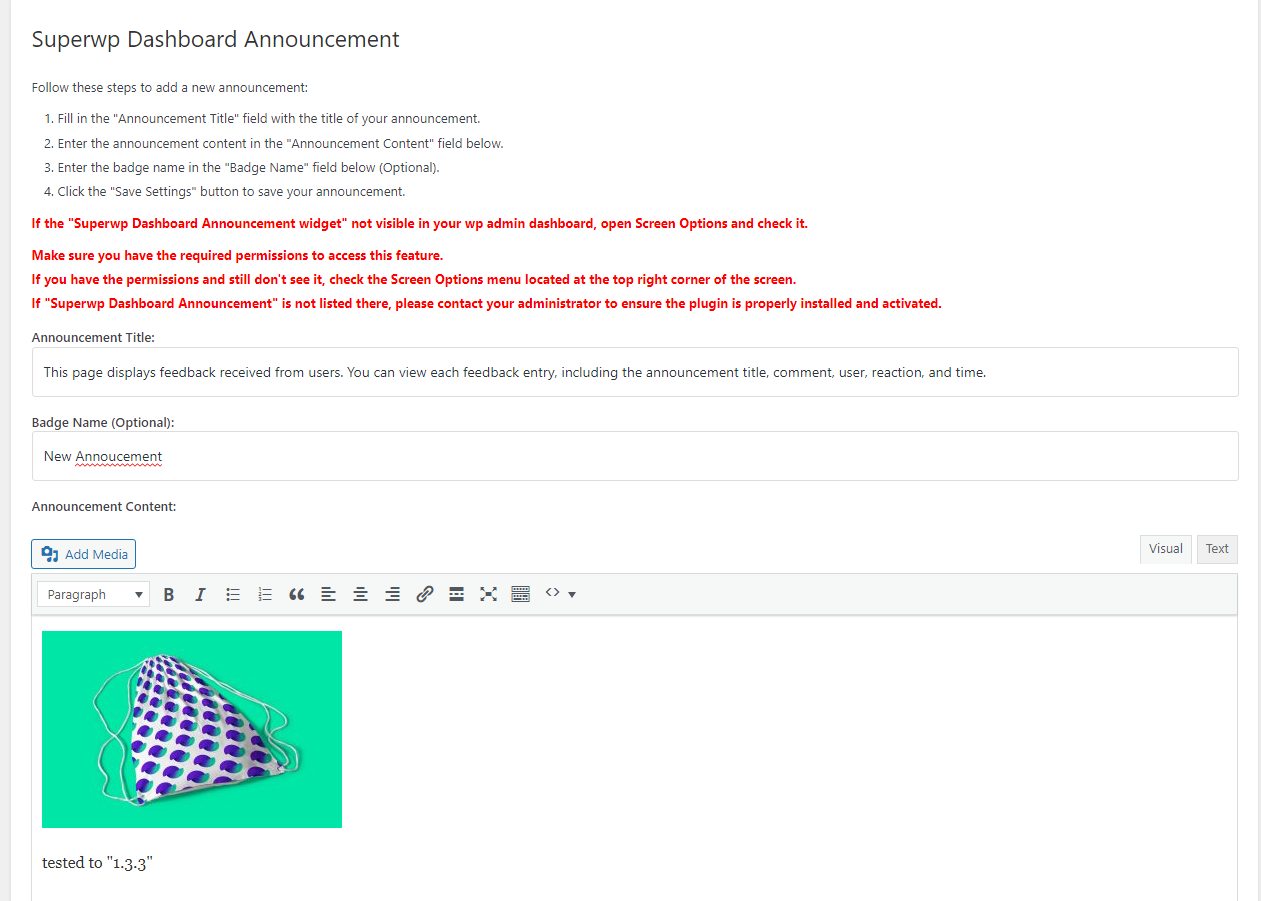
- Admin Dashboard Widget Display
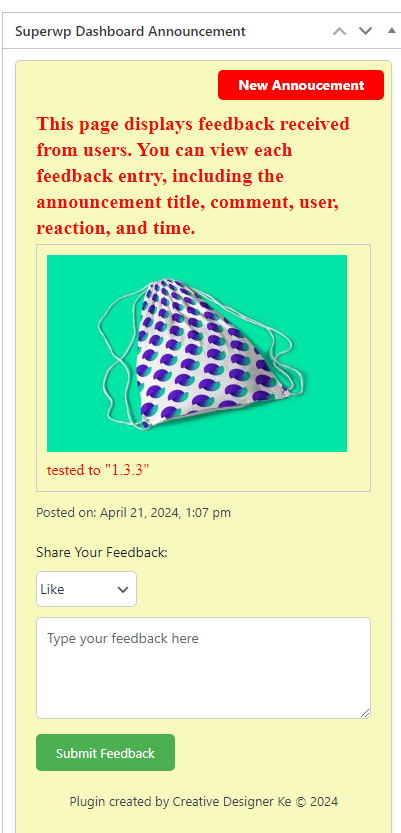
- Feedback Display
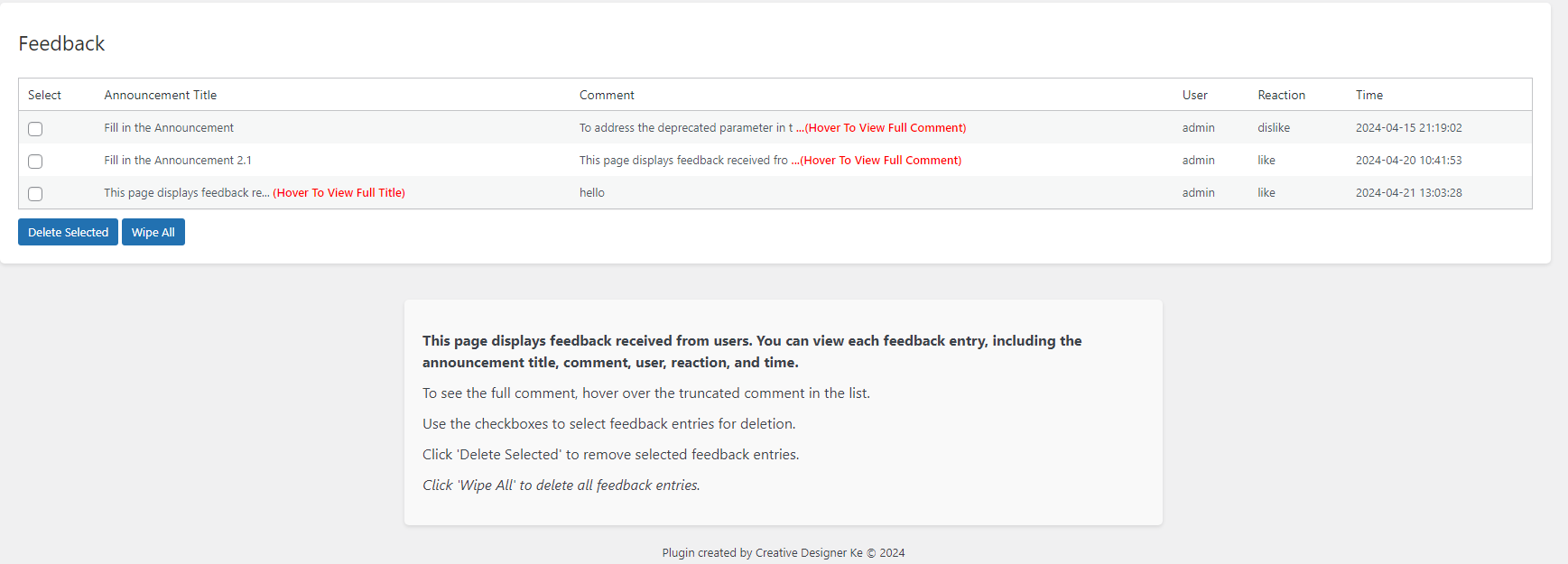
- Settings Display
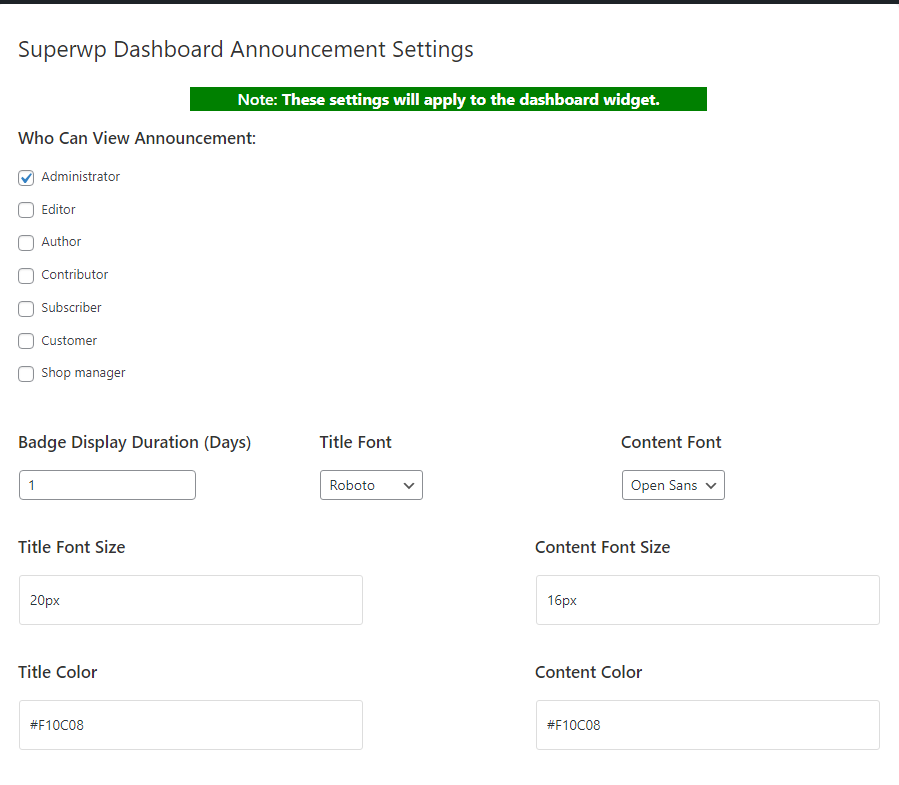
Support
If you encounter any issues or have questions regarding SuperWP Dashboard, please don't hesitate to reach out for help. We're here to assist you in resolving problems and answering any inquiries you might have. For immediate assistance:
- Create an issue on our GitHub page.
We aim to provide prompt and effective support to enhance your experience with our dashboard.
Donate
If you find SuperWP Dashboard helpful and would like to support its ongoing development, please consider making a donation. Your support is greatly appreciated and will help maintain and improve the dashboard. Click the link below to contribute:
Donate to Support SuperWP Dashboard Announcement
Developer
Superwp Dashboard Announcement is developed and maintained by Thiarara. For contributions, suggestions, or issues, visit the GitHub repository.
License
This plugin is licensed under the GPLv2 or later. See License for more information.
Releases
3 releases.
These releases are tags only. The author does not attach a packaged zip, so there are no download counts to report.