ZUL Image Gallery
WordPress image gallery plugins
Install
No release zip yet. The repository archive installs, but the folder name will carry the branch suffix and updates will not flow:
wp plugin install https://github.com/thetycoon79/zul-image-gallery/archive/refs/heads/main.zipZUL Gallery Plugin
A WordPress plugin for managing image galleries with Fancybox lightbox support.
Features
- Create and manage multiple image galleries
- Drag-and-drop image ordering
- WordPress Media Library integration
- Fancybox 5 lightbox with thumbnails, slideshow, and fullscreen
- Responsive grid layout (1-6 columns)
- Shortcode support for embedding galleries
- Role-based access control
- Extensible architecture (swappable image sources and renderers)
Requirements
- WordPress 5.9+
- PHP 8.1+
Installation
- Upload the
zul-gallery-pluginfolder to/wp-content/plugins/ - Activate the plugin through the WordPress admin
- Navigate to ZUL Galleries in the admin menu
Usage
Admin Interface
- Go to ZUL Galleries → Add New
- Enter a title and description
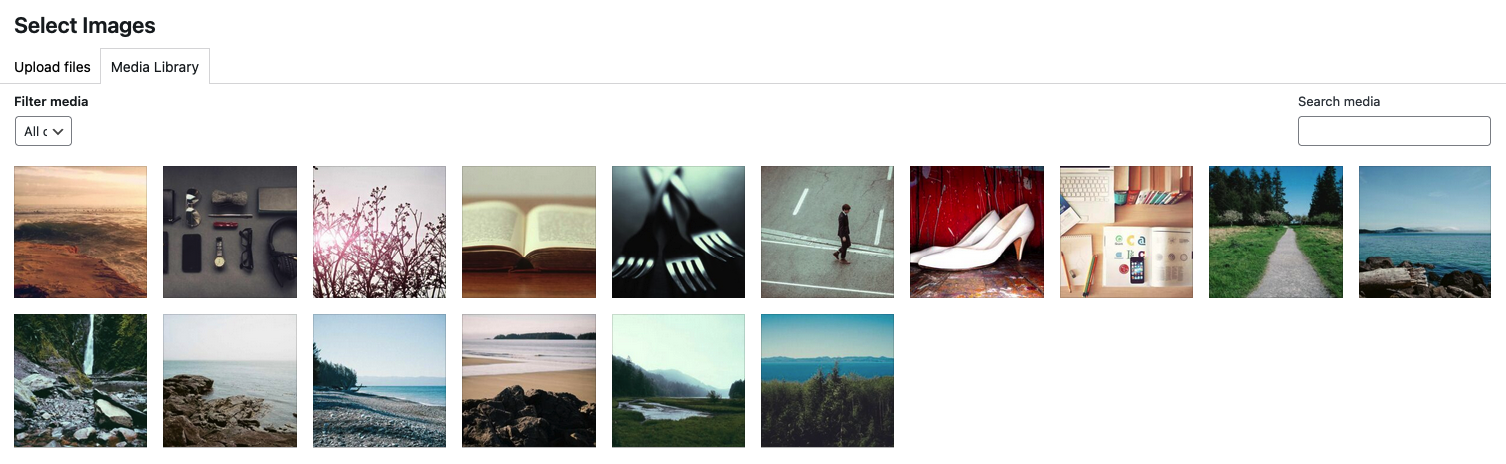
- Click Add Images to select from Media Library
- Drag images to reorder
- Set status to Active and save
Shortcode
Embed a gallery in any post or page:
[zul_gallery id="123"]Parameters:
| Parameter | Default | Description |
|---|---|---|
id |
(required) | Gallery ID |
columns |
3 |
Number of columns (1-6) |
size |
medium |
Image size (thumbnail, medium, large, full) |
link |
file |
Link target (file, none) |
captions |
true |
Show captions (true, false) |
Example with options:
[zul_gallery id="123" columns="4" size="large" captions="false"]Screenshots
Gallery List
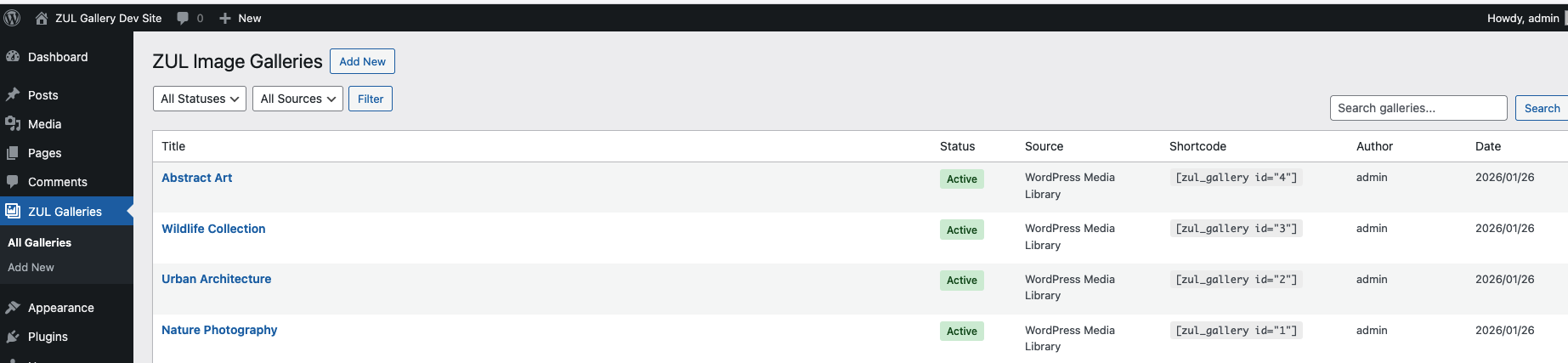
Add New Gallery

Edit Gallery
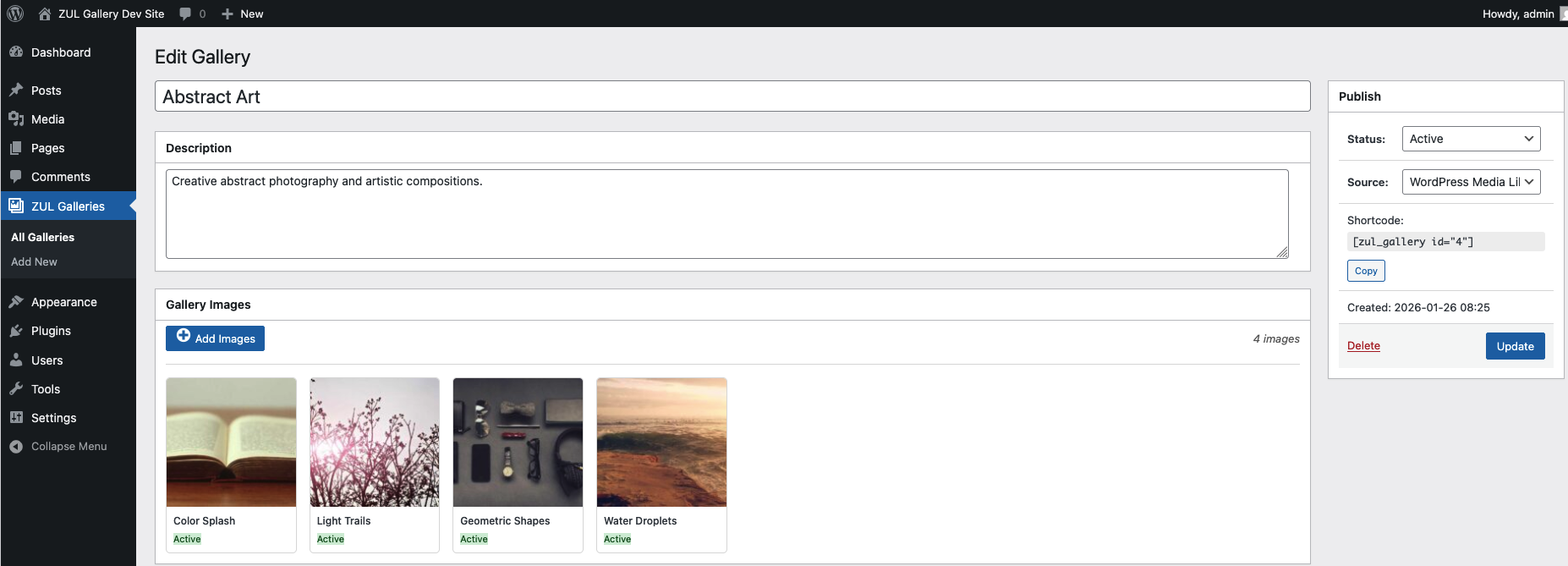
Assign Images from Media Library
Demao Frontend Gallery
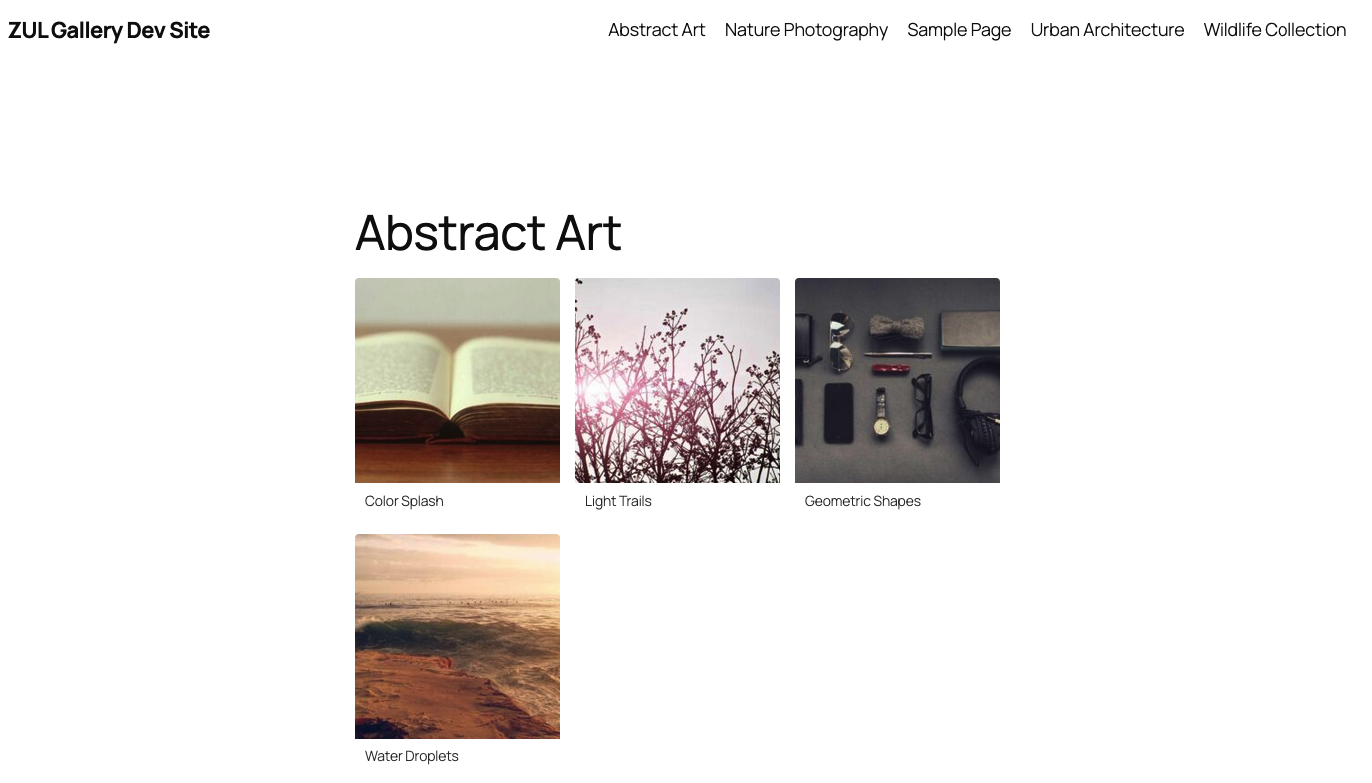
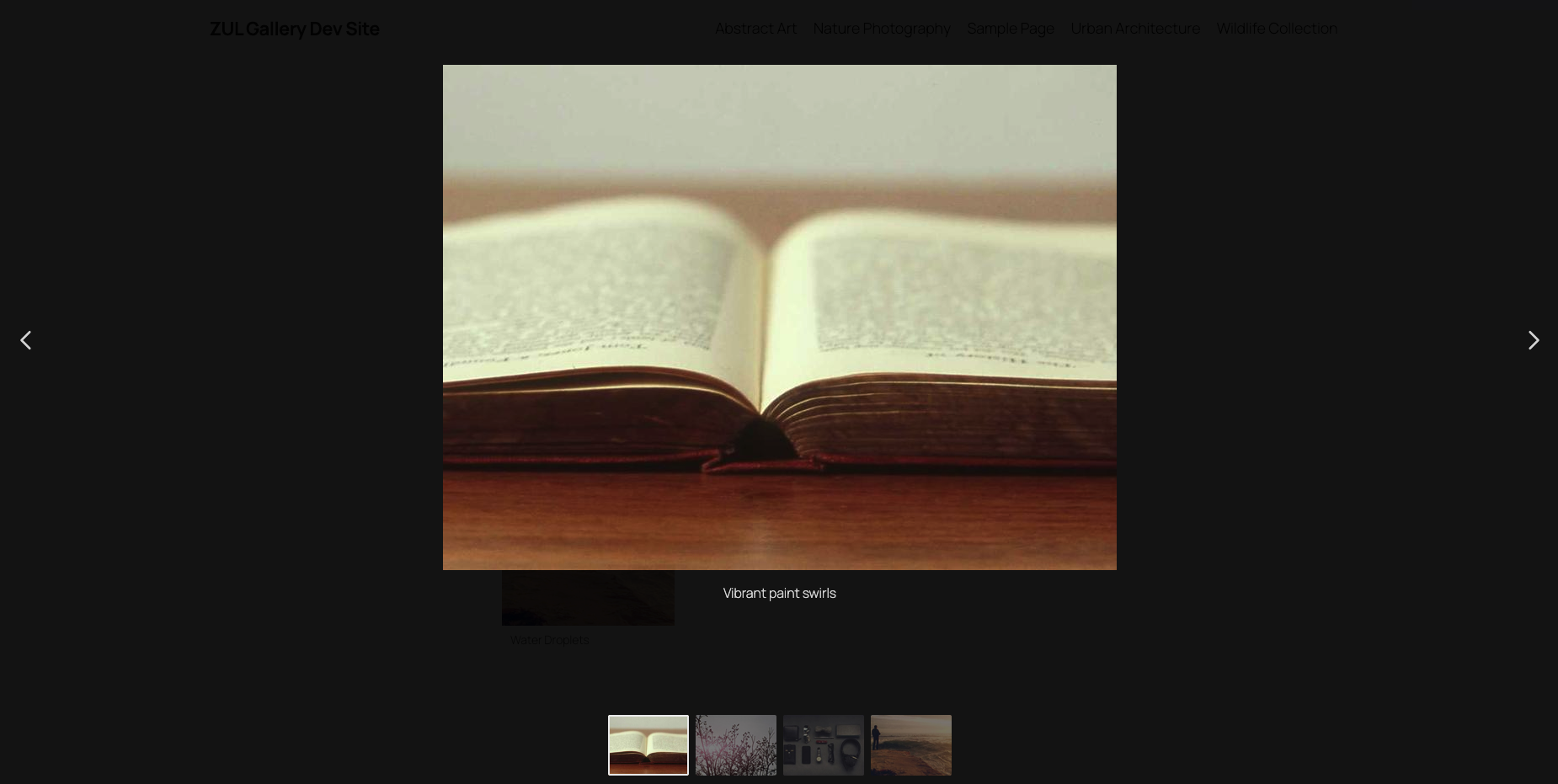
Fancybox Lightbox
Development
Cloning the Repository
This project uses git submodules. Clone with submodules included:
git clone --recurse-submodules <repository-url>Or initialize submodules after cloning:
git clone <repository-url>
cd zul-gallery-plugin
git submodule update --init --recursive
Docker Environment
Start the development environment with automatic setup:
./start.shThis will:
- Initialize git submodules (if not already done)
- Check port availability using zul-check-ports
- Auto-select available ports if defaults are in use
- Start Docker containers (WordPress + MySQL)
- Install WordPress automatically via WP-CLI
- Activate the ZUL Gallery plugin
- Create 4 sample galleries with 4 images each
- Display all URLs in a formatted summary
Sample output:
━━━━━━━━━━━━━━━━━━━━━━━━━━━━━━━━━━━━━━━━━━━━━━━━━━━━━━━━━━━━━━━━━━━━━━━━━━
                    ZUL Gallery Plugin - Ready!
━━━━━━━━━━━━━━━━━━━━━━━━━━━━━━━━━━━━━━━━━━━━━━━━━━━━━━━━━━━━━━━━━━━━━━━━━━

  WordPress Site:
  ➜  http://localhost:8080

  Admin Dashboard:
  ➜  http://localhost:8080/wp-admin
      Username: admin  |  Password: admin

  Gallery Admin:
  ➜  http://localhost:8080/wp-admin/admin.php?page=zul-galleries

  Sample Gallery Pages:
  ➜  [1] Nature Photography
      http://localhost:8080/?page_id=2
  ➜  [2] Urban Architecture
      http://localhost:8080/?page_id=3
  ➜  [3] Wildlife Collection
      http://localhost:8080/?page_id=4
  ➜  [4] Abstract Art
      http://localhost:8080/?page_id=5
Port Management (zul-check-ports)
This project uses zul-check-ports as a git submodule to handle dynamic port assignment.
How it works:
- The port checker scans for available ports
- If default ports (8080, 3307) are in use, it automatically finds alternatives
- Assigned ports are saved to
.env.portswhich is sourced by the start script - Docker Compose uses the exported port variables
Port configuration:
| Service | Default | Range |
|---|---|---|
| WordPress | 8080 | 8080-8199 |
| MySQL | 3307 | 3307-3399 |
The port ranges can be customized in docker/scripts/check-ports.sh.
Updating the submodule:
cd tools/zul-check-ports
git pull origin main
cd ../..
git add tools/zul-check-ports
git commit -m "Update zul-check-ports submodule"
Environment variables:
| Variable | Default | Description |
|---|---|---|
SKIP_SAMPLE_DATA |
false |
Skip sample gallery creation |
# Skip sample data
SKIP_SAMPLE_DATA=true ./start.sh
Available Commands
make start      # Start with port check
make up         # Start containers directly
make down       # Stop containers
make install    # Install composer dependencies
make test       # Run PHPUnit tests
make logs       # View WordPress logs
make shell      # Shell into WordPress container
make clean      # Remove volumes and generated files
Running Tests
# Install dependencies and run tests
make install
make test

# Or with Docker directly
docker compose run --rm phpunit
Project Structure
zul-gallery-plugin/
├── assets/
│   ├── css/
│   │   ├── admin-gallery.css
│   │   └── frontend-gallery.css
│   └── js/
│       ├── admin-gallery.js
│       └── frontend-gallery.js
├── docker/
│   └── scripts/
│       └── check-ports.sh      # Port checker wrapper
├── includes/
│   ├── Admin/
│   │   ├── Controllers/
│   │   ├── Views/
│   │   └── Menu.php
│   ├── Assets/
│   ├── Domain/
│   │   ├── Entities/
│   │   └── ValueObjects/
│   ├── Frontend/
│   │   └── Shortcodes/
│   ├── Interfaces/
│   ├── Renderers/
│   ├── Repositories/
│   ├── Services/
│   ├── Sources/
│   └── Support/
├── tools/
│   └── zul-check-ports/        # Git submodule for port management
├── tests/
│   ├── Mocks/
│   └── Unit/
├── docker-compose.yml
├── Makefile
├── phpunit.xml
├── start.sh
└── zul-gallery-plugin.php
Architecture
The plugin follows a layered architecture:
- Domain Layer - Entities and Value Objects (Gallery, GalleryImage, Status)
- Interface Layer - Contracts for repositories, sources, and renderers
- Infrastructure Layer - Database repositories, image sources
- Service Layer - Business logic and orchestration
- Presentation Layer - Admin controllers, views, shortcodes
Extensibility
Custom Renderer:
add_filter('zul_gallery_renderer', function($renderer, $gallery) {
    return new MyCustomRenderer();
}, 10, 2);
Custom Image Source:
Implement GalleryImageSourceInterface for external image providers.
Database Tables
The plugin creates two custom tables:
{prefix}zul_image_gallery- Gallery metadata{prefix}zul_image_gallery_images- Gallery images
Capabilities
zul_gallery_manage- Full CRUD access (assigned to Administrator)zul_gallery_view_admin- View admin screens
Hooks
Actions
zul_gallery_before_render- Before gallery HTML outputzul_gallery_after_render- After gallery HTML output
Filters
zul_gallery_renderer- Override the gallery rendererzul_gallery_shortcode_atts- Modify shortcode attributeszul_gallery_image_html- Modify individual image HTML
License
GPL v2 or later
Credits
- Fancybox - Lightbox library
Disclaimer
See DISCLAIMER.md for full terms. This plugin is provided "as is" without warranty. Use at your own risk.