Install
This is the repository archive. It installs, but the folder name will carry the branch suffix and updates will not flow.
Install straight from GitHub with WP-CLI:
wp plugin install https://github.com/thelllmike/wp_optical_mega_category/archive/refs/heads/main.zipNo built-in updater. New versions won't appear under Dashboard → Updates. Install new releases yourself, or let Git Updater track the repository.
Category navigation with hover mega-menu dropdowns and hero banner section for optical stores.
Demo
Features
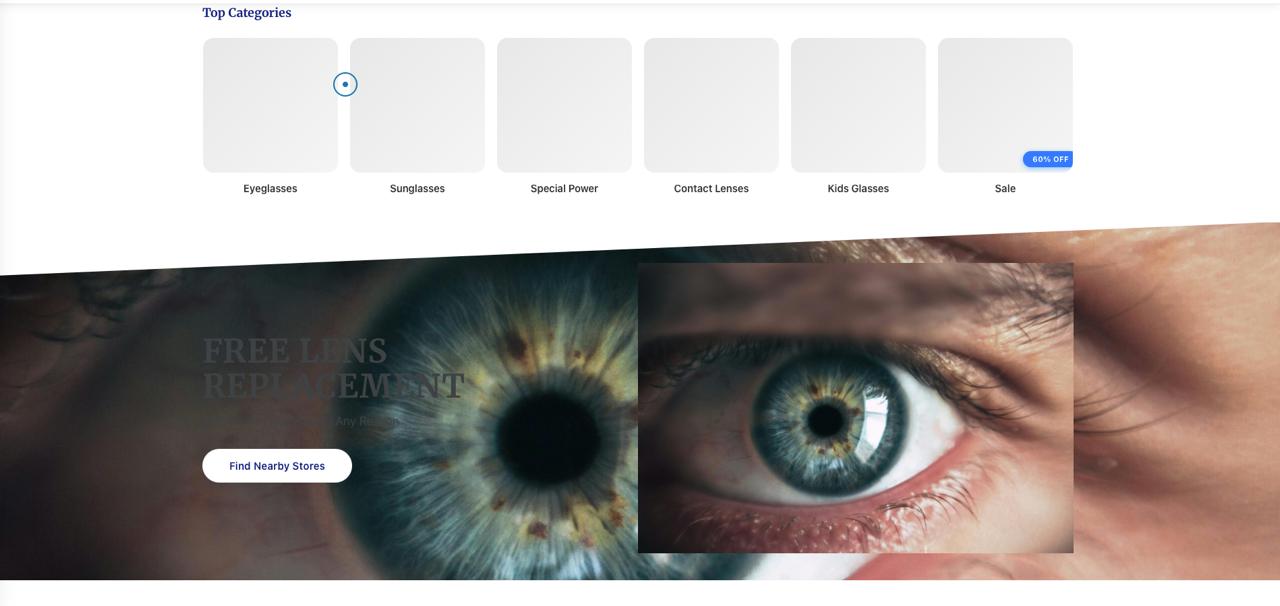
- Top category cards with hover dropdown subcategories (Lenskart style)
- Hero banner with diagonal edge, background image/color, side product image
- Badge support on category cards (e.g. "60% OFF")
- "View all" links in dropdowns
- Full admin panel for categories, subcategories, and banners
- WordPress Media Uploader for all images
- WooCommerce category integration
- Shortcode
[optical_category_mega_banner]+ Gutenberg block - Responsive design with mobile touch support
- Demo content preloaded on activation
Installation
- Upload the plugin zip via Plugins > Add New > Upload Plugin
- Activate the plugin
- Add
[optical_category_mega_banner]to any page or use the Gutenberg block - Manage content from Mega Banner admin menu
Shortcode
[optical_category_mega_banner]
[optical_category_mega_banner show_hero="no"]
Admin Pages
- Categories — Add/edit top-level category cards with images, links, badges
- Subcategories — Add subcategory items with images for each parent category dropdown
- Hero Banners — Manage hero banners with title, subtitle, CTA, background, side image
Version
1.3.0