Install
This is the repository archive. It installs, but the folder name will carry the branch suffix and updates will not flow.
Install straight from GitHub with WP-CLI:
wp plugin install https://github.com/theaminulai/widget-builder-ai/archive/refs/heads/main.zip
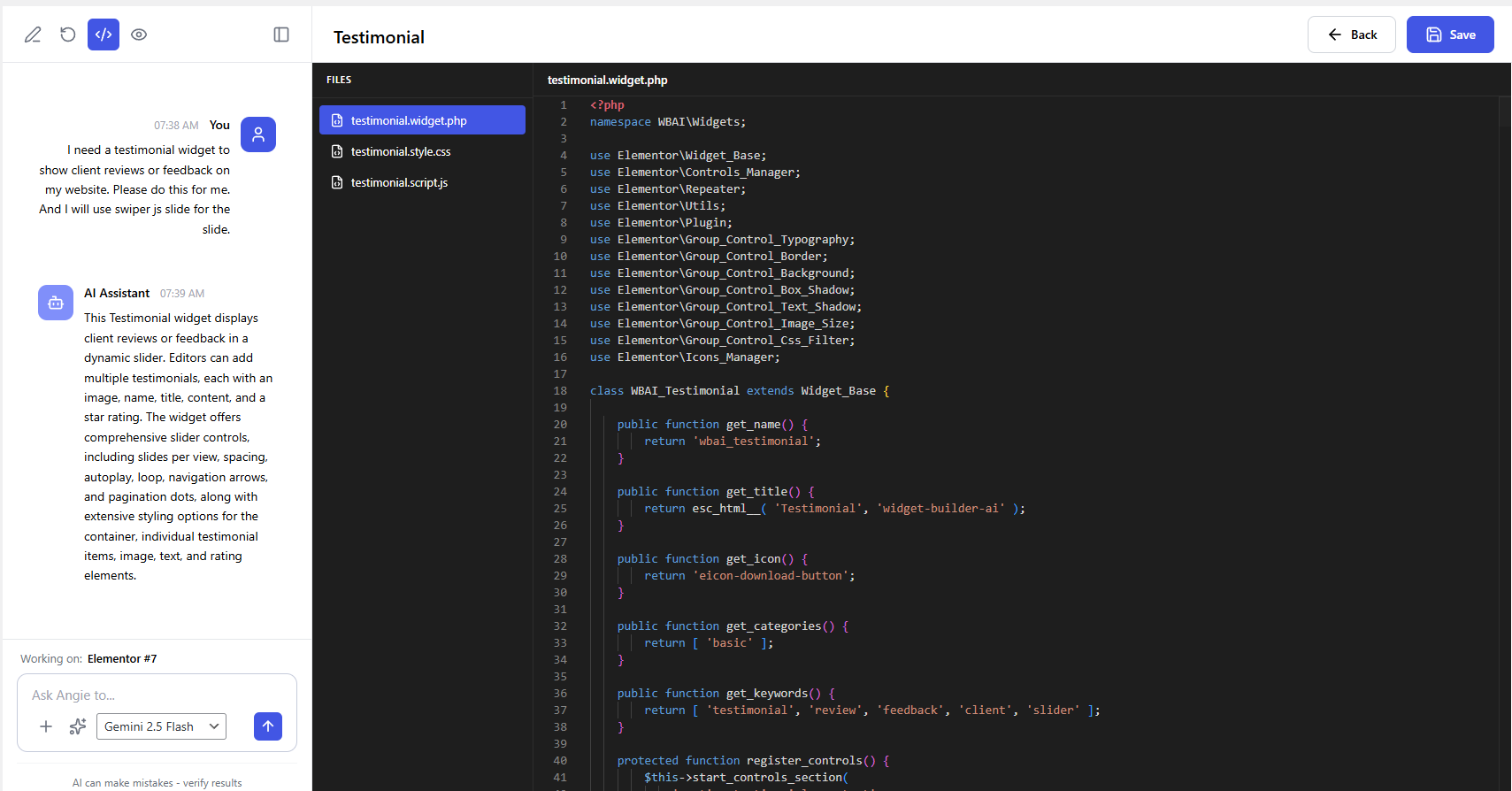
Widget Builder AI is a WordPress plugin that generates Elementor widgets from natural language prompts. It includes a step-based setup wizard, chat-driven generation, code editing, preview, version history, and rollback.
Overview
The plugin registers a custom post type for generated widgets, adds an admin React app for creating and editing widgets, and stores generated widget files in the uploads directory. It also registers those files as live Elementor widgets on the frontend.
Features
- AI-assisted widget generation from prompt text.
- Multi-provider support through adapters:
- OpenAI
- Claude
- Gemini
- Provider fallback if one adapter fails.
- Setup wizard:
- Widget title
- Widget icon
- Widget category
- Optional JS/CSS library URLs
- Chat history persisted per widget.
- Versioned saves with current version tracking.
- Rollback to older versions.
- Built-in code editor with file explorer for:
- widget.php
- style.css
- script.js
- Preview URL support for Elementor editor.
- REST API endpoints for generate, save, load, versions, and rollback.
Requirements
- WordPress 6.0+
- PHP 7.4+
- Elementor (required to use generated widgets on the frontend)
- Node.js and npm (only for local frontend development/build)
Installation
- Copy the plugin folder to wp-content/plugins/widget-builder-ai.
- Activate Widget Builder AI from wp-admin > Plugins.
- Open Widget Builder AI from the admin menu.
AI Configuration
The plugin currently reads AI settings from constants defined in widget-builder-ai.php:
define( 'AI_OPENAI_API_KEY', 'your-openai-api-key' );
define( 'AI_CLAUDE_API_KEY', 'your-claude-api-key' );
define( 'AI_GEMINI_API_KEY', 'your-gemini-api-key' );
For production sites, do not hardcode secrets in plugin source. Move keys to a safer configuration location for your deployment workflow.
How It Works
- Create or open a widget post in the Widget Builder AI post type.
- Use the setup wizard and open the builder.
- Send prompts in chat to generate or refine widget code.
- Save to create versions.
- Roll back any widget to a previous version when needed.
- Generated files are persisted under:
- wp-content/uploads/widget-builder-ai/widgets/{slug-id}/
REST API
Namespace: widget-builder-ai/v1
- POST /generate
- POST /save
- POST /save/{id}
- GET /widget/{id}
- GET /widget/{id}/versions
- POST /widget/{id}/rollback
Permission callback requires manage_options capability.
Development
Install dependencies:
npm installStart development build/watch:
npm run startCreate production build:
npm run buildFormat source:
npm run format
npm run format:src
Project Structure
- widget-builder-ai.php: plugin bootstrap and constants.
- includes/: PHP classes for CPT, REST API, generation, adapters, assets, versioning, and widget registration.
- src/: React admin app source.
- build/: compiled frontend assets loaded in wp-admin.
Notes
- Generated widget registration is tied to Elementor hooks.
- The plugin stores up to 10 versions per widget.
- Non-empty optional CSS/JS files are persisted and enqueued.
License
GPL-3.0+