Woo Stock Sync
WooCommerce plugin that syncs stock and prices from supplier feeds with a dry-run diff, batched apply, partial-failure isolation, and rollback.
by Ali Raza · github.com/thealirazadev/woo-stock-sync · website
Install
No release zip yet. The repository archive installs, but the folder name will carry the branch suffix and updates will not flow:
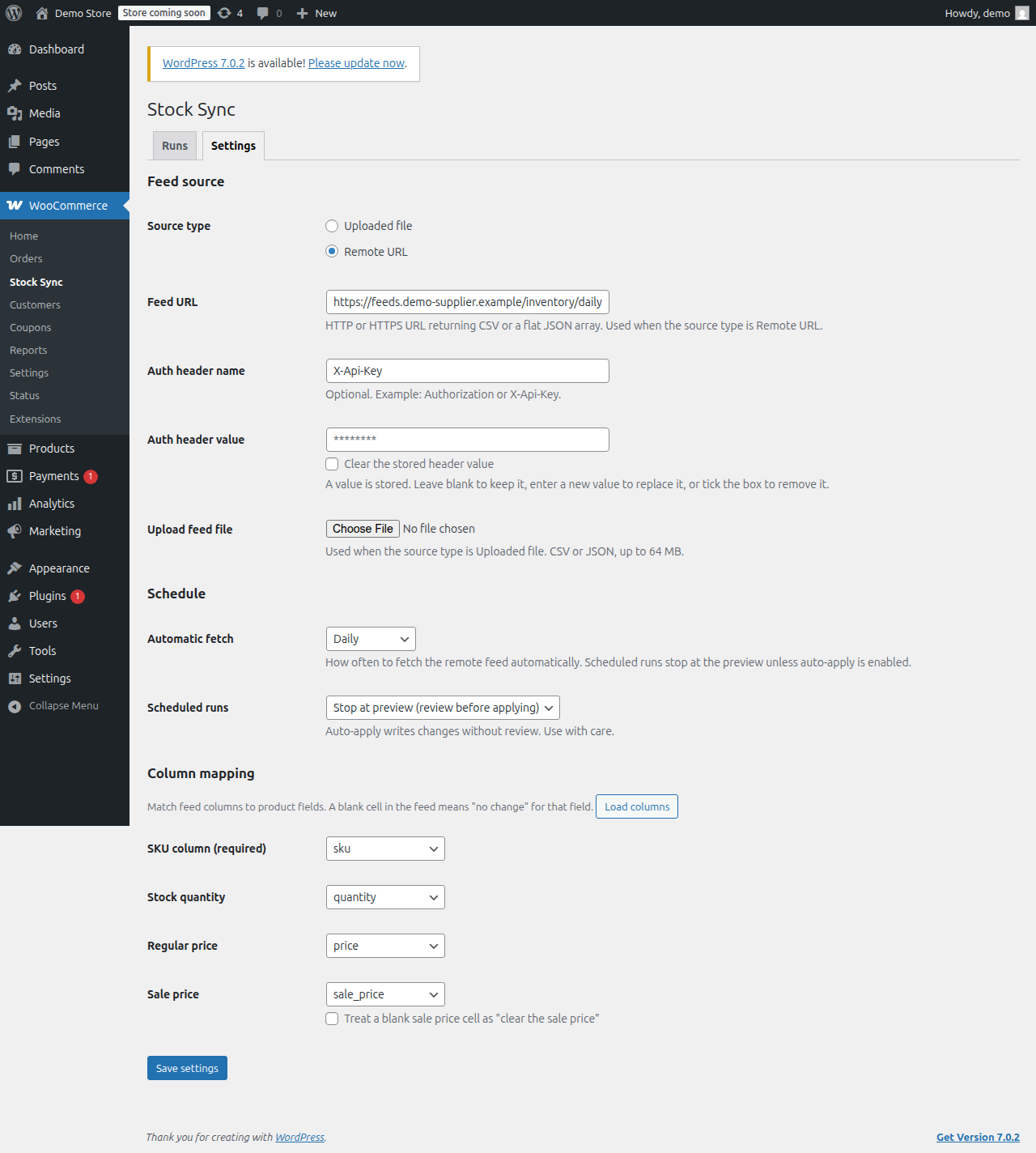
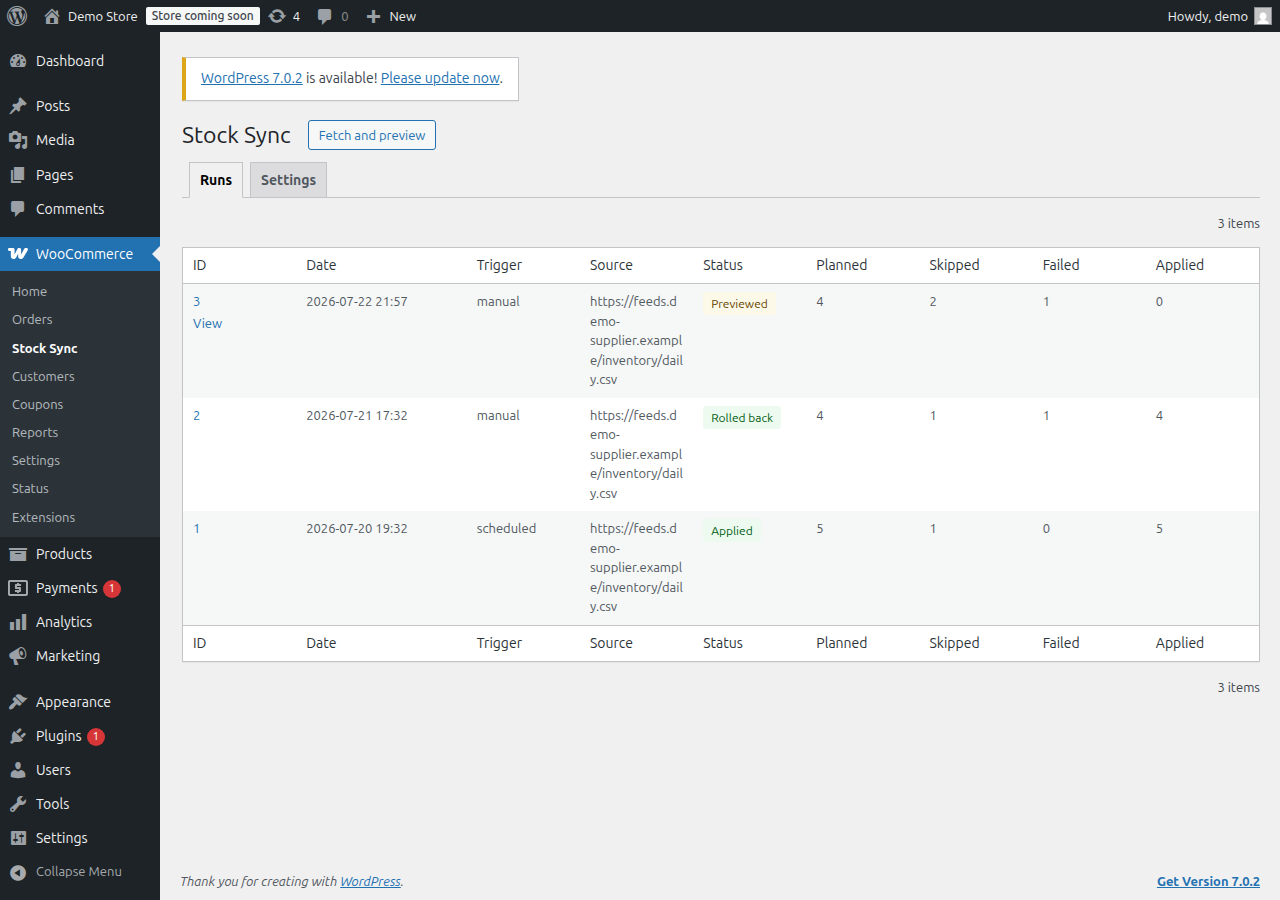
wp plugin install https://github.com/thealirazadev/woo-stock-sync/archive/refs/heads/main.zipA WooCommerce plugin that keeps store stock levels and prices in sync with a supplier feed. A store owner points the plugin at a CSV upload or a remote CSV/JSON URL, maps feed columns to product fields keyed by SKU, optionally marks supplier prices up by a percentage or a fixed amount, previews every change as a dry-run diff, applies the sync in background batches through Action Scheduler, and can roll back the last applied sync from stored prior values. Every run, row result, and rollback is recorded in custom audit tables, and the same actions are available from WP-CLI.
Status: implemented (v1.0.0)
Screenshots
Stack
- PHP 7.4+ WordPress plugin (procedural bootstrap + small single-responsibility classes).
- WordPress 6.0+ and WooCommerce 7.0+; product writes go through WooCommerce CRUD APIs only.
- Action Scheduler (bundled with WooCommerce) for scheduled fetches and batched apply/rollback.
- Custom database tables (versioned dbDelta migrations) for sync runs, row results, and snapshots.
- Vanilla JavaScript and plain CSS for the admin screens; no build step.
- Dev tooling: Composer, PHP_CodeSniffer with WordPress Coding Standards, PHPUnit with the WordPress test suite.
Design decisions
The trade-offs that shaped v1, with the alternatives that were considered and rejected. Full
rationale lives in docs/architecture.md and docs/PRD.md.
- Custom tables over post meta. Runs, per-row results, and snapshots live in three narrow InnoDB
tables, not post meta. A 10,000-row feed synced daily would otherwise write millions of meta rows
with no efficient way to list runs, page results, filter by status, or prune history. Run and row
results are not attributes of any post, and history has to stay queryable and cleanable. The only
post meta used is
_wss_locked, which genuinely is a product attribute. - WooCommerce CRUD over direct SQL for product writes. Every product change goes through
wc_get_product/ setters /save(). Direct SQL was rejected because it would bypass object and lookup-table caches (wc_product_meta_lookup), stock-status transitions, and third-party hooks, leaving the catalog subtly inconsistent. Direct SQL is used only for the plugin's own audit tables. - Action Scheduler batches sized for shared hosting. Apply and rollback run in Action Scheduler
actions of 25 rows (filterable via
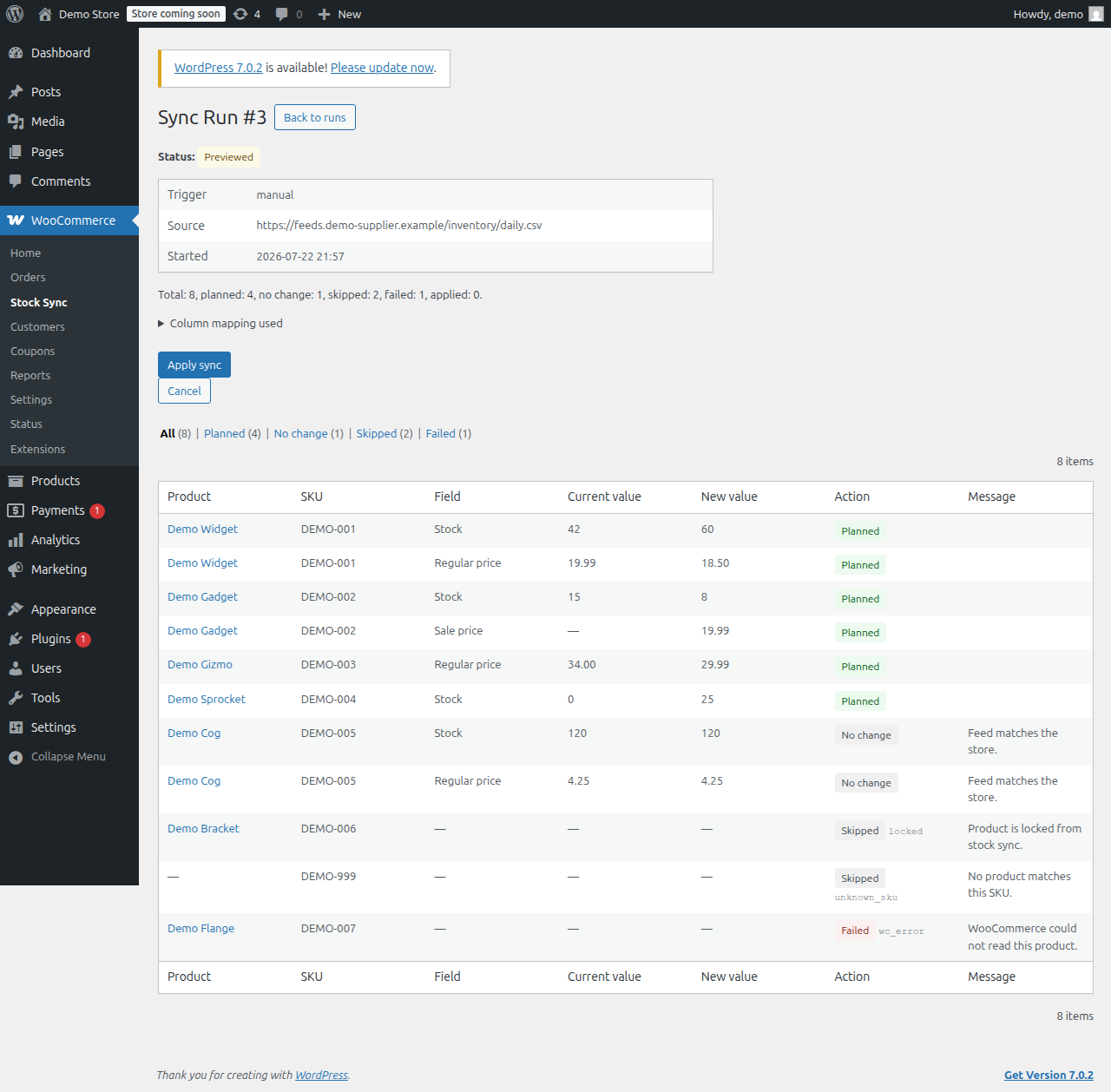
wss_batch_size), not one long synchronous request. Each row costs a product load plus a CRUD save (~10-20 queries plus hooks); 25 rows finish in a few seconds, comfortably inside Action Scheduler's ~30s budget and a typical shared-hostmax_execution_time. A giant synchronous apply, a bigger batch, or raw WP-Cron were rejected as timeout-prone on the exact hosting this tool targets; Action Scheduler also ships with WooCommerce (no new dependency), persists jobs, and retries. - Dry-run before apply as the default workflow. Every sync starts as a preview: a diff of product, field, current value, new value, and planned action. Nothing is written until the run is explicitly applied. Applying straight from the feed was rejected - the target user needs to see what will change before it changes. Scheduled runs stop at the preview too; auto-apply is opt-in.
- Update-only in v1. The plugin only updates products that already exist, matched by SKU.
Unknown SKUs are reported (
unknown_sku), never created. Product creation from a feed pulls in titles, images, categories, and tax/shipping decisions that belong to a PIM, not a stock syncer, so it is deliberately out of scope for v1. - Price markup applied at staging, not on write. An optional markup (a percentage or a fixed amount) is applied to the regular and sale prices once, as feed rows are staged, so the adjusted value is what the dry-run diff shows and what the apply later writes through WooCommerce CRUD. Applying the markup separately at diff time and again at apply time was rejected: settings could change between preview and apply, making the preview a lie. Staging the adjusted value once keeps the preview truthful, leaves rollback (which snapshots each product's real prior values) untouched, and never marks up stock. A markup of zero is a byte-identical pass-through, and any result below zero is clamped to 0 so a markdown can never write a negative price.
Install
- Copy the plugin folder to
wp-content/plugins/woo-stock-sync(or install the built zip through the Plugins screen). WooCommerce must be active first. - Activate it, then open WooCommerce > Stock Sync > Settings to configure a feed source and mapping.
For development:
composer installRun
Use WooCommerce > Stock Sync in the admin, or the WP-CLI commands:
wp wss fetch [--source=<url>]        # create a run, fetch, stage, and diff
wp wss dry-run [--run=<id>] [--status=<status>] [--format=table|json]
wp wss apply --run=<id> [--yes]      # apply (or resume) a previewed run
wp wss rollback [--yes]              # roll back the most recent applied run
wp wss runs [--format=table|json]    # list run history
Test
composer run lint                    # PHP_CodeSniffer (WordPress standard)
composer run test                    # PHPUnit
Pure-logic tests (feed parsing/validation, the sync lock) run standalone; the integration tests
self-skip until WordPress is available. To run the whole suite, point WP_TESTS_DIR at a WordPress
core test library and WC_PLUGIN_PATH at a WooCommerce checkout - docs/testing.md has the exact
provisioning commands, and CI runs them on every push. wp-env works too but is not required.
Benchmark
The CSV parser and per-row validator (WSS_Feed::parse) run without WordPress, so their throughput
is measurable in isolation. The scripts below generate a deterministic synthetic feed and stream it
through the parser with a no-op sink, so the timing reflects parsing plus mapping/validation only
(no database, no product I/O):
php bin/generate-feed.php 50000 /tmp/feed.csv
php bin/benchmark-parse.php /tmp/feed.csv 21     # median of 21 runs
Measured on a 12th Gen Intel Core i5-1235U, PHP 8.2.29 CLI (no OPcache/JIT), single process, warm page cache, median of the runs shown:
| Feed rows | File size | Parse + validate (median) | Throughput | Peak PHP memory |
|---|---|---|---|---|
| 50,000 (the enforced row cap) | 1.1 MB | 0.12 s | ~432,000 rows/s | 8.5 MB |
| 250,000 | 5.5 MB | 0.58 s | ~429,000 rows/s | 29 MB |
| 1,000,000 | 22.2 MB | 2.40 s | ~417,000 rows/s | 102 MB |
At the enforced 50,000-row cap a feed parses and validates in well under a second using ~8.5 MB.
The file itself is streamed row by row (fgetcsv), so the read buffer is constant; peak memory grows
with row count only because duplicate-SKU detection keeps a seen-SKU set for the run, which the row
cap bounds to a few megabytes in normal operation. Numbers are hardware- and load-dependent; re-run
the scripts to reproduce them on your own machine.
Build
composer run build # wp dist-archive -> build/woo-stock-sync.zipDocumentation
Planning docs live in docs/: PRD.md (requirements), architecture.md (design and data model),
rules.md (engineering rules), phases.md (build plan), design.md (admin UI), testing.md
(test strategy), api-contracts.md (admin-ajax and WP-CLI contracts), memory.md (work log),
launch-checklist.md (release gate).