Fictioneer Email Notifications WP Registry grade D+. High-severity findings · 2 findingsWP RegistryHigh-severity findings · 2 findingsOpen the reportD+
Fictioneer plugin for email notifications about new content.
Install
Upload it under Plugins → Add New Plugin → Upload Plugin, then activate.
Install straight from GitHub with WP-CLI:
wp plugin install https://github.com/tetrakern/fictioneer-email-notifications/releases/download/v1.0.4/fictioneer-email-notifications-v1.0.4.zip




This WordPress plugin is built exclusively for the Fictioneer theme, version 5.19.0 or higher. It enables guests and users to subscribe to selected content updates via email. You can choose to receive notifications for all new content, specific post types, or individual stories and taxonomies. Multiple notifications per subscriber are aggregated into a single email. The plugin is compatible with all cache plugins.
Currently, the plugin is integrated with the MailerSend email sending service. MailerSend offers a generous free plan of 3,000 emails per month and bulk emails. This should last you a long time before you need a paid plan, at which point you should have the support to afford it.
Installation
Same as the Fictioneer theme, the plugin is not available in the official WordPress library and needs to be installed and updated manually.
- Download the zip file from the latest release.
- In your WordPress dashboard, go to Plugins > Add New Plugin.
- Click on Upload Plugin at the top.
- Select the downloaded zip file and click Install Now.
- Activate the plugin once the installation is complete.
After installing the plugin, follow these steps to set up MailerSend:
- Register with MailerSend.
- Add your domain for API access. This step may seem intimidating if you are not experienced with such things, but MailerSend provides a comprehensive guide with examples for different hosts. If you are on a managed host, you should be able to ask the support for help as well.
- Once your domain is set up, add your API key in your WordPress dashboard under Notifications > Settings.
MailerSend also offers a WordPress plugin for your day-to-day transactional emails, such as email confirmations. Please note that it is not required for this notification plugin and does not assist with its functionality. But if you already have a MailerSend account, you may as well use it.
Frontend
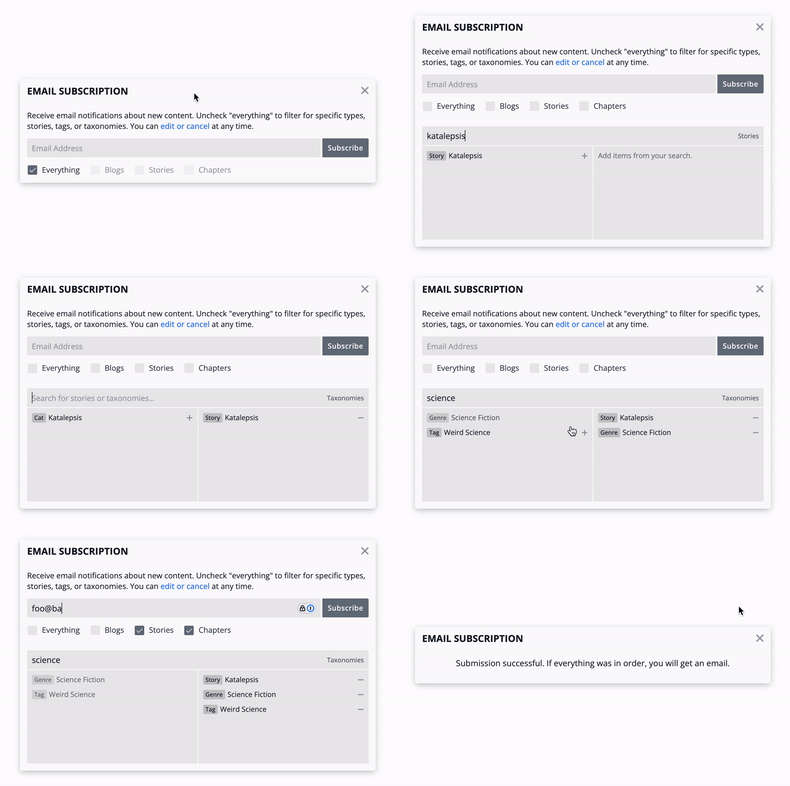
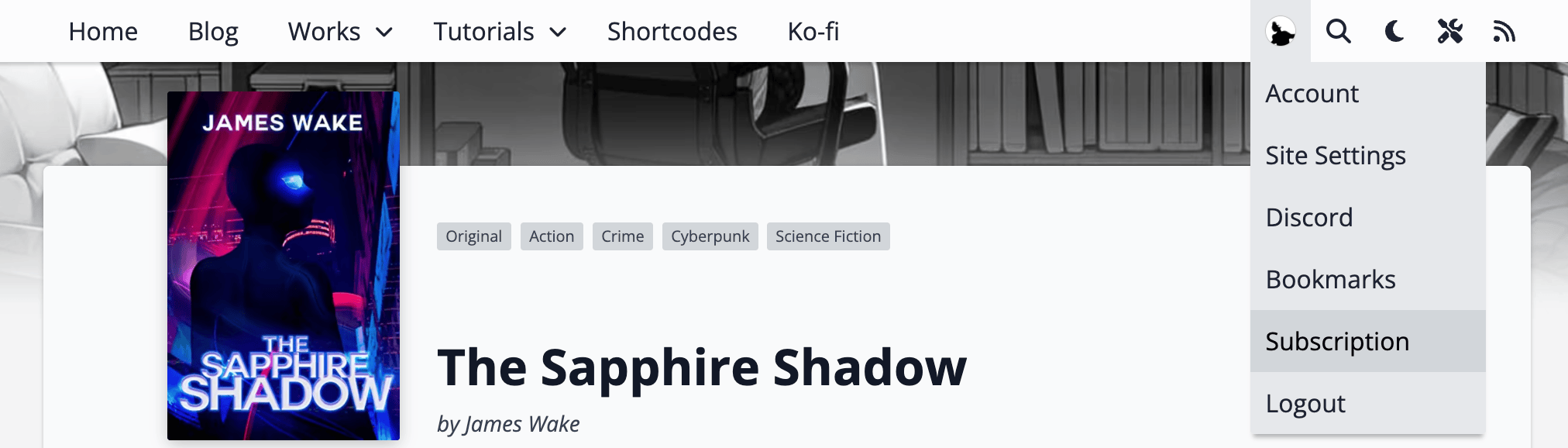
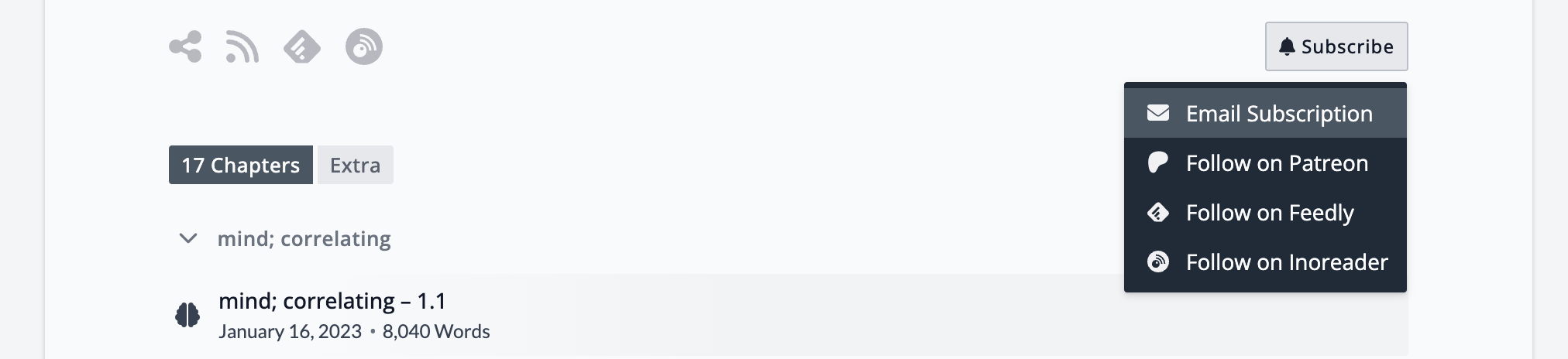
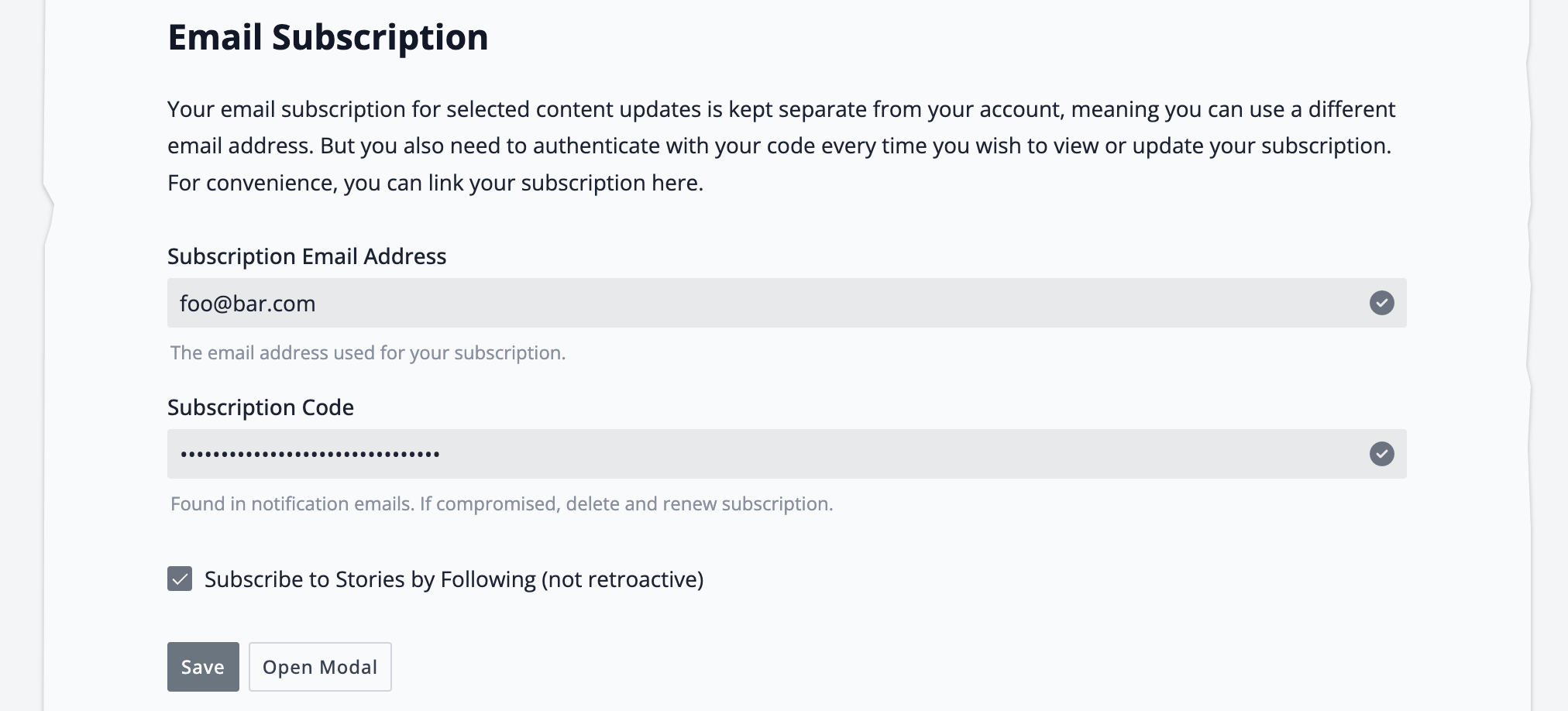
The plugin integrates seamlessly into the Fictioneer theme. You’ll find a new option in the [Subscribe] popup menu, the user menu, and the mobile menu to open the subscription modal. The user profile is extended with a new section to link your subscription, which can use a different email address, and enable Follows to automatically subscribe to a story.
Additionally, you can use the [fictioneer_email_subscription] shortcode to render an email input field that serves as a toggle for the modal. The optional placeholder="" parameter allows you to customize the text. Beyond this, there is nothing else to do on the frontend.

Admin
The plugin menus are added low in the admin sidebar under Notifications with a letter icon.
Notifications
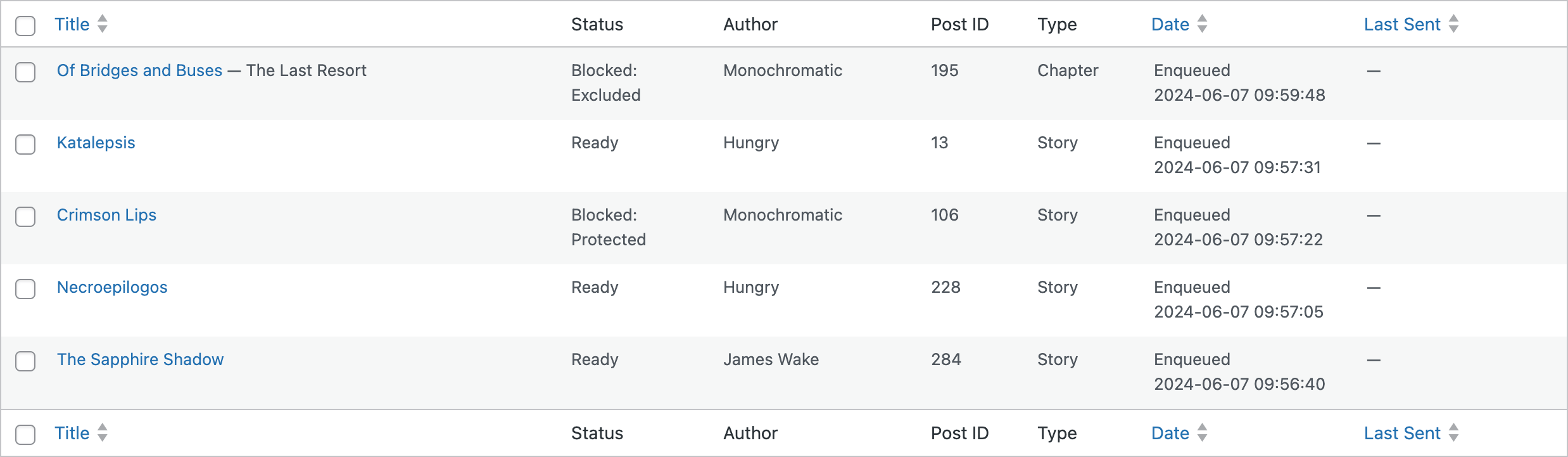
This page provides a list table of all notifications, both unsent and sent (if not cleared). Blog posts, stories, and chapters are automatically enqueued when published for the first time. You also have the option to add them manually using their ID, which can be found in the URL of the post edit screen. Duplicates and ineligible posts are either skipped or marked accordingly if already present in the table. The status column indicates the current state of each notification, while other columns provide additional information.
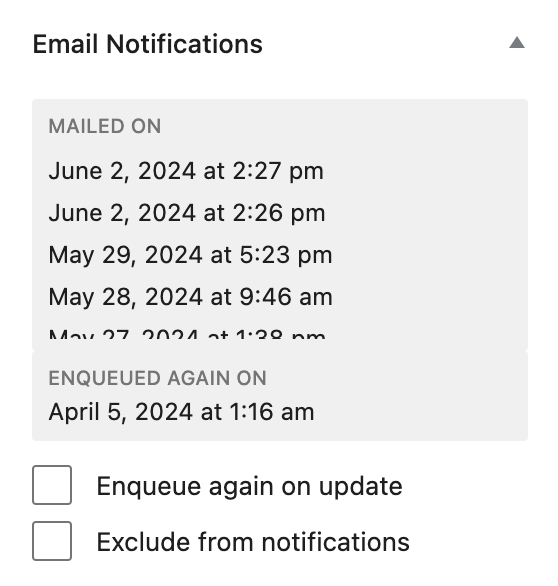
Each eligible post features a meta box in the sidebar with related information, such as the dates when it has been enqueued and sent. You can send notifications multiple times if desired. Two convenient checkbox flags allow you to re-enqueue a post once when updated or exclude it entirely. This is currently limited to administrators.
Send Emails
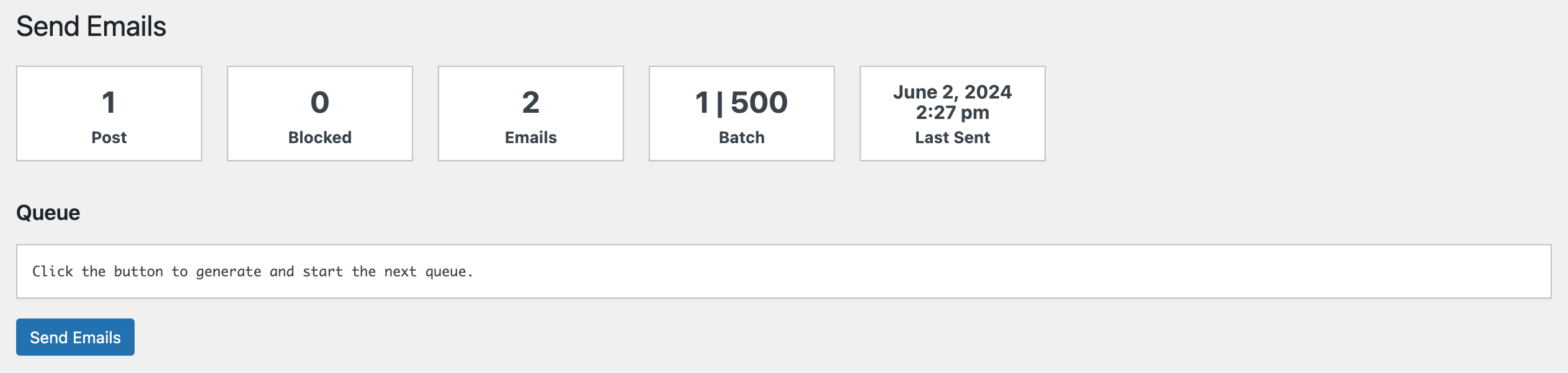
This is where you can send notifications to subscribers. The plugin does not send notifications automatically, as it prioritizes control over convenience. Sending notifications requires just the push of a button, which is considered manageable.
The queue is processed via Fetch API requests, providing you with real-time information about the status. Since the plugin pushes emails in bulk to the MailerSend service, you can use the ID link to monitor the progress on their end.
To reduce the number of emails sent, multiple notifications are aggregated into a single email. This ensures that subscribers receive a concise summary of updates rather than individual ones, minimizing email clutter and reducing the risk of being classified as spam.
Note that the MailerSend API has a rate limit of 10 requests per minute and 1,000 requests per day, at least for the free tier. The queue script ensures that you do not exceed this rate limit. If something goes wrong, you can retry again later — successful batches are not sent again. Incomplete queues are stored for 24 hours.


Subscribers
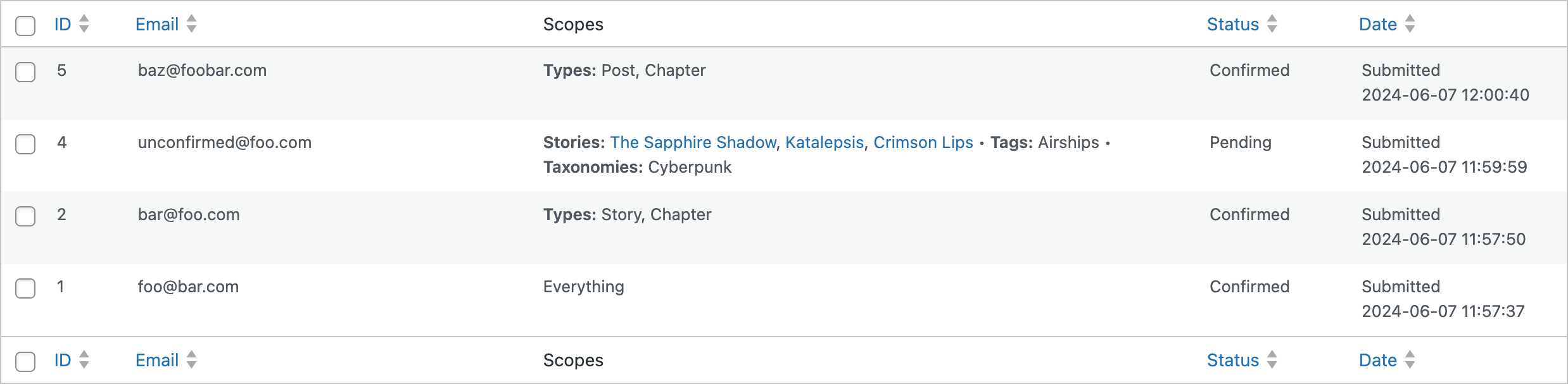
This page provides a list table of all subscribers along with their selected scopes. Aside from administrative actions, the most useful feature is the option to display an email preview for the current queue. This allows you to see how your emails will look to the recipient.
You can manually add or remove subscribers, confirm or unconfirm them, and resend them their edit code (which should be included in any email anyway). Unconfirmed subscribers will be deleted after 24-36 hours, as soon as the cron job runs.
Templates
Templates allow you to customize the emails, split into layouts and partials. Each email is based on a single layout, while partials are snippets that can be included in certain layouts via tokens. Tokens are replacement keys within double curly brackets that are substituted with dynamic content related to the subscriber and their selected scopes. You can also decide on the subject of each email.
Tokens can be used as conditionals with a specific syntax:
{{#token}}content{{/token}}: The content is only rendered if the token is not empty.{{^token}}content{{/token}}: The content is only rendered if the token is empty.
As an email is essentially just a small website, you can technically design and style it as you like. However, emails are quite limited in the HTML/CSS they allow — or rather, what the email clients support. This is why the defaults are plain and simple. It’s best to consult one of the many guides available online for best practices in email design.
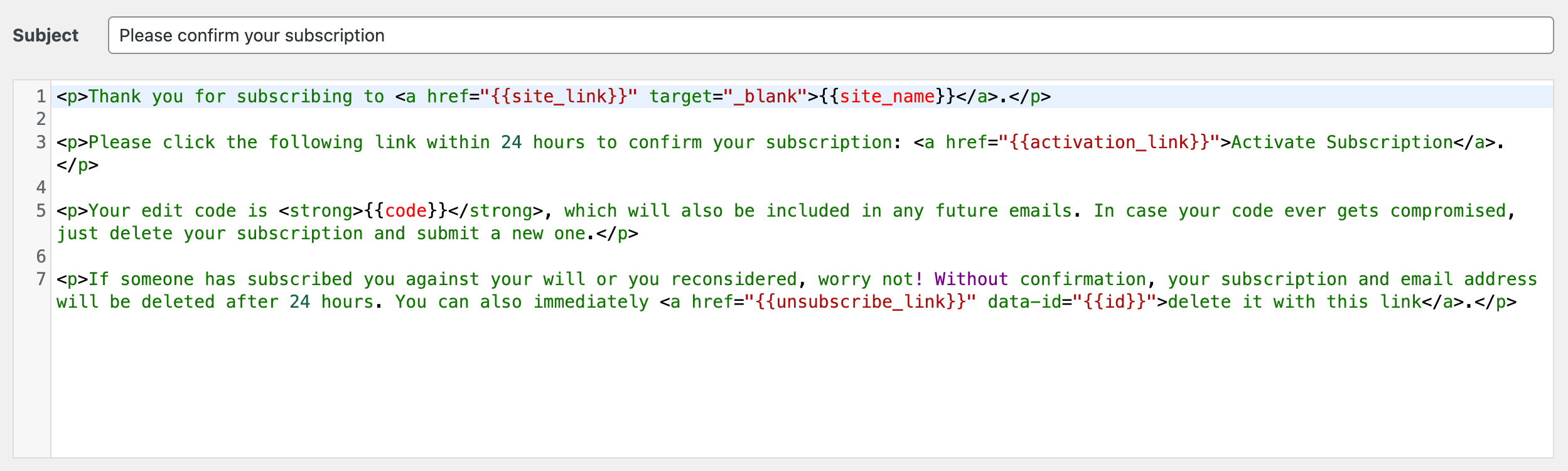
Settings
The basic setup and options.
- Sender Email: The email address used for outgoing emails. Defaults to noreply@* or admin email address.
- Sender Name: The name used for outgoing emails. Defaults to site name.
- Option: Allow subscriptions to stories: Enables subscribers to subscribe directly to stories.
- Option: Allow subscriptions to taxonomies: Enables subscribers to subscribe directly to taxonomies.
- Option: Unblock notifications for protected posts: Allow notifications about password-protected posts.
- Option: Unblock notifications for hidden posts: Allow notifications about hidden (unlisted) posts.
- Option: Do not enqueue blocked posts upon publishing: By default, blocked posts are still enqueued but cannot be sent. This option prevents blocked posts from being enqueued upon publishing.
- Excerpts: The maximum characters for generated excerpts (default 256). Custom excerpts are not limited.
- Maximums: The maximum subscriptions to categories, tags, and taxonomies (default 10 each). Disable with 0.
- Excluded Posts: Comma-separated list of post IDs to exclude from notifications.
- Excluded Authors: Comma-separated list of author IDs to exclude from notifications.
- Excluded Emails: List of email addresses to never receive notifications, one per line.
- Deactivation: Deletes all plugin data on deactivation (irreversible) if checked.
- API Key: Your MailerSend API key.
- Batch Limit: The maximum number of emails per bulk request (default 300, max. 500).
Log
The log records all plugin actions and allows you to check the status of a bulk request using the request ID.
Frequently Asked Question
Can I automate the sending of emails?
While this could be achieved, the plugin does not provide a function suitable for automation. WordPress cron jobs are not particularly reliable, and if something goes wrong, you might not notice. Instead, you can simply push a single button occasionally to send the emails. It’s a small effort for the assurance of proper functionality.
What if someone makes a subscription for someone else?
Subscriptions must be confirmed within 24 hours or they will be deleted. No notifications are sent to unconfirmed email addresses, so this issue will resolve itself when ignored. In case of repeating offenders, you can add the victim’s email address to the exclusion list in the settings.
Can I use other email sending services?
Currently not. Implementing support for multiple email sending services is a lot of work, as each has its own unique requirements. Additionally, many services offer a meager free tier that is virtually useless, followed by a pricing model that can be quite expensive. MailerSend was chosen for its generous free tier, reasonable upgrade prices, and because they once offered 12,000 emails for free. Be happy if you got such a legacy account.
What is the benefit of email subscriptions?
Compared to membership platforms or community sites with their own dedicated email service? Independence. As convenient and easy as relying on these third-party distributors may be, it always leaves you at their mercy. If they decide to drop you for any reason, you could lose your entire support base in an instant. But as long as you have your subscriber list, you can always reach out to your supporters, even if it means contacting them one by one.
Releases
5 releases. Each count is every asset in that release; expand a row for the breakdown.
Active-site estimate ≈10 comes from the median of recent superseded releases. Method.