Install
This is the repository archive. It installs, but the folder name will carry the branch suffix and updates will not flow.
Install straight from GitHub with WP-CLI:
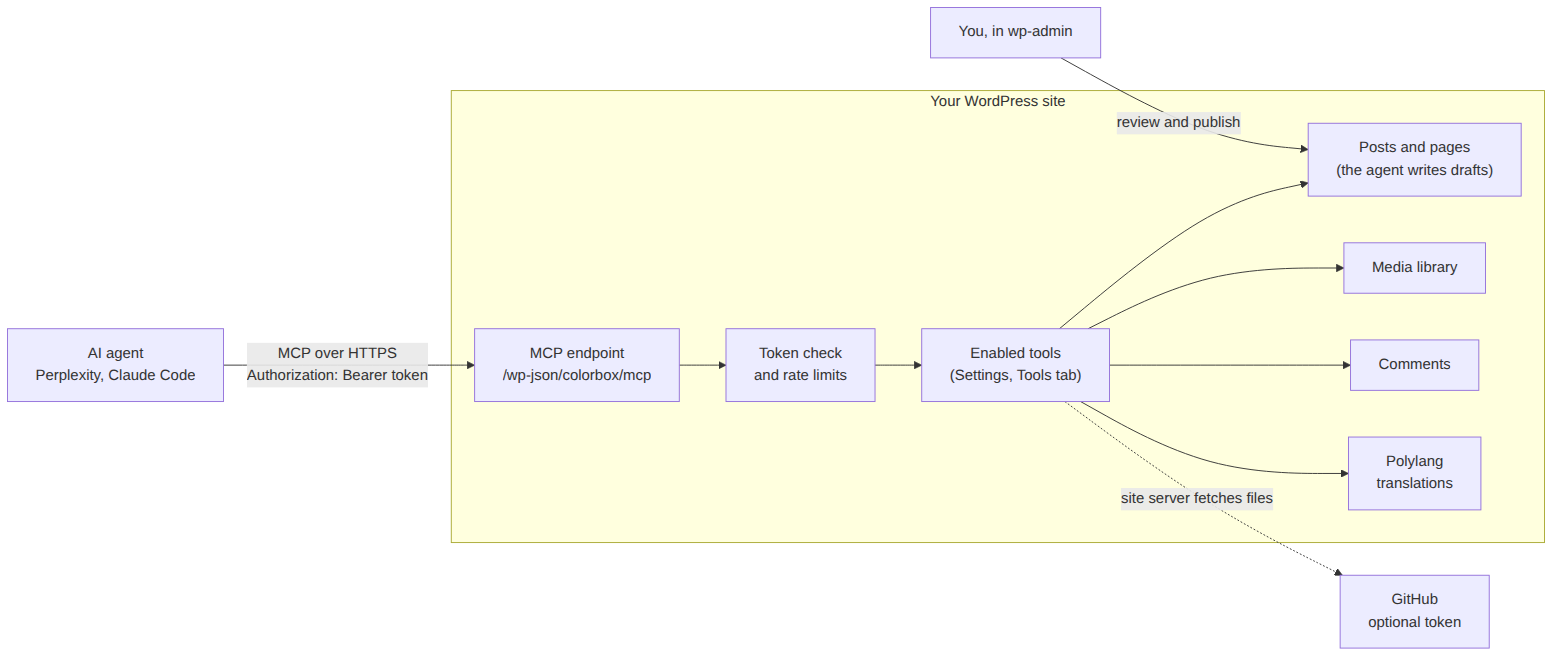
wp plugin install https://github.com/szmidtpiotr/colorbox-mcp/archive/refs/heads/main.zipA WordPress plugin that lets an AI agent (Perplexity, Claude Code or any MCP client) write and translate drafts, add images and code, moderate comments and check your content — without ever publishing anything. You review and publish; the agent does the legwork.
Why: an AI assistant is good at drafting, translating and tidying a blog, but giving it a WordPress password gives it everything. This plugin gives it a narrow, switchable set of tools on a token that works nowhere else.
What it can do
- Drafts and pages in any language you have in Polylang, with SEO description, categories and images.
- Translations linked to the original in Polylang.
- Images from GitHub, a web address or the agent itself, straight into the media library with alt text.
- Code from GitHub as a code block pinned to an exact commit, with a “Source” line.
- Comment moderation with spam signals: flag, hold, edit, trash — all reversible.
- Content audit: missing translations, featured images, SEO descriptions, alt texts, stale drafts, broken links.
- Review queue: finished drafts wait for you on the dashboard.
- Optional, off by default: editing published posts (with undo), trash, deleting unused images and categories.
- Admin panel and tool descriptions in English and Polish, following your WordPress language.
Documentation
| Chapter | What is in it |
|---|---|
| 1. Installation | Requirements, uploading the ZIP, updating, removing. |
| 2. Configuration | The settings panel: agent account, tokens, tools, GitHub, review queue. |
| 3. Connecting a client | Perplexity, Claude Code, checking the connection. |
| 4. Tools | All 28 tools, what the agent can never do, how to undo. |
| 5. Security | What a leaked token gives, limits, prompt injection. |
| 6. Troubleshooting | Symptom → cause → fix. |
| 7. How it works | Files, stored data, design decisions, development. |
Shortest path (about 15 minutes)
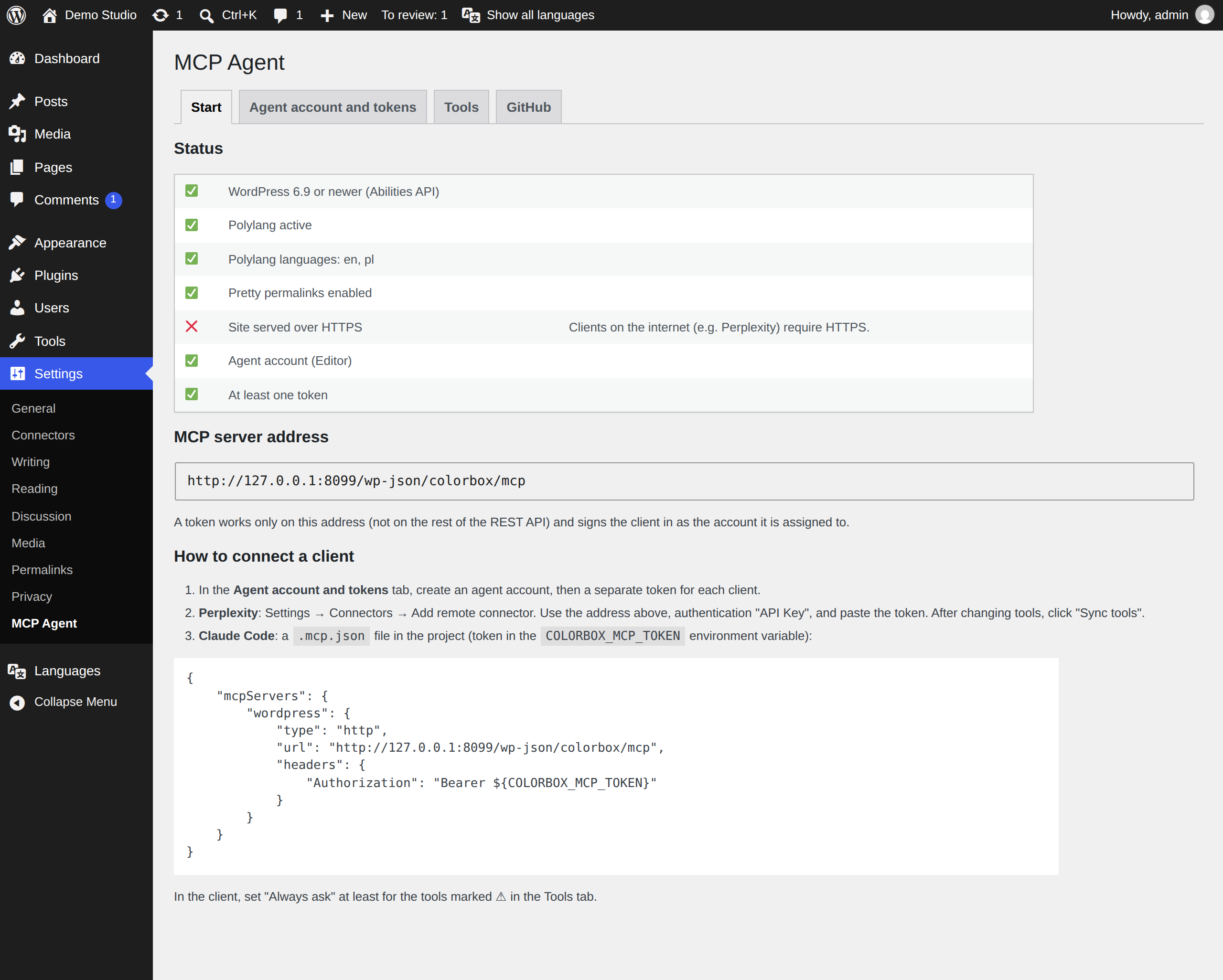
- WordPress 6.9+, PHP 8.1+, Polylang with one language, pretty permalinks.
- Download the ZIP from Releases, then Plugins → Add Plugin → Upload Plugin → Activate.
- Settings → MCP Agent → Agent account and tokens: Create agent account, then Create token, copy it.
- In your client: the address from the Start tab plus the token as
Authorization: Bearer <token>.
Repository layout
colorbox-wp-mcp.php   plugin entry point
includes/             the plugin code (one file per area)
languages/            Polish translation and the .pot template
vendor/               WordPress MCP Adapter (committed, no Composer needed)
bin/build-zip.sh      builds the installable ZIP
docs/                 this documentation (en/, pl/, img/)
tools/                demo site, screenshot script, diagram sources
Status
Version 0.2.0. Used on a live bilingual (PL/EN) site with Perplexity and Claude Code. Tested on WordPress 7.1, PHP 8.3 and Polylang 3.9. Not yet: OAuth (needed for claude.ai custom connectors), automatic updates, cleanup of settings on uninstall.
Built on the official WordPress MCP Adapter and the Abilities API from WordPress core.
License
GPL-2.0-or-later, like WordPress itself.