Install
This is the repository archive. It installs, but the folder name will carry the branch suffix and updates will not flow.
Install straight from GitHub with WP-CLI:
wp plugin install https://github.com/sumanbasuli/bhranti/archive/refs/heads/main.zipAn AI assistant that works alongside you in WordPress.
Ask Bhranti to update a page, improve your writing, find an image or help set up a product catalog. It reads the relevant content, makes supported changes and shows its actions in a chat beside your editor.
Requires WordPress 7.0+, PHP 8.0+ and a compatible AI text connection in Settings → Connectors. Image features depend on the connector and model. AI usage may count toward your provider allowance or incur charges.
What you can do
- Write and edit posts and pages, search existing content, and recover wording from saved revisions.
- Work with supported native blocks, templates, navigation and styles.
- Find Media Library assets and generate images when your AI connection supports it.
- Manage permitted WordPress.org plugins, Contact Form 7 forms and selected WooCommerce store features.
- Give Bhranti page, block or chosen image context while keeping your work visible.
- Create agents with pasted agent.md instructions, add skill.md guidance, and save preferences you explicitly ask it to remember.
- Follow longer tasks through saved work plans, background continuation and searchable activity logs.
Screenshots
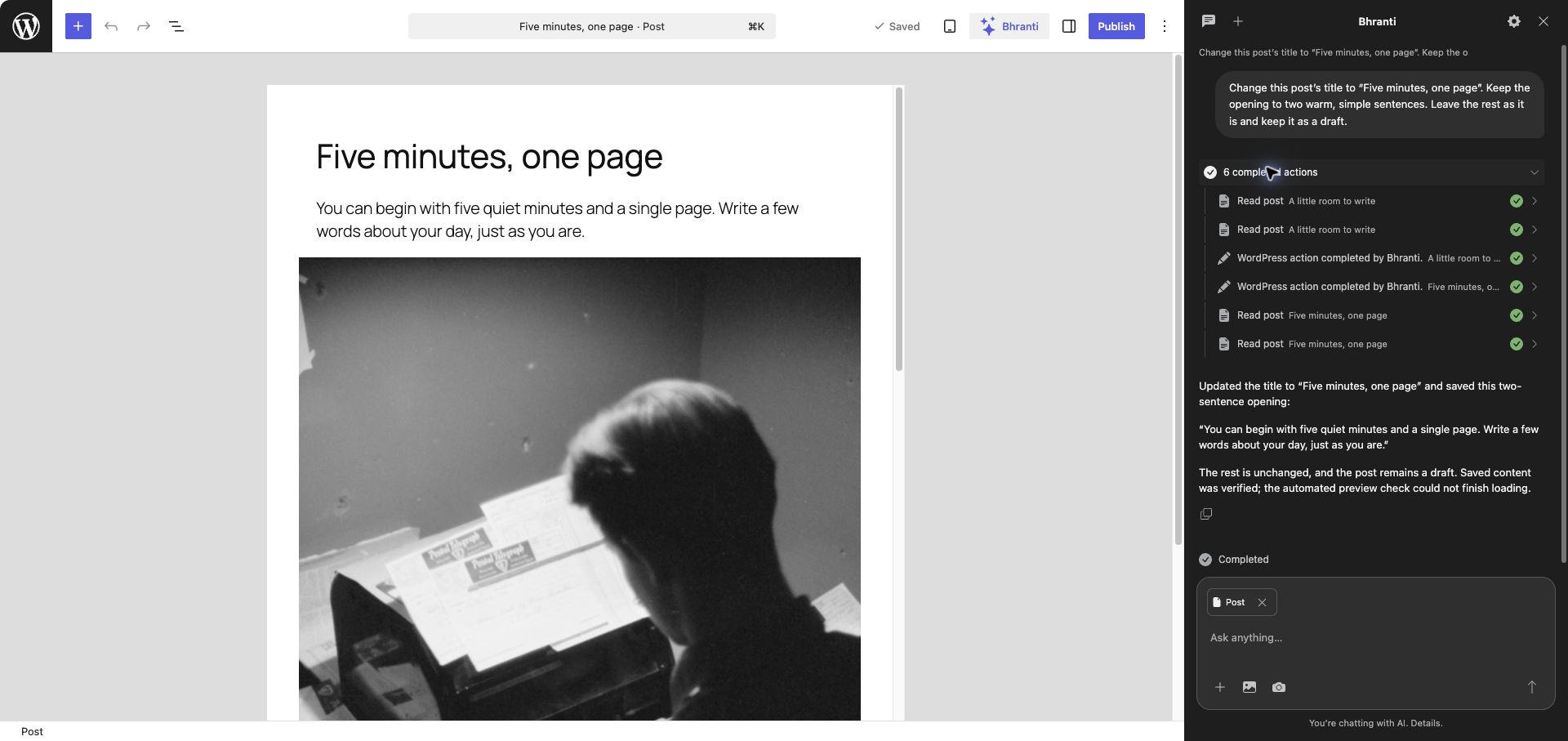
Edit a post beside Bhranti and review its saved changes and action history.
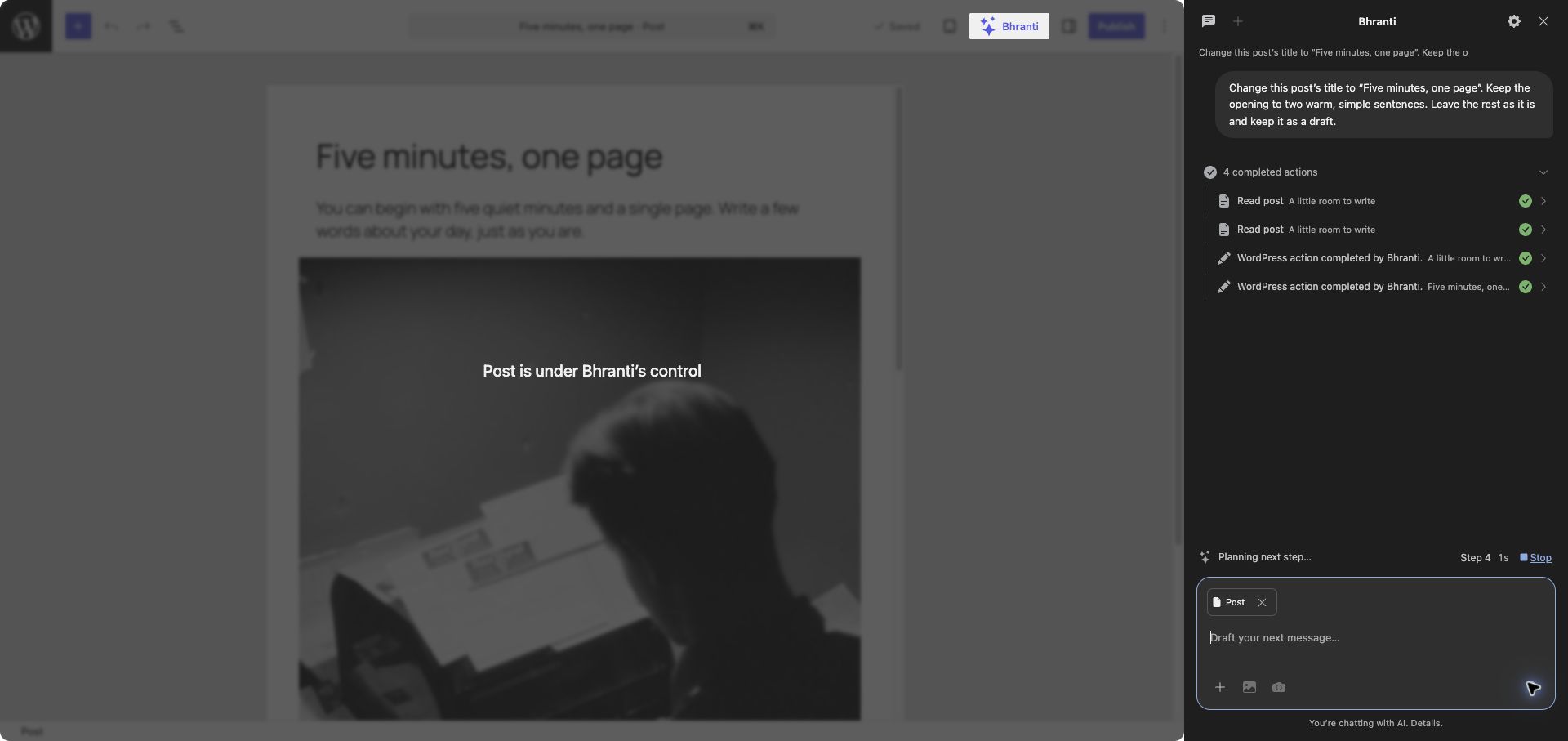
Follow Bhranti's actions while the editor is protected from accidental edits.
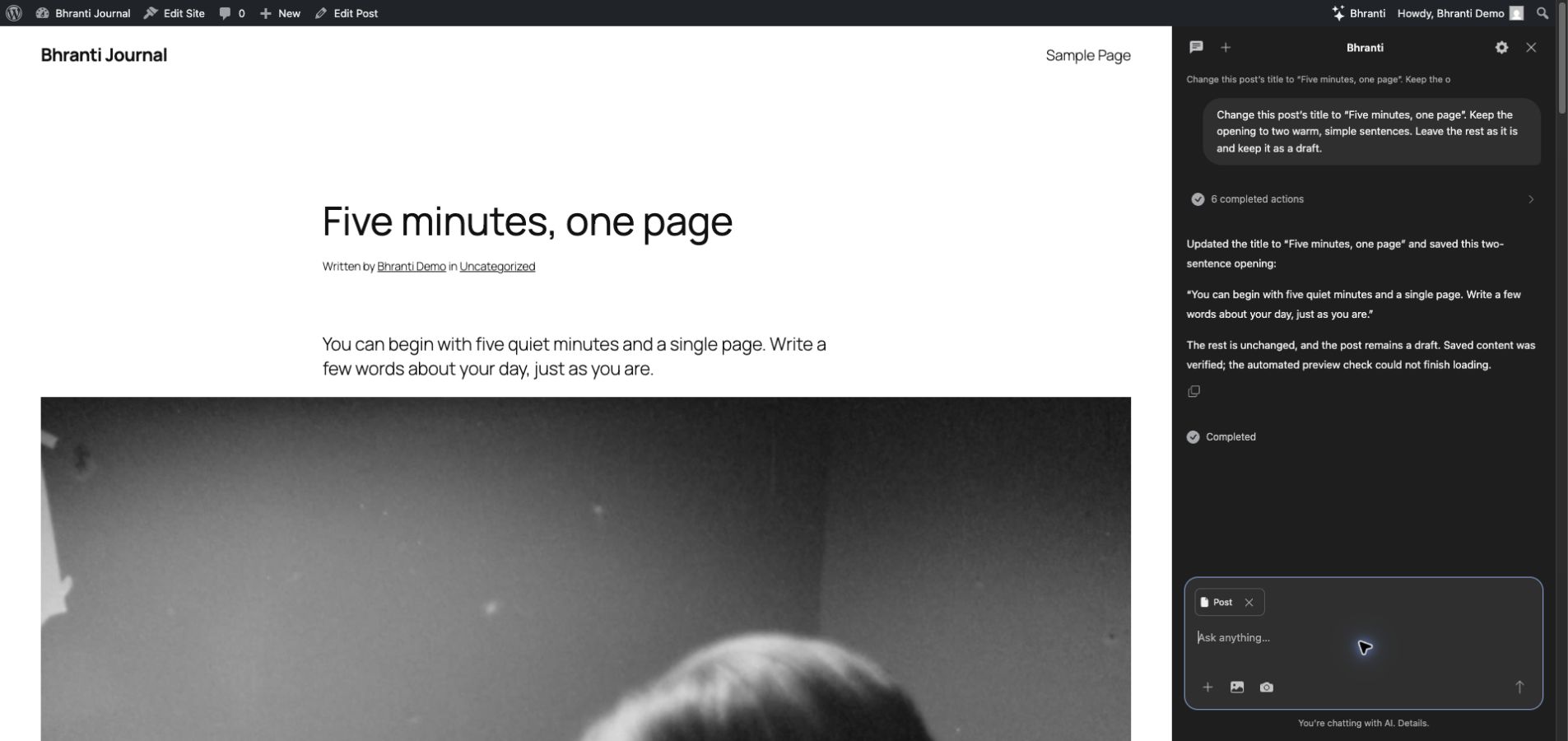
Preview the updated draft on your site while keeping the conversation open.
Get started
- Install the Bhranti plugin ZIP through Plugins → Add New Plugin → Upload Plugin, then activate it.
- Connect a compatible text provider in Settings → Connectors. Complete any native connector approval.
- Review the action switches in Bhranti → Settings.
- Open Bhranti from the admin bar or block editor toolbar and describe what you want to do.
An administrator who can create users must initialize Bhranti's dedicated account on first use. Optional integrations need their respective plugins. For source checkouts, create the installable ZIP with ./build.sh; GitHub's source archive is not the release package.
Your site, your controls
Choose the actions Bhranti may take. Review an Approve/Cancel card before a plugin installation, later status change or uninstall. One installation approval can include activation when the card lists it; otherwise the plugin stays inactive. Supported deletion also needs approval. Cancelling stops the current task. Permanent plugin uninstall is disabled by default.
Approved plugin changes and explicit plugin Undo run as your WordPress account. Other site actions use Bhranti's dedicated account and require both accounts' permissions. Logs identify the account that performed each action.
Supported changes can be rolled back for seven days if no conflicting edits have happened. Some actions have no automatic Undo, including plugin installation/uninstall, generated media and newly created forms. Emails and other plugin side effects cannot always be reversed. Bhranti does not edit core, theme or plugin source code, or change accounts, roles or credentials.
Longer tasks use WordPress scheduling, which needs site traffic or a configured scheduler. They pause for missing input and approvals. Browser-based page checks wait for an open browser, and automated accessibility checks do not certify full WCAG conformance.
AI and privacy
Bhranti uses WordPress's built-in AI Client and native connectors. Configure your provider there; do not paste credentials into chat. Recognizable credentials are checked before storage and AI requests, but text checks cannot identify every secret or inspect screenshot pixels.
Your request, relevant site content and conversation context, selected instructions, preferences, and attachments may be sent to your configured provider. Bhranti adds no telemetry. Conversations are stored on your site and are not encrypted in the database; optional preference memory uses encrypted files. WordPress data export and erasure cover Bhranti's records.
See the AI and privacy guide for sharing, retention and deletion details.
Guides
The documentation website is built from these Markdown files, with a readable web page and Markdown version of each guide.
Development
Run ./build.sh to create the installable plugin folder, ZIP and SHA-256 checksums in build/. Use ./build.sh --check for source checks without packaging, or python3 tests/build.py for packaging regressions.
See build and release instructions, developer notes and verification, and the Astro website README. Website sources, dependencies and development tools are excluded from the installable plugin ZIP.
License
Copyright (C) 2026 Suman Basuli.
Bhranti is free software under the GNU General Public License, version 2 or later, the same license used by WordPress. You may use, share and modify it under those terms. It is distributed without warranty; see LICENSE for the complete license.
Bundled third-party libraries retain their licenses and notices:
- Bootstrap Icons: MIT.
- axe-core: MPL-2.0, with source information and third-party notices.