Install
This is the repository archive. It installs, but the folder name will carry the branch suffix and updates will not flow.
Install straight from GitHub with WP-CLI:
wp plugin install https://github.com/sulaiman-dauda/scoped-css/archive/refs/heads/main.zipA lightweight conditional CSS manager for WordPress — Load custom CSS based on page, post, or URL conditions.
Table of Contents
- Features
- Screenshots
- Installation
- Usage
- Display Conditions
- WP-CLI Commands
- FAQ
- Contributing
- Changelog
- License
Features
Unlike traditional custom CSS plugins that apply styles globally, Scoped CSS lets you target specific pages, posts, post types, or URLs.
- Unlimited CSS Rules – Create as many CSS rules as you need
- Conditional Loading – Load CSS only where it's needed
- CodeMirror Editor – Syntax highlighting and error checking
- CSS Minify/Format – One-click minification and formatting
- Performance Optimized – No frontend JavaScript, cached queries
- Native WordPress UI – Clean, familiar admin interface
- Secure – Proper capability checks and sanitization
- WP-CLI Support – Manage rules from the command line
- Multisite Compatible – Each site gets its own CSS rules
Use Cases
- Add custom styles to specific landing pages
- Override theme styles on certain post types
- Apply promotional banners only to specific URLs
- Fix layout issues on individual pages without affecting the rest of the site
Screenshots
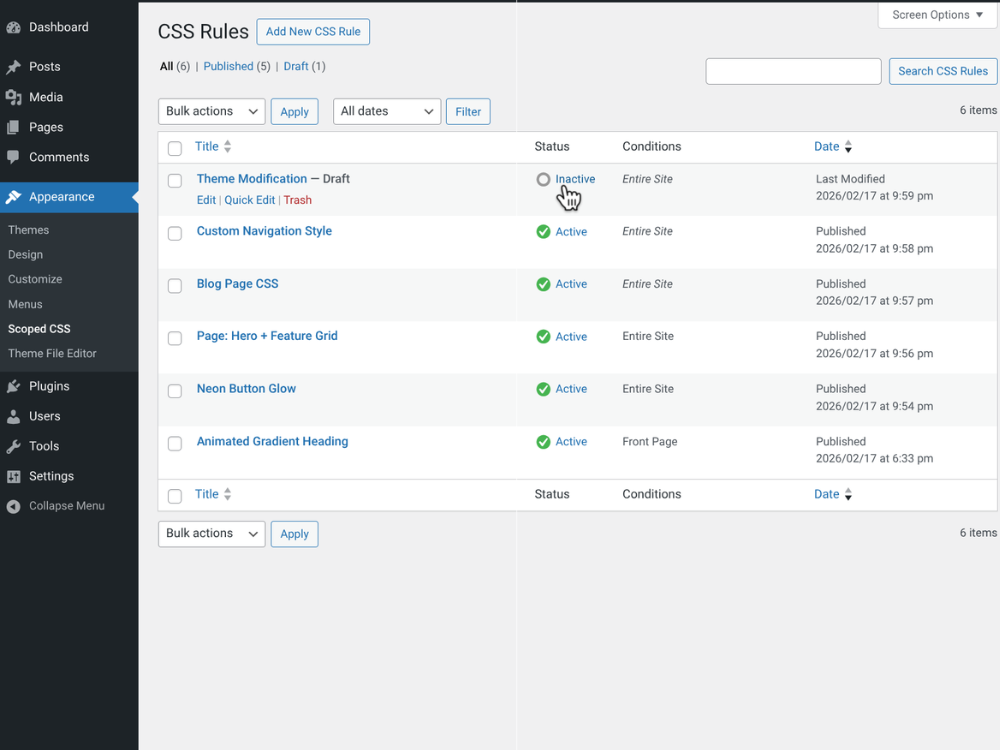 Rules Overview List view with status, targeting conditions, and quick actions |
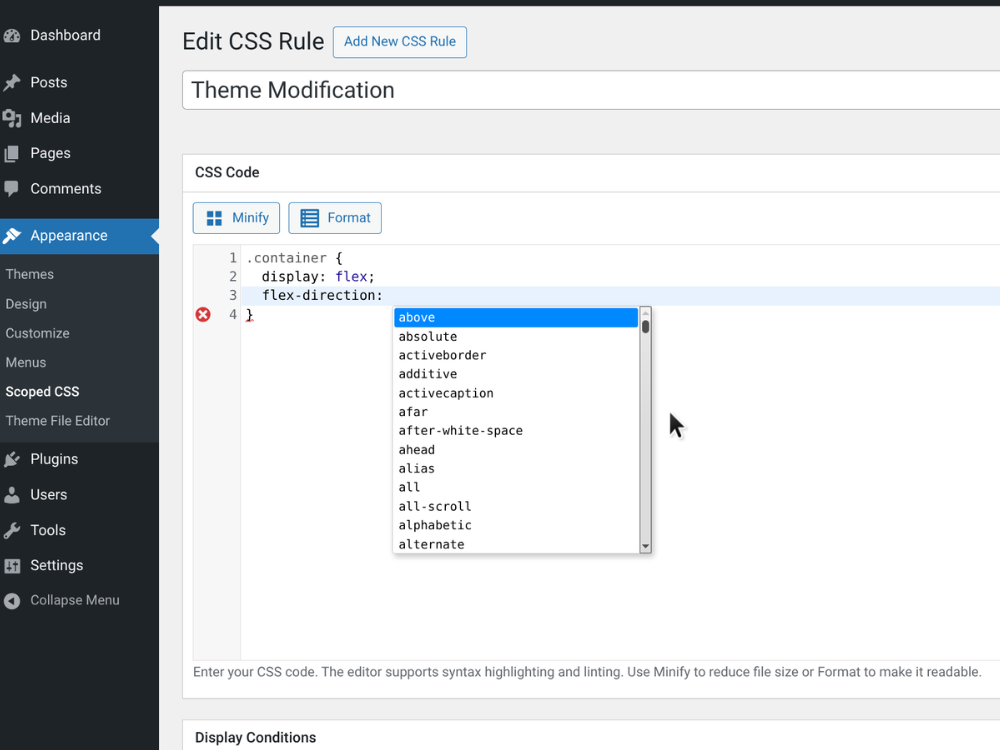 CSS Editor Syntax highlighting, linting, and code completion |
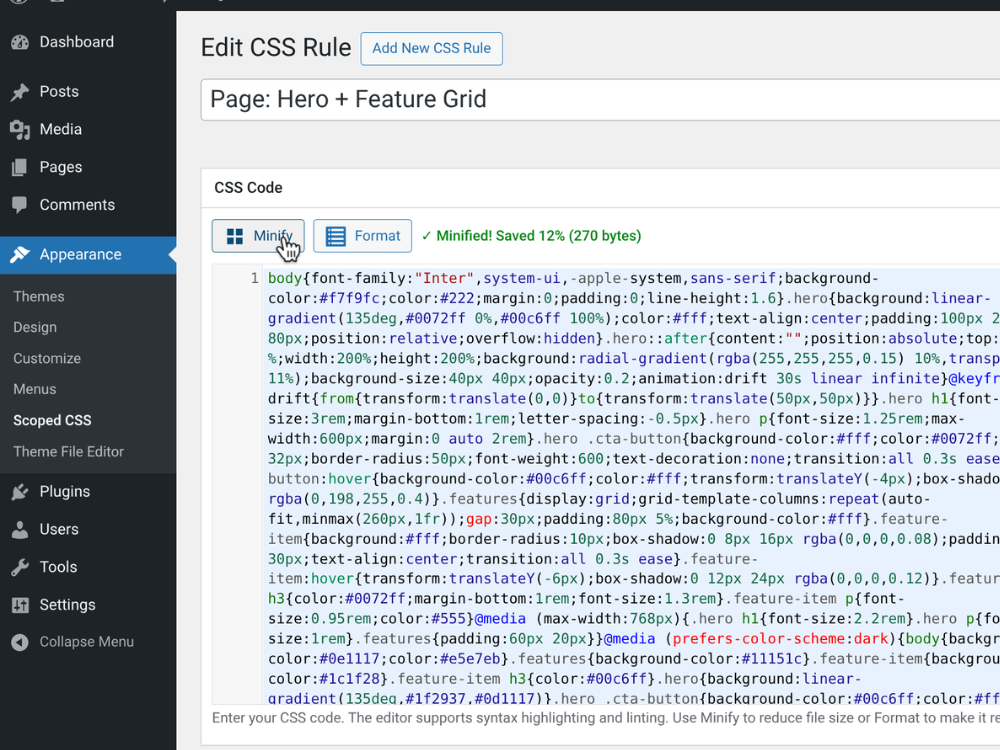 One-Click Minify Optimize rule output directly from the editor |
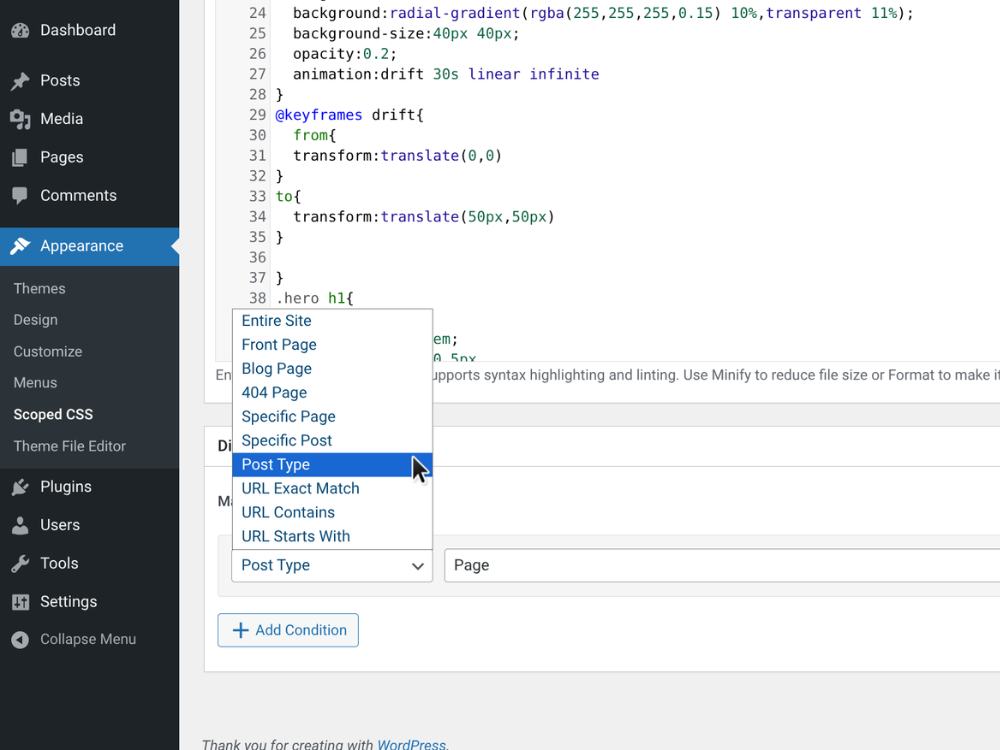 Conditional Rendering Page-level styles applied based on scoped rules |
Installation
Manual Installation (GitHub)
- Download the latest release (
.zipfile) - In WordPress, go to Plugins → Add New → Upload Plugin
- Upload the downloaded
.zipfile and click Install Now - Activate the plugin
- Navigate to Appearance → Scoped CSS to create your first rule
Via Git
cd /path/to/wordpress/wp-content/plugins/
git clone https://github.com/Sulaiman-Dauda/Scoped-CSS.git scoped-css
Then activate from Plugins in your WordPress admin.
Requirements
- WordPress 5.3+
- PHP 7.2+
Usage
- Go to Appearance → Scoped CSS
- Click Add New to create a CSS rule
- Enter a title (for admin reference)
- Add your CSS code in the editor
- Set display conditions to control where the CSS loads
- Click Publish to activate the rule
Tips
- Use the Status toggle in the rules list to quickly enable/disable rules
- Click Minify to compress CSS or Format to make it readable
- Combine multiple conditions for precise targeting
- Use "URL Contains" for wildcard-like matching
Display Conditions
Each CSS rule can be targeted to:
| Condition | Description |
|---|---|
| Entire Site | Apply everywhere |
| Front Page | Homepage only |
| Blog Page | Posts listing page |
| 404 Page | Error page |
| Specific Page | Target individual pages |
| Specific Post | Target individual posts |
| Post Type | All posts of a type (pages, posts, products, etc.) |
| URL Exact Match | Match exact URL path |
| URL Contains | Match URLs containing a string |
| URL Starts With | Match URLs by prefix |
Pro tip: Conditions can be combined with AND/OR logic for complex targeting.
WP-CLI Commands
Manage your CSS rules from the command line:
# List all CSS rules
wp scoped-css list

# Enable/disable a rule
wp scoped-css enable <id>
wp scoped-css disable <id>

# Show rule details
wp scoped-css show <id>

# Clear cache
wp scoped-css cache-clear
FAQ
Does this plugin slow down my site?
No. Scoped CSS is optimized for performance:
- Single database query to fetch all rules (cached)
- No JavaScript loaded on the frontend
- Conditions evaluated with native WordPress functions
- Rules cached using WordPress transients
Can I migrate from Simple Custom CSS?
Yes! When you activate Scoped CSS, any existing CSS from Simple Custom CSS will be automatically migrated to a new rule called "Migrated Global CSS" with "Entire Site" targeting.
Can I use this alongside other CSS plugins?
Yes. Scoped CSS outputs standard `
Releases
1 release.
These releases are tags only. The author does not attach a packaged zip, so there are no download counts to report.