Custom Advance Repeater
A WordPress plugin that allows you to create and manage custom field groups with simple and nested repeater fields, enabling flexible data entry for posts and pages and easy frontend display using dynamic repeater functions.
Install
This is the repository archive. It installs, but the folder name will carry the branch suffix and updates will not flow.
Install straight from GitHub with WP-CLI:
wp plugin install https://github.com/sttech321/customadvancerepeaterplugin/archive/refs/heads/main.zipCreating a Field Group
- Create a Group:
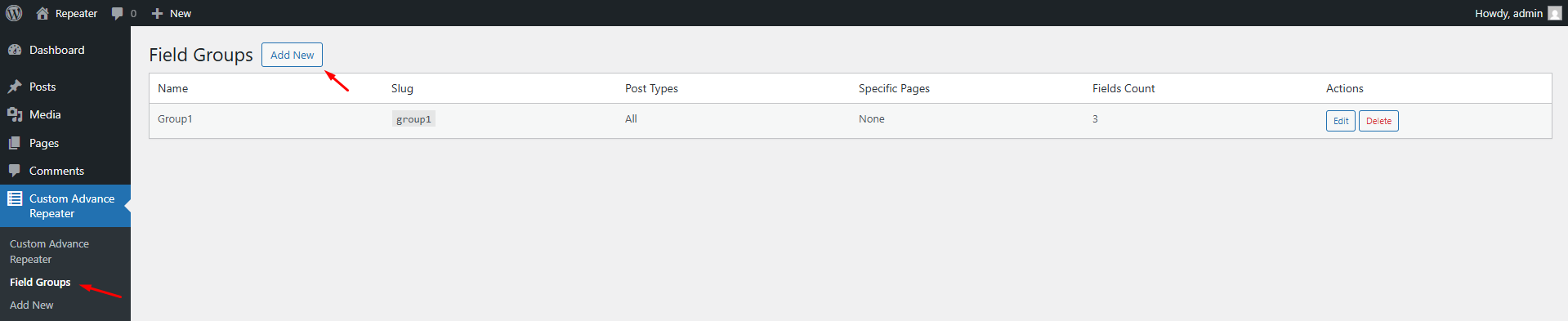
- To create a new field group, go to Custom Advance Repeater > Field Groups in the WordPress dashboard.
- Click "Add New" to create a new group.
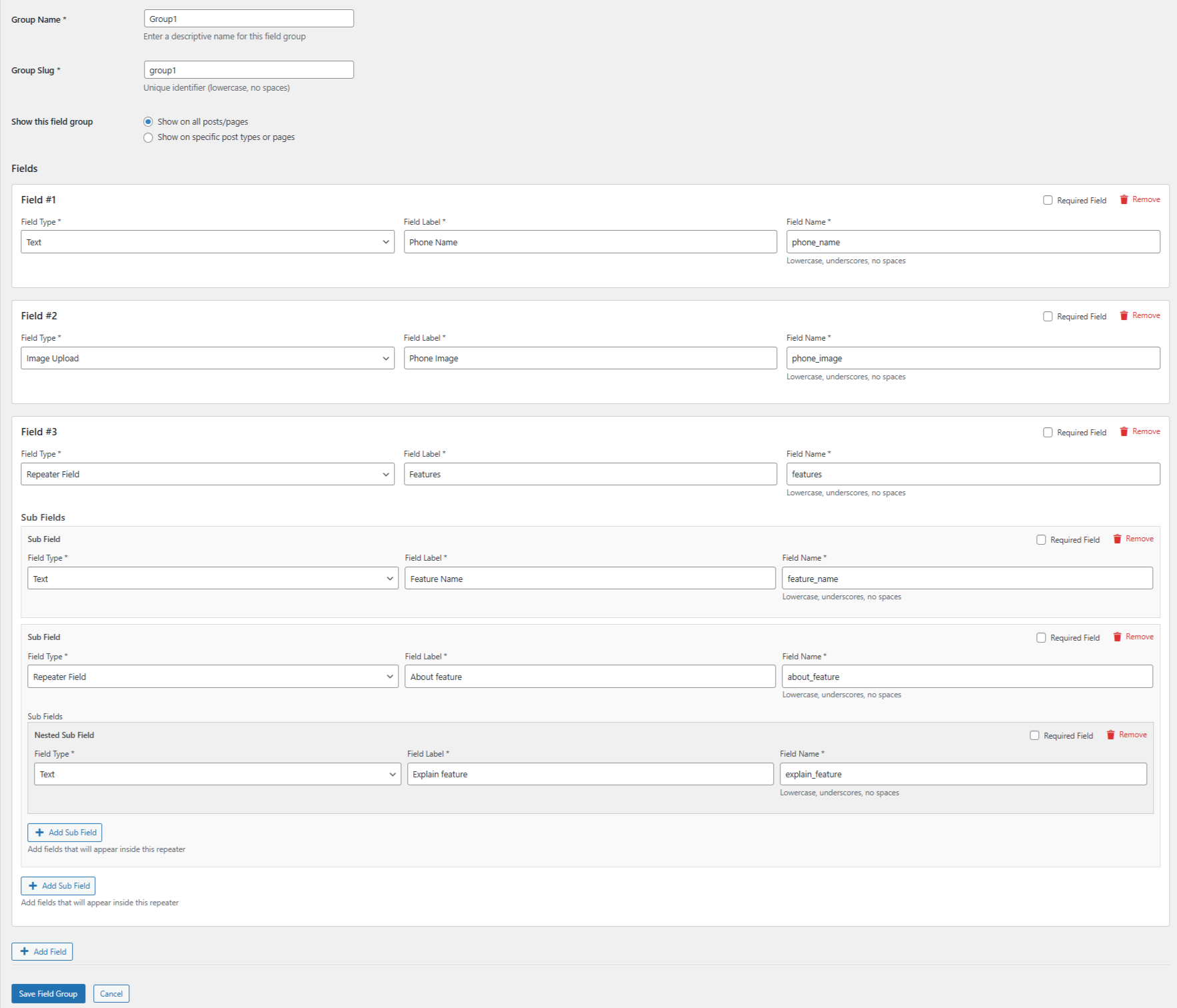
- Enter the Group Name (e.g., "Group1") and the Slug (e.g., "group1").
- Add multiple fields (both Simple and Repeater fields).
- After entering the necessary details, click "Save" to create the group.
Creating and Managing Fields with Ultimate Repeater
After creating the field group, we are provided with several options, including:
- Display on All Post Types/Pages: You can choose to display the field group on all posts and pages.
- Display on Specific Post Types/Pages: You can opt to show the field group on specific pages or posts.
Types of Fields:
-
Simple Fields: These are fields that accept a single entry (e.g.):
- Phone Name: A single text field for the title.
- Phone Image: A field for uploading an image.
-
Repeater Fields: These sub field allow you to add multiple entries under the Main Field (e.g.):
- Features: A repeater field where you can add multiple features with associated details like Title, images, and others.
-
Second-Level Repeater Fields: These nrested sub field allow you to add multiple entries under the Sub Field (e.g.)
- About feature: Under Features information, you can add additional feature details such as Title and images etc.
Adding and Managing Data for Posts/Pages
Simple Fields:
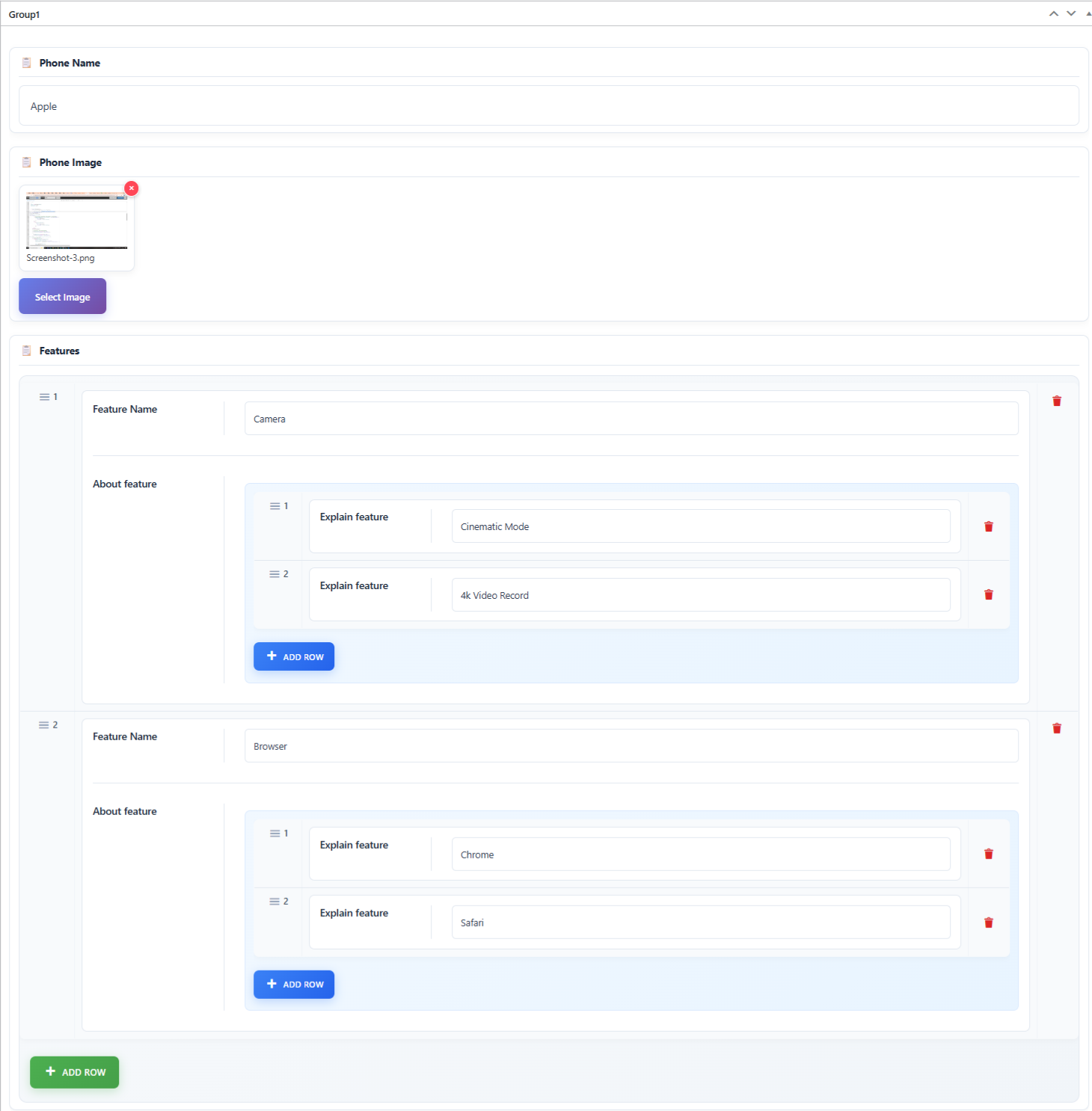
- These fields only accept one entry (e.g., Title, Image, etc.)
- Just fill in the data once.
Repeated Fields:
- These fields allow you to add multiple entries (e.g., Feature Name).
- Click "Add Row" to add more entries under the same field.
Second-Level Repeated Fields:
- These fields allow you to add multiple entries (e.g., Adding multiple Explain feature).
- Use "Add Row" to add more rows for each Explain feature.
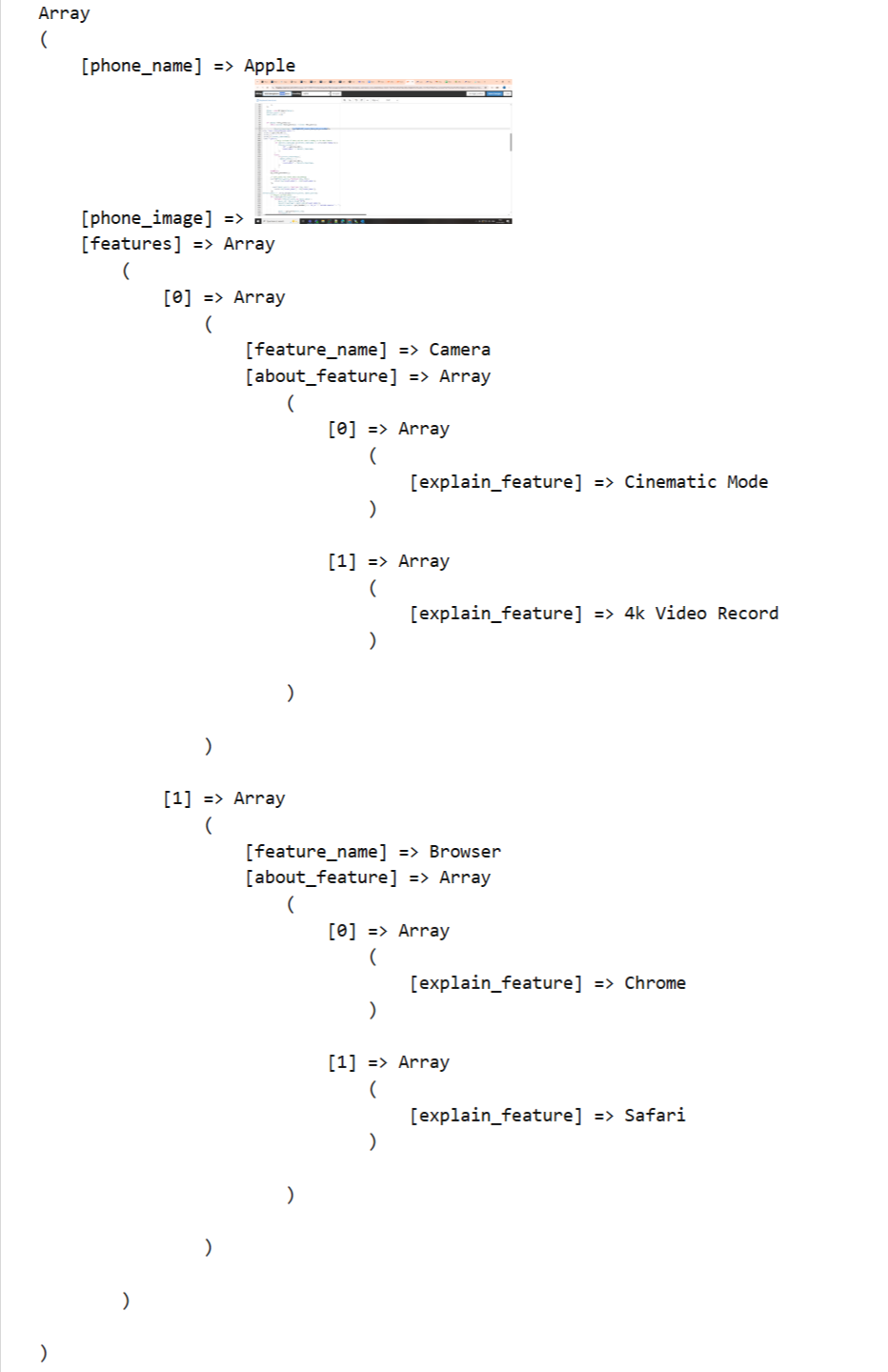
Fetching and Displaying Data from a Custom Repeater Field
- The urf_get_repeater_with_labels() function retrieves repeater field data for a specific field group. The 'group1' argument represents the group slug, while get_the_ID() provides the target post ID.
- urf_get_repeater_with_labels('group1', get_the_ID());
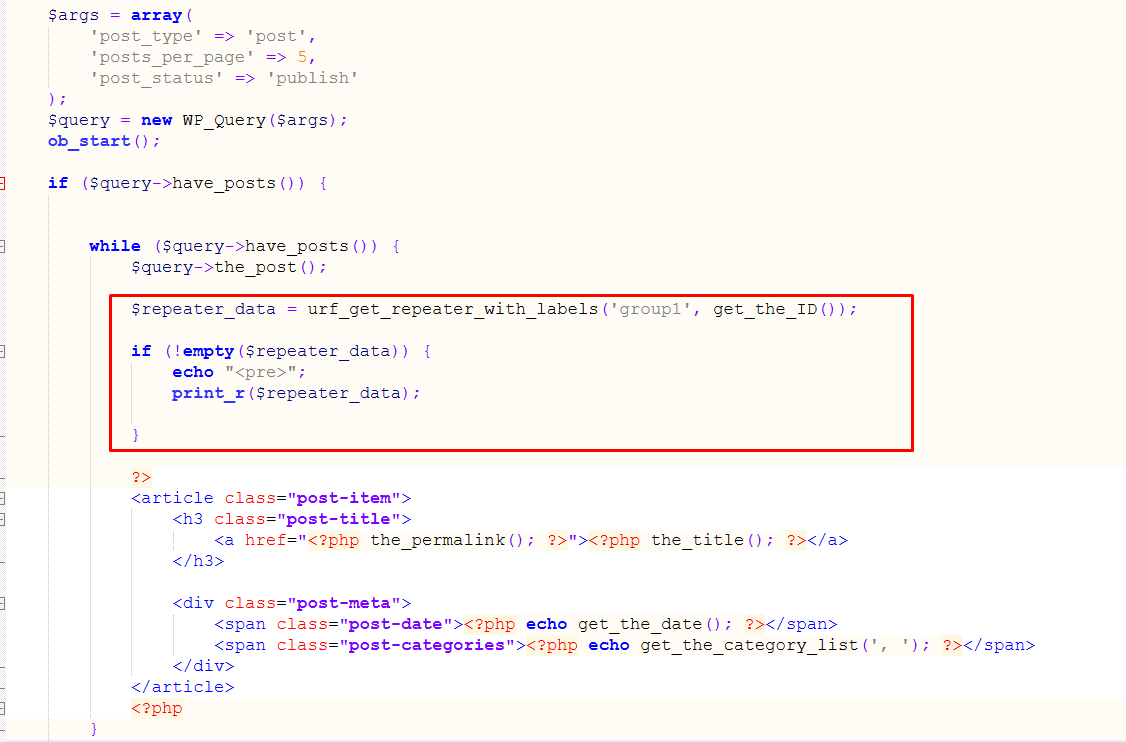
The data is now displayed on the frontend, and we can use this data in HTML.