Install
Upload it under Plugins → Add New Plugin → Upload Plugin, then activate.
Install straight from GitHub with WP-CLI:
wp plugin install https://github.com/squidsec/squidshield-wp/releases/download/v1.0.0/squidsec-shield-1.0.0.zip

SquidShield
Automatic WordPress security by SquidSec — firewall, login protection, malware & integrity scanning, hardening, and audit logging.
Install, activate, protected.
Features
| Area | What it does | Replaces |
|---|---|---|
| One-click secure defaults | Activate once and the full protection profile turns on (WooCommerce-aware when needed). First-run scans, FIM baseline, and safe auto-clean start in the background. | Multi-plugin “security suite” setup wizards and long first-run tours. |
| Brute-force lockouts | Failed-login tracking per IP (and optional username), temporary lockouts, audit log events. | fail2ban-style WP login blockers, Limit Login Attempts, “ban after N fails” plugins. |
| Login CAPTCHA | Optional reCAPTCHA v2 or Turnstile on wp-login.php. Imports existing SquidSec / Login No Captcha keys when present. |
Standalone login reCAPTCHA / Turnstile plugins (incl. older SquidSec login-recaptcha). |
| Login hardening + 2FA | Generic login errors (no username oracle). Optional custom login slug. TOTP 2FA with backup codes and role enforcement / grace period. | Hide-login-errors tweaks, rename-login plugins, basic 2FA plugins. |
| User enumeration | Blocks REST, author archives, ?author= probes, oEmbed author leaks, and user sitemaps that list account names. |
Anti-enumeration plugins and one-off mu-plugin snippets. |
| XML-RPC | Full disable, or pingbacks-only hardening if something still needs XML-RPC. | XML-RPC kill plugins and custom xmlrpc.php blocks. |
| WAF + virtual patches | Blocks SQLi, XSS, RCE, LFI, and bad uploads. Version-aware virtual patches for known plugin CVEs. Custom rules supported. | Lightweight WAF plugins and hand-written request-filter snippets. |
| Rate limits + IP lists | Rate limits on login, admin-ajax, REST, and XML-RPC. Allowlist / blocklist CIDRs. Optional geo-block (off by default). | Request rate-limit plugins, IP ban plugins, basic geo-block tools. |
| Malware + FIM | Signature malware scans (plugins, themes, mu-plugins, uploads) on a schedule. File integrity baselines and hourly change checks. Quarantine / delete helpers from the UI. | Standalone malware scanners and basic file-change monitors. |
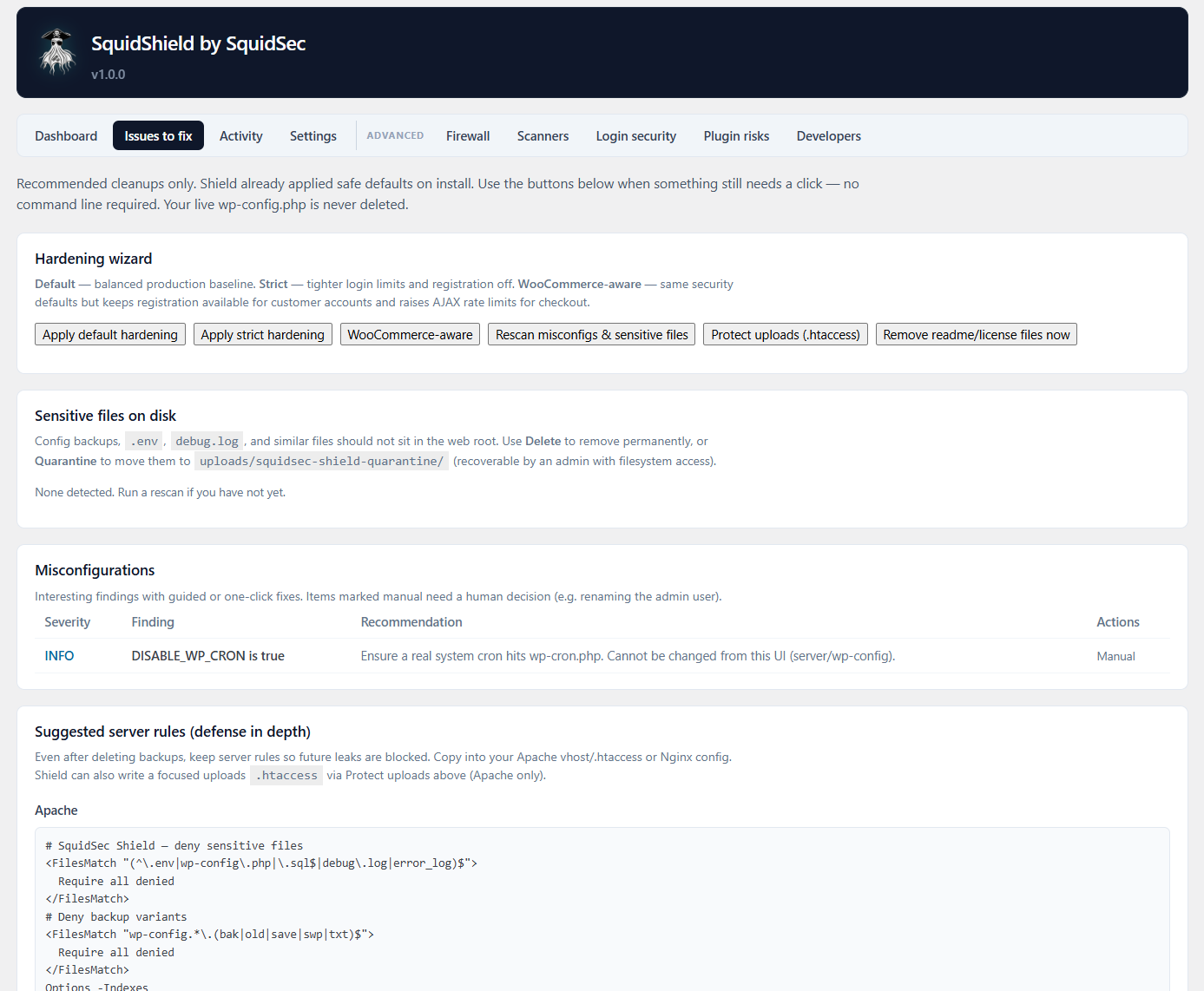
| Vulns + misconfig | Plugin risk scoring against bundled vuln data. Misconfiguration checks (file editor, debug flags, and similar). | Entry-level vulnerability scanners and security audit checklists. |
| Sensitive files + uploads | Finds and can quarantine junk like config backups and dumps. Blocks direct hits on sensitive paths. Best-effort PHP-in-uploads hardening via .htaccess. |
Sensitive-file scanners and uploads hardening snippets. |
| Fingerprint cleanup | Automatically deletes public readme, license, and changelog fingerprint files from core, plugins, and themes. Runs on Shield install, after plugin/theme/core updates, on plugin activate, and after theme switch so new packages cannot re-leak versions. | Manual “delete readme.html” cleanups and one-shot fingerprint plugins that do not re-run on updates. |
| Admin hardening | Disables theme/plugin file editor, strips WP version noise / generator tags, security headers, restricts application passwords for non-admins. Optional open-registration block. | Hardening mu-plugins and security-header plugins. |
| Anomaly detection | Watches for odd request patterns beyond single WAF signatures. | Bolt-on anomaly / behavior modules in heavier suites. |
| Alerts + daily report | Email, webhook, and Slack alerts on security events. Optional daily digest. Full audit log (logins, plugin/theme changes, blocks). | Separate alert/log plugins glued onto a security stack. |
| Visibility + API | Plain-language protection dashboard, WordPress admin dashboard card, REST API for operators, pentest mode (log only, do not block) when you are testing. | Opaque “security suite” dashboards and ad-hoc operator APIs. |
Most modules default on at activation so a typical site is covered without a setup tour.
Screenshots
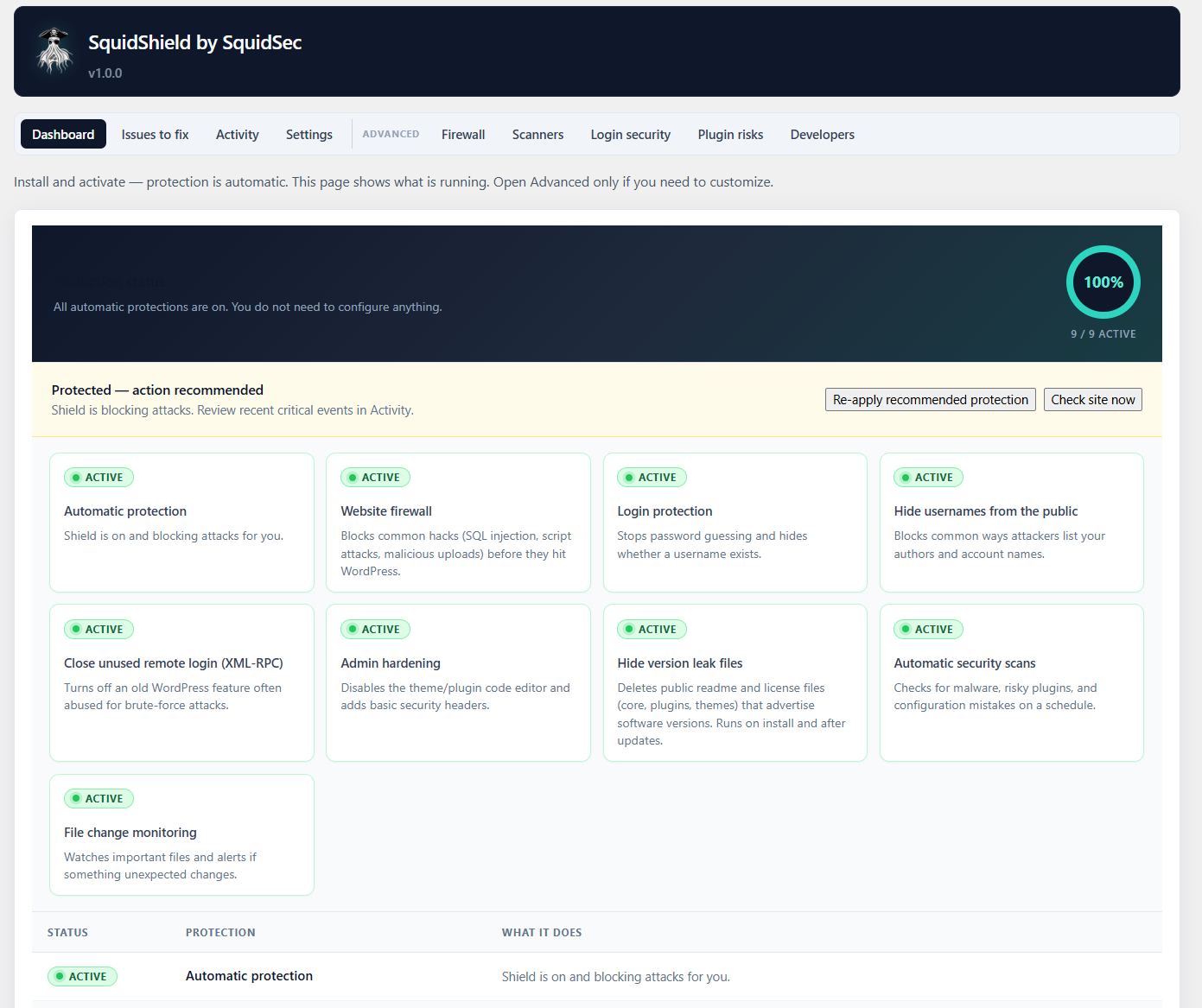 |
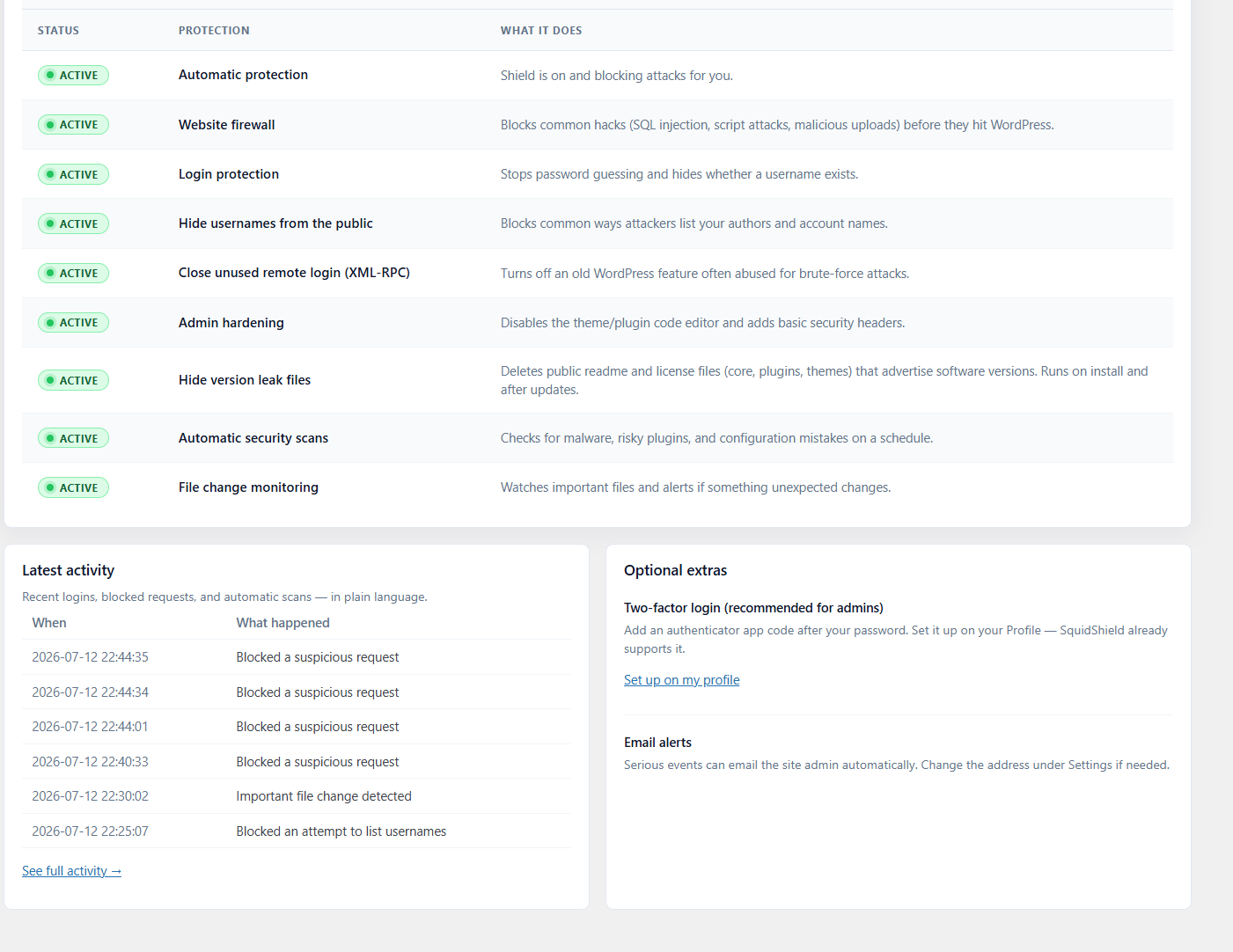 |
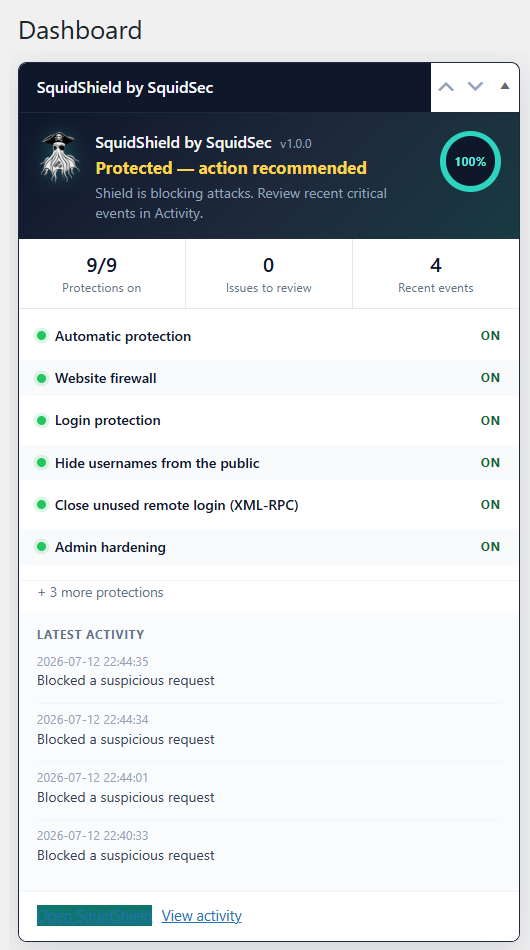
| 1. Protection status dashboard with active layers and meter | 2. WordPress admin dashboard card summarizing Shield status |
 |
 |
| 3. Login security: lockouts, CAPTCHA, and 2FA options | 4. Firewall and rate-limit settings with allowlist controls |
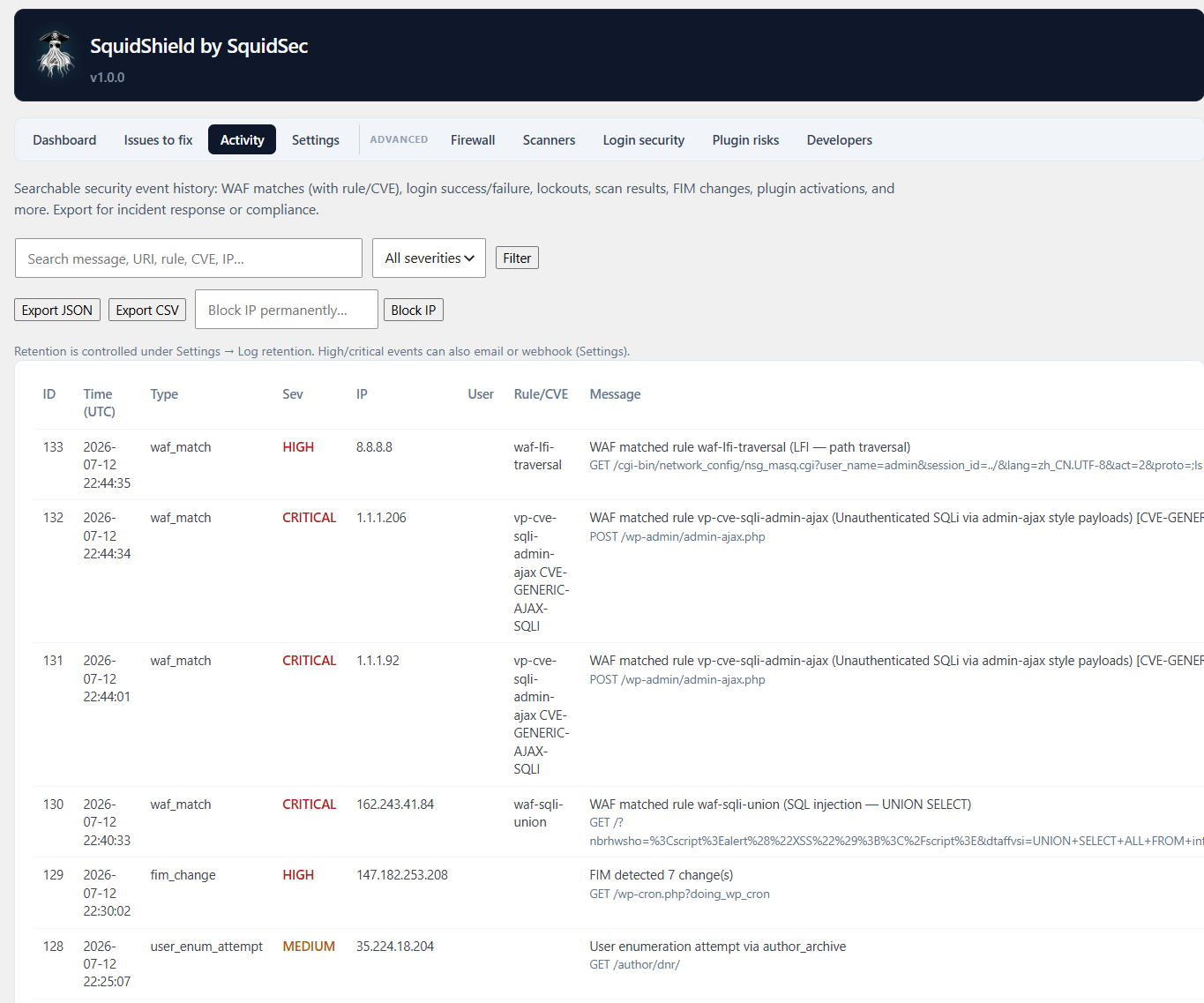
5. Activity / audit log of security events
These assets also live under .wordpress-org/ for WordPress.org directory use (icons, banners, screenshots).
Quick install
From the latest release (recommended)
- Open the latest release.
- Under Assets, download
squidsec-shield-x.y.z.zip. - In WordPress: Plugins → Add New → Upload Plugin.
- Choose that zip → Install Now → Activate.
Important: Use the asset named squidsec-shield-x.y.z.zip only.
| Do download | Do not upload to WordPress |
|---|---|
Release asset squidsec-shield-1.0.0.zip |
Source code (zip/tar.gz) from the release page |
Local build from ./bin/build-release-zip.sh |
A GitHub Actions artifact that still contains a nested .zip inside |
Uploading a nested zip or the raw source archive is the usual cause of “The plugin does not have a valid header.”
That's it. Protective modules default on so a typical site is covered without opening Settings first.
From this repository
git clone https://github.com/DotNetRussell/SquidShield-WP.git
cd SquidShield-WP
chmod +x bin/build-release-zip.sh
./bin/build-release-zip.sh
# Upload dist/squidsec-shield-<version>.zip in WP Admin
Requirements
| Requirement | Minimum |
|---|---|
| WordPress | 5.8+ |
| PHP | 7.4+ |
| MySQL / MariaDB | As required by your WordPress install |
Plugin layout
squidsec-shield/
├── squidsec-shield.php    # Bootstrap & plugin headers
├── includes/              # Modules (WAF, Auth, Malware, Hardening, …)
├── assets/
│   ├── css/ js/           # Admin UI
│   └── images/            # Brand logo, admin icons
├── data/                  # Rules, signatures, vuln data
├── dropins/               # Early-load WAF drop-in
├── languages/             # Translations
└── uninstall.php
After install, look for SquidShield in the WordPress admin menu and the main Dashboard widget.
CI / releases
| Trigger | What runs |
|---|---|
Pull request → main |
PHPUnit suite against a real WordPress + MySQL stack |
Push / merge → main |
Tests, then build squidsec-shield-<version>.zip, upload as a workflow artifact, and publish/update the GitHub Release |
Tag v* |
Same as main: tests + zip + GitHub Release for that tag |
- Workflow: .github/workflows/ci.yml
- Installable zip: Releases → Assets →
squidsec-shield-x.y.z.zip(not “Source code”; not a nested Actions artifact zip) - CI gate: every release job installs and activates the built zip in a fresh WordPress before publishing
- Version source:
Version:header insquidsec-shield.php(currently 1.0.0)
When you cut a new version:
- Bump
VersionandSQUIDSEC_SHIELD_VERSIONinsquidsec-shield.php. - Merge to
main(or push a tag likev1.0.1). - Grab the zip from the new release.
Development & tests
The suite covers WAF rules, virtual patches, malware signatures, FIM, login protection, user enumeration, 2FA/TOTP, fingerprint cleanup, sensitive files, hardening, vulnerability/risk scoring, audit logs, REST API, and more.
Local (Docker)
If the plugin is mounted into a local WordPress container (see tests/bin/run-tests.sh):
chmod +x tests/bin/run-tests.sh
./tests/bin/run-tests.sh
# Optional filter:
./tests/bin/run-tests.sh --filter RulesEngine
PHPUnit directly
Requires WordPress loadable via WP_LOAD (path to wp-load.php):
export WP_LOAD=/path/to/wordpress/wp-load.php
export SQUIDSHIELD_TESTING=1
php phpunit.phar -c phpunit.xml.dist| Path | Purpose |
|---|---|
tests/Unit/ |
Focused logic tests |
tests/Integration/ |
WordPress-backed tests (DB, REST, scanners, …) |
tests/Support/TestCase.php |
Shared fixtures / cleanup |
tests/bootstrap.php |
Loads wp-load.php + plugin autoloader |
phpunit.phar |
Download PHPUnit 9 locally (curl -fsSL -o phpunit.phar https://phar.phpunit.de/phpunit-9.6.phar) |
Tests may use a live site database. Prefer disposable/local environments. Do not point
WP_LOADat production.
More detail: tests/README.md.
Configuration notes
- Defaults are on — enable/disable individual modules under the SquidShield admin screens.
- Pentest mode — log detections without blocking (useful for staging).
- Early drop-in —
dropins/squidsec-shield-early.phpcan run the WAF before full plugin load when placed as an MU-plugin / advanced setup (see admin docs in-plugin). - Notifications — email, generic webhook, and Slack webhook fields in settings.
Support & links
| Plugin URI | squidsec.com/shield |
| Author | SquidSec |
| Issues | GitHub Issues |
| Releases | GitHub Releases |
License
This repository is distributed under the terms in LICENSE. The plugin header also notes GPLv2 or later for WordPress.org compatibility expectations.
Releases
1 release. Each count is every asset in that release; expand a row for the breakdown.